Reverse-Engineering a Server PSU into a High-Current BMW Charger
🎥 Watch the Build — 4-Part Video Series
Overview
I picked up a Dell/Delta Electronics D1100E-S0 (DPS-1100BB) server power supply — a 1100 W, 80 PLUS Platinum unit that outputs a fixed 12.2 V and actively regulates that voltage while delivering up to 90 A. These show up used for about $30 on eBay, a small fraction of the cost of a purpose-built bench supply with a similar current rating.

My goal was to modify the output so I could use it as a high-current supply for keeping my BMW's battery topped up while I flash its ECUs — a process that can pull the battery down and cause a flash to fail if the supply voltage sags. That meant two things had to happen: the supply had to turn its main output on without a server motherboard telling it to, and its regulated voltage had to be pushed from 12.2 V up toward the ~13.8–14 V a car's alternator would normally provide.
There are already a handful of guides online for doing this kind of hack to common HP server supplies, but this particular Dell/Delta unit turned out to be electrically quite different and considerably more involved to reverse-engineer, since none of the existing writeups line up with its pinout or feedback topology. In the absence of a datasheet, everything below was worked out with a multimeter, an oscilloscope, and a lot of continuity testing.
Step 1: Turning the Power Supply On
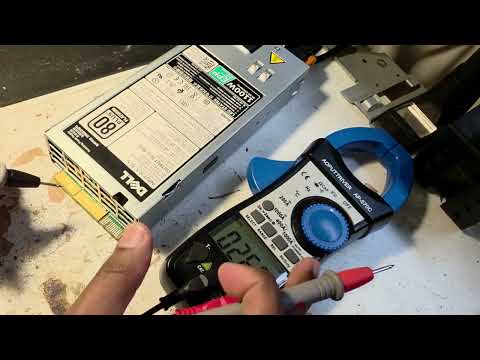
Simply plugging in mains power isn't enough to get a usable output — server PSUs like this one expect a motherboard to assert several control signals over a multi-pin header before they'll enable their main output. Plugging it in only lights the status LED green:
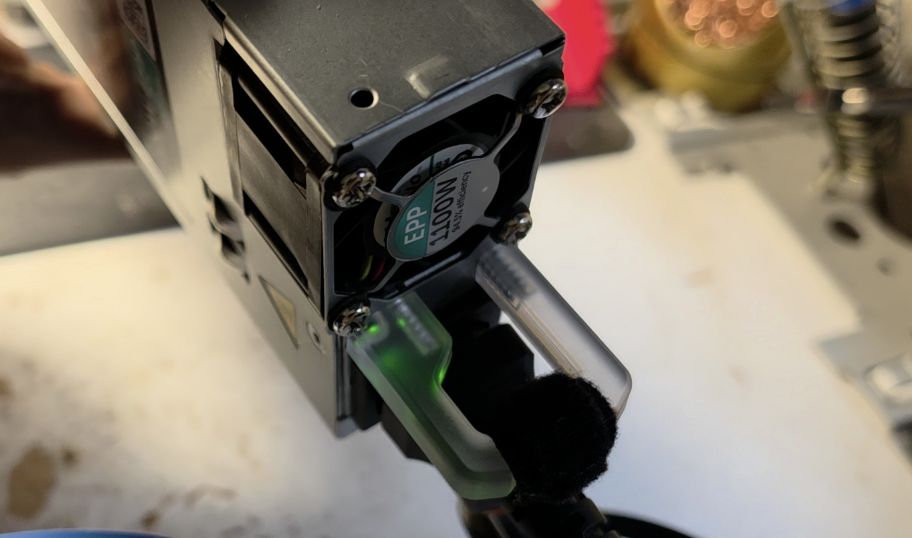
That green light doesn't mean the main +12 V output is live, though — at this point it reads next to nothing (about 1.8 mV) at the main output terminals.
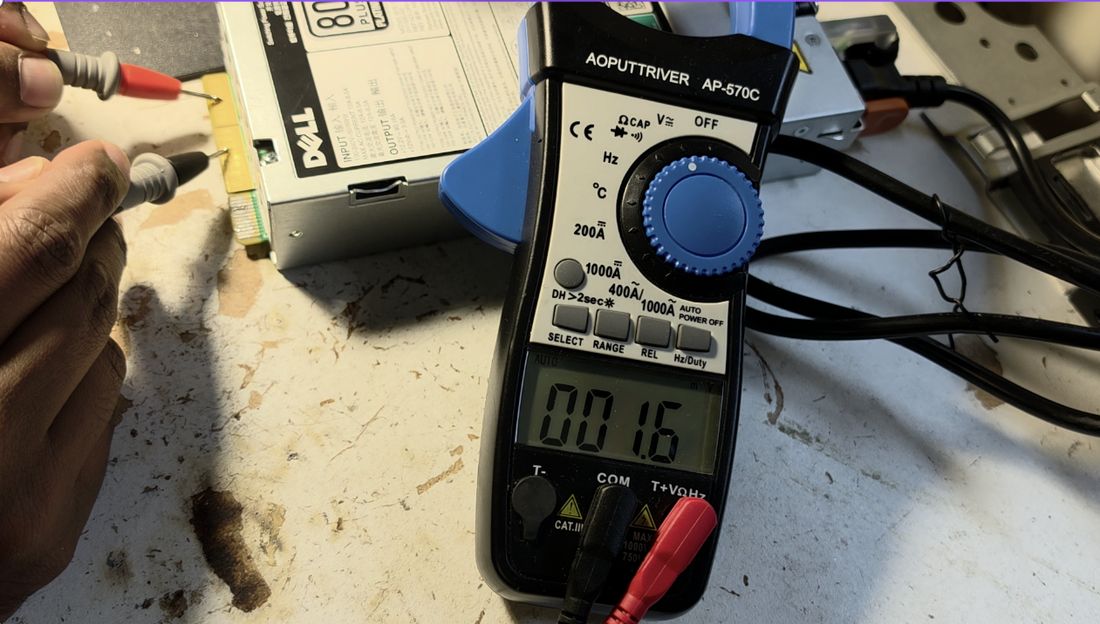
The large terminal on the edge is the main +12 V output, and the terminal in the center is ground. What is already live at this stage is standby power, available from a smaller terminal in the center when the unit is flipped over — it reads a solid 12 V, but can only source about 3 A, nowhere near enough for what I needed.
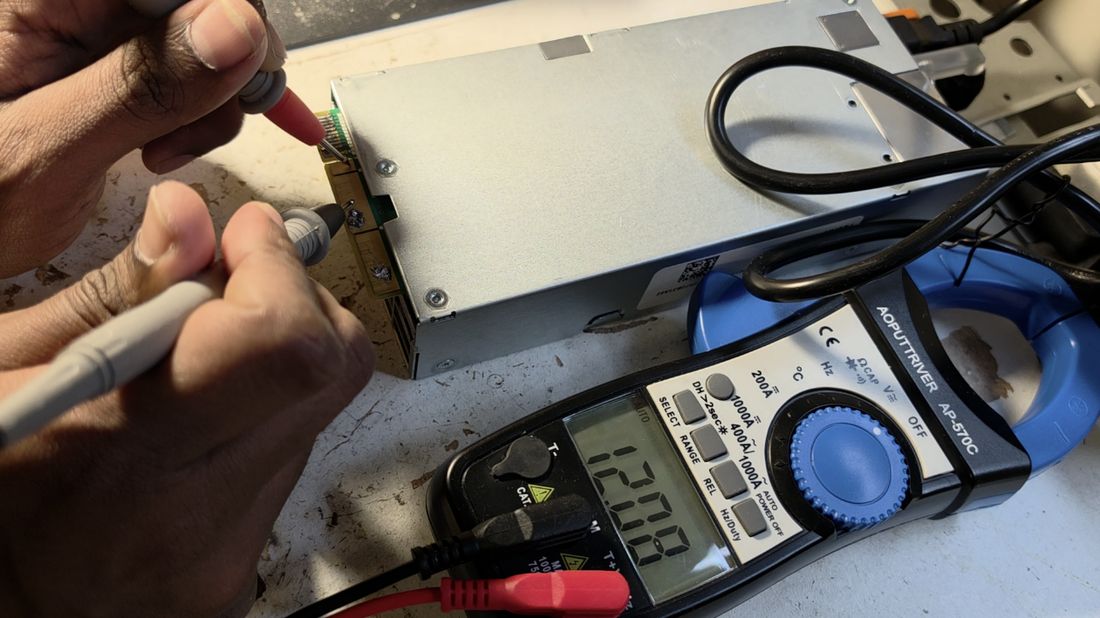
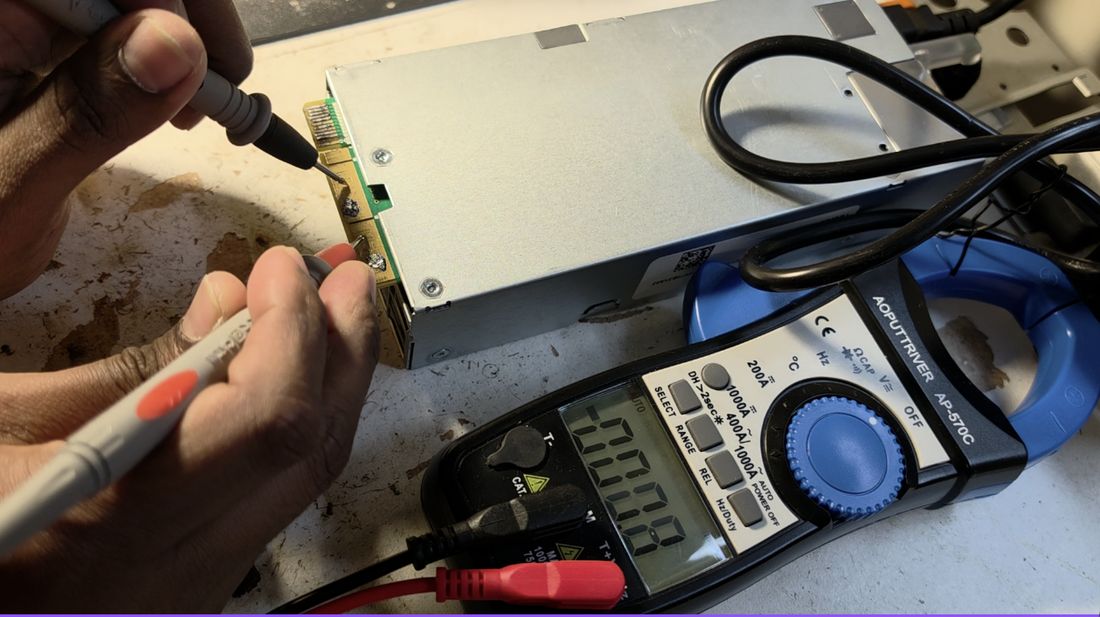
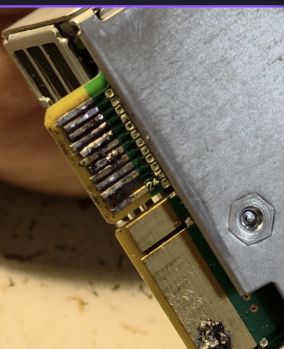
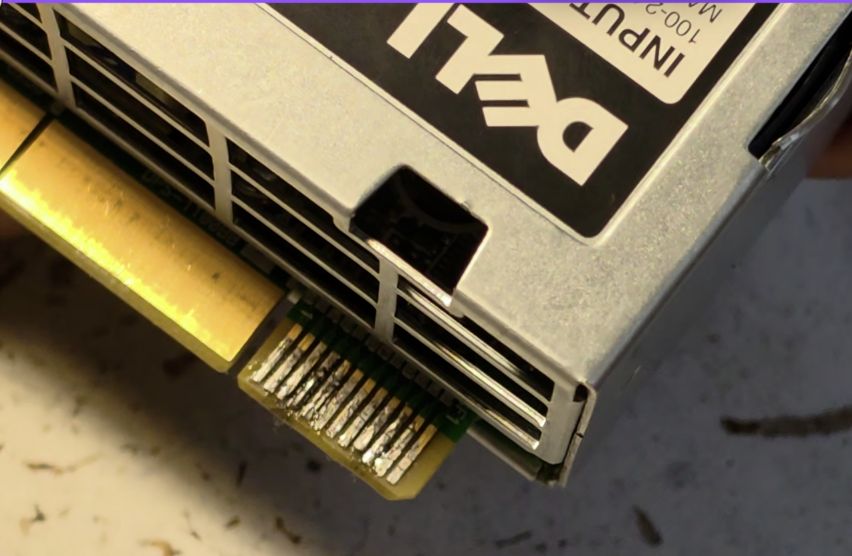
Enabling the main output meant working out the control header. It's a 24-pin connector, twelve pins on each side.
Mapping the Control Pins
With no datasheet, I had to reverse-engineer the header pin by pin. First, with a multimeter in continuity mode, I found which pins are grounded by default: pins 6 and 10 on the top row, and pins 16, 18, 20, and 22 on the bottom row.
Next, I measured which pins carry voltage while the unit is only in standby (main output still off):
| Pin | Voltage in Standby (V) | Purpose |
|---|---|---|
| 1 | 0 | |
| 2 | 0 | |
| 3 | 0 | |
| 4 | 0 | |
| 5 | 3.3 | |
| 6 | 0 | GND |
| 7 | 0 | |
| 8 | 0 | |
| 9 | 0 | |
| 10 | 0 | GND |
| 11 | 0 | |
| 12 | 0 | |
| 13 | 2.1 | Possibly a PWM or feedback pin (output of a resistive divider) |
| 14 | 3.3 | |
| 15 | 12 | Potentially indicates standby power |
| 16 | 0 | GND |
| 17 | 3.3 | |
| 18 | 0 | GND |
| 19 | 3.3 | |
| 20 | 0 | GND |
| 21 | 0 | |
| 22 | 0 | GND |
| 23 | 0 | |
| 24 | 0 |
Based on the pattern — two pins that looked like they might be logic enables sitting near 2–3.3 V — I tried shorting pins 13 and 14 together and then to ground (a technique suggested by a resource describing a similar, unrelated supply), and that turned out to be exactly right. The cooling fan spins up immediately and the main output jumps to 12.2 V.
I soldered pins 13 and 14 together, and added a small switch between that joined pair and ground so I could turn the main output on and off at will. Since I knew I'd need reliable ground and +12 V tap points later, I also soldered dedicated ground and power leads directly onto the output copper at this stage.
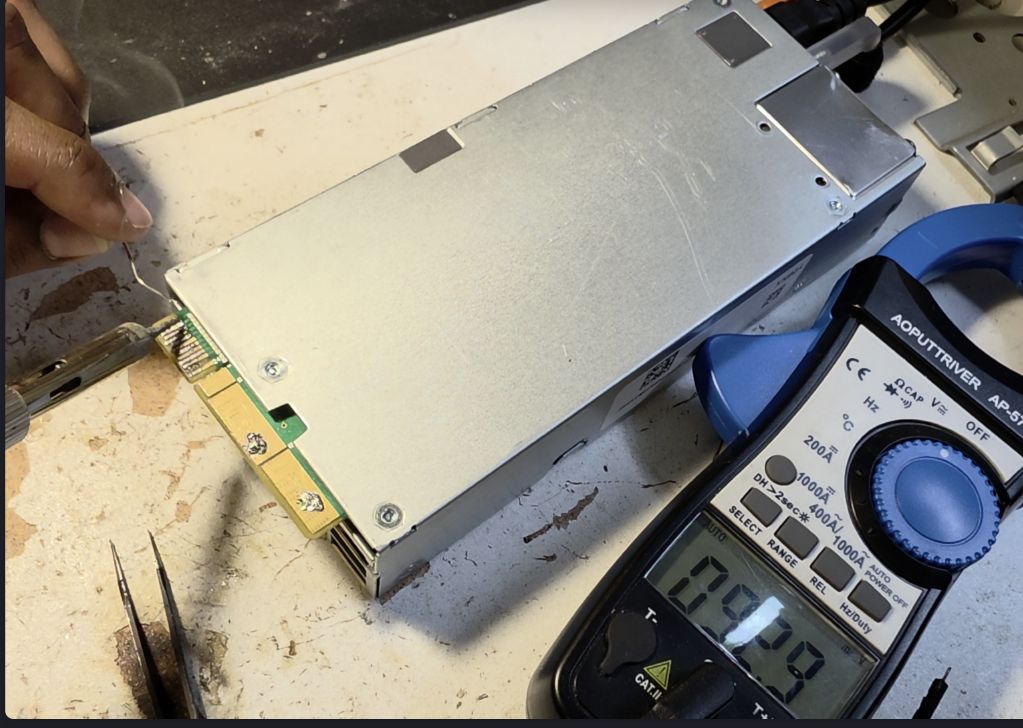
A word of advice here: use flux when soldering onto the large copper output pads. They're a big thermal mass and tend to have surface oxidation, so without flux it's genuinely difficult to get solder to wet the pad.
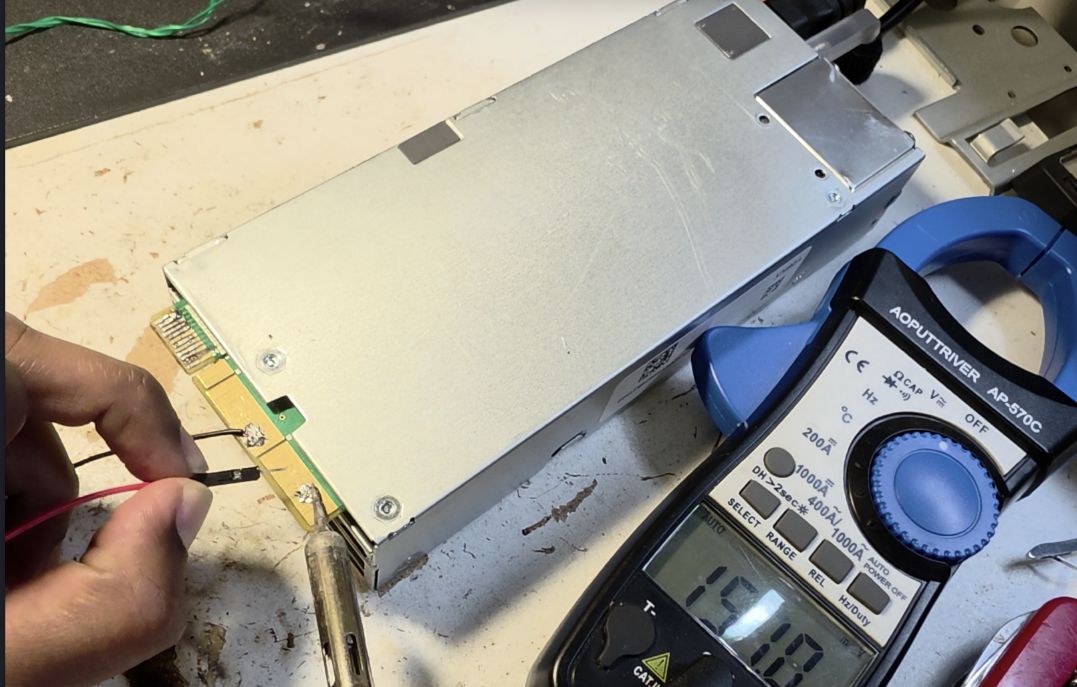
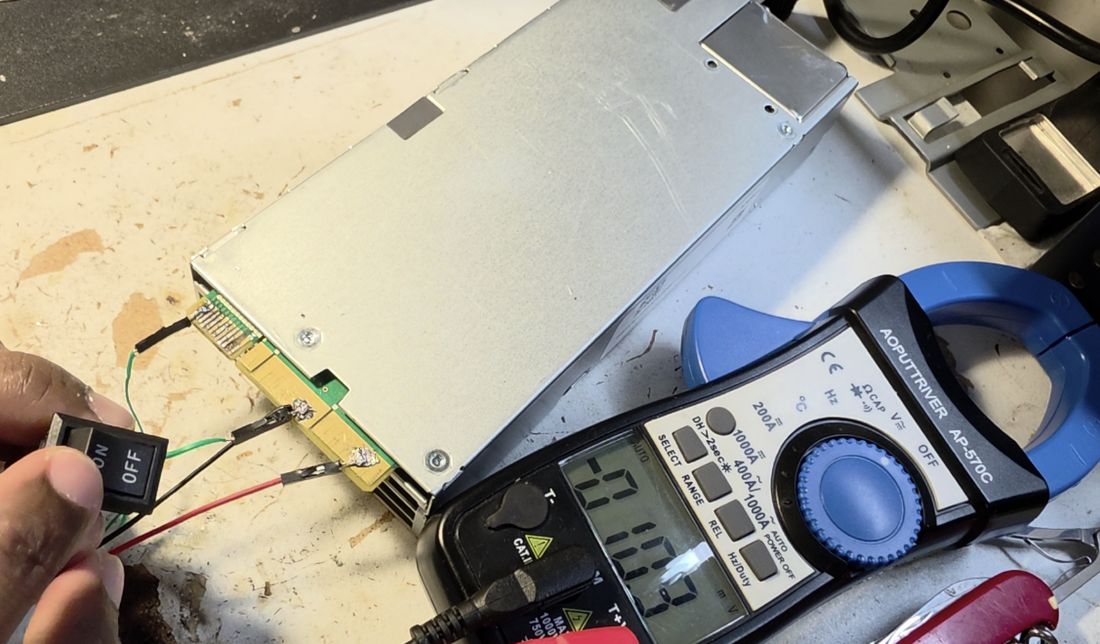
With the switch wired up, flipping it turns the main output on:
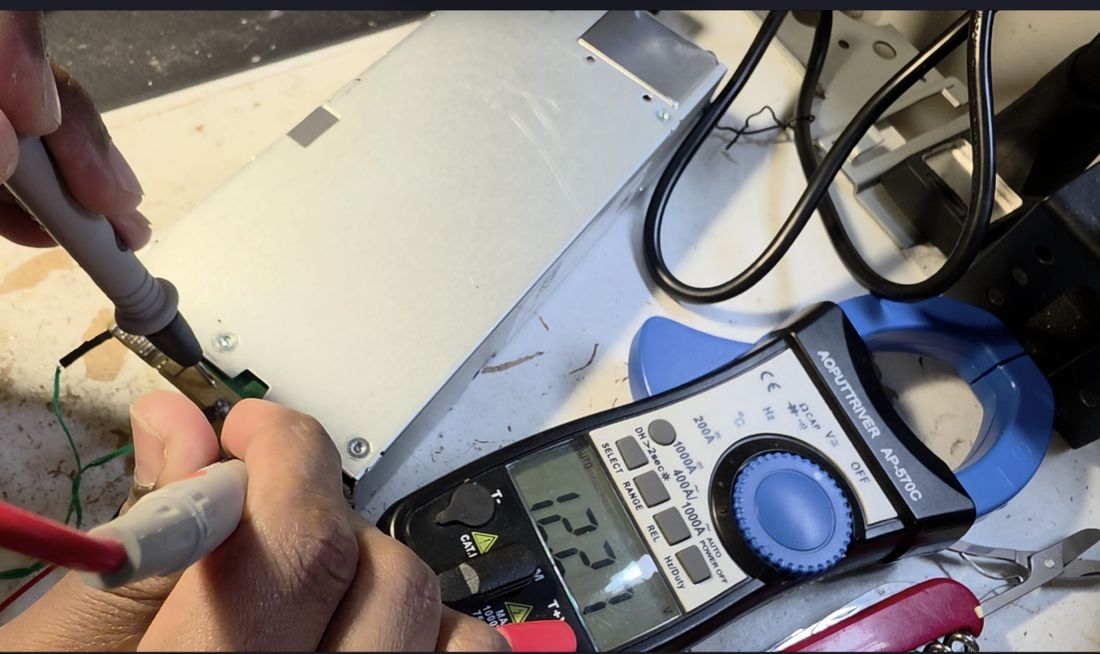
Re-measuring the header with the main output now enabled filled in the rest of the picture:
| Pin | Standby (V) | Main Power On (V) | Purpose |
|---|---|---|---|
| 1 | 0 | ||
| 2 | 0 | ||
| 3 | 0 | ||
| 4 | 0 | ||
| 5 | 3.3 | ||
| 6 | 0 | 0 | GND |
| 7 | 0 | ||
| 8 | 0 | ||
| 9 | 0 | ||
| 10 | 0 | 0 | GND |
| 11 | 0 | ||
| 12 | 0 | ||
| 13 | 2.1 | 0 | Must connect to GND to enable main power |
| 14 | 3.3 | 0 | Must connect to GND to enable main power |
| 15 | 12 | 12 | Potentially indicates standby power |
| 16 | 0 | 0 | GND |
| 17 | 3.3 | 3.3 | |
| 18 | 0 | 0 | GND |
| 19 | 3.3 | 3.3 | |
| 20 | 0 | ||
| 21 | 0 | ||
| 22 | 0 | 0 | GND |
| 23 | 0 | V_OUT | Remote Sense (+) |
| 24 | 0 | 0 | Remote Sense (−) |
Part 2: Raising the Output Voltage
With the supply turning on reliably, the next problem was voltage: I needed roughly 13.8–14 V, and the supply is hard-regulated to 12.2 V. My first approach followed the same trick used on similar HP supplies: exploit the remote-sense input.
Pins 23 and 24 turned out to be Remote Sense (+) and Remote Sense (−). The idea behind remote sensing is that the supply measures its own output voltage right at the load (compensating for cable drop) rather than at its own terminals. If you feed the sense pin a voltage lower than what's actually present at the output, the control loop "thinks" the output has sagged and cranks the real output voltage up to compensate.
Since the remote-sense (+) pin already sat at the full 12.2 V, it had to be pulled up to the output through some internal resistance. Grounding it through an external resistor would form a voltage divider with that internal resistance, pulling the sensed voltage down and, in theory, pushing the real output up. I tried a range of resistor values from the sense pin to ground and logged the resulting output voltage:
| Resistor to GND | Output Voltage (V) |
|---|---|
| Open circuit | 12.34 |
| 120 kΩ | 12.36 |
| 17 kΩ | 12.39 |
| 10 kΩ | 12.59 |
| 5 kΩ | 12.67 |
| 570 Ω | 12.67 |
| 100 Ω | 12.67 |
The output voltage plateaued at 12.67 V no matter how low I pushed the external resistance — a gain of only about 0.4 V, far short of the 13.8 V+ I needed. That plateau is the signature of a fixed internal resistance in series with whatever I add externally: even at 0 Ω external resistance, there's still a finite internal resistance holding the divider ratio, and hence the sensed voltage, above a floor. The remote-sense trick that works on other supplies had hit a hard limit on this one.
Opening the Case and Tracing the Feedback Network
With remote sense maxed out, the only path left was to find the actual voltage-feedback network inside the supply and modify it directly. That meant opening the case.
Safety note: the primary-side bulk capacitor in a supply like this can hold a lethal charge well after it's unplugged — up to roughly 400 V on a 230 VAC mains input, or about 200 V on a 120 VAC input (VRMS × √2). Let it discharge on its own, or discharge it manually, before opening anything up.
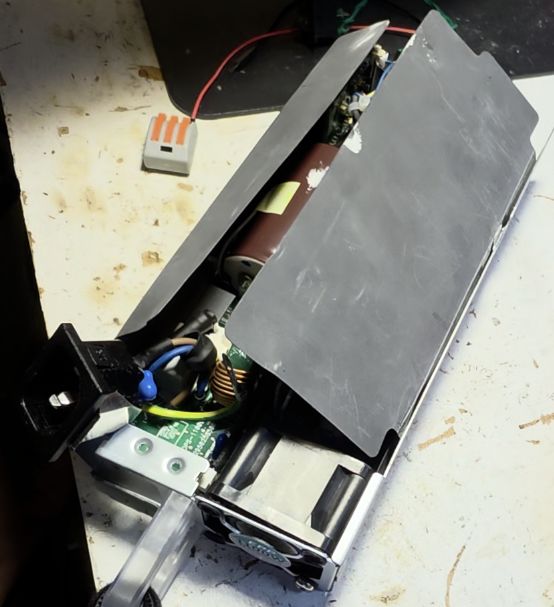
After removing all the case screws, the outer shell comes off:
and the main board can be separated from the housing:
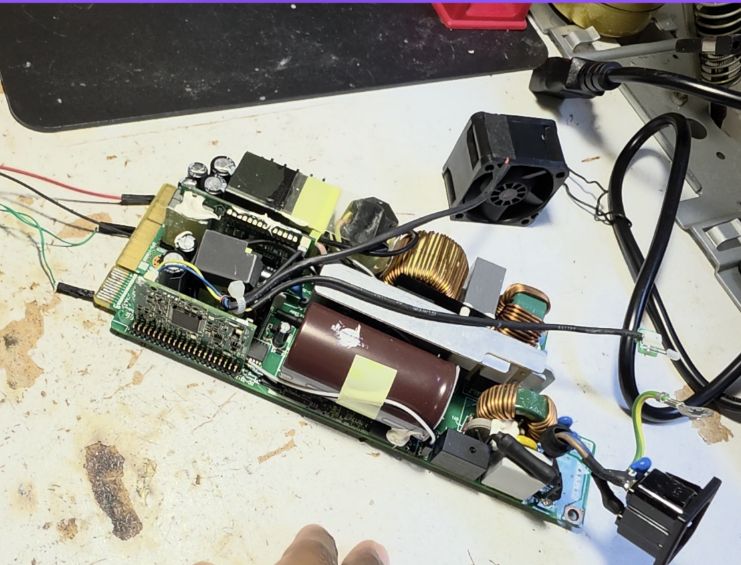
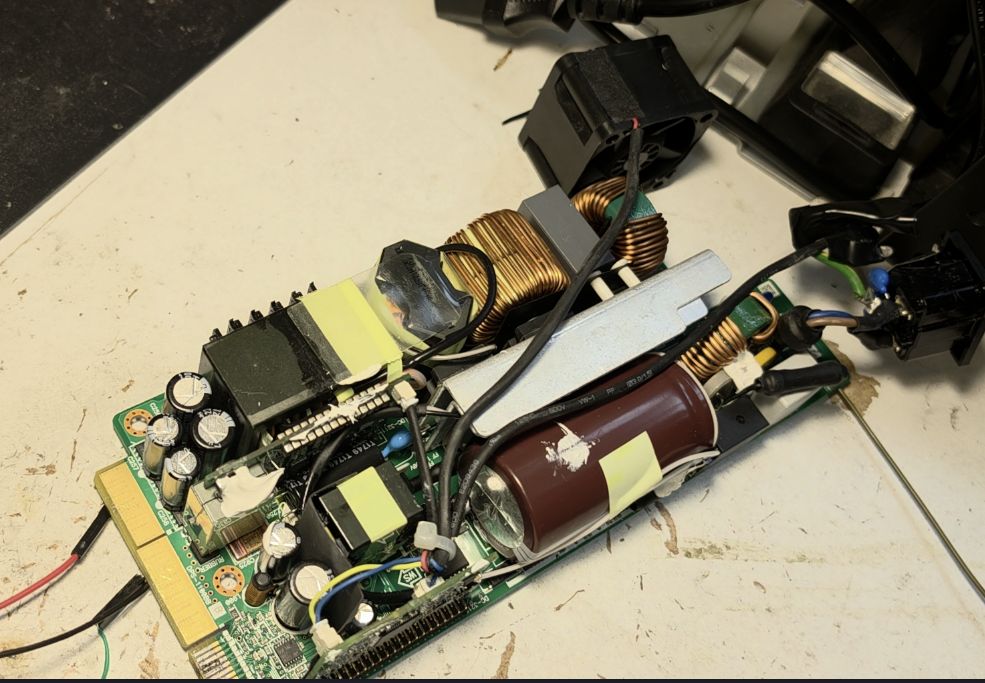
With everything exposed, it's worth being deliberate about not letting bare connections touch — I covered the terminals I'd already soldered to with electrical tape to guard against accidental shorts while probing around.
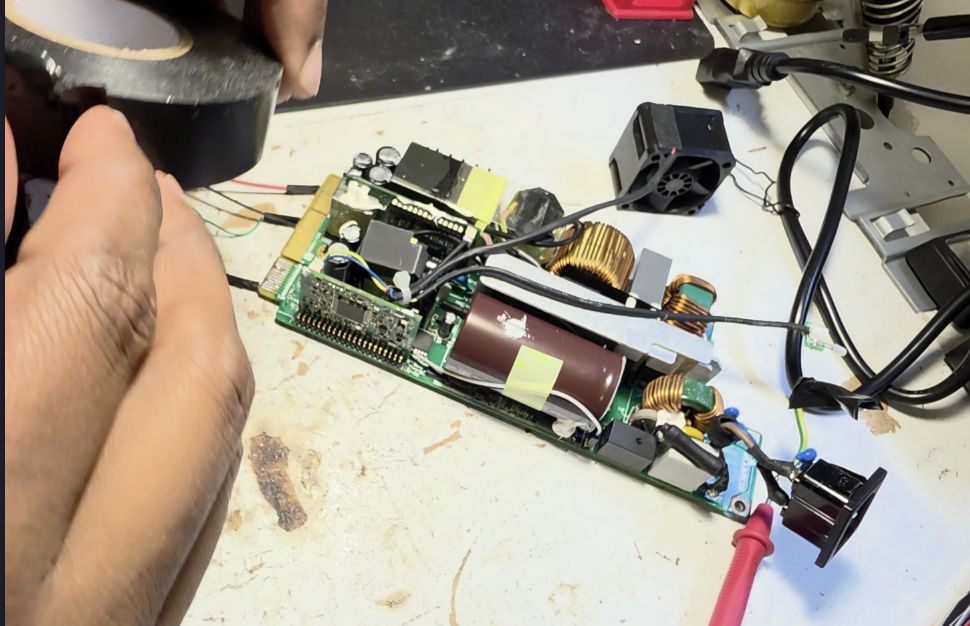
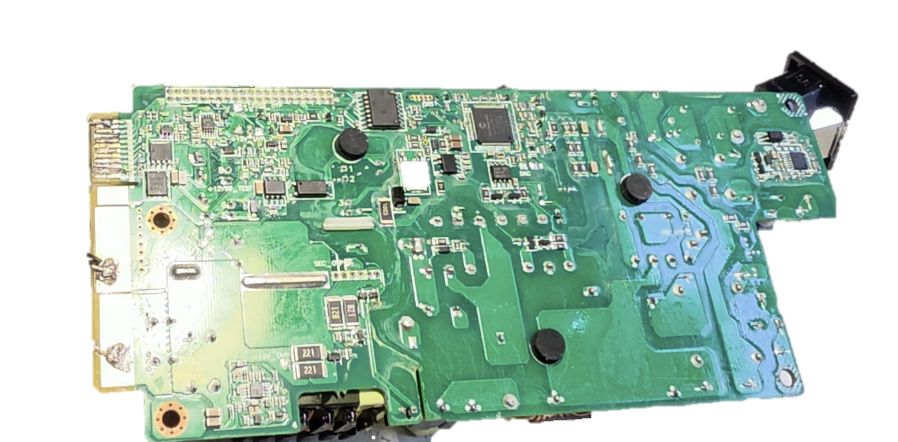
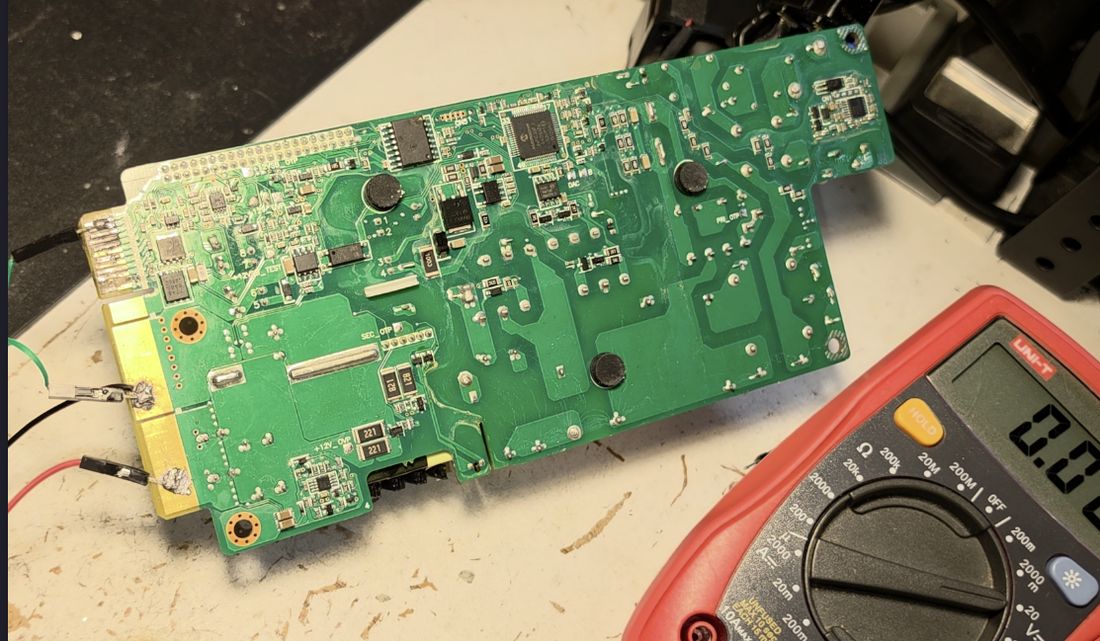
Here's the overall layout and major ICs inside — starting with the reverse side of the main board:
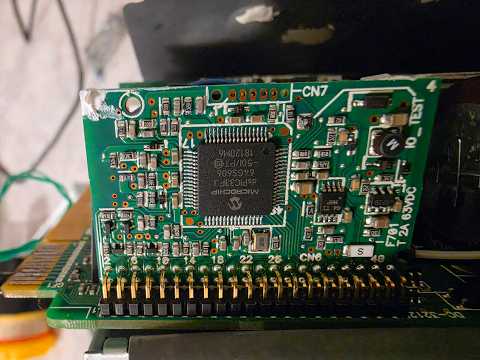
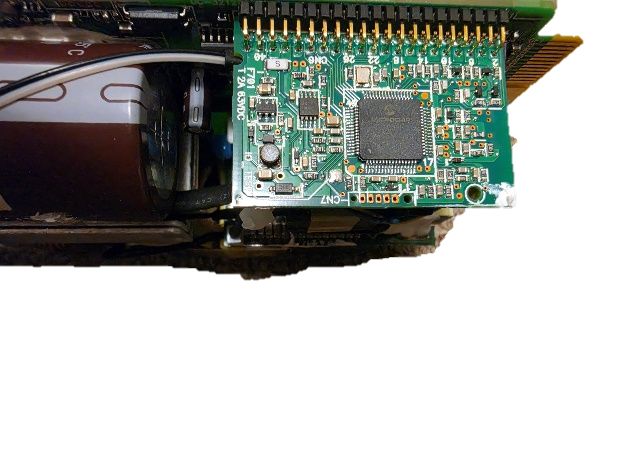
There are two daughterboards stacked on top of the main board: one built around a PIC microcontroller, and a second carrying the DAC and over-voltage-protection circuitry.
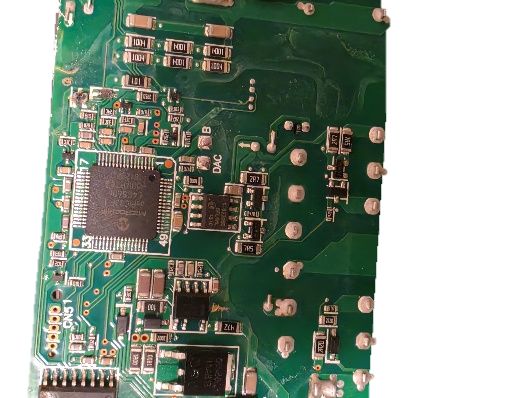
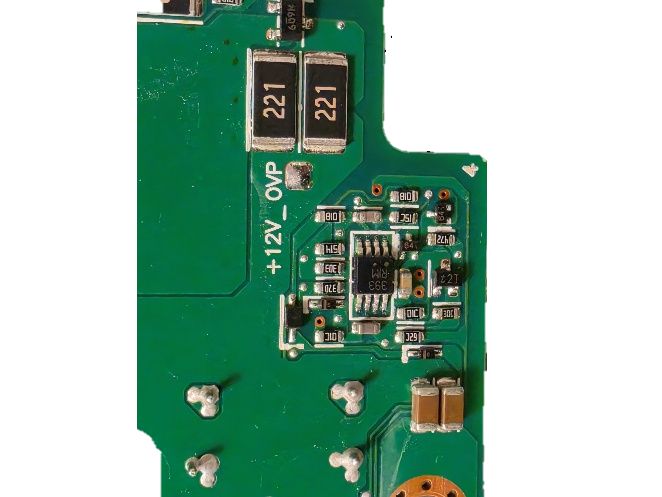
The whole board is a double-sided PCB with two daughterboards layered on top — considerably more complex than the single-board designs the existing HP writeups deal with. The obvious starting point was to trace pin 23 (remote sense +) and see which components it actually connects to.
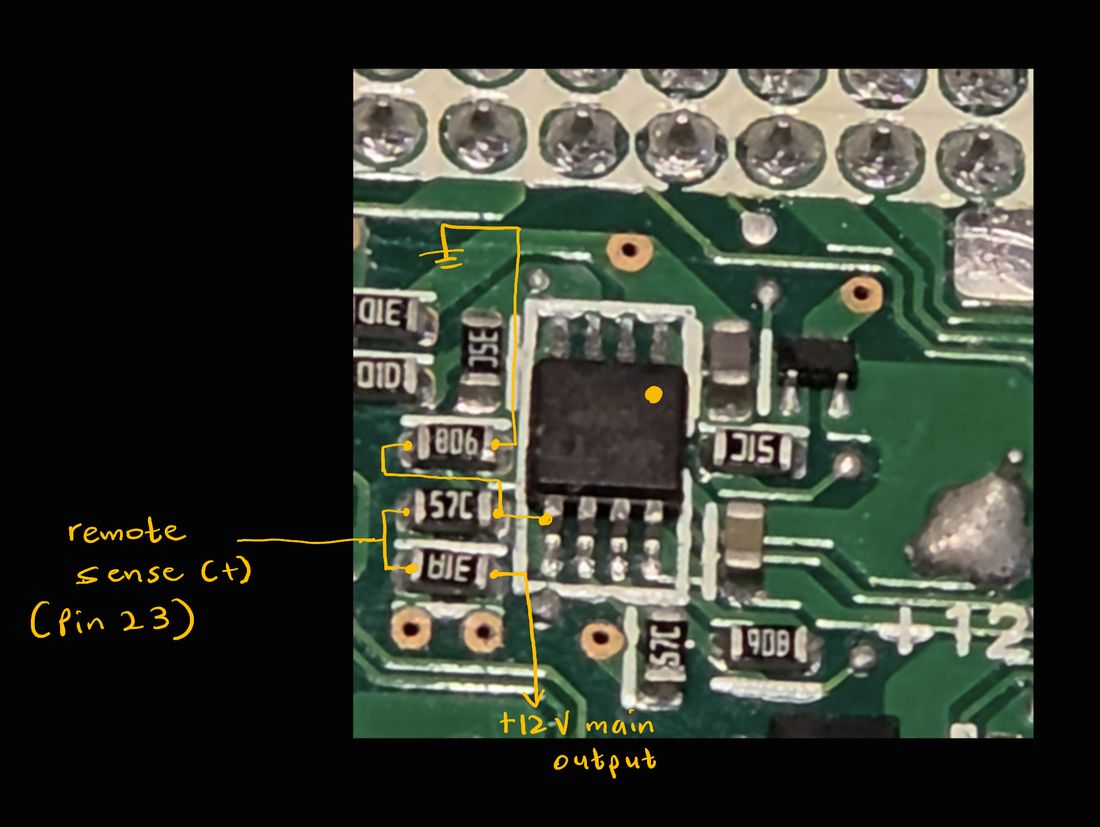
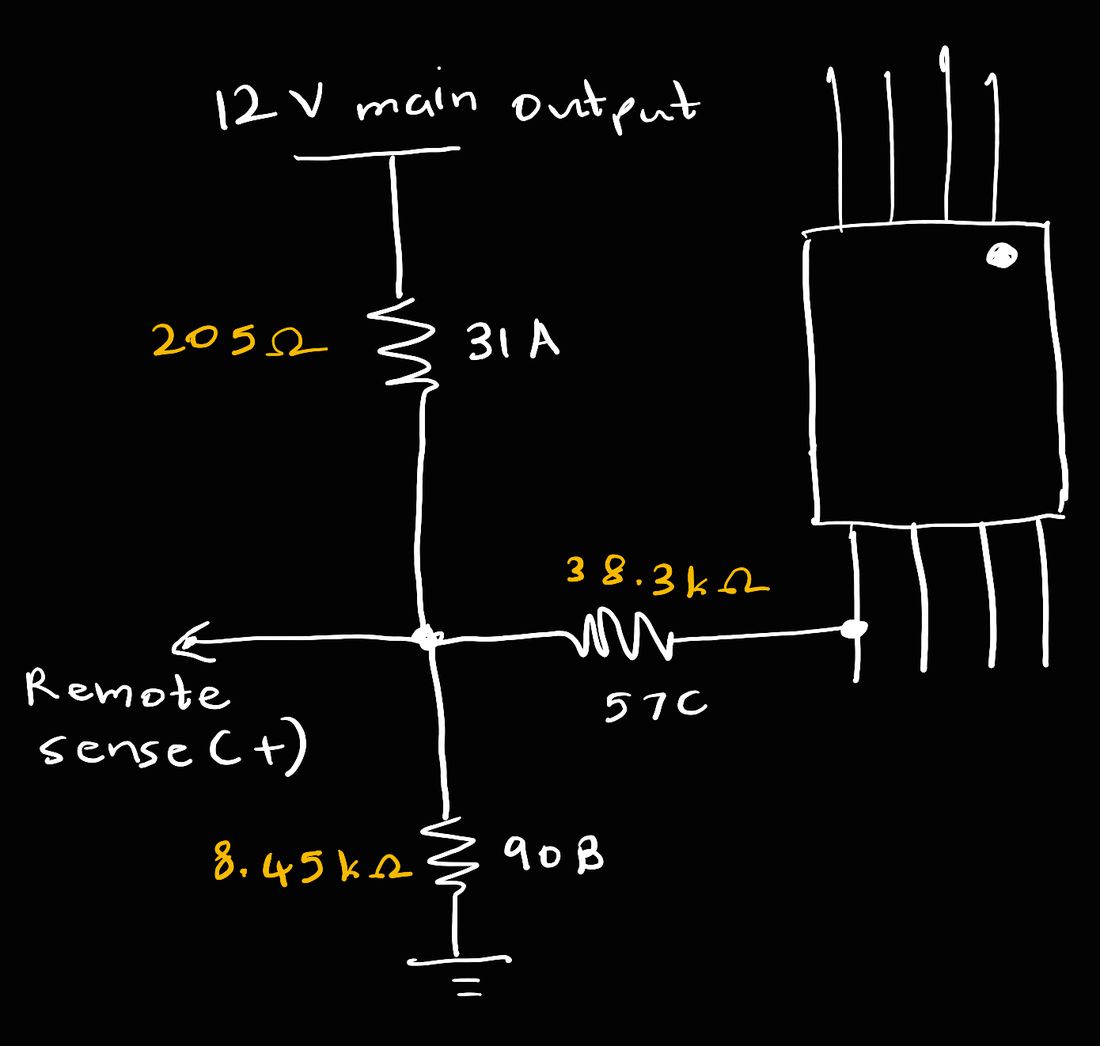
That trace led to two resistors: one running from remote sense (+) straight to the 12 V output, and a second running to a pin on an unmarked comparator IC — unmarked, so no datasheet was going to help here. Since most of the logic on this board runs at 3.3 V, there had to be a third resistor tying that comparator input down to ground, forming a divider that scales the 12 V output down before it's sampled. Probing around confirmed a divider network that was consistent with everything I'd already observed by varying the remote-sense resistor.
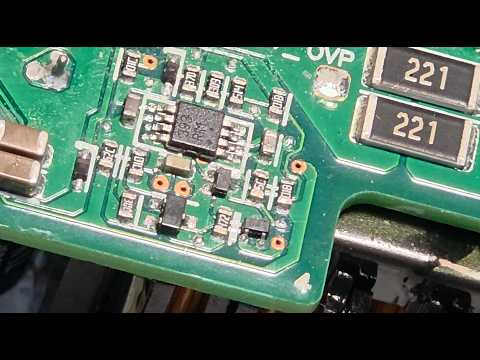
Since the comparator IC itself was unmarked and unidentifiable, this path hit a dead end. I turned my attention to the over-voltage-protection circuit instead, on the theory that the supply might be hitting an OVP clamp that was independently limiting the output. That circuit is built around an LM393 dual comparator — but next to it sat a transistor-like component marked only “64” that I couldn't identify either (it wasn't a BJT: there was no pair of body diodes across its terminals, which you'd expect to see).
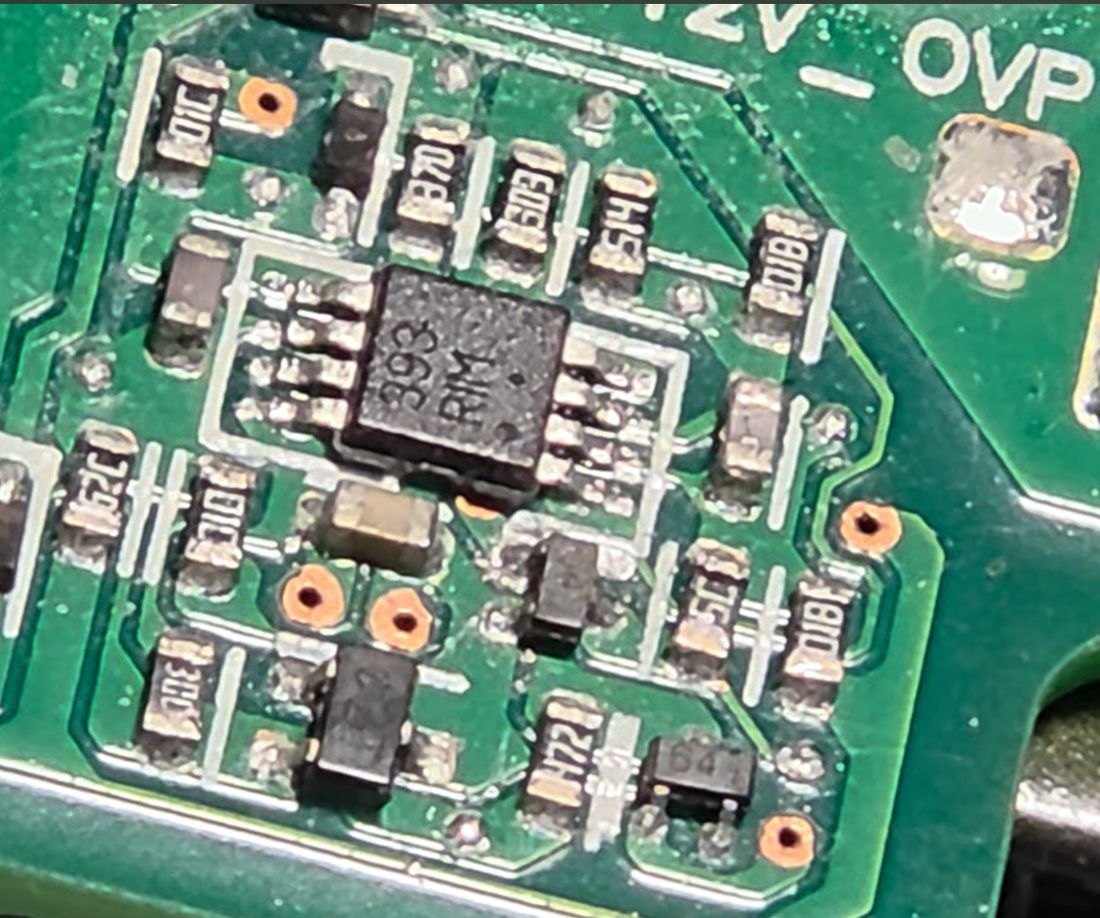
I ultimately set that theory aside: if the supply were actually hitting an OVP fault at 12.7 V, I'd expect to see a corresponding fault code on the PMBus (I did connect to the PMBus during this project, but lost the logged data, so I'm not including it here). More importantly, even if this LM393 circuit were what was clamping the output when I adjusted the remote-sense network, its output would still have to feed back into one of the two on-board microcontrollers — one of which handles the AC input and voltage downconversion side, the other of which handles output voltage feedback. Since the daughterboard microcontroller sits physically closest to the output circuitry, I assumed it was the one responsible for voltage regulation, and shifted my search there.
Finding the Feedback Pin on the Microcontroller
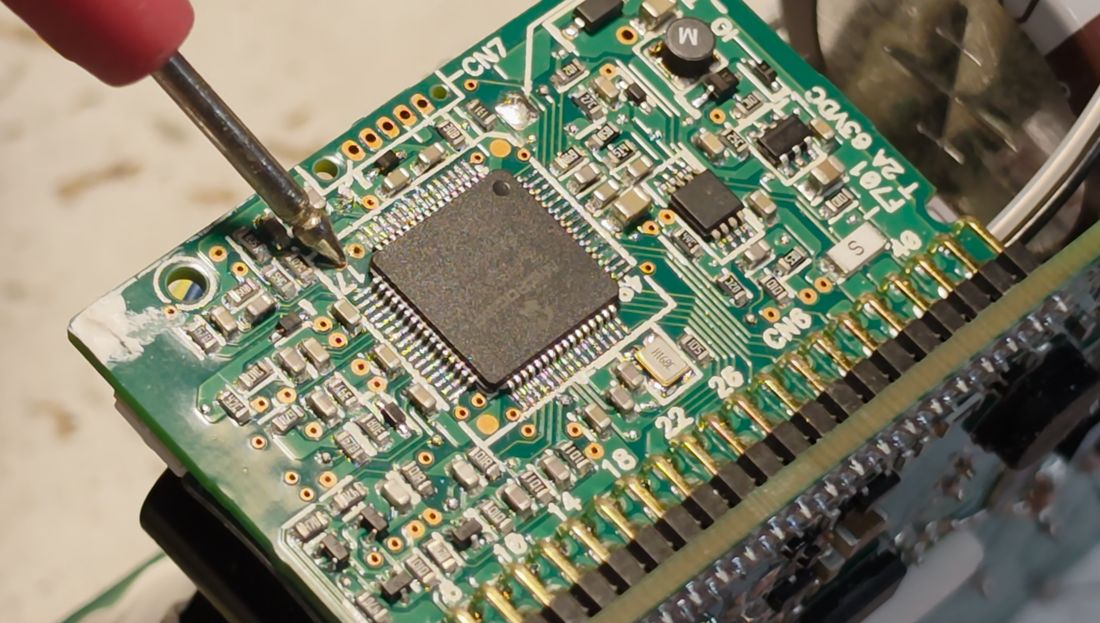
The main daughterboard is built around a PIC33FJ64GS606. Continuity testing couldn't find a direct path from the 12 V output into the daughterboard, which meant there had to be a buffer, resistor, or other component in between — so instead I powered the unit up and probed live, looking for a point on the daughterboard that read close to 12 V.
I pulled the microcontroller's datasheet to locate its ADC-capable pins:
Microchip dsPIC33FJ64GS606 product page
dsPIC33FJ64GSX06/X08/X10 family datasheet (PDF)
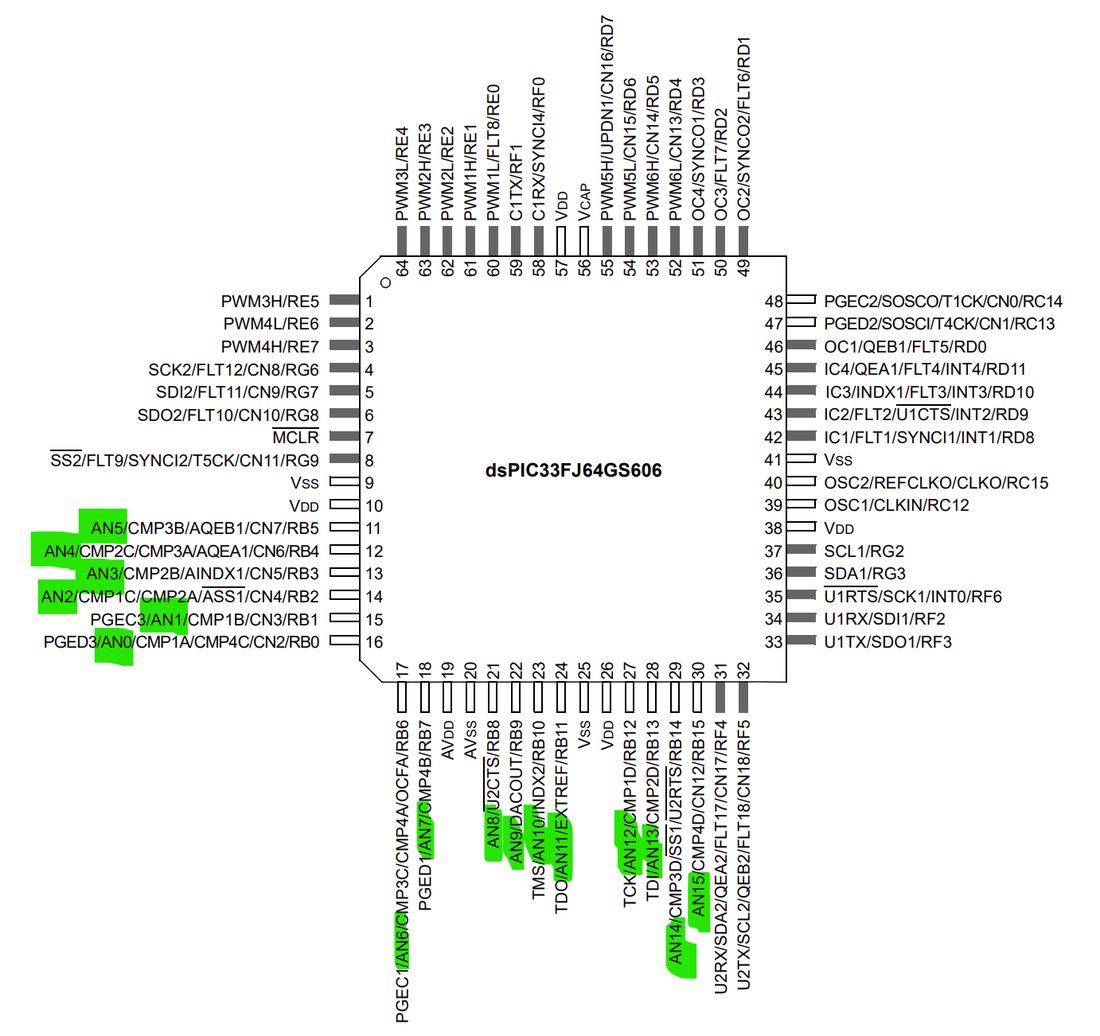
I then probed every one of those ADC pins, looking specifically for anything reading between 0 and 3.3 V — a candidate feedback-sense input. I had a specific target in mind: I'd read that this supply family has an over-voltage cutoff around 14.5 V, and if that's true, whatever ADC samples the output should read 3.3 V exactly at that 14.5 V cutoff. At the nominal 12.2 V output, that same ADC should read (12.2 / 14.5) × 3.3 V ≈ 2.77 V, so that's the value I was hunting for.
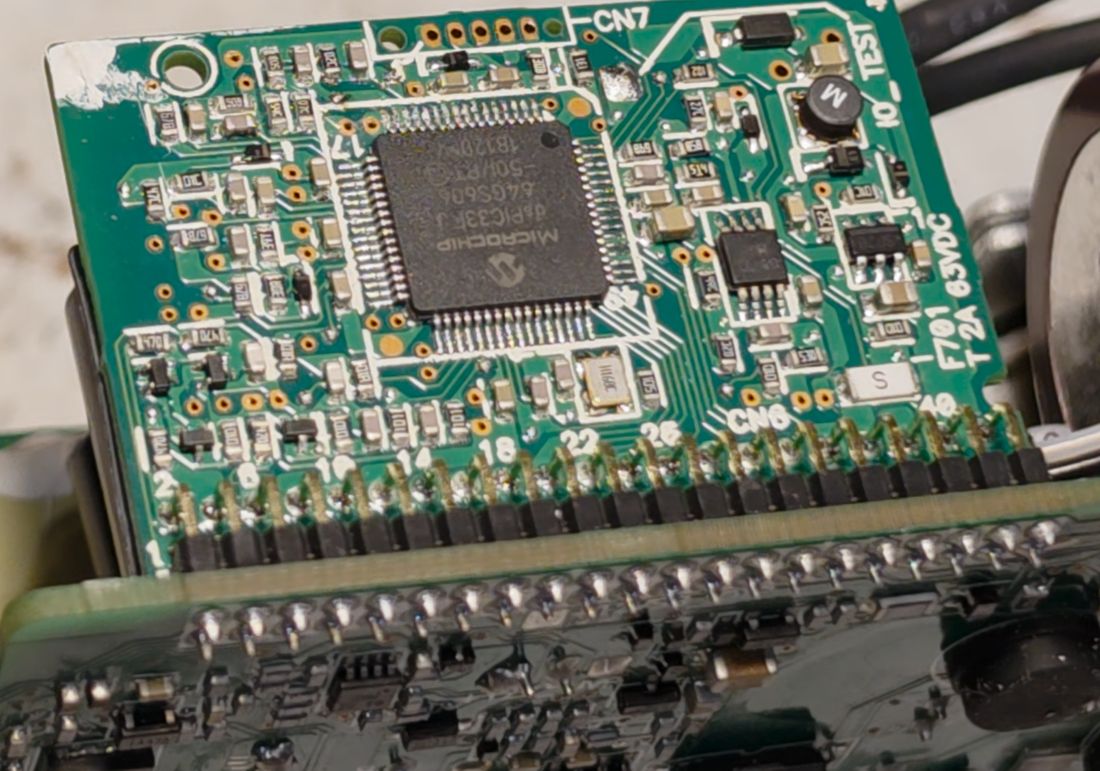
I found a pin reading right around 2.7 V — a strong candidate for the feedback input.
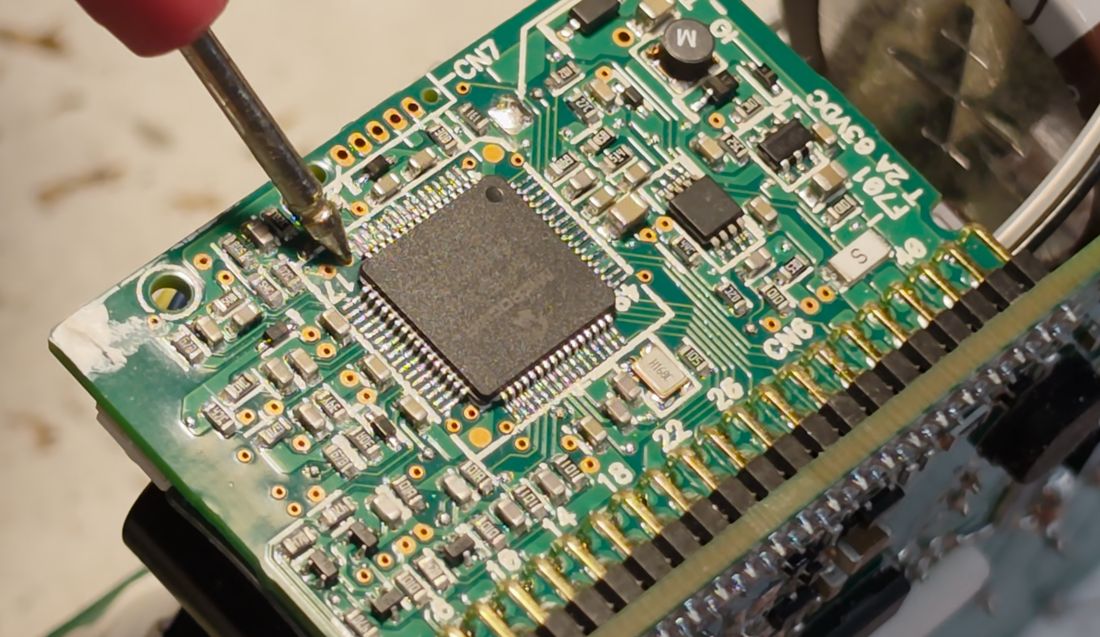
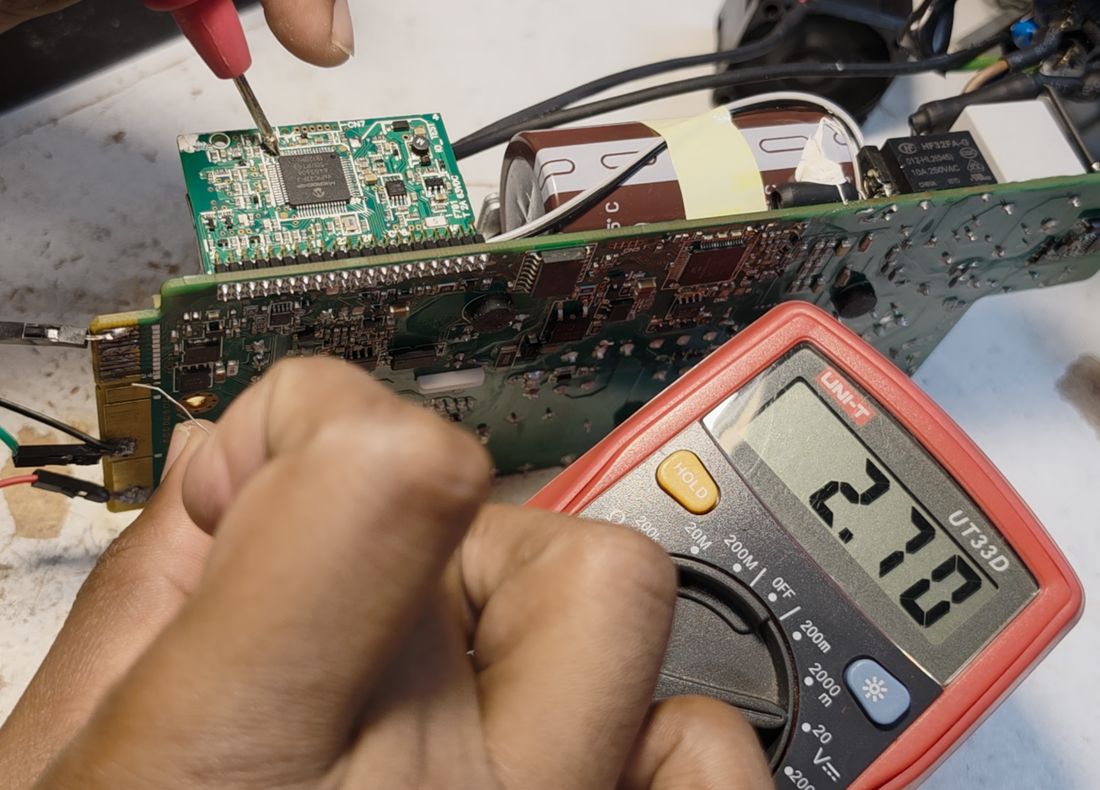
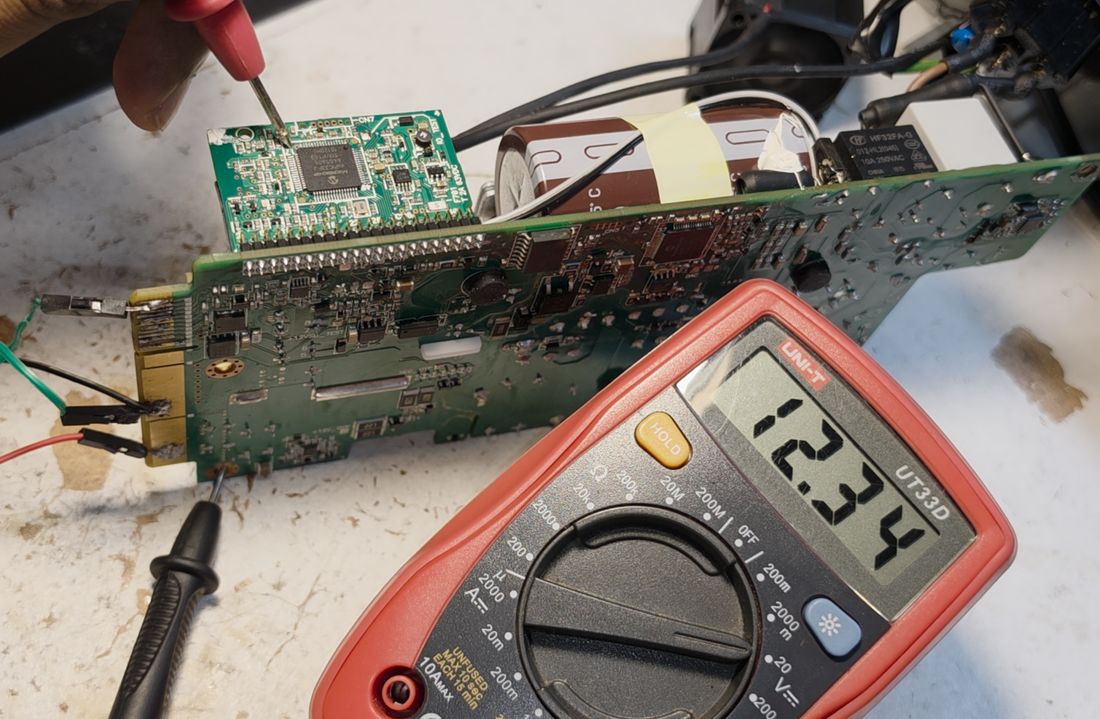
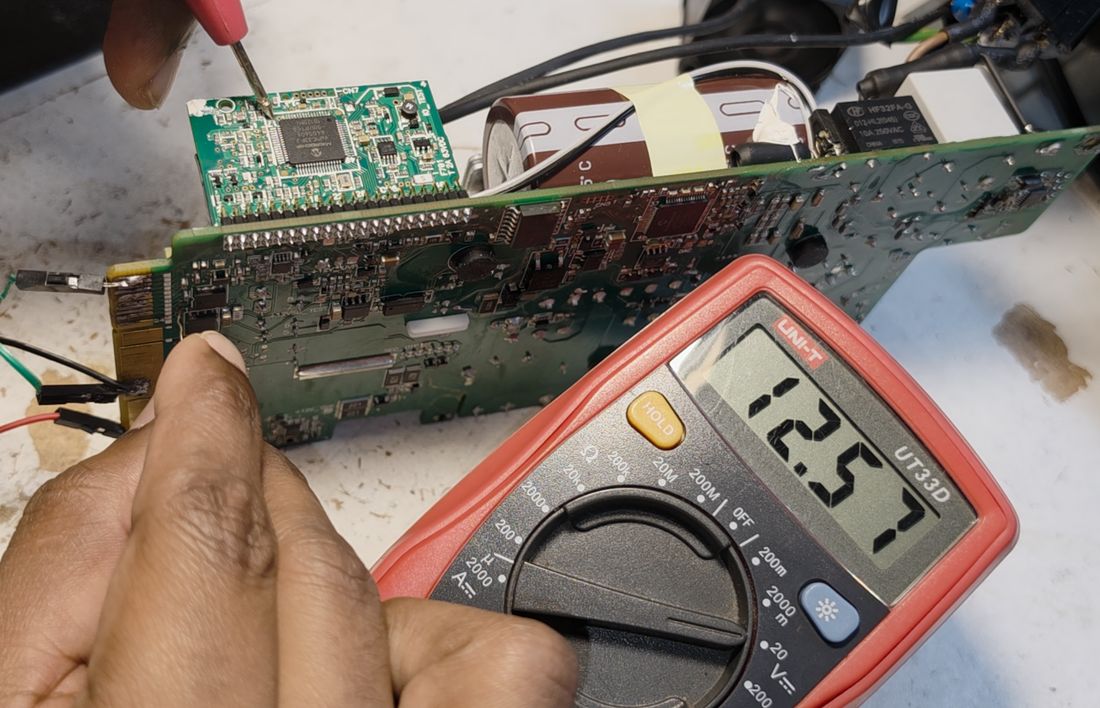
To confirm it, I repeated the remote-sense-resistor experiment while watching this pin directly. Grounding the remote-sense pin through a 5 kΩ resistor only pulled this candidate pin down to about 2.6 V, and a 570 Ω resistor pulled it down to about 2 V — moving in exactly the direction and magnitude I'd expect from a real feedback node.
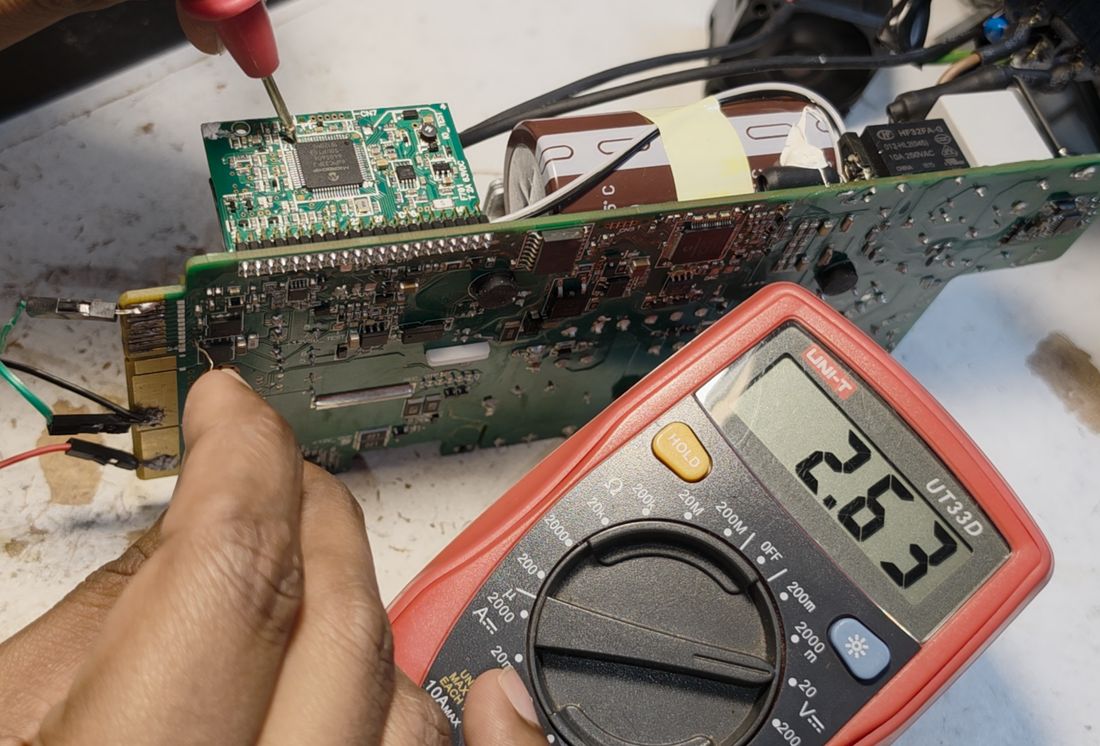
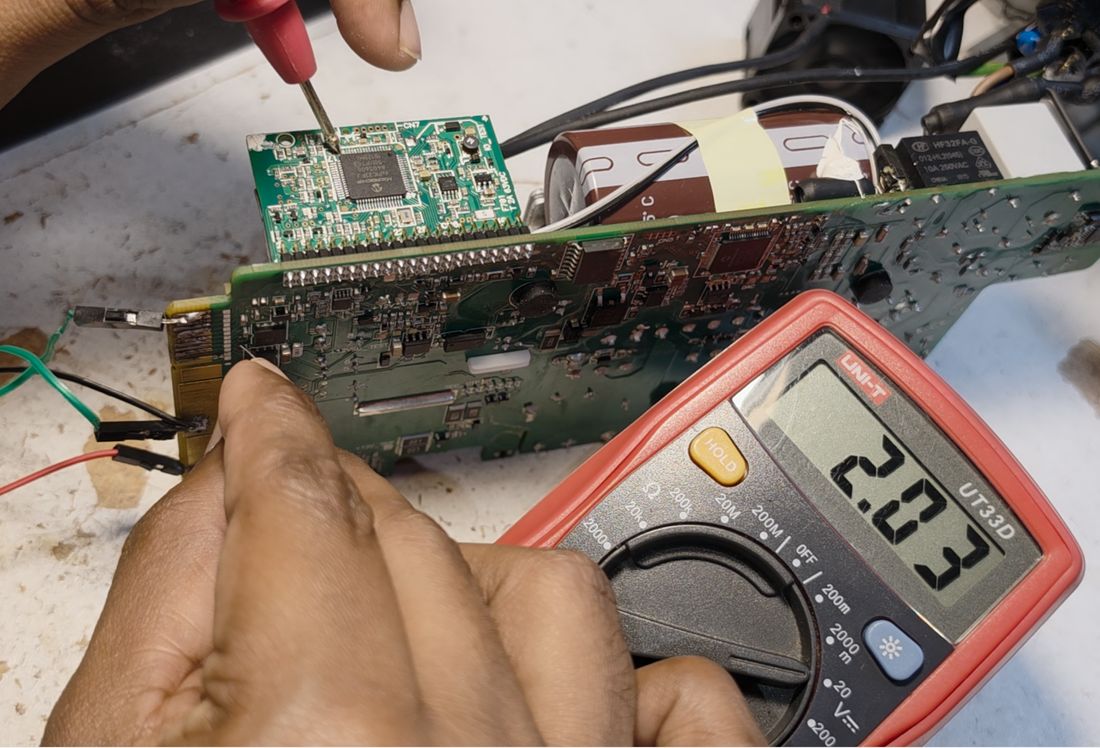
Right next to that pin on the microcontroller, I found a second pin that tracked the 12 V output directly — and, as expected, when I applied the remote-sense resistor and the real output voltage rose, this second pin's reading rose right along with it, confirming both pins were part of the same feedback path.
Tracing the Resistive Dividers
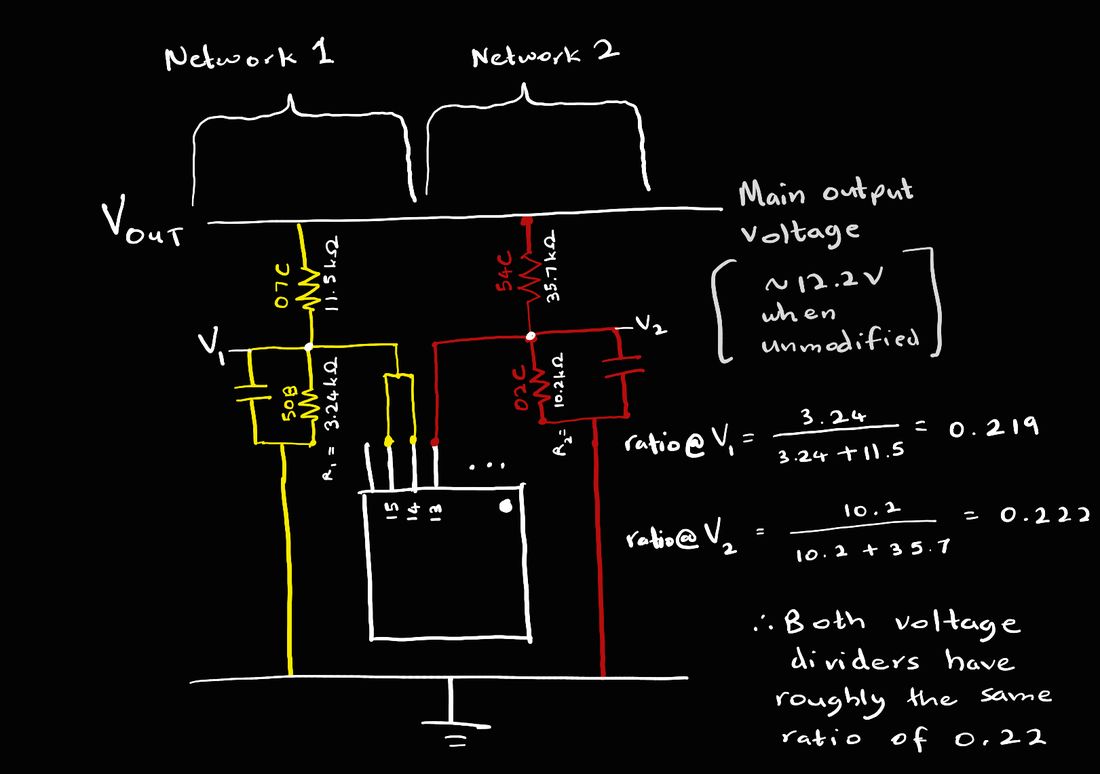
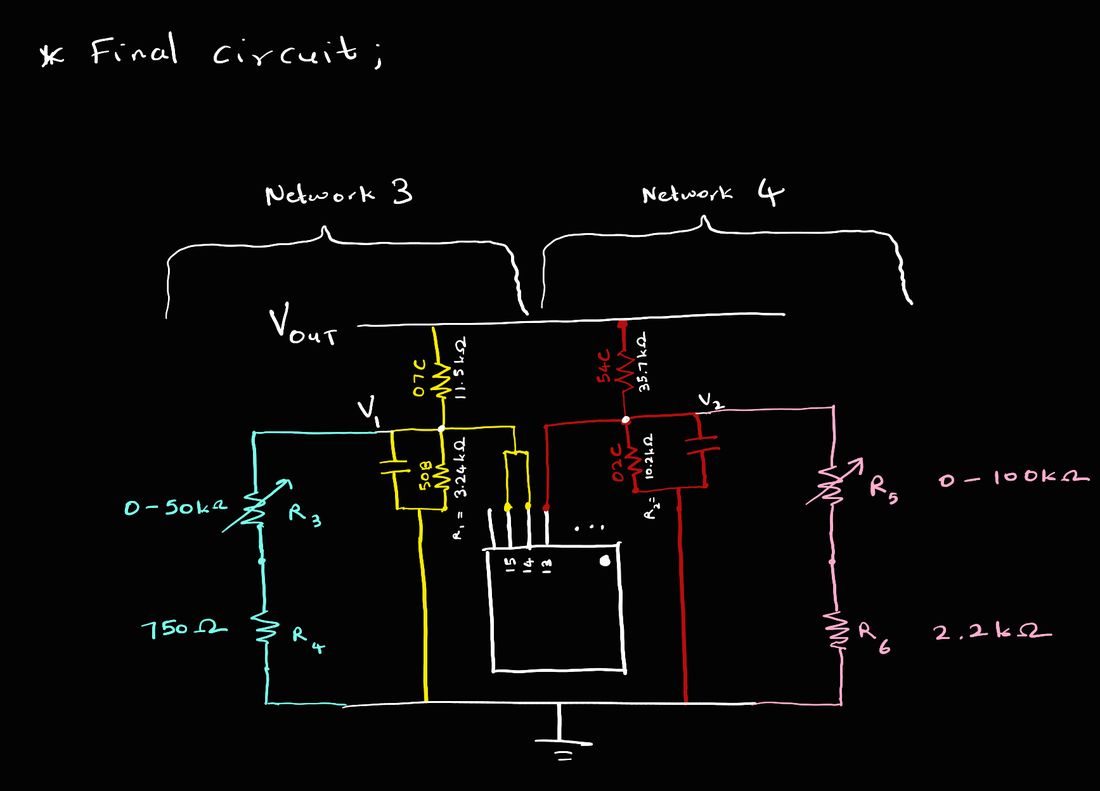
To actually change what the microcontroller reads as feedback, I needed to find the resistive divider(s) that scale the 12 V output down into the 3.3 V range the ADC expects, and modify them. I traced one end of a resistor (silkscreen-labeled 07C) back to the 12 V rail:
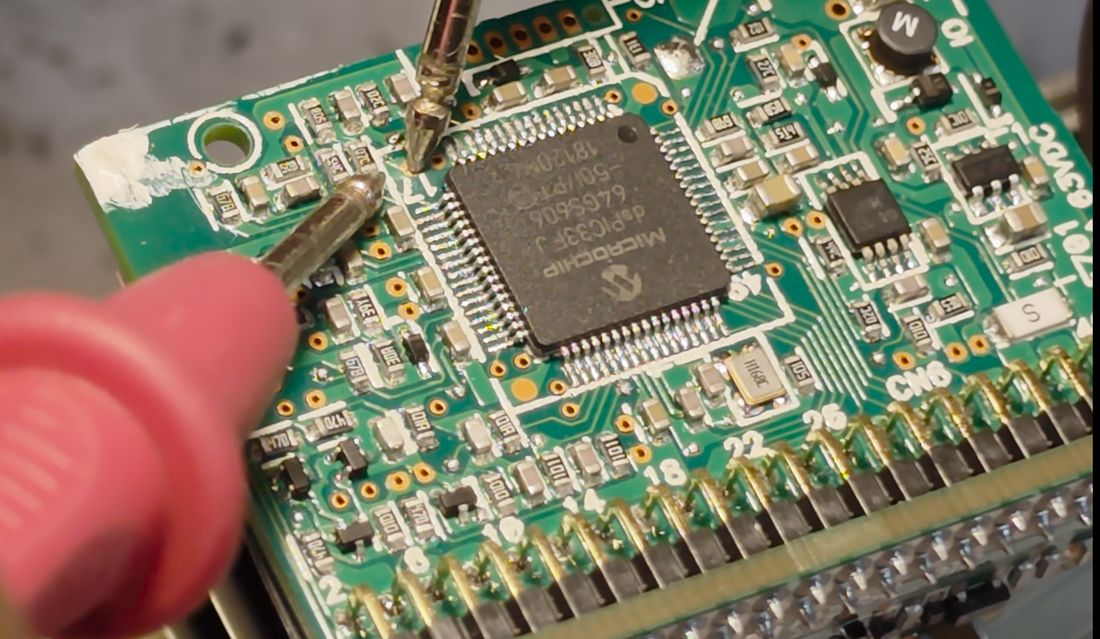
The other end of 07C connects to a resistor/capacitor pair in parallel, whose far sides both go to ground — the classic lower leg of a resistive divider.
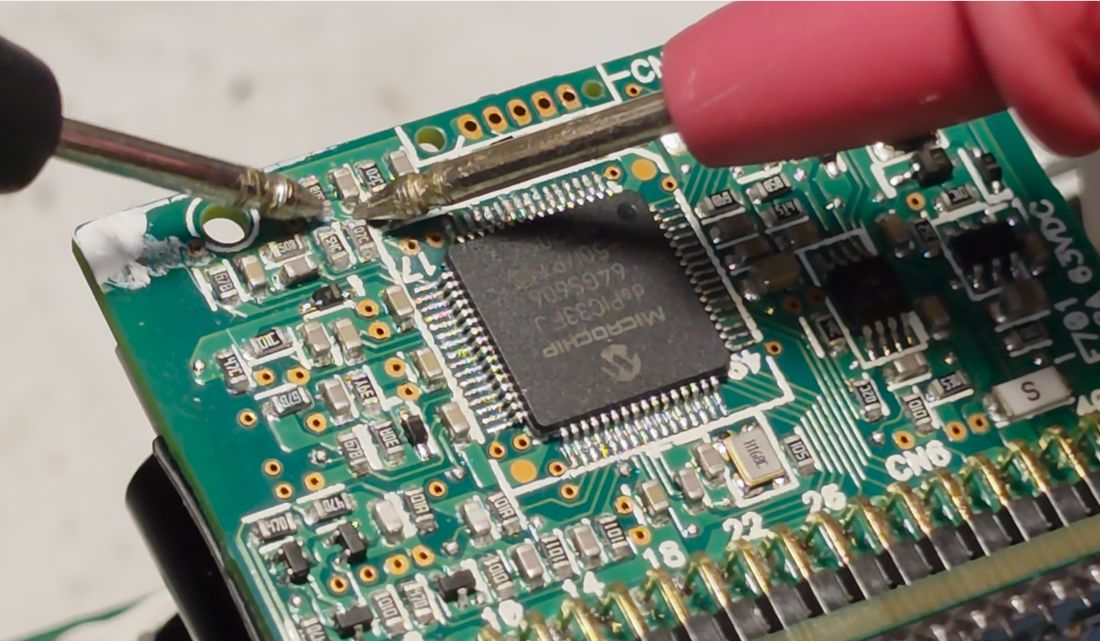
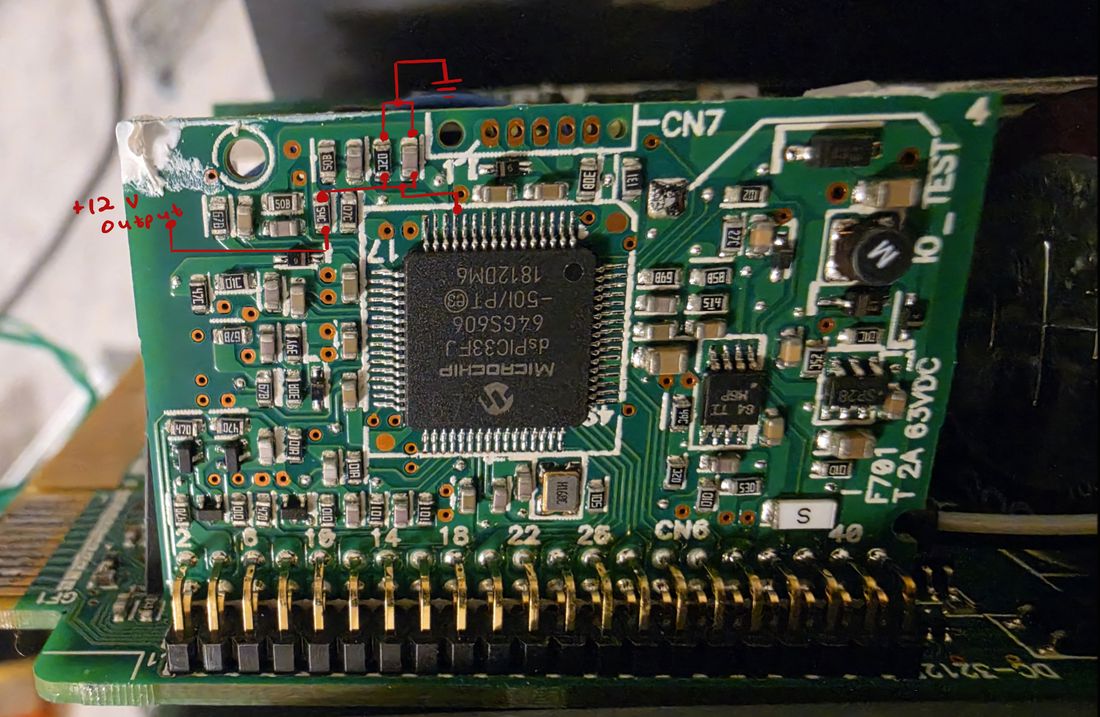
Right next to it, a second resistor (labeled 54C) also connects to the 12 V rail, and its other end feeds into another resistor (02C) with a parallel capacitor, again returning to ground — a second, independent divider mirroring the first.
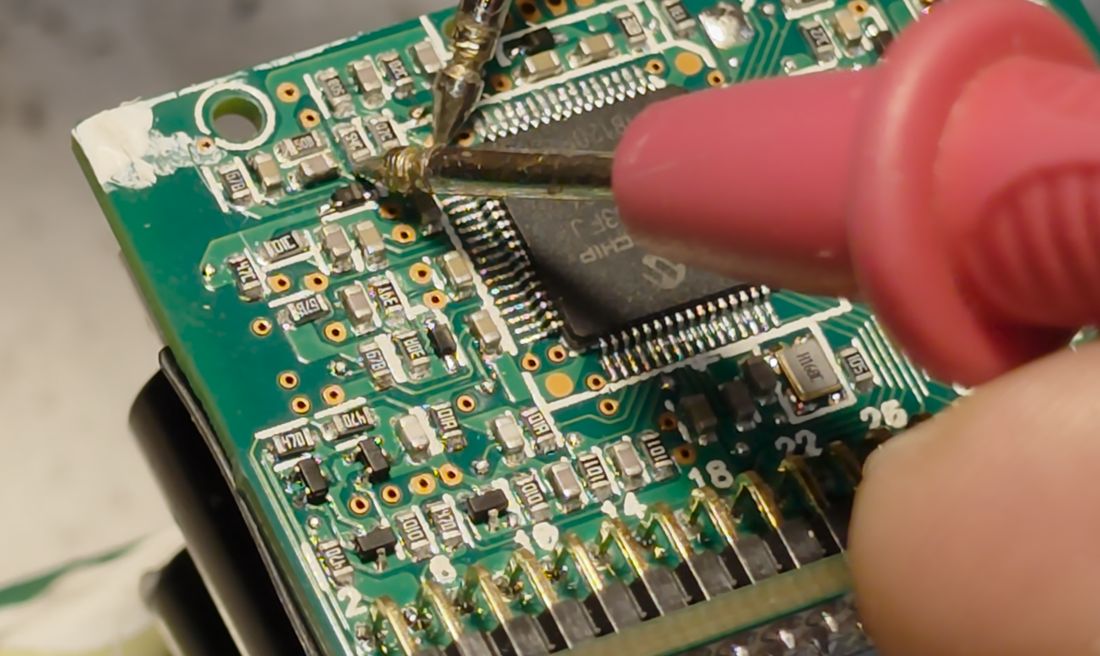
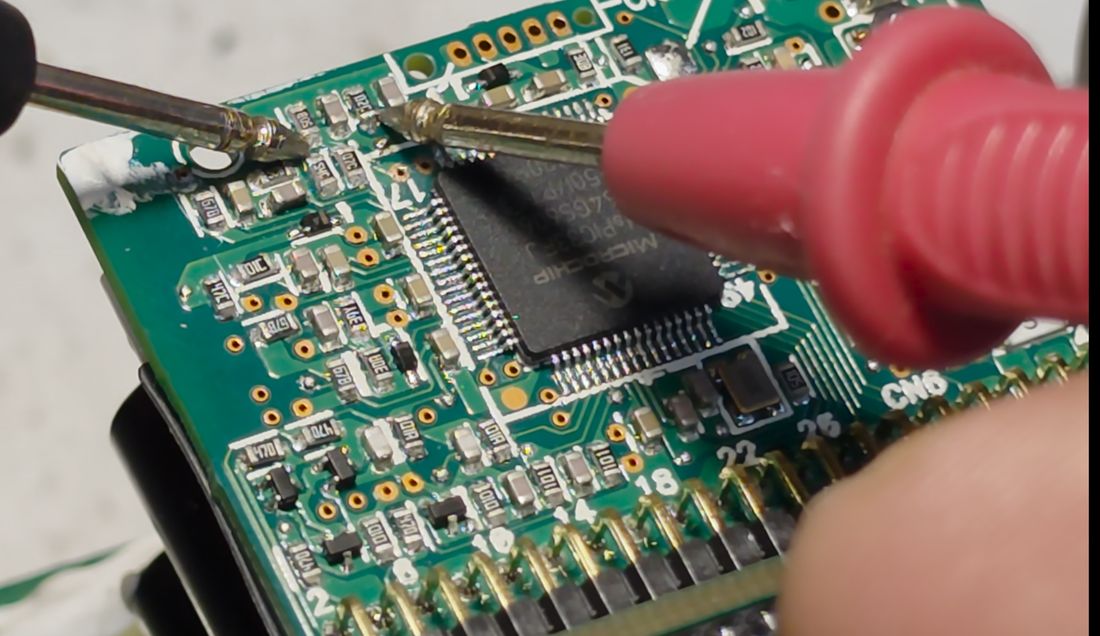
So there are two independent resistive-divider networks sensing the output voltage, and both happen to share almost the same divide ratio — roughly 0.22, putting each divider's midpoint at about 12.2 × 0.22 ≈ 2.68 V, which lines up neatly with everything I'd measured so far.
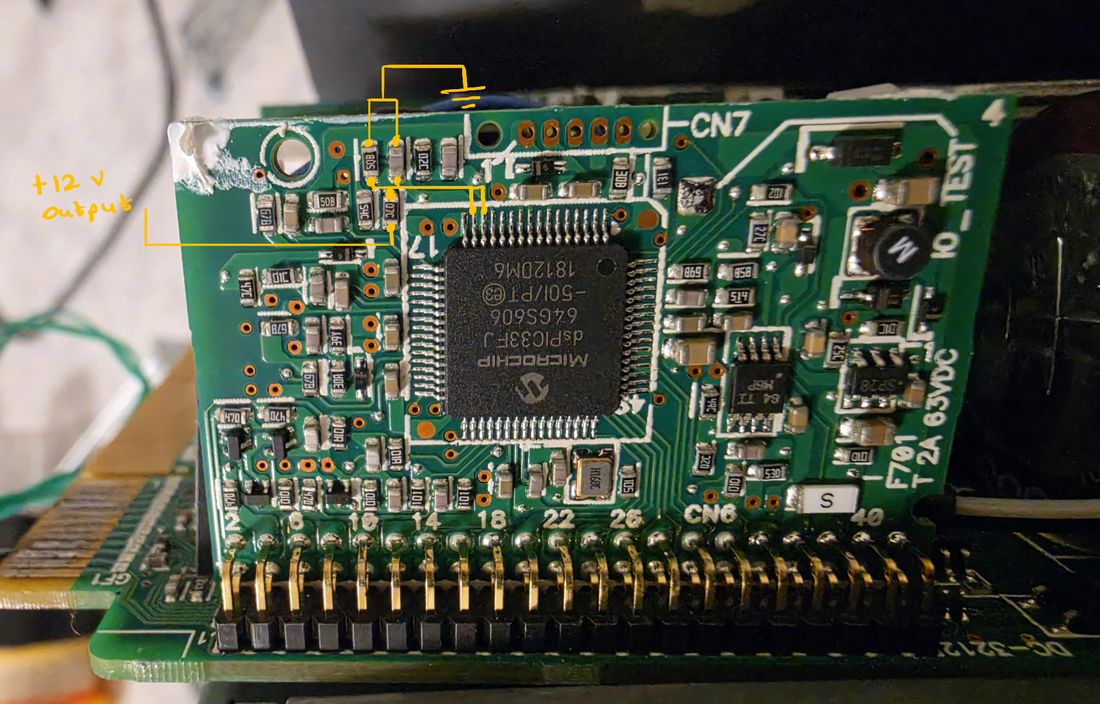
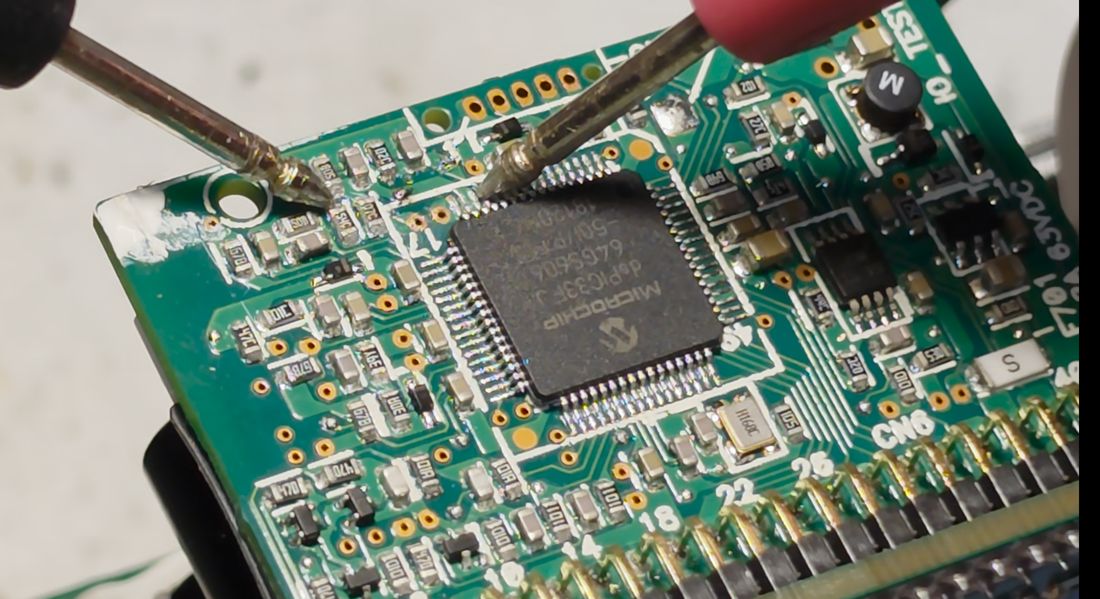
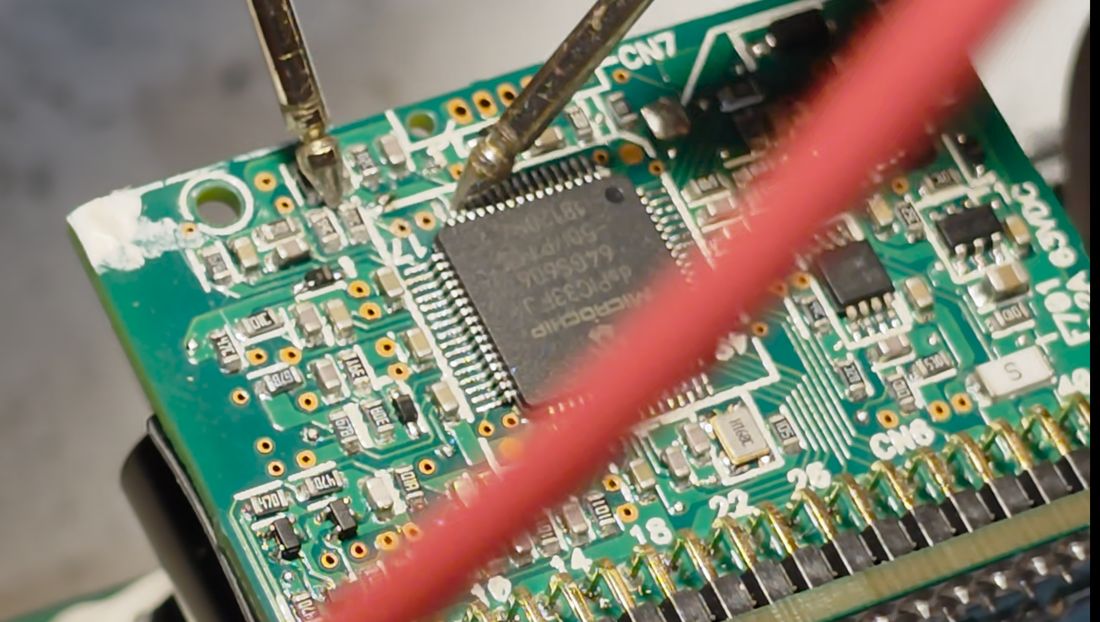
The midpoint of the first divider (50B and 07C) feeds pin 13 on the microcontroller (an ADC-capable pin), and the midpoint of the second divider feeds the tied-together pins 14 and 15.

Building the Trim Circuit
Earlier, I'd seen that adding external resistance at the remote-sense pin and raising the real output voltage caused the voltage at the resistive dividers to drop. That makes sense: to trick the microcontroller into regulating for a higher output, I need to reduce the voltage it sees at these divider midpoints directly, which means lowering the effective resistance of the lower leg of each divider. The straightforward way to do that is to solder an additional resistor in parallel with each existing lower-leg resistor.
Conveniently, there were already exposed test points at both divider midpoints, so I tacked fine tie-wire onto each one to bring the nodes out to somewhere I could work with them.
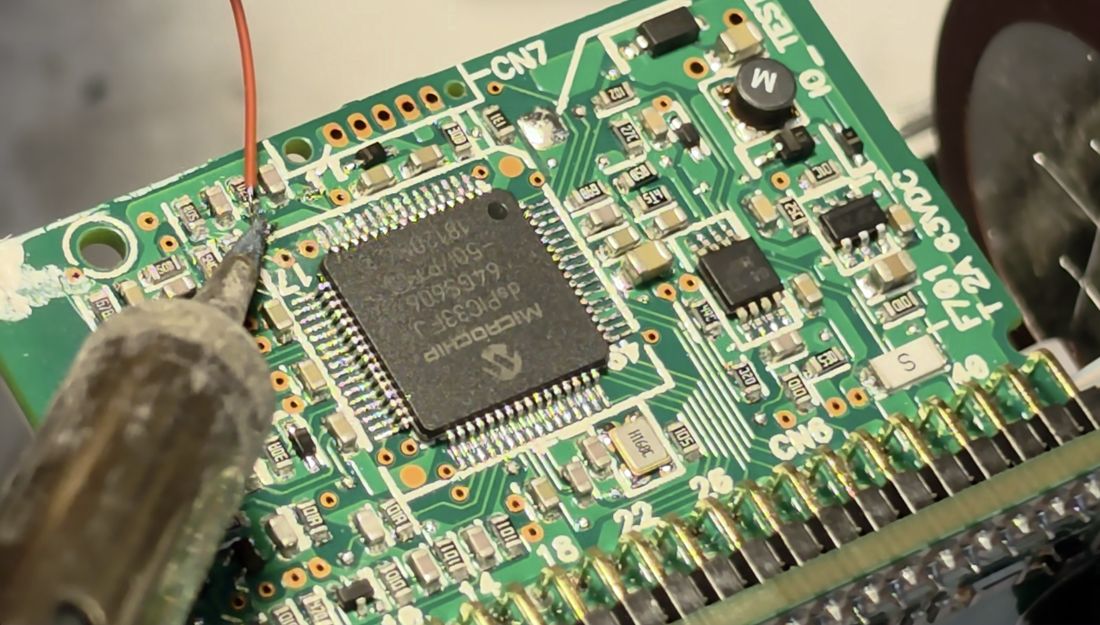
It's worth keeping the stripped ends of these wires as short as possible — both to avoid an exposed end shorting against a neighboring component, and because a shorter wire picks up less noise on what is, after all, a sensitive ADC input.
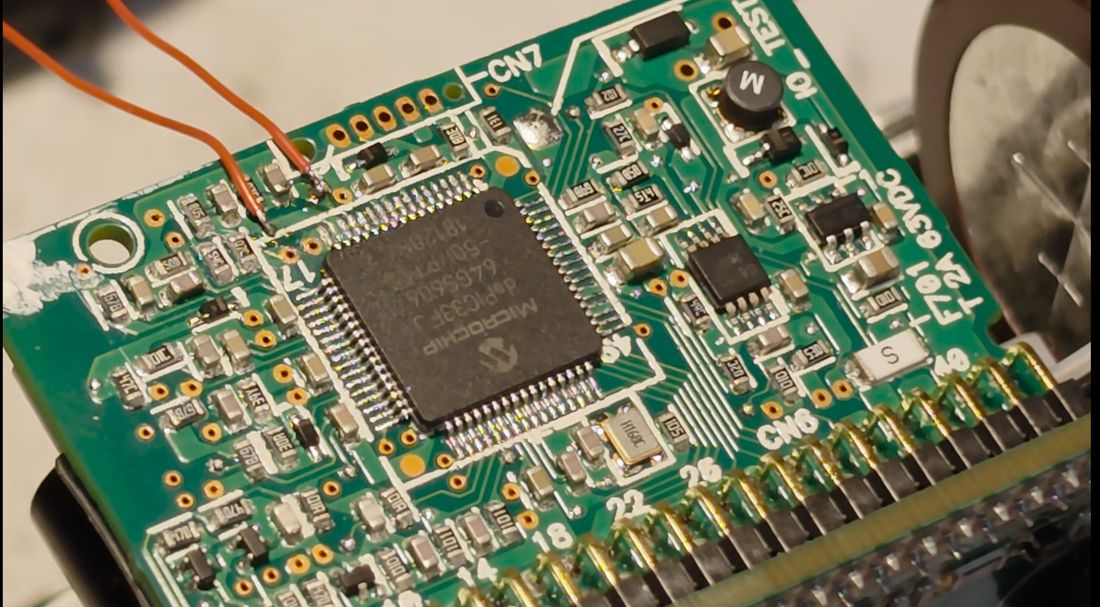
Bringing the nodes out this way let me try a range of parallel resistor values rather than committing to one. I worked out the target resistor values with a quick set of divider calculations:
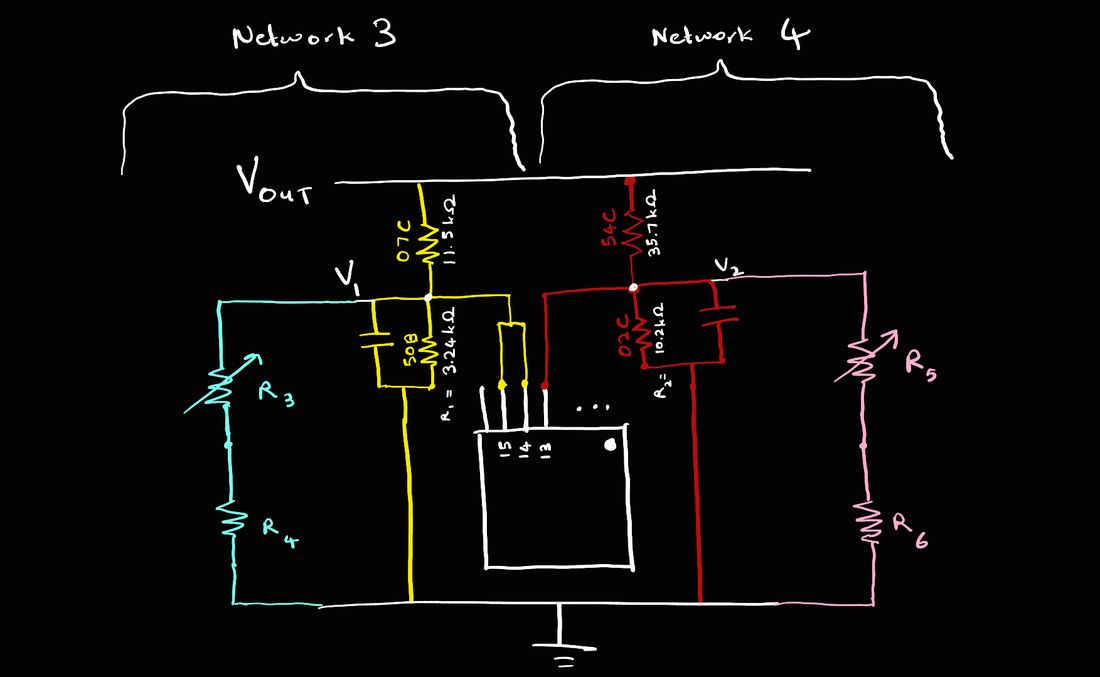


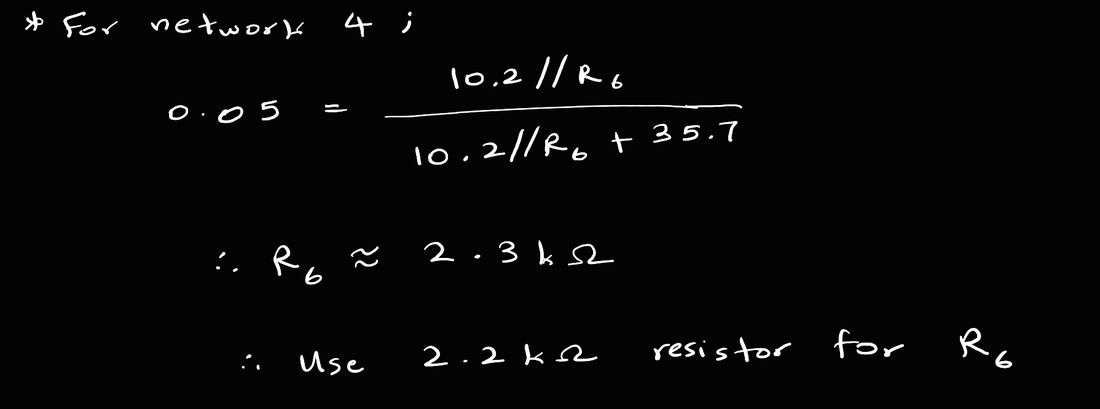

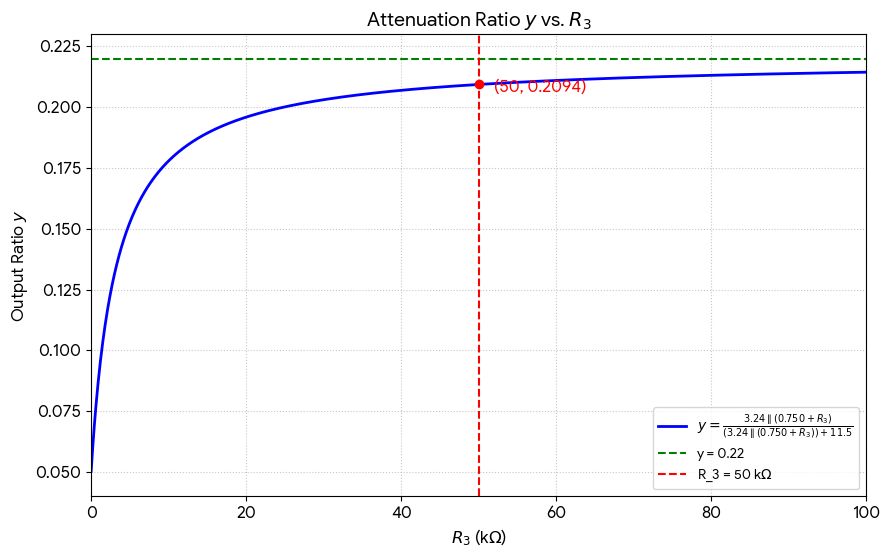
A 50 kΩ variable resistor turned out to be sufficient headroom for the first divider — at its maximum resistance, the divide ratio is already down to about 0.21, close enough to the stock 0.22 that it barely perturbs the loop at the low end of the pot's range.
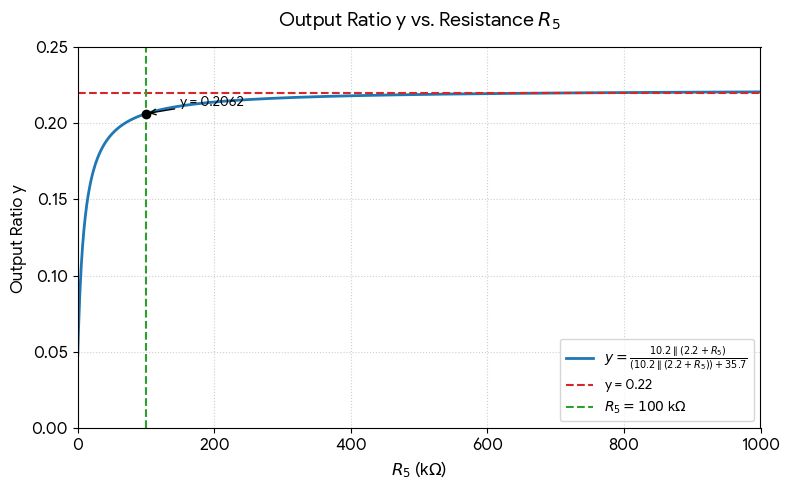
Likewise, a 100 kΩ variable resistor was sufficient for the second divider, again landing around a 0.21 ratio at maximum resistance.
Dialing In the Voltage
With a variable resistor wired onto the first divider, the output climbed to 13.2 V:
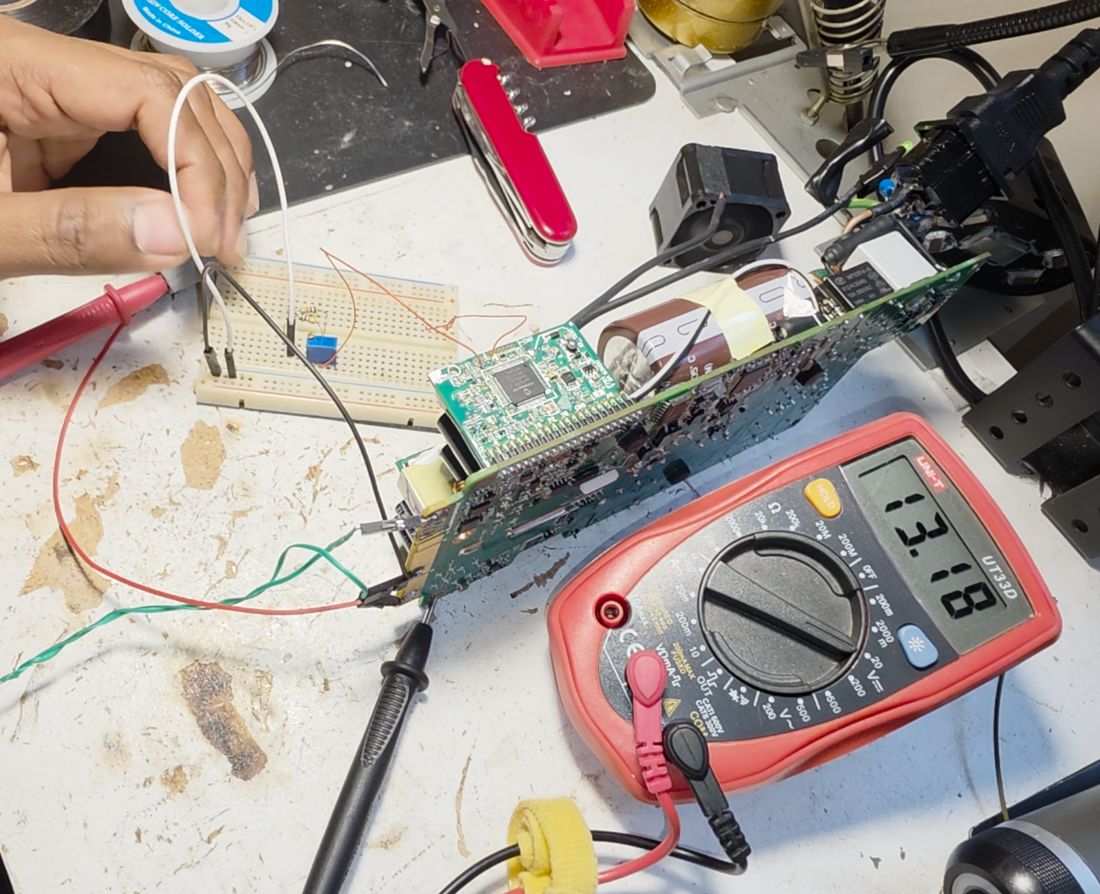
Turning the pot further counterclockwise pushes the voltage higher still:
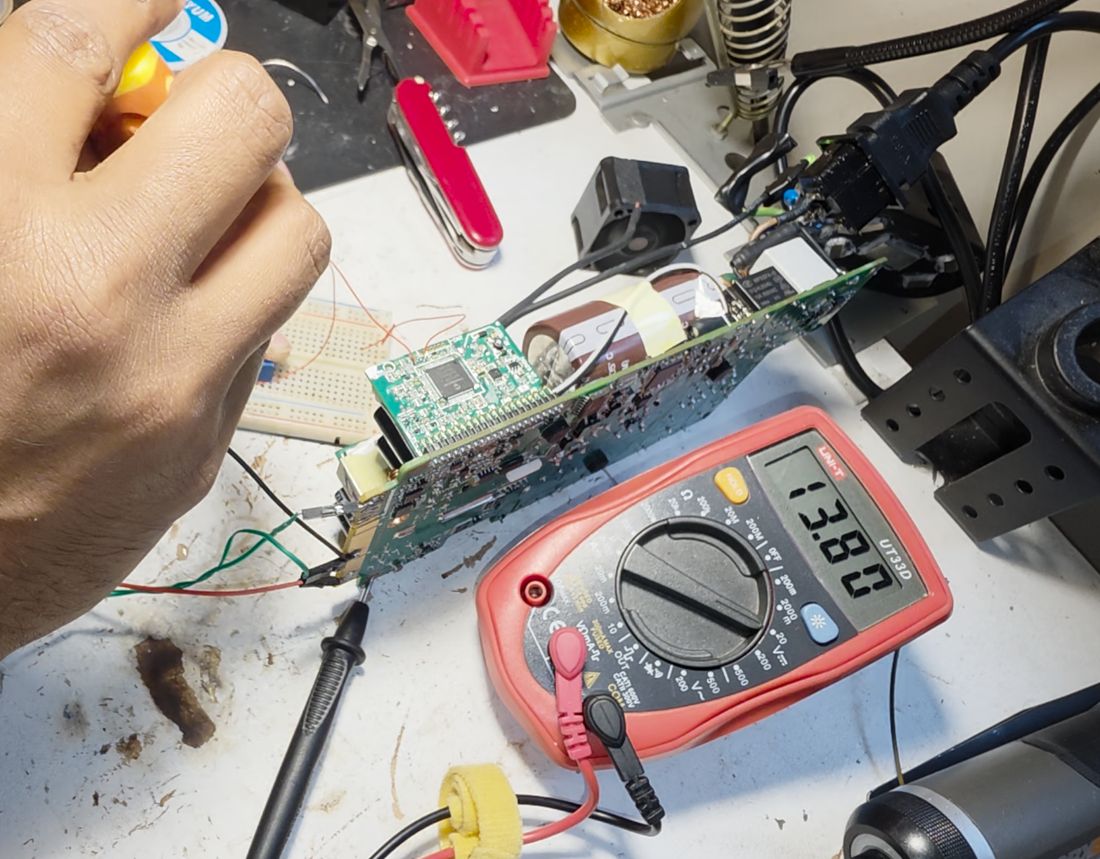
But there's a limit: keep reducing the resistance and eventually the over-voltage protection trips. When that happens, the status LED starts blinking yellow (fault mode), and simply toggling my manually-added on/off switch isn't enough to clear it — the supply needs a full power cycle to reset.
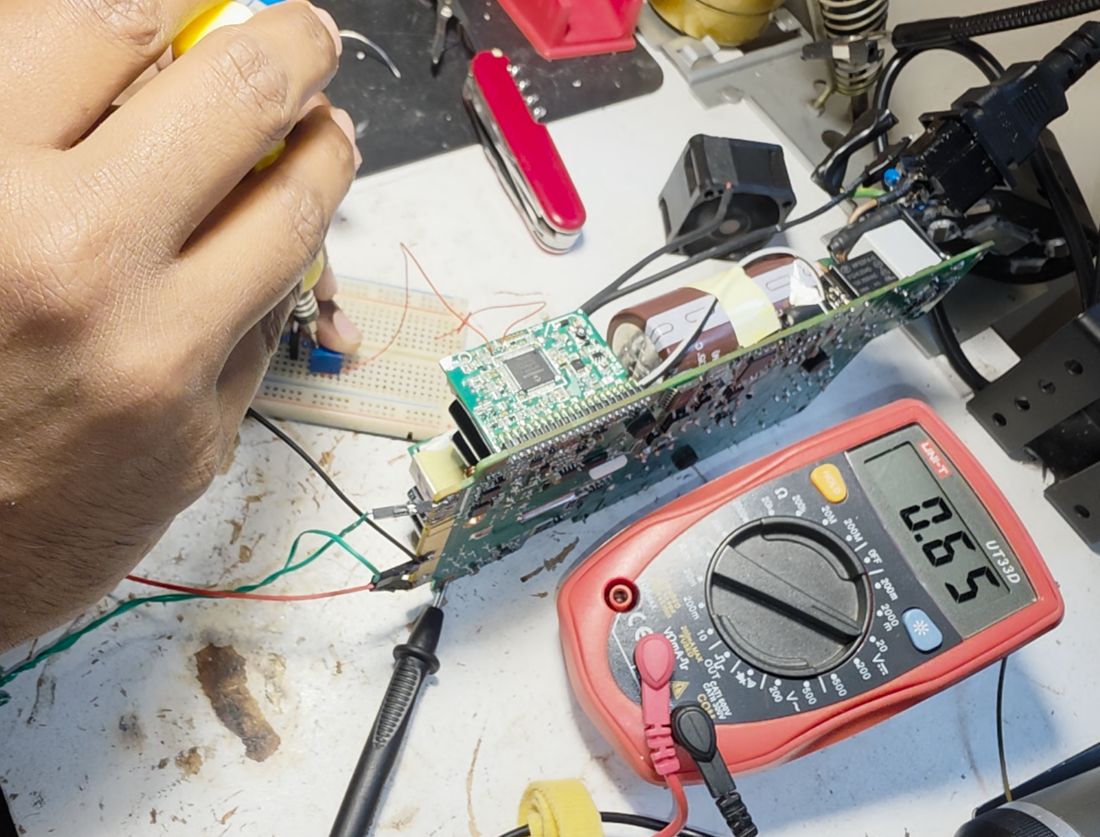
Adjusting only one of the two dividers, I could reach at most about 13.85 V before triggering OVP.
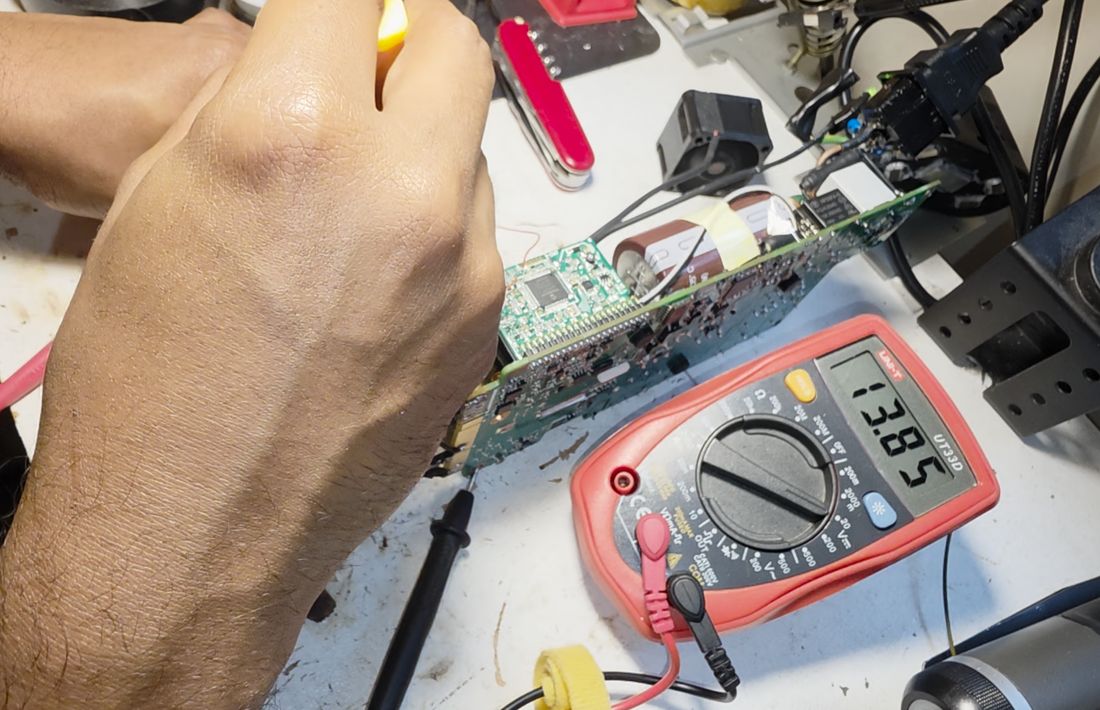
Adjusting both dividers together, though, pushes the ceiling higher, since neither ADC input alone reaches the microcontroller's trip threshold as quickly.
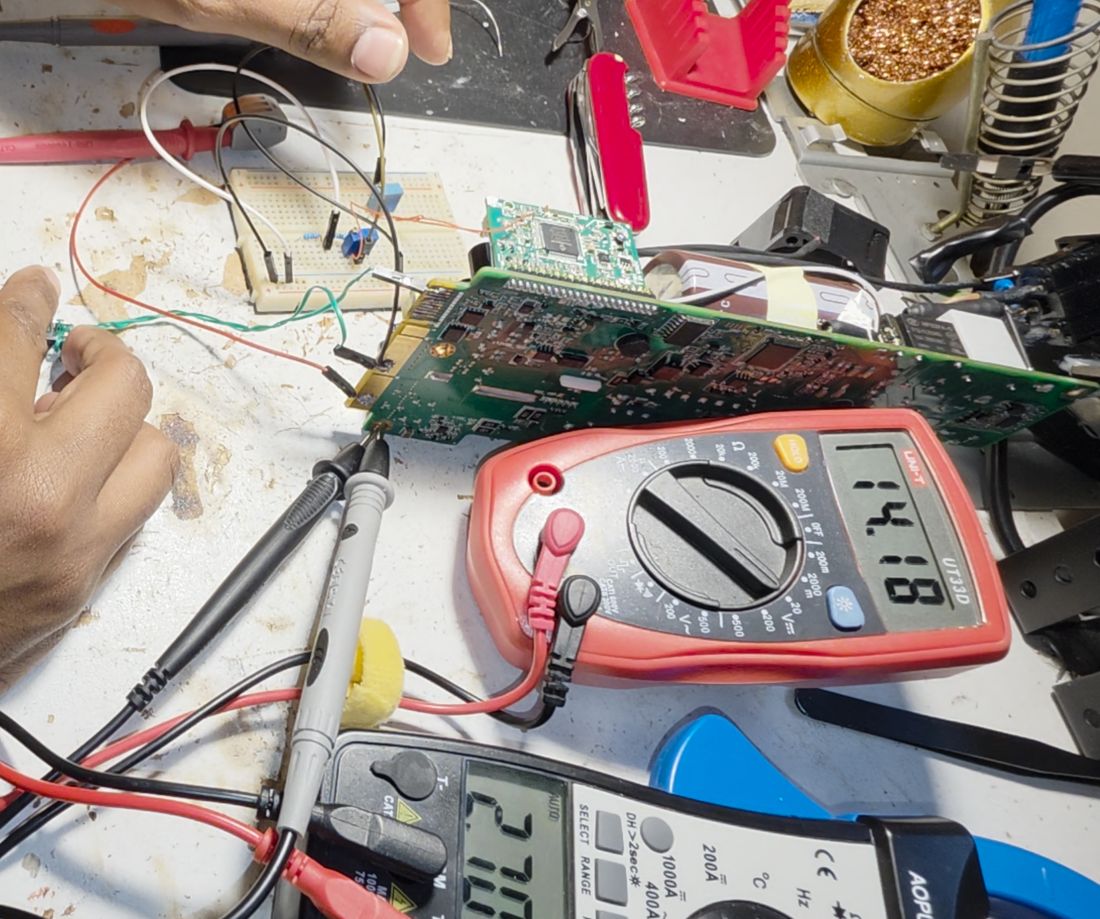
Rather than leaving two bare trimmer pots dead-bugged into the supply, I built a small dedicated board with two potentiometers — one per divider — to make the output voltage easy to tune after reassembly.
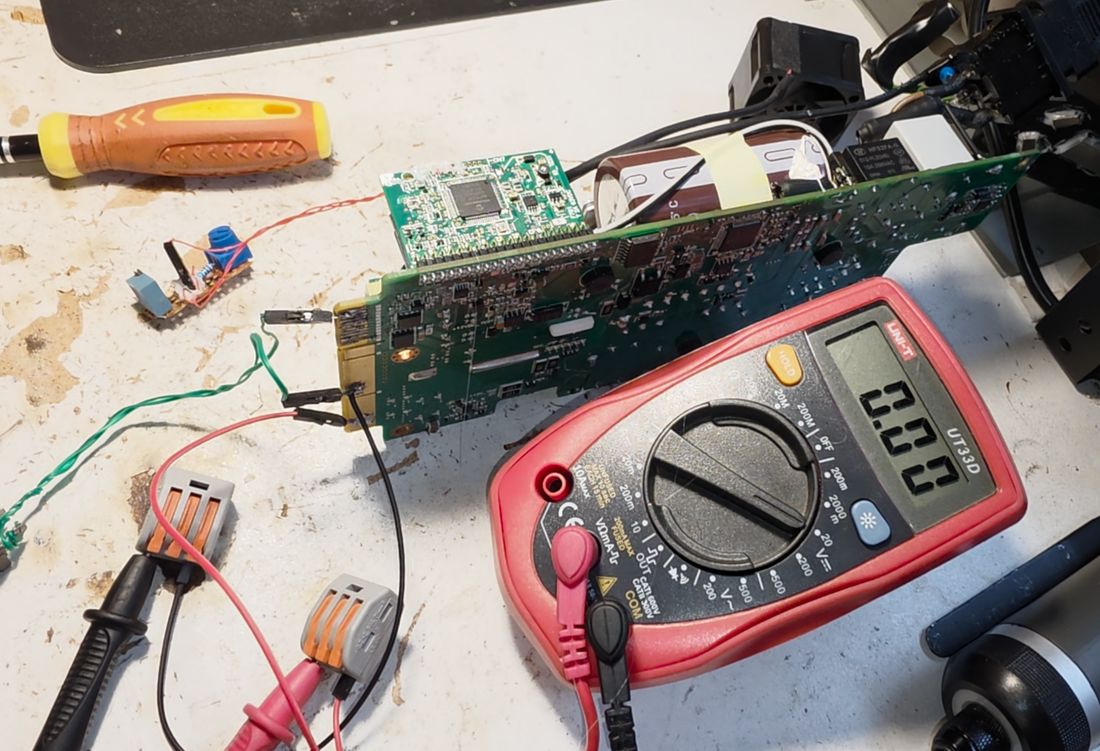
Load Testing
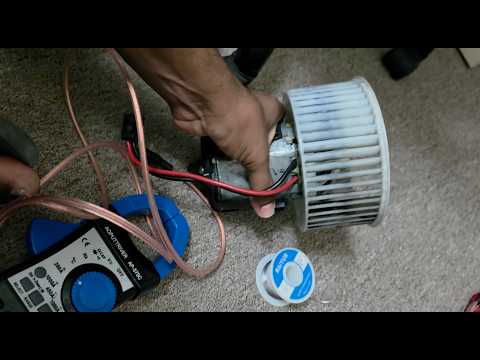
After reassembling the case, I soldered a pair of low-gauge (large-diameter) wires directly to the main output to handle real current, and set up a load test with a high-current DC motor.
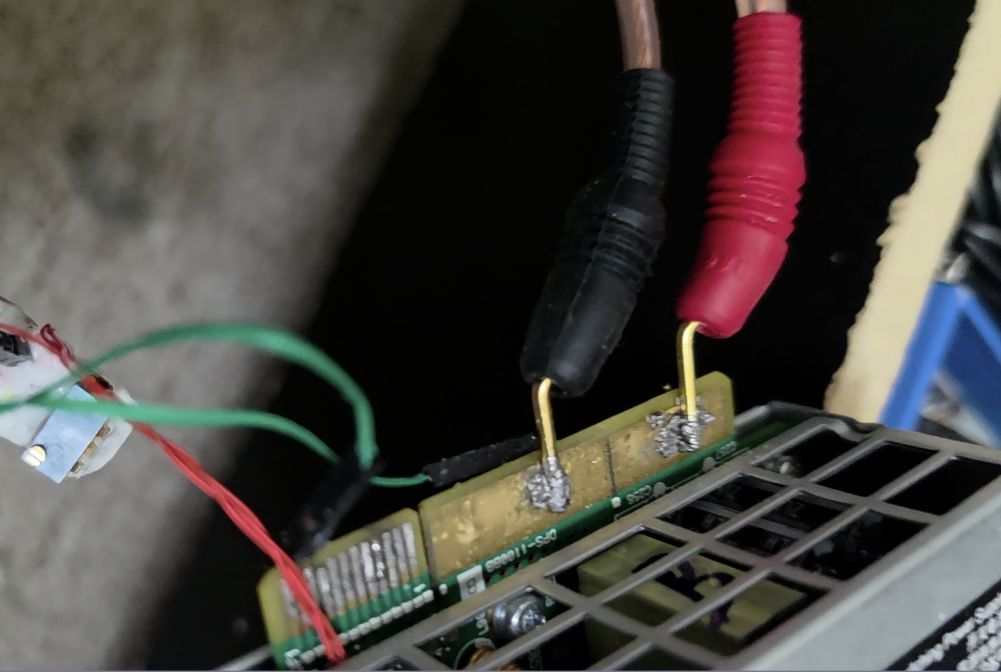
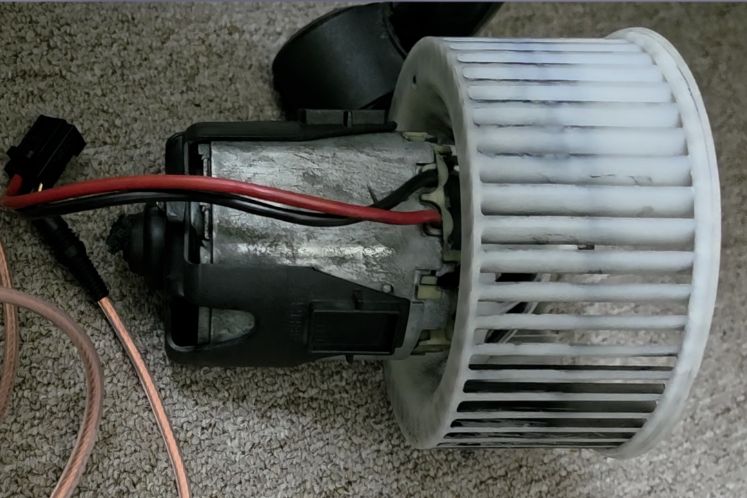
The motor was pulled from the blower assembly of a 2014 BMW 750i with seized bearings — a known high-current draw, which made it a convenient stand-in for a real automotive load.
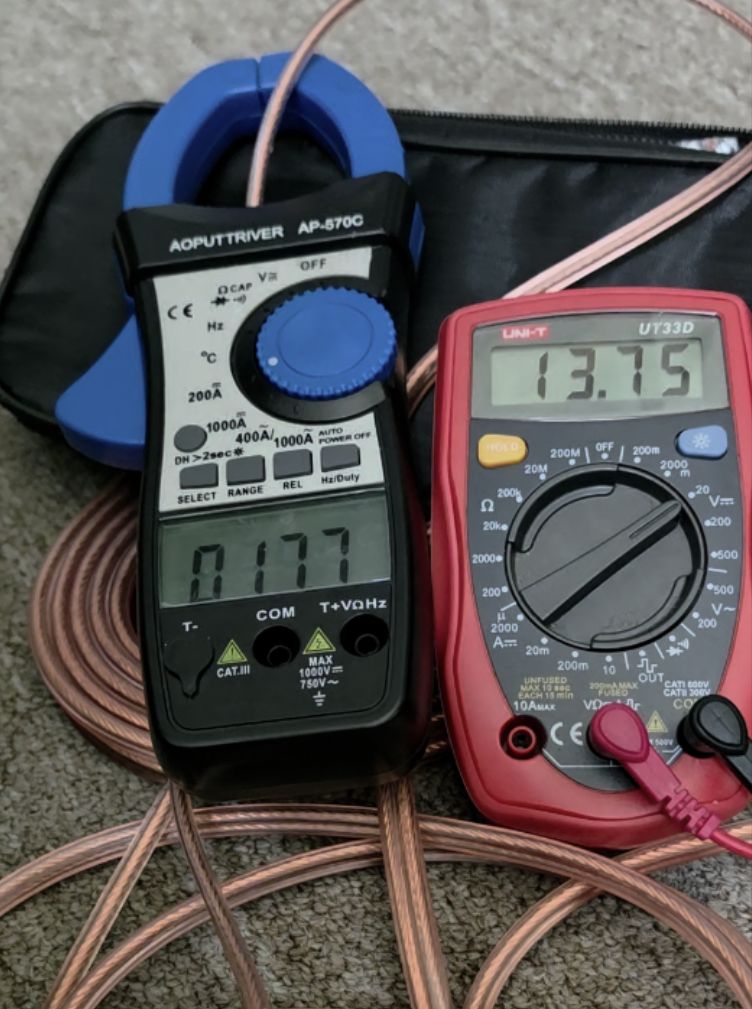
Current was measured with a clamp ammeter, which had a zero error of −2.6 A that needed to be accounted for in the readings.
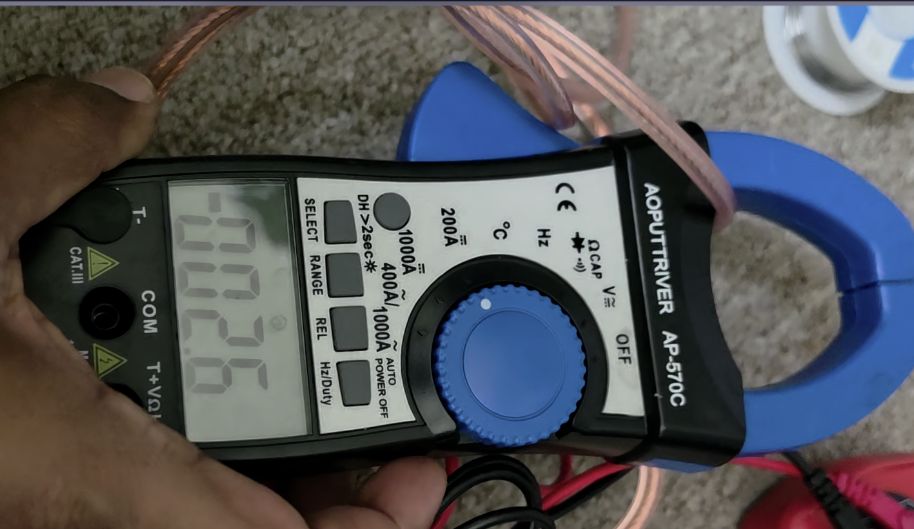
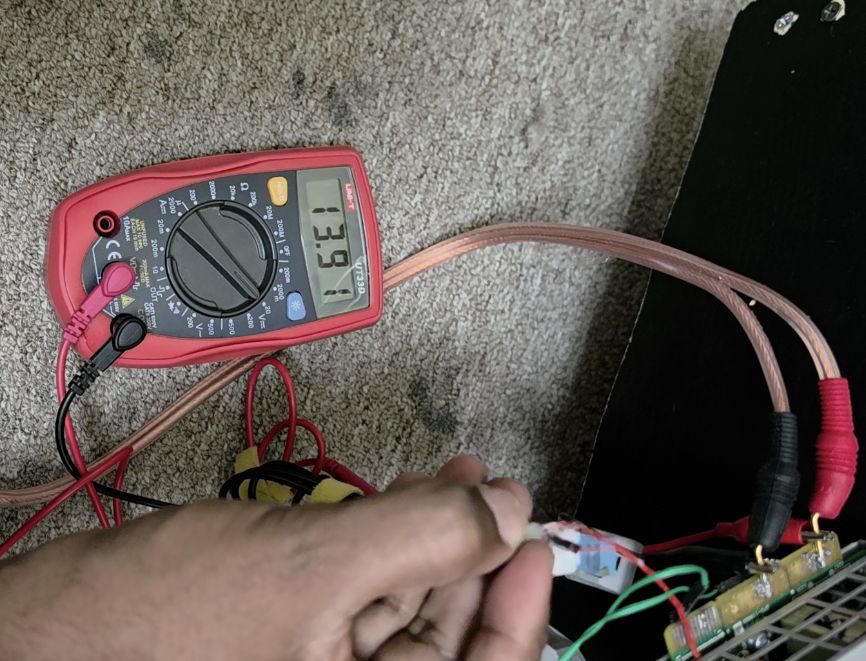
With the trim pots set to bring the output to 13.91 V, I powered the motor:
The clamp ammeter read 17.8 A, which, correcting for the −2.6 A zero error, works out to roughly 21 A actually flowing into the motor. Under that load, the output sagged from 13.91 V to about 13.75 V — a drop of only 0.15 V, which is well within what I'd consider acceptable regulation for this application.
With the output holding steady at nearly 14 V under a 20 A+ load, the converted supply is now doing exactly what it needed to: acting as a stand-in alternator to keep the BMW's battery voltage up while its ECUs are being flashed.