Reverse-Engineering the Banvie 1 Remote Start & Keyless Entry Unit
🎥 Watch the Build — 5-Part Video Series
Overview
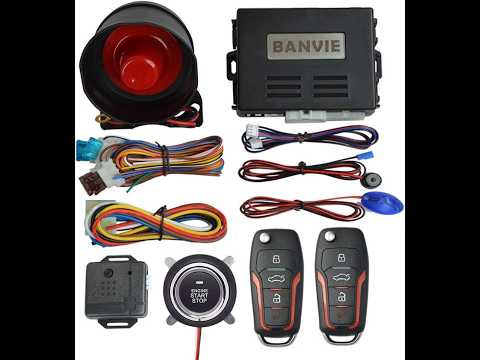
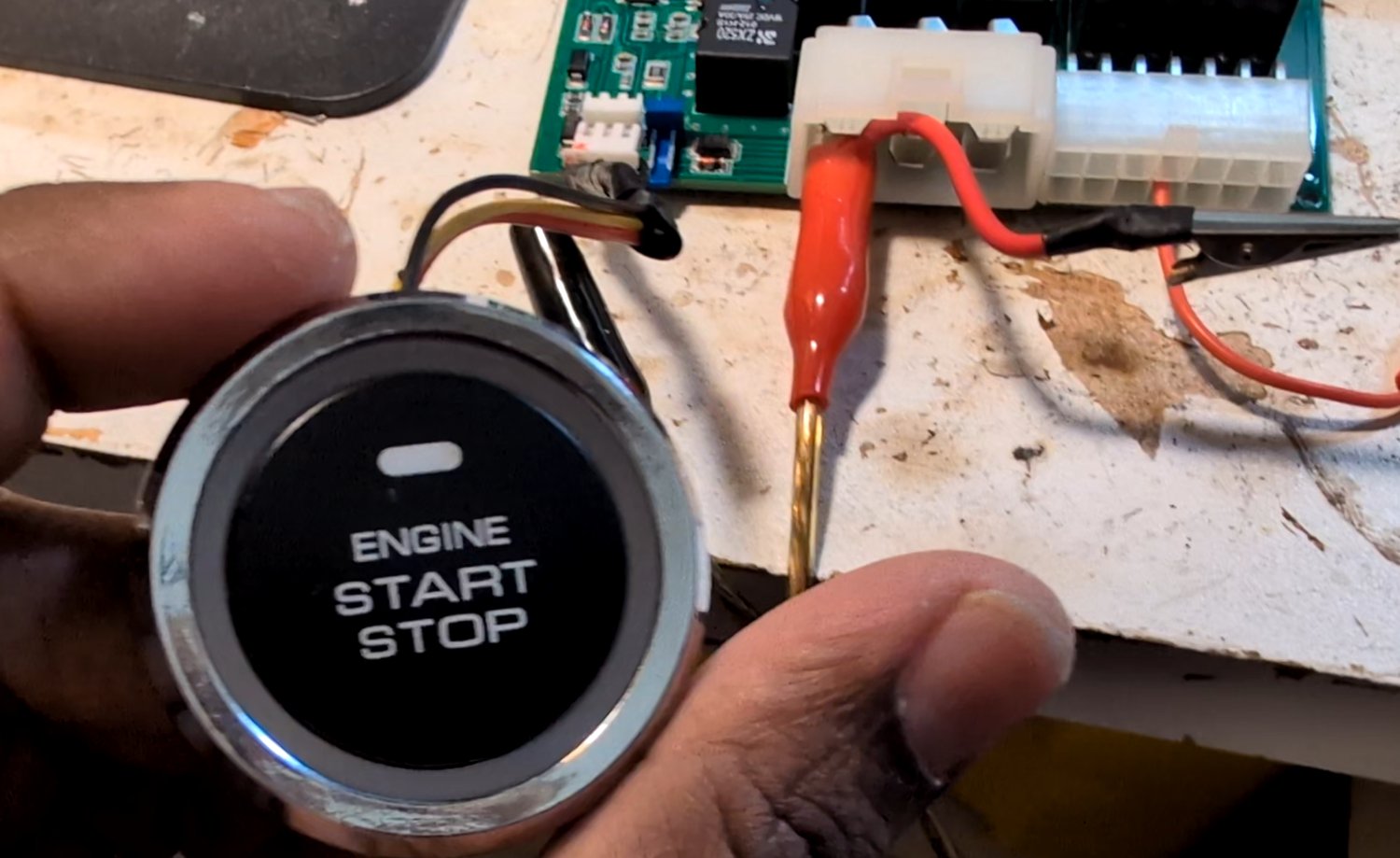
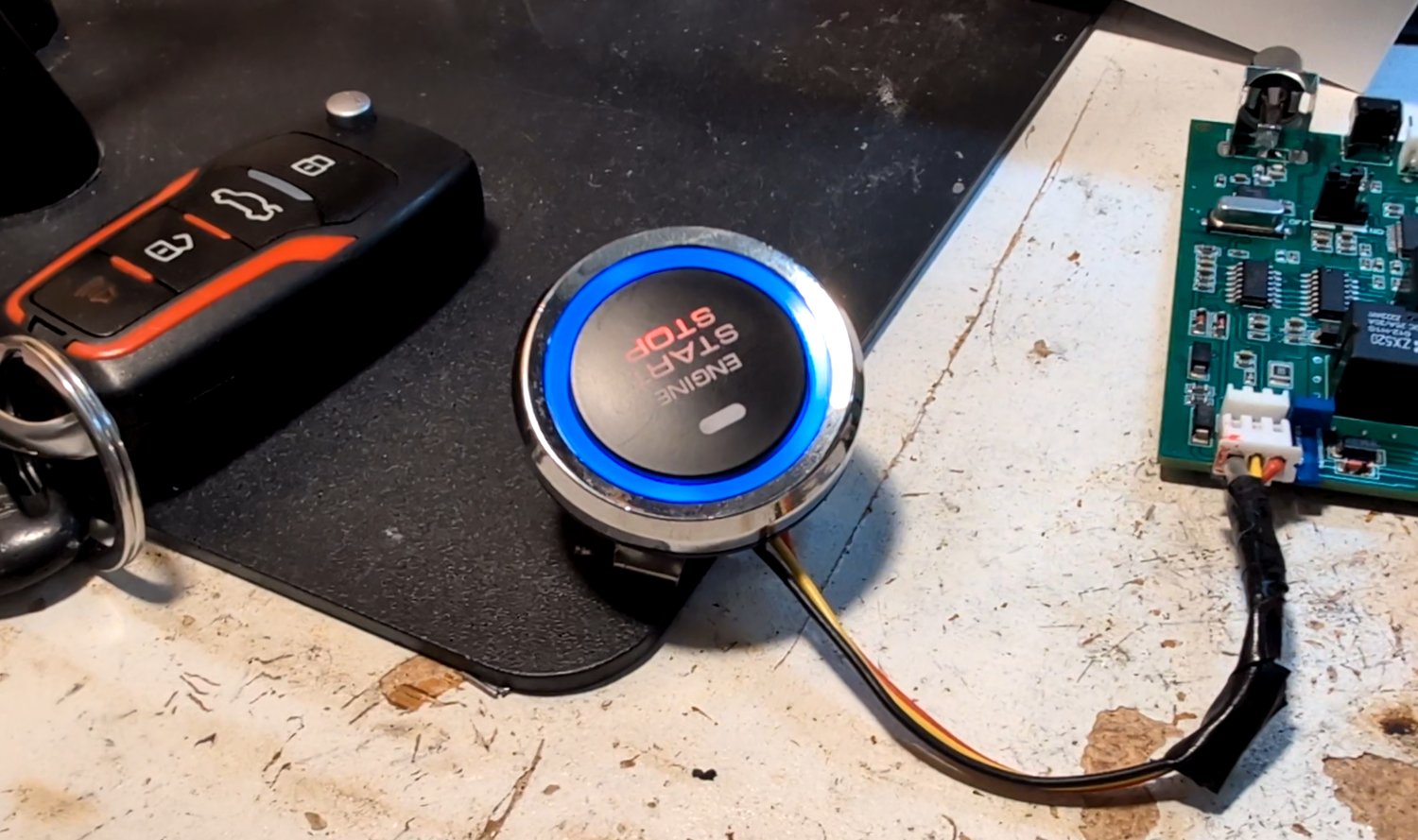
I bought a BANVIE 1 aftermarket remote-start & alarm kit — the kind of $60 universal keyless-entry box sold for retrofitting remote engine start into almost any car — with the goal of eventually wiring it into a 2003 Mitsubishi Lancer and controlling it by voice through Amazon Alexa. The kit ships with two key fobs, a push-to-start button, a shock sensor, a siren, and a control unit that already knows how to run a full arm/disarm and remote-start sequence, complete with theft detection on the brake pedal, the doors, and the ignition button.
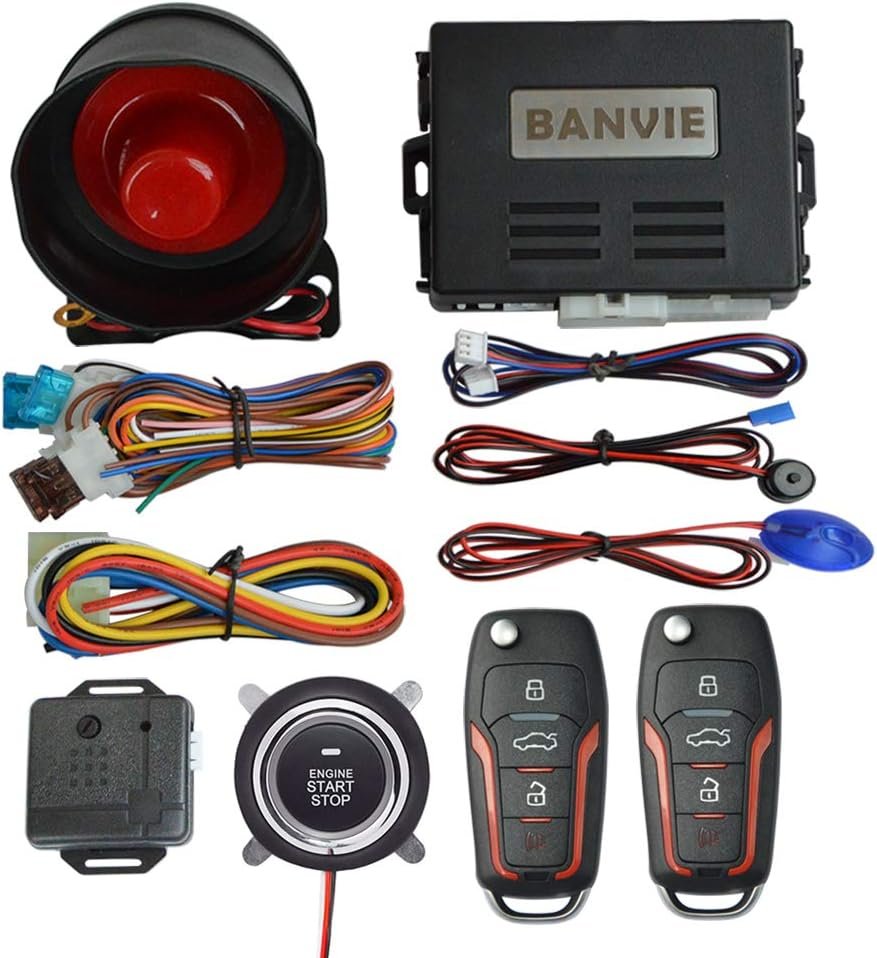
The obvious question was how to get Alexa into this loop without breaking everything the kit already does well. I considered a few options:
- Reflash the onboard microcontrollers to add wireless control natively — difficult without a datasheet or a way to dump the existing firmware, and easy to brick the only unit I had.
- Bolt on a Wi-Fi/BLE microcontroller (an ESP32 or ESP8266) wired directly to the relays and power transistors, driving them myself — simple in principle, but it would mean re-implementing the arming sequence, theft detection, and start-up logic that the BANVIE box already handles.
- Embed a microcontroller inside a spare remote key to fake button presses electronically — workable, but it sacrifices one of only two remotes I own.
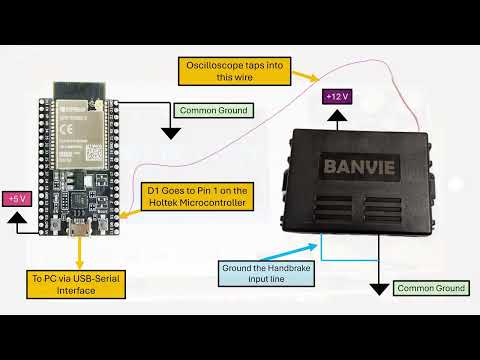
The option I actually went with was to leave the BANVIE system's own microcontrollers doing everything they already do, and simply make them believe I had pressed a real button on the real remote. If I could reverse-engineer the radio protocol the remote uses to talk to the control unit, I could reproduce that exact signal from a NodeMCU and inject it directly onto the same wire the RF receiver uses — a full man-in-the-middle on the fob's own language, with zero firmware changes to the BANVIE hardware itself.
Getting there took a full reverse-engineering pass with a multimeter, an oscilloscope, and a lot of continuity testing — documented across a five-part video series. This write-up walks through the whole chain: mapping every functional pin on both onboard microcontrollers, cracking the remote's RF protocol in Python, and building a NodeMCU-based code injector that speaks the fob's own bit pattern back to the alarm brain.
Quick Facts
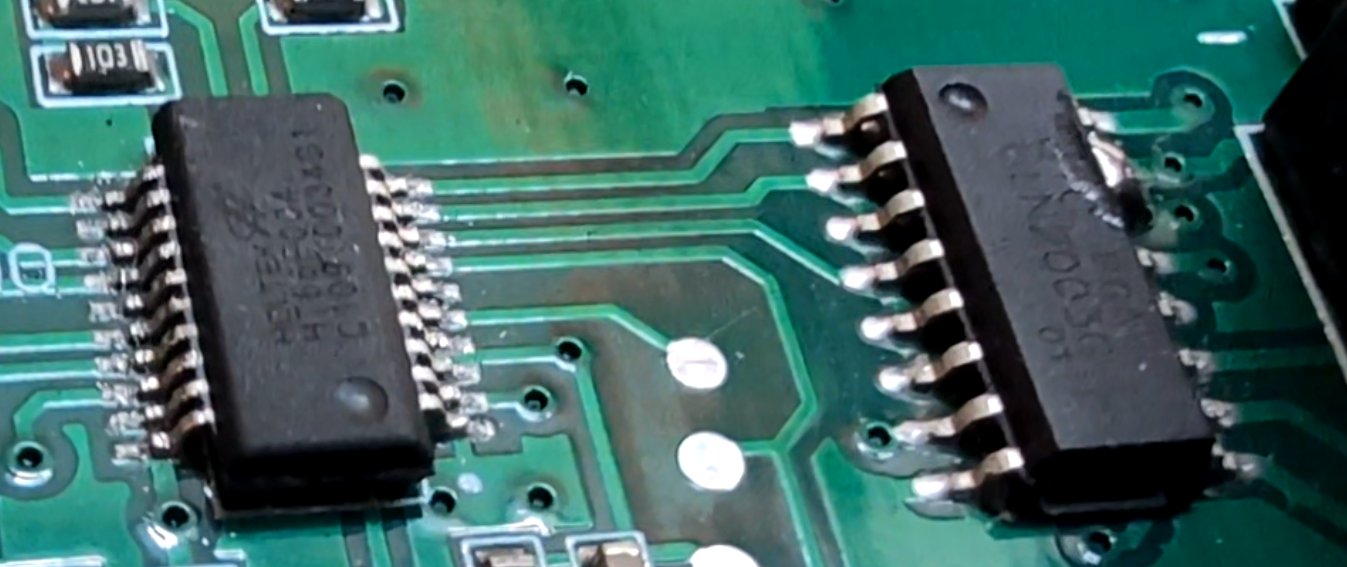
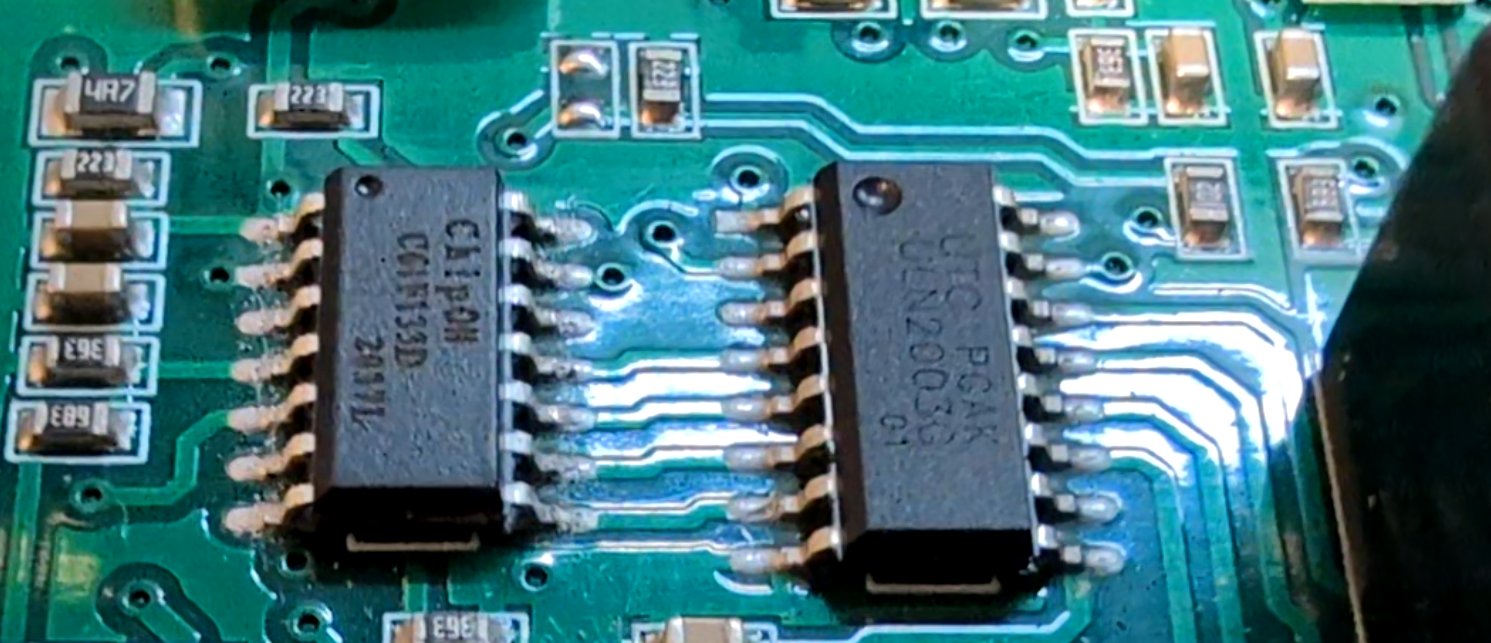
- Two onboard microcontrollers: a Holtek HT66F004 running security/arming logic, and a ChipOn C61F133D running the engine start/stop sequencer, each driving its own ULN2003G Darlington array.
- RF reception handled by an MRF310R-family receiver IC feeding directly into the Holtek chip.
- The remote's protocol turned out to be a fixed (non-rolling) 24–25 bit code, on-off keyed with two pulse widths — effectively pulse-width modulation.
- A NodeMCU (ESP8266) reproduces that bitstream in software and injects it straight onto the receiver line, with no changes to the BANVIE firmware.
This write-up folds in what was previously listed separately as the "RF Sniffer and Signal Injector" project — the RF sniffing, protocol decoding, and code-injection work below is that same project, in full detail.
Inside the Box: Two Microcontrollers, One Alarm Brain
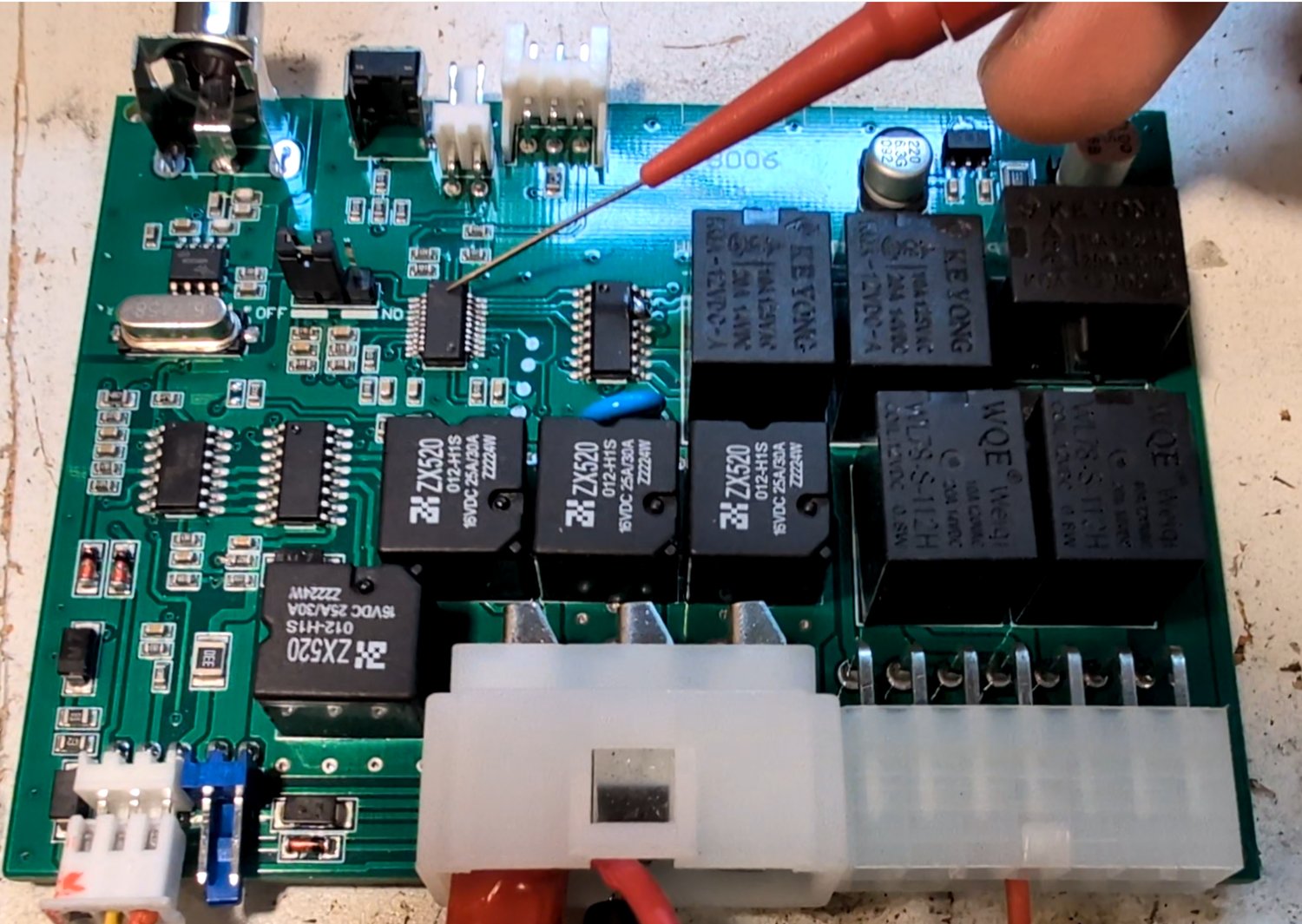
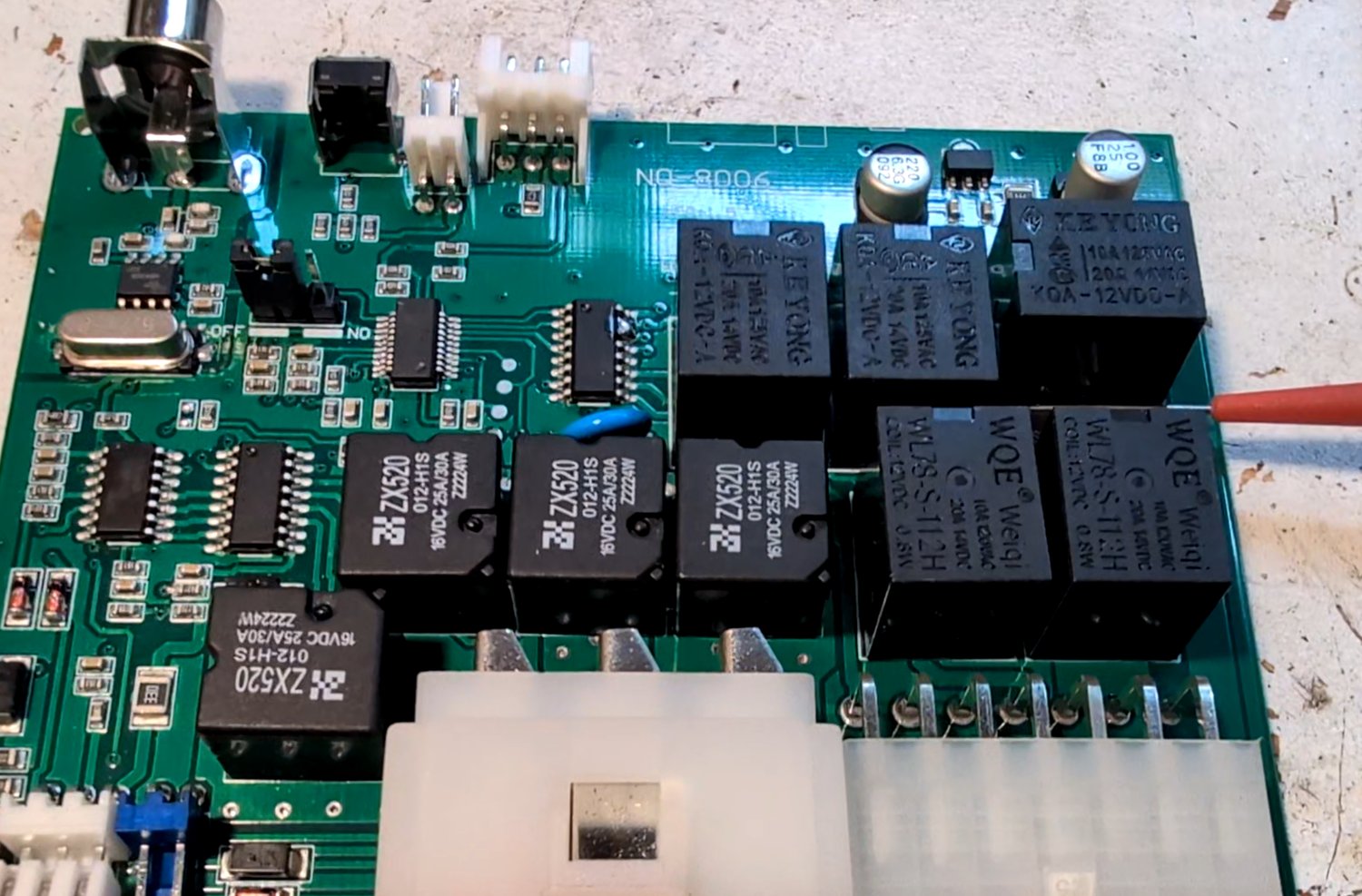
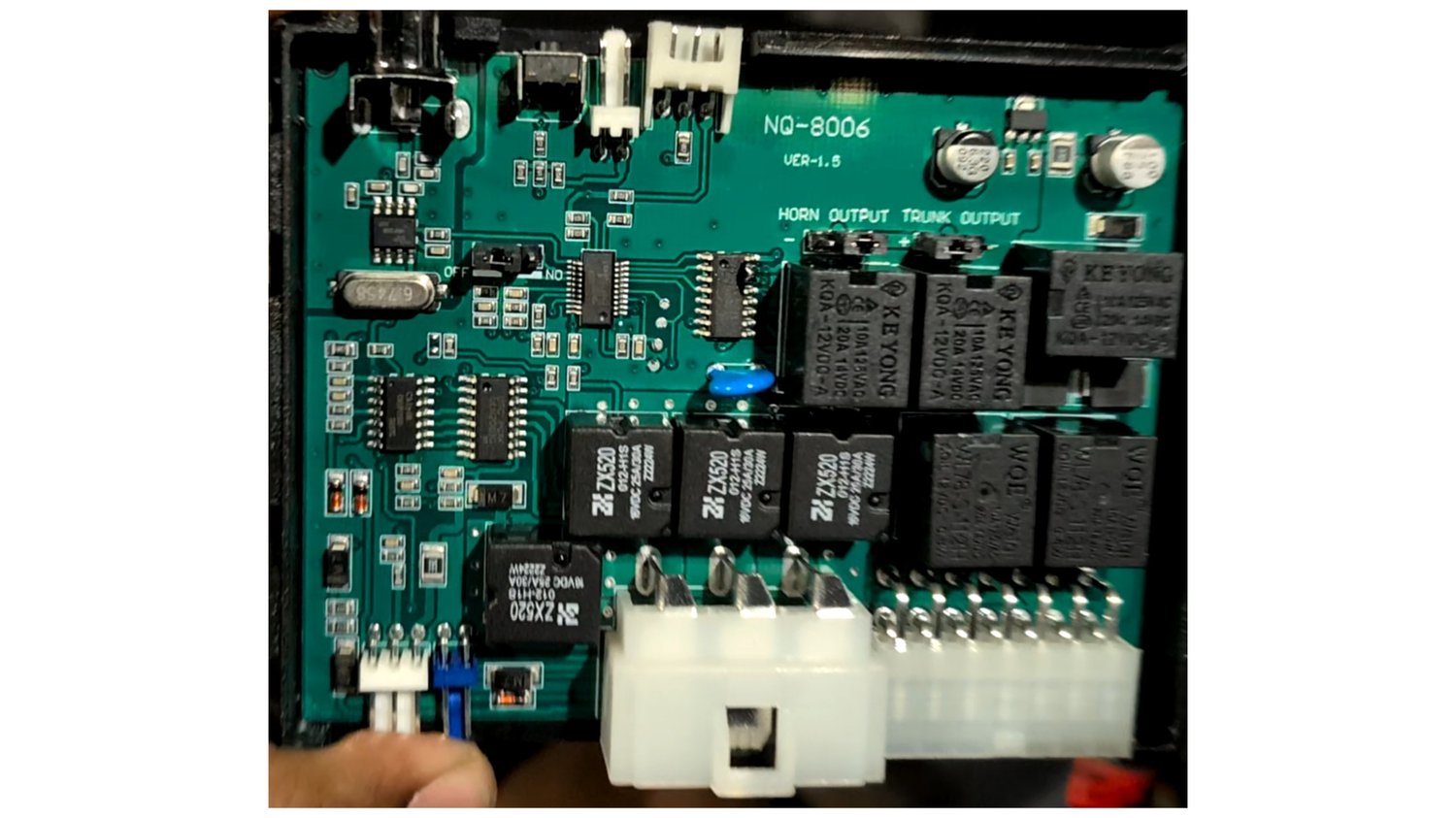
Cracking open the BANVIE control unit revealed a fairly dense little board built around two separate 8-bit microcontrollers, each responsible for a different half of the system's behavior.
ChipOn C61F133D — Mechanical Actuation
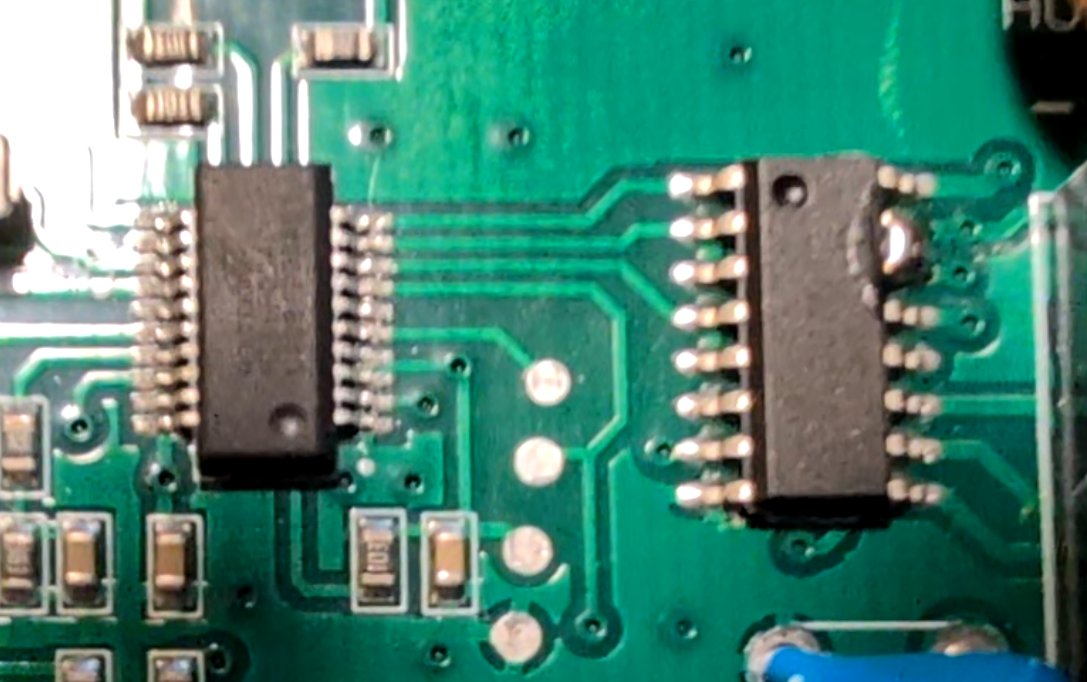
One microcontroller is responsible for actuating the door locks, the trunk release, the turn-indicator lamps, and the horn. It's a ChipOn C61F133D, and it drives its own ULN2003G Darlington transistor array to switch the relays for each of these functions.
Holtek HT66F004 — Security, Alarm & Start Authorization
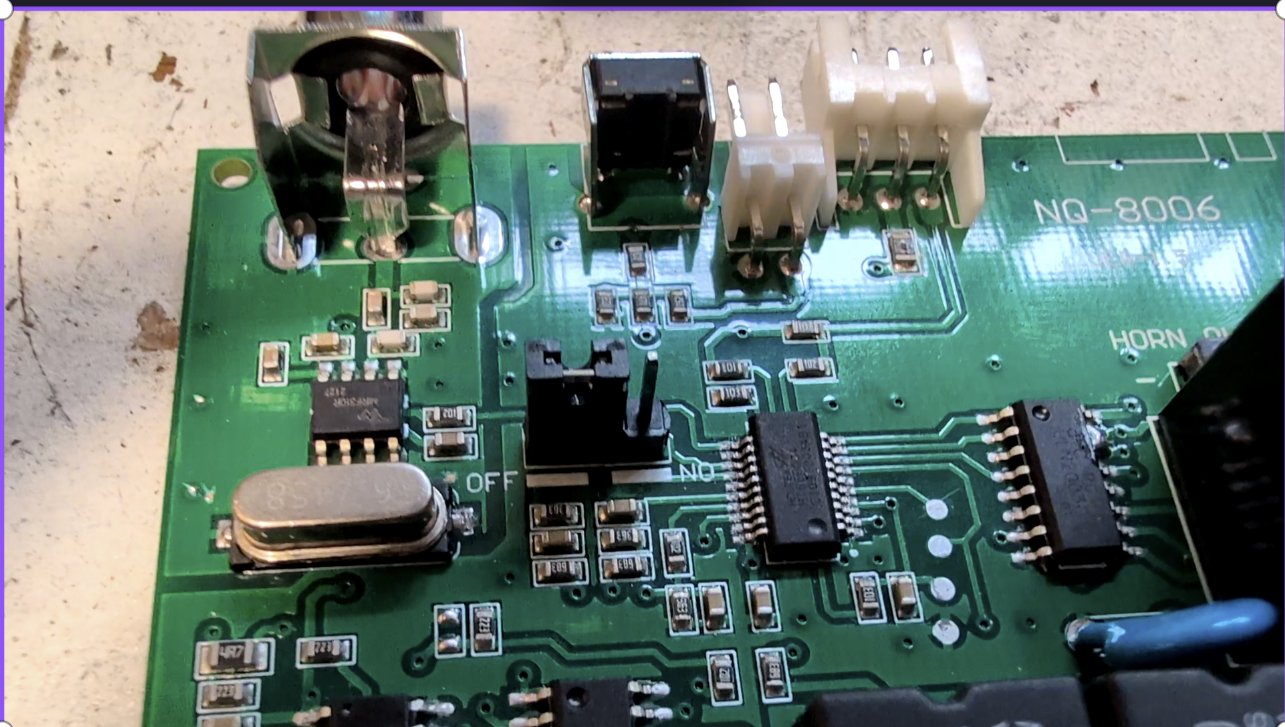
The second microcontroller runs the security and alarm system, together with the engine start/stop sequencer — it stays powered and alert whenever the system is armed, so it's designed around low quiescent current draw. It also communicates with its own dedicated Darlington array, and with the ChipOn microcontroller, forming the link between "is the car allowed to start" and "actually start it."
RF Receiver & Supporting Peripherals
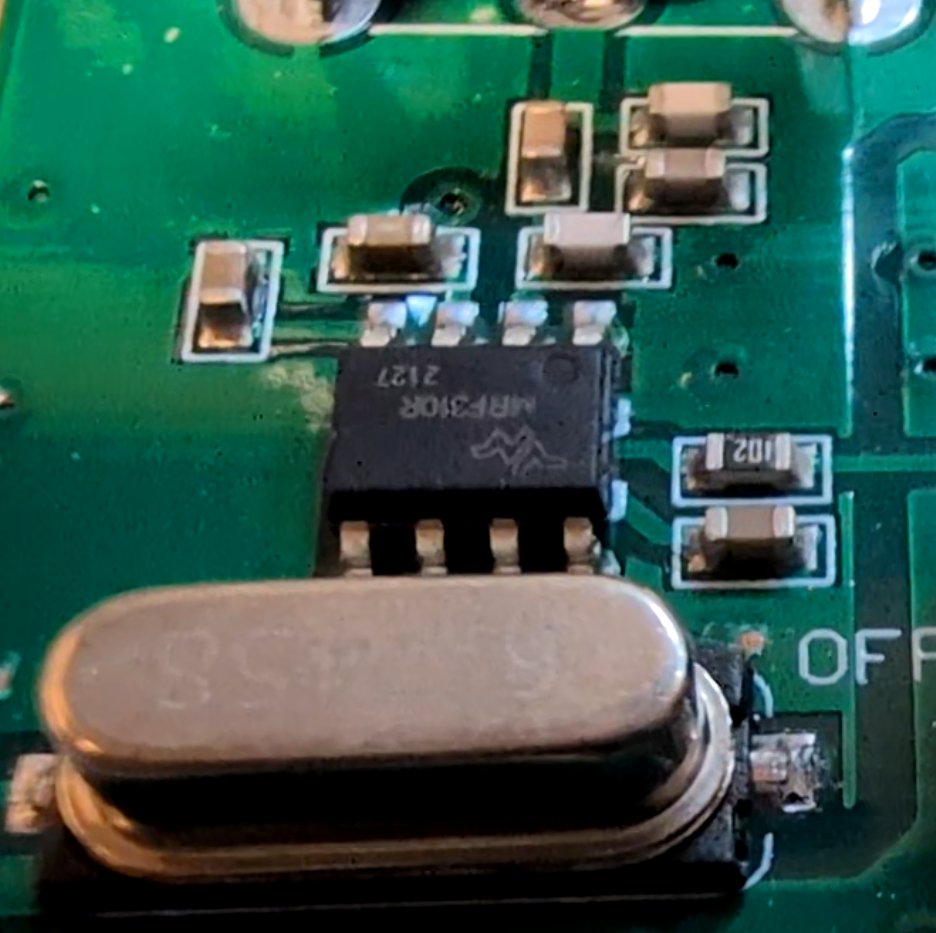
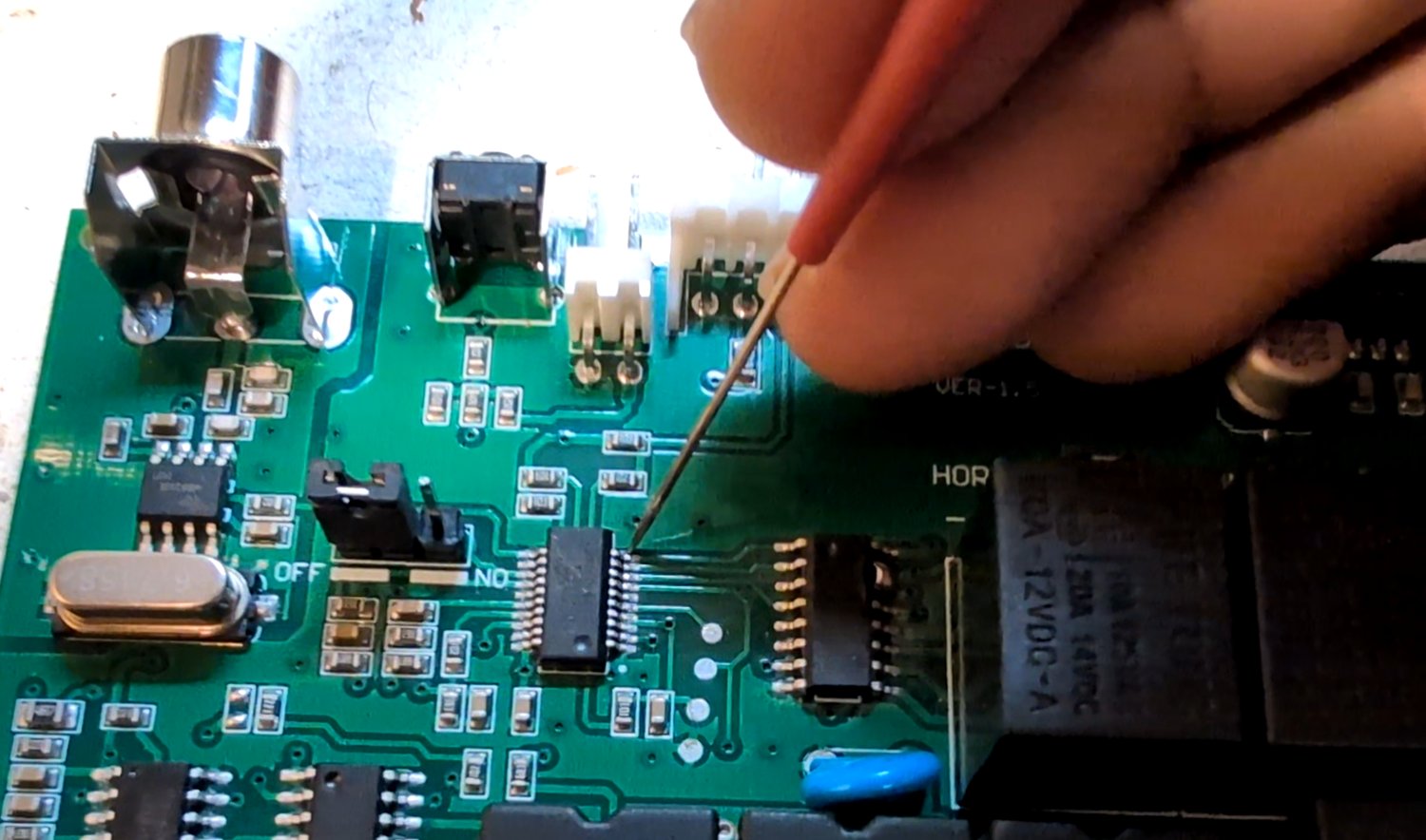
The chip that receives the radio-frequency signals from the remote was identified by tracing the antenna's trace back into the board and cross-referencing the pinout against its datasheet: it's an MRF310R (a generic part number commonly matched to the SYN470 family), which needs an external oscillator for timing.
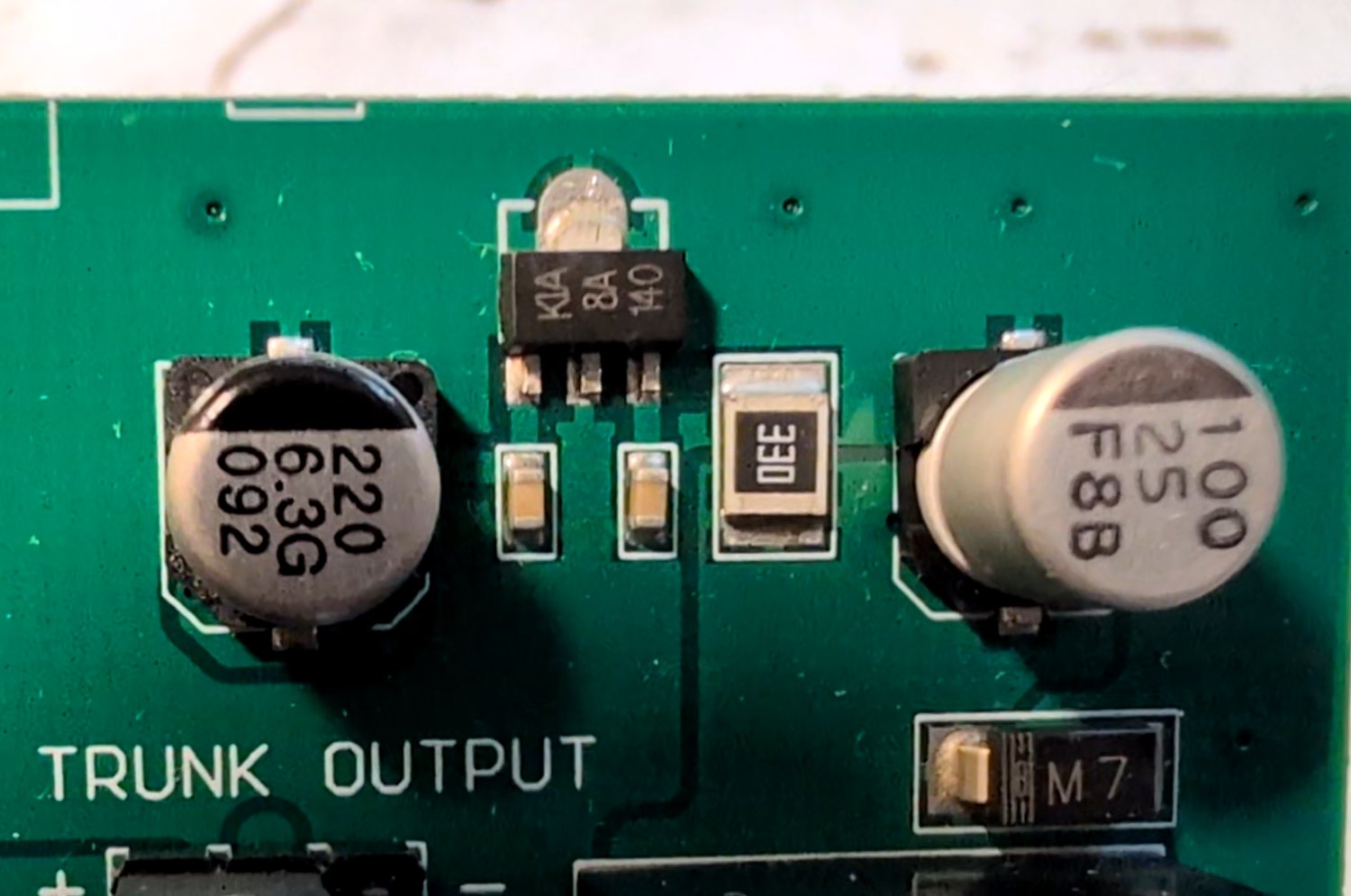
A small KIA 8A140 linear regulator — functionally similar to an AMS1117 — steps the car's 12 V rail down to the 5 V logic supply for both microcontrollers.
Step 1: Mapping the Actuation Pins with an Oscilloscope
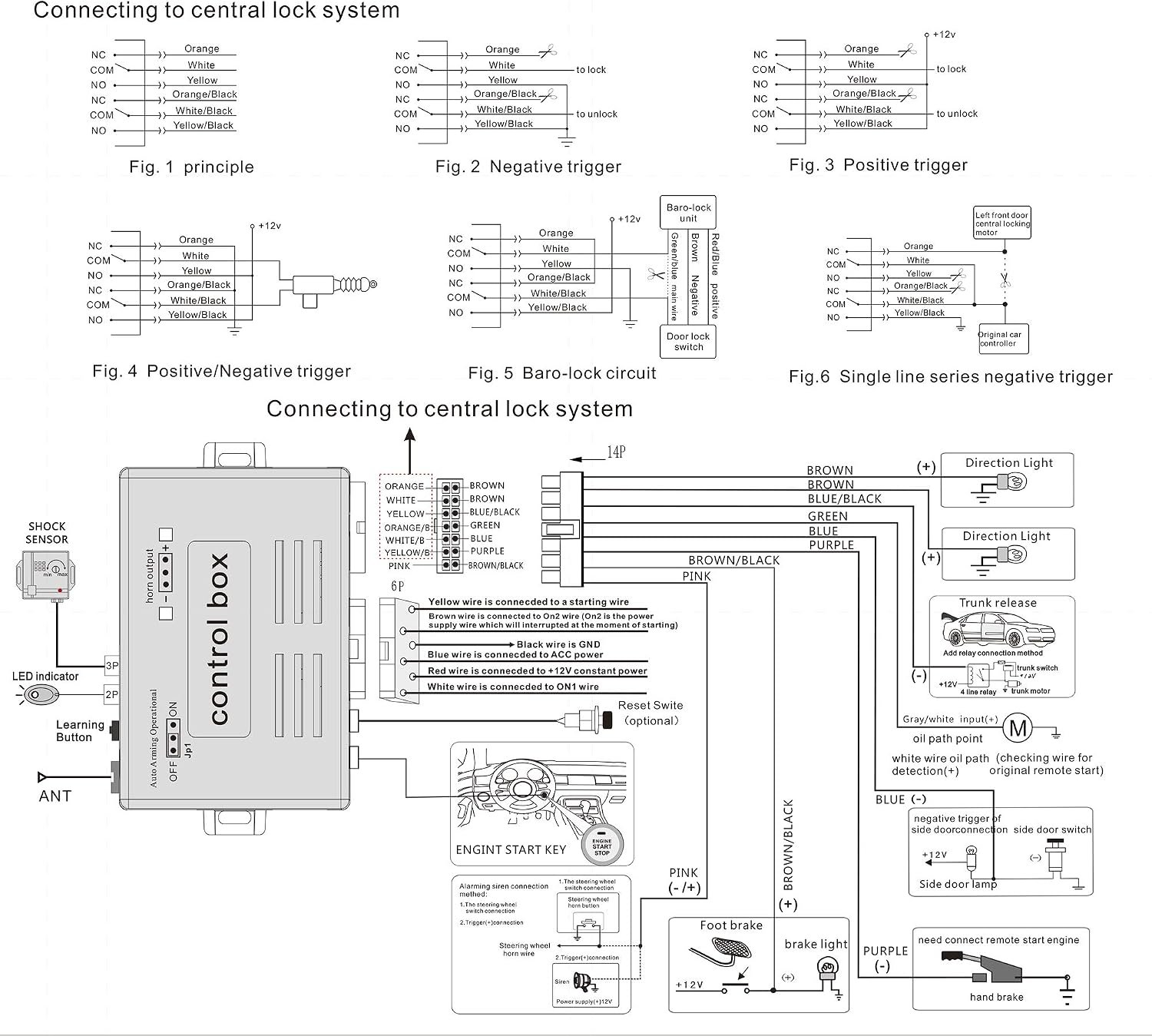
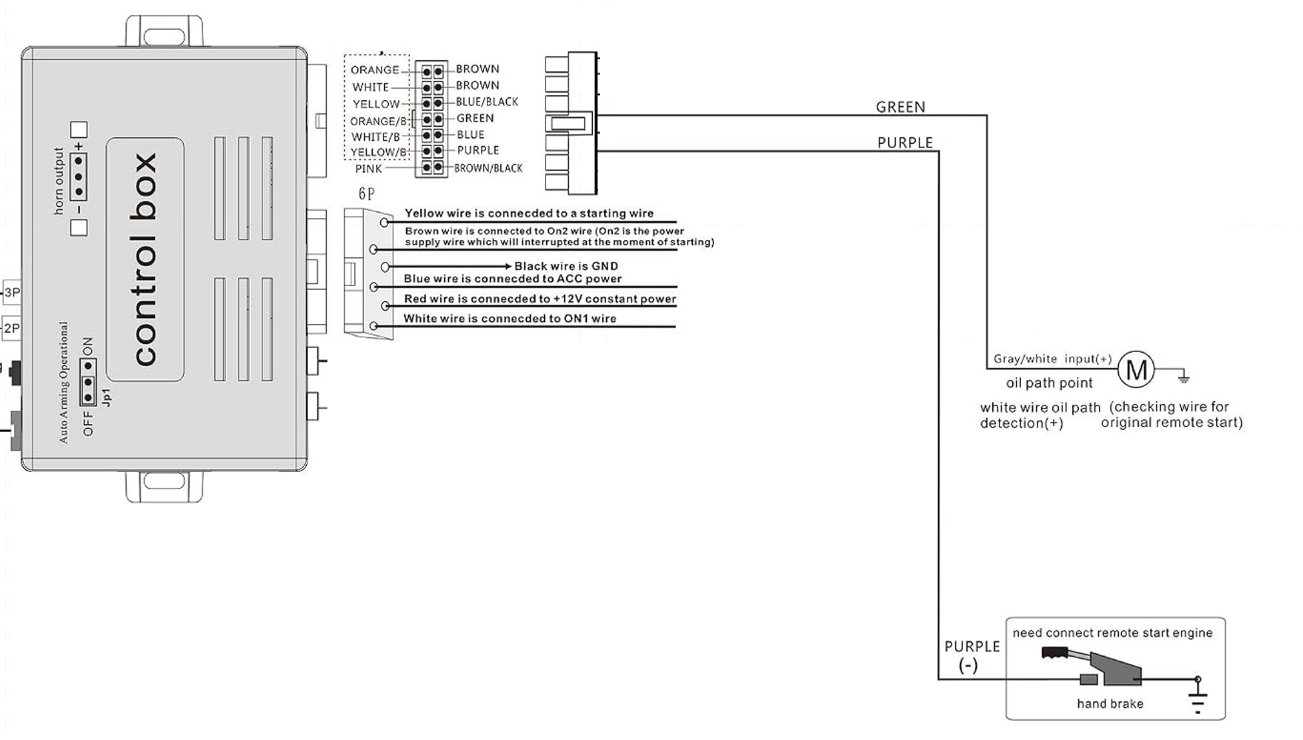
The wiring diagram from Amazon covers the high-level connector layout, but says nothing about which pin on the ULN2003G actually corresponds to which function. For this particular ULN2003G package, every pin except the bottom-left and bottom-right is part of an input/output Darlington pair, so the plan was to probe each pair while pressing keys on the remote and match the response to what I already know the car should physically do.
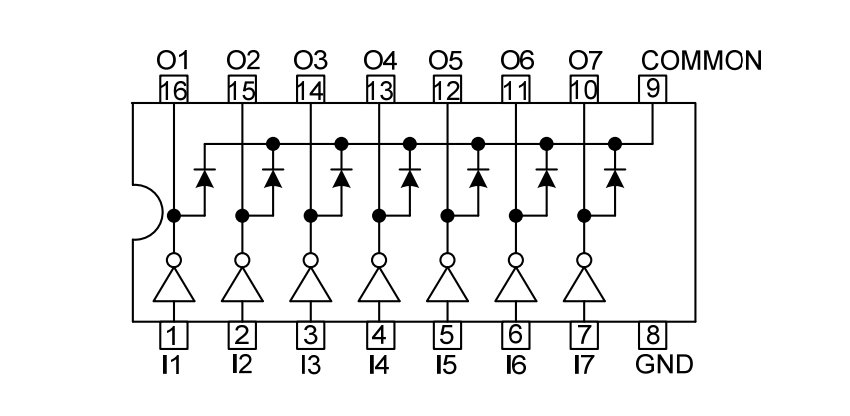
My prior knowledge of how the car's factory alarm behaves did a lot of the work here, since several relays fire together for a single key press:
- Unlock: doors unlock, indicators blink twice, horn honks twice — three relays firing, two of which pulse in sync, twice.
- Lock: doors lock, indicators flash once, horn honks once — the same three relays, but each pulsing only once.
- Muted Lock/Unlock (Mute pressed first): identical behavior to the above, except the horn stays silent — which immediately isolates the horn relay from the indicator relay, since only the indicator output still pulses twice/once accordingly.
- Trunk release: its own dedicated key with no overlap with any other function, making it trivial to isolate.
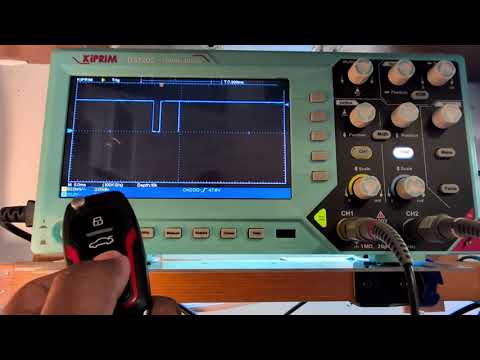
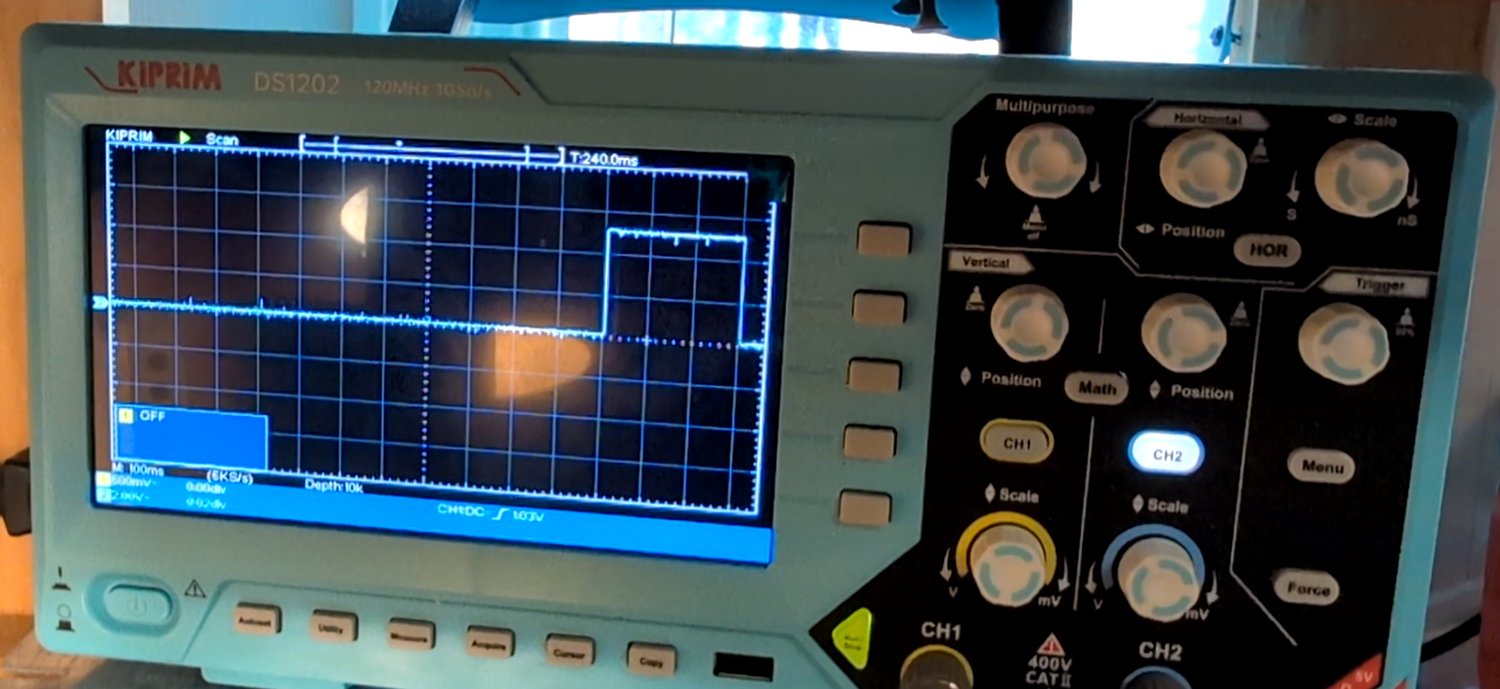
Probing with the oscilloscope confirmed this logic exactly. On unlock, the indicator/horn-shared line shows two pulses:
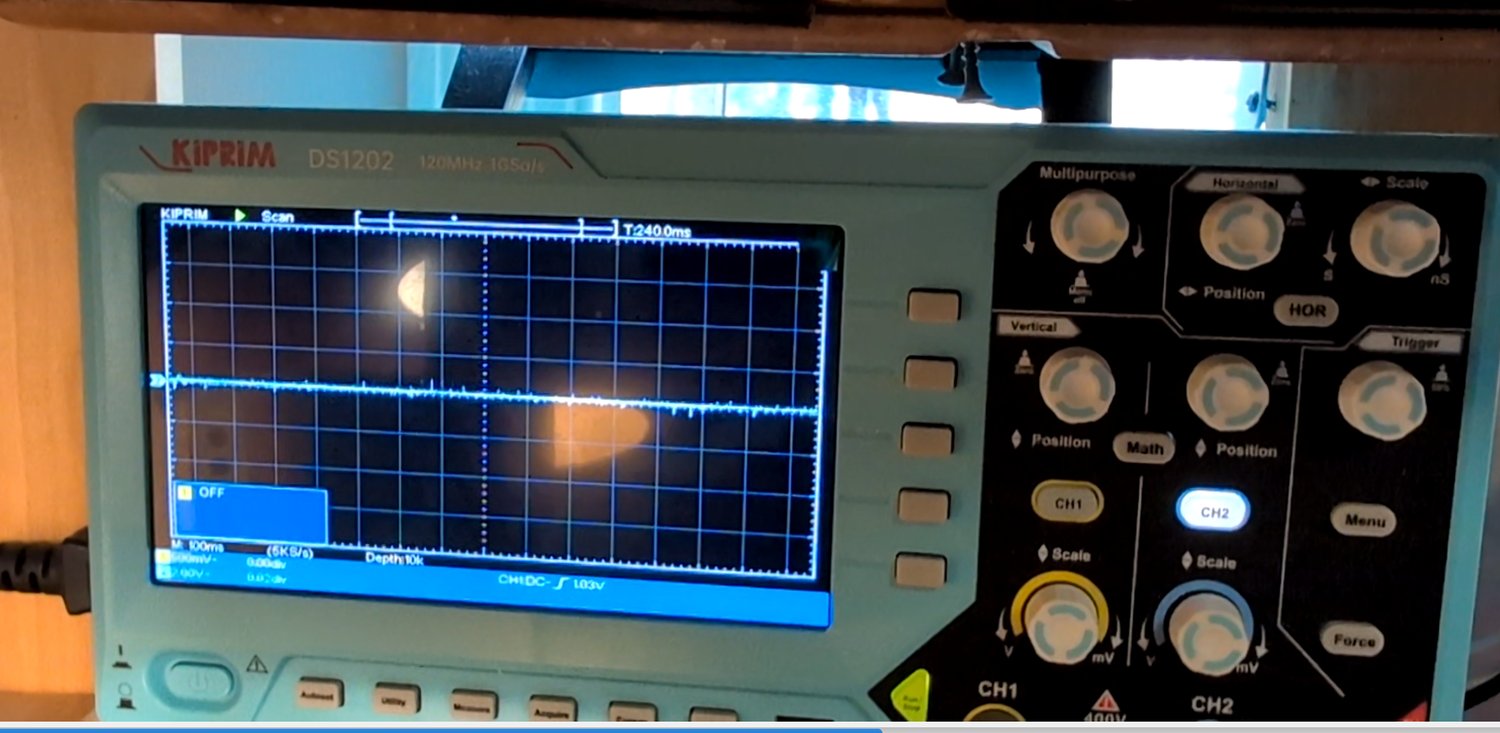
...and a single pulse on lock:
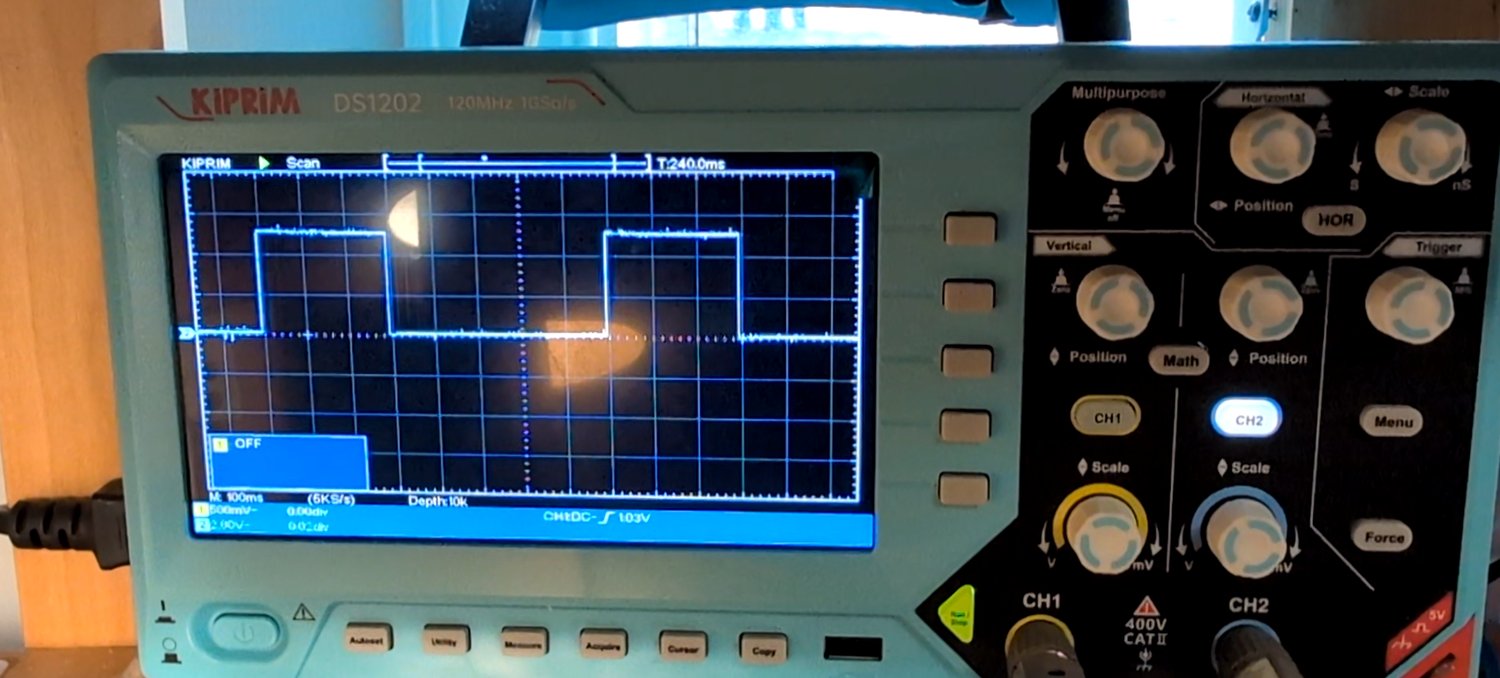
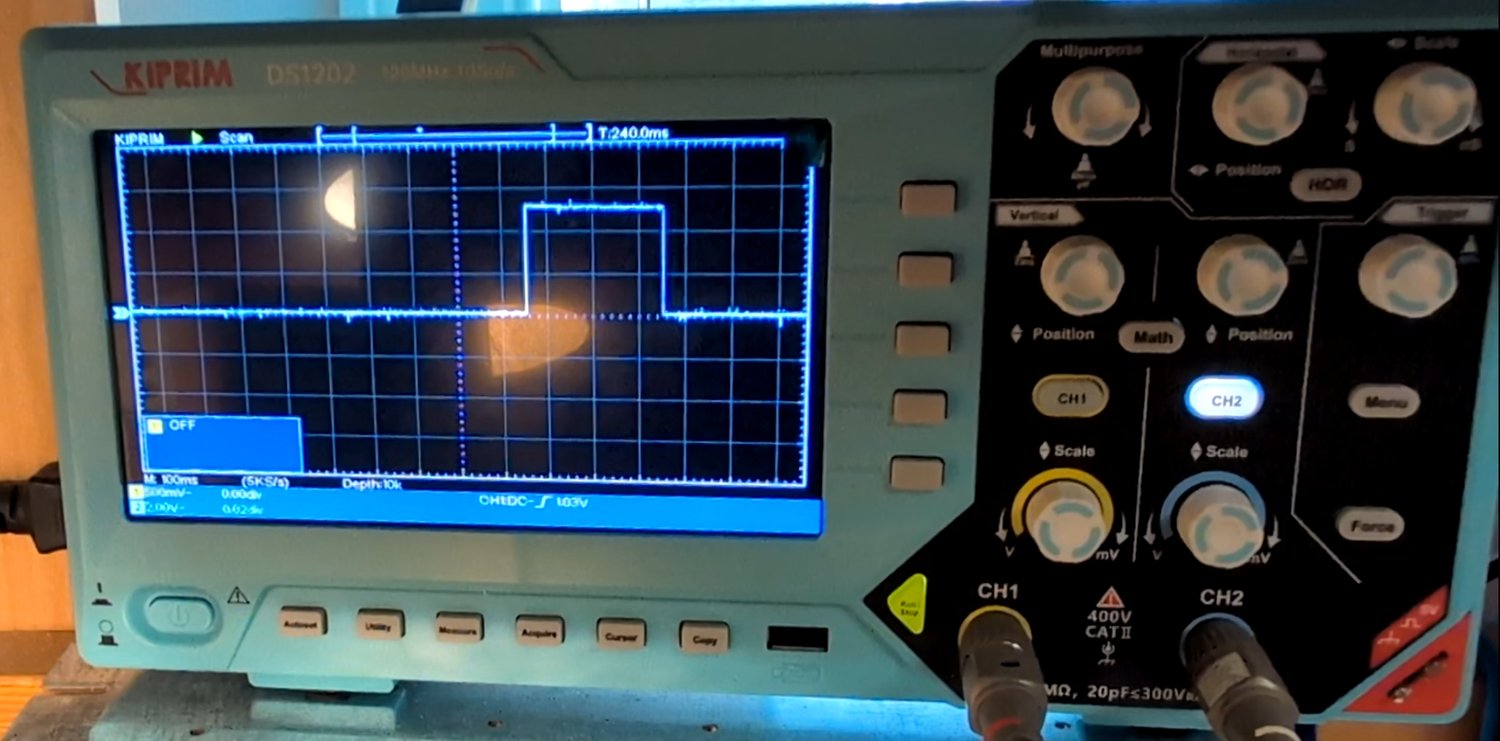
Since this line pulses for both lock and unlock, it had to be either the indicator or the horn output. The muted-lock/unlock test settled it: a single pulse was still present when muted-locking, and two pulses when muted-unlocking — meaning the horn (which the mute button silences) could not be this line. This was definitively the indicator lamp output.
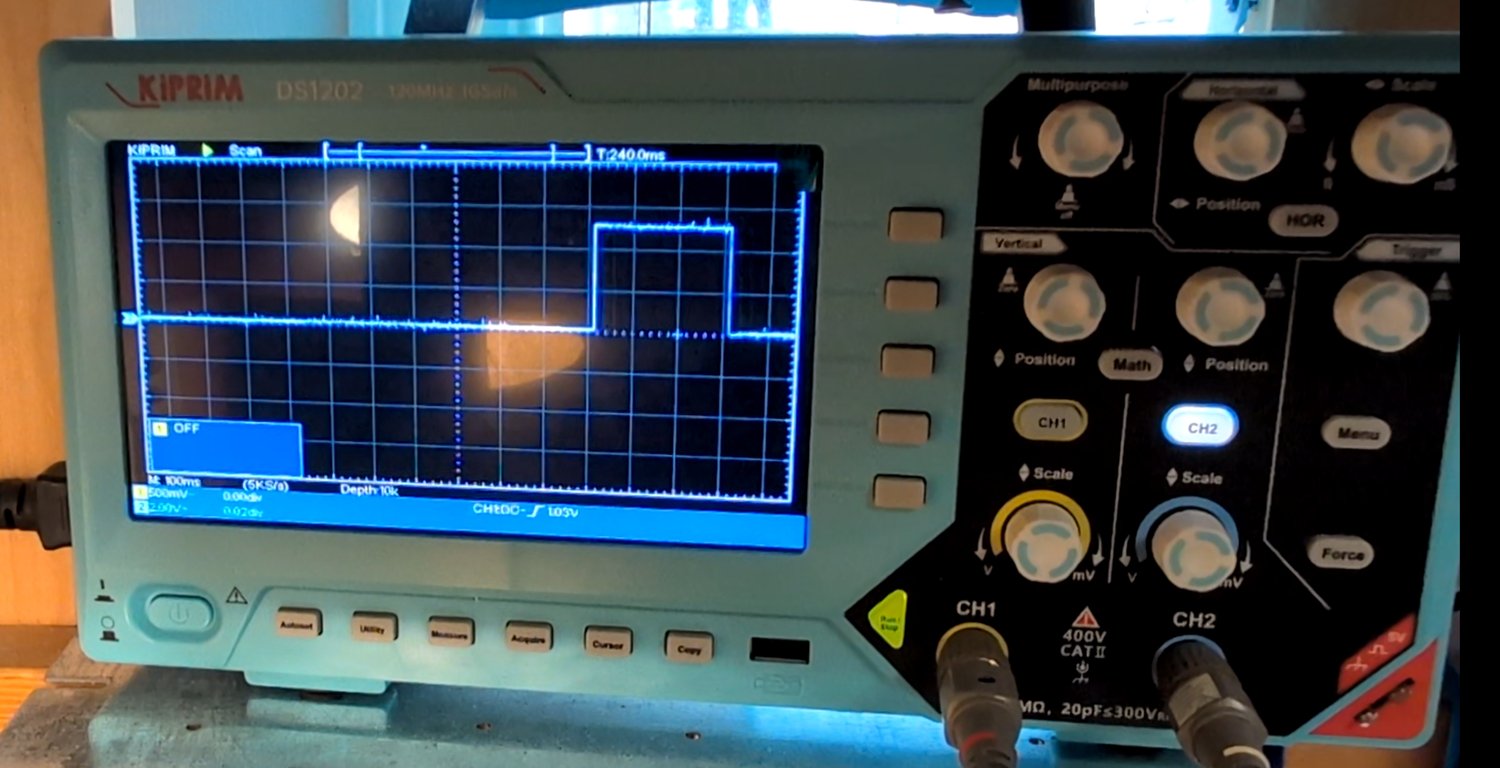
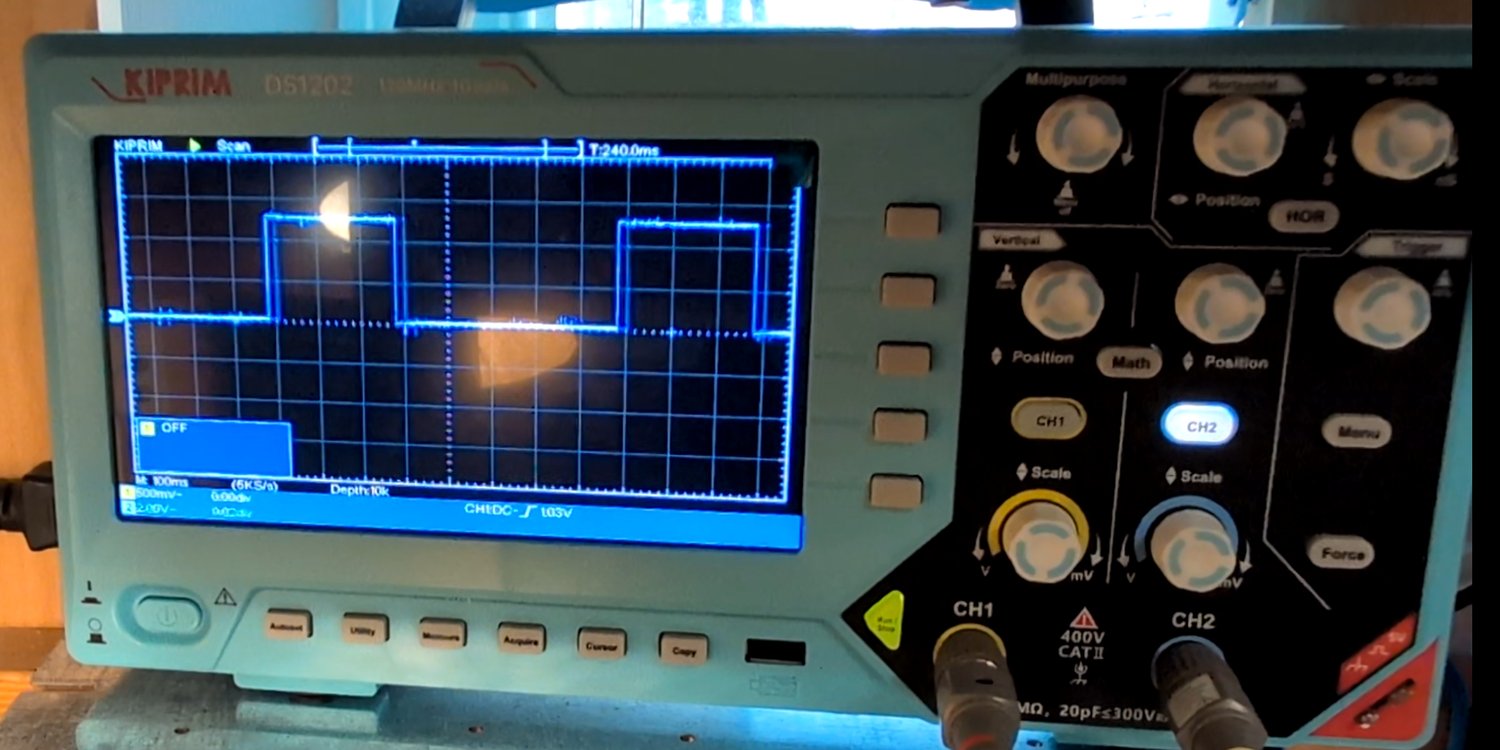
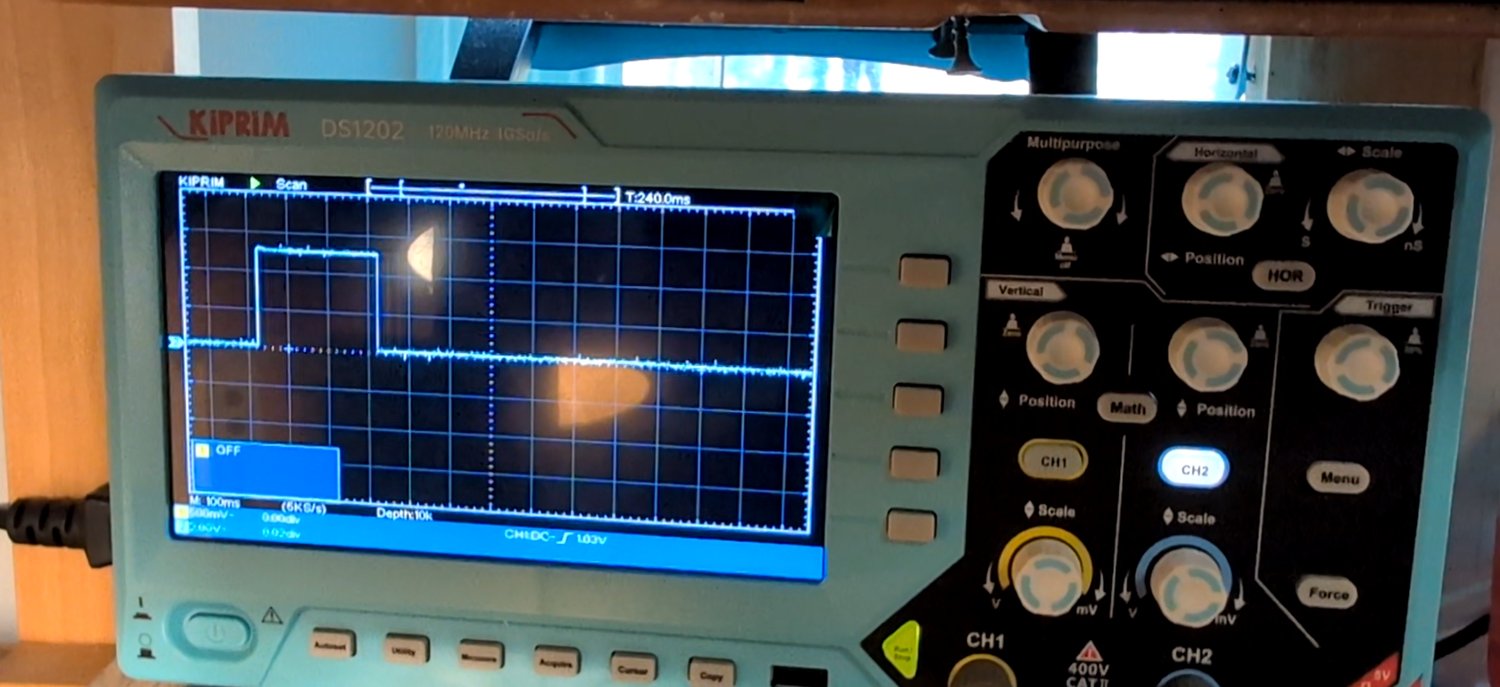
Repeating this process pin by pin — lock producing a single pulse with no response on unlock, and vice versa — identified the dedicated lock and unlock actuator lines directly:
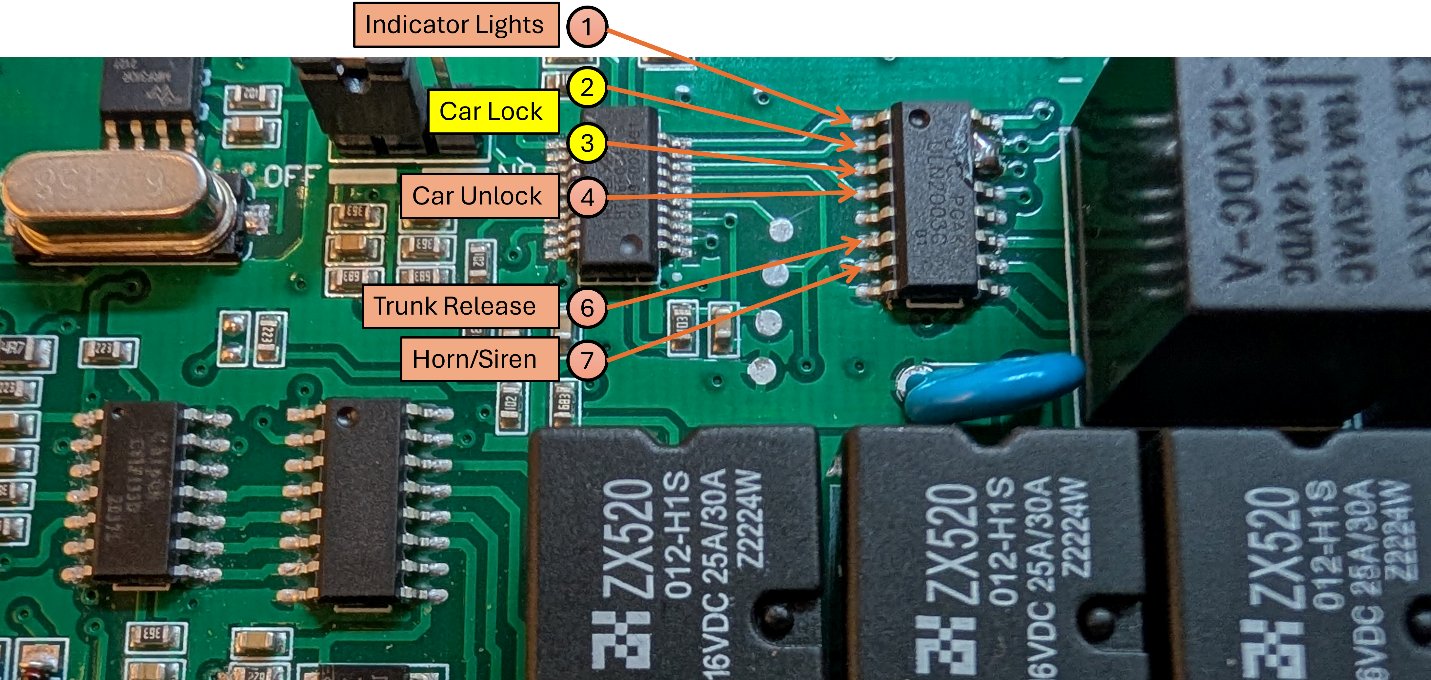
Repeating this cycle of "listen for the relay clicks, then confirm on the scope" for every remaining pin produced a complete map of the actuation Darlington array:
| Pin | Function (Relay Activation For) |
|---|---|
| 1 | Indicator lights |
| 2 | Lock |
| 3 | Lock |
| 4 | Unlock |
| 5 | Not connected |
| 6 | Trunk release |
| 7 | Horn / siren |
Step 2: Mapping the Holtek Microcontroller (Security System)
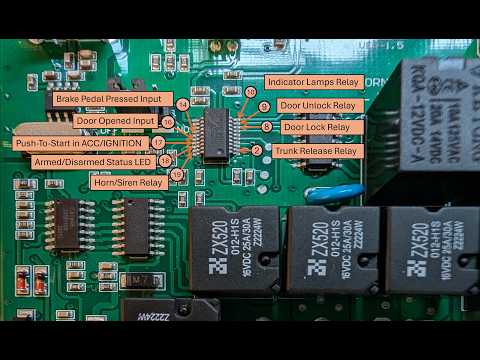
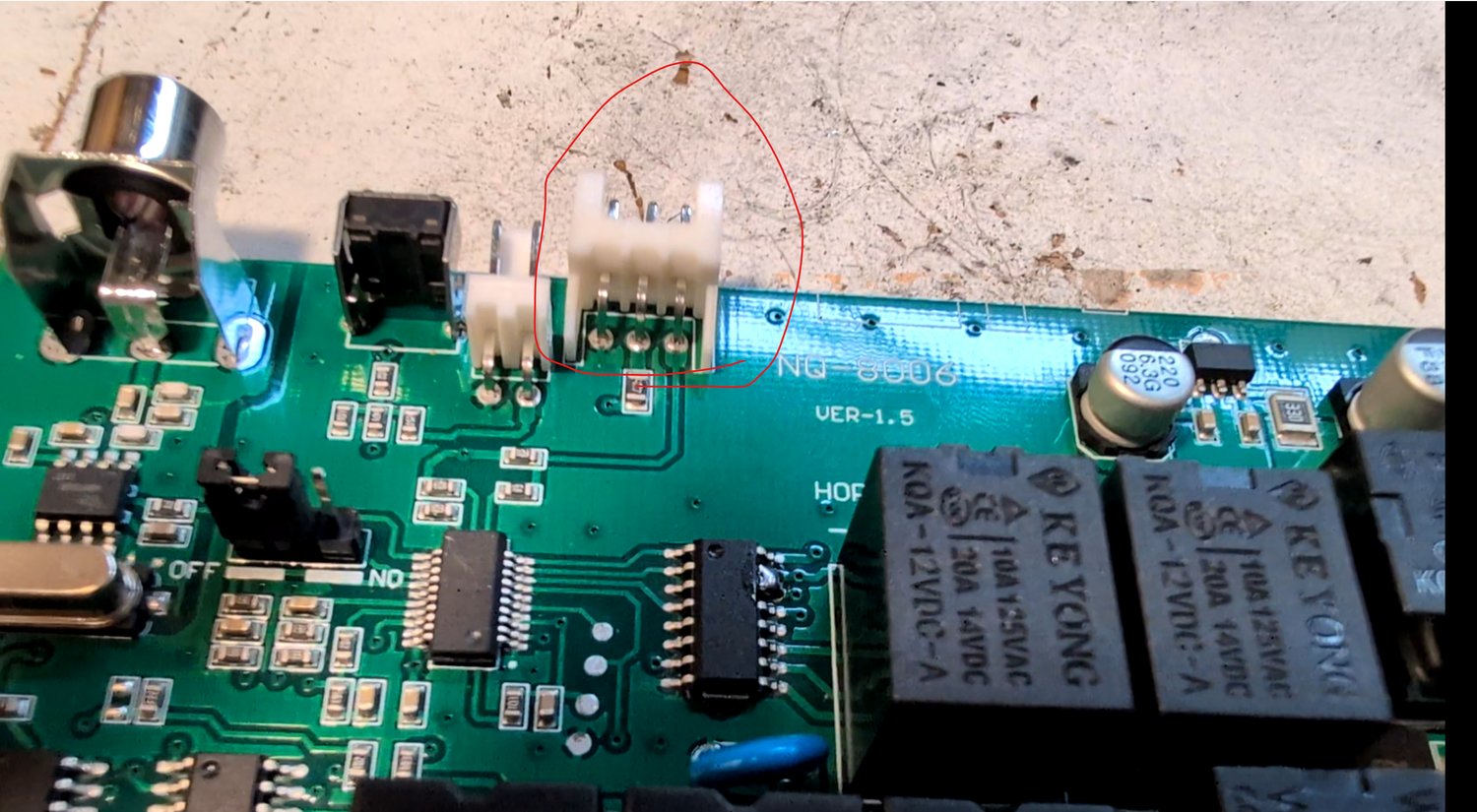
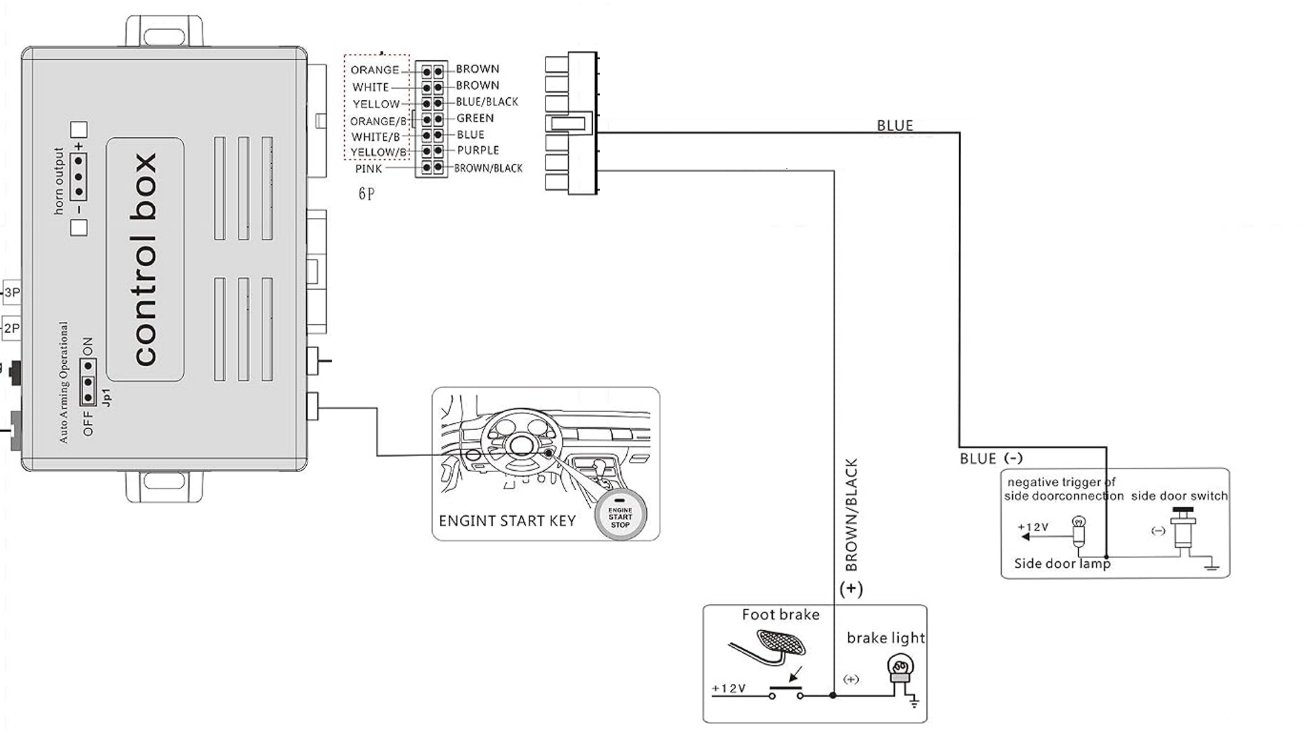
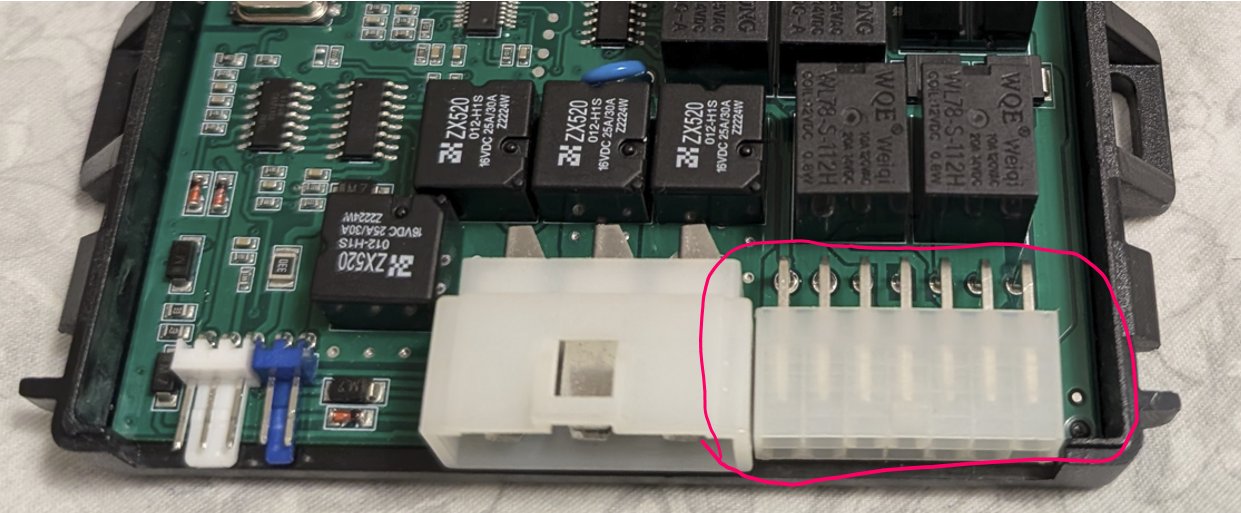
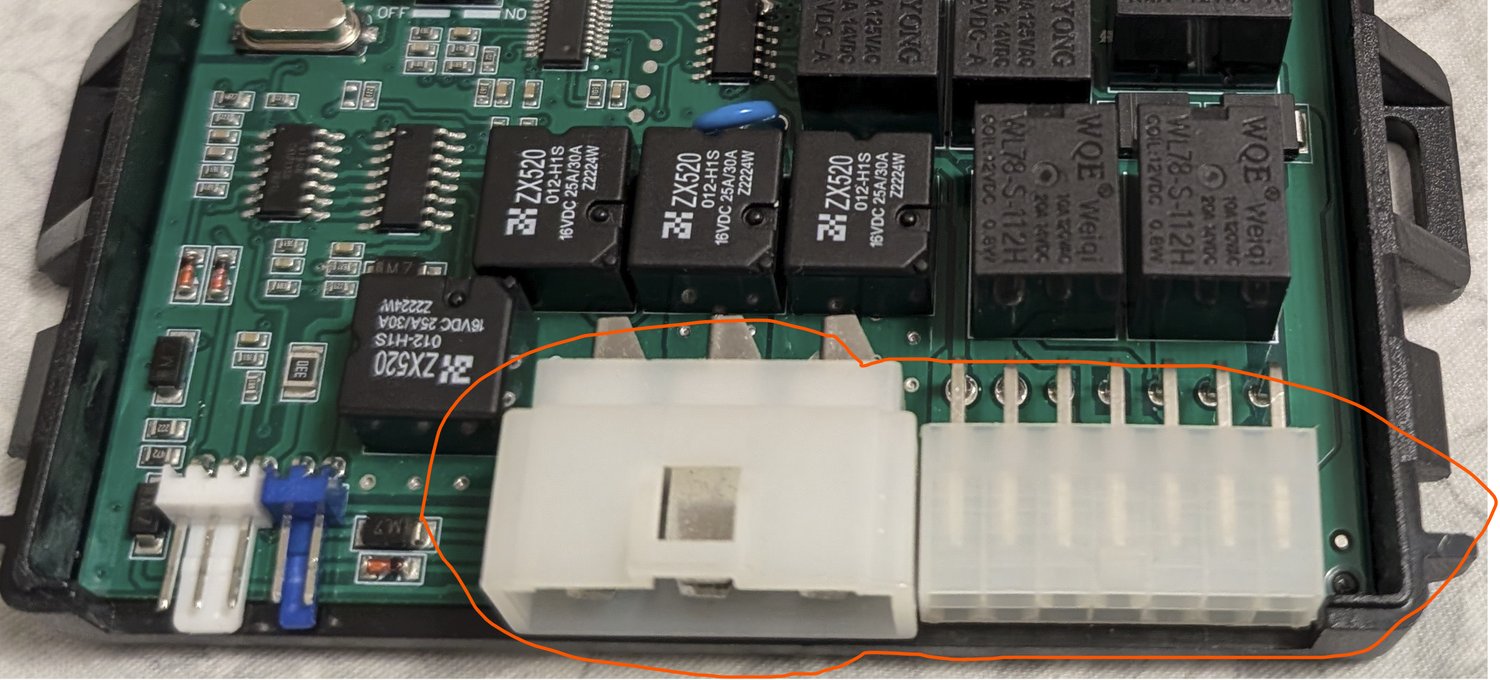
With the actuation side mapped, the next target was the Holtek HT66F004 that governs the alarm and security state. From the factory logic, theft should be flagged whenever the brake is pressed, a door is opened, or the push-to-start button is pressed while the car is armed — so the brake pedal, push-to-start, and door-switch signals should all terminate at this chip. A simplified version of the relevant wiring diagram and its connector made a good starting map:
Working from the expected voltage behavior of each signal (documented on the wiring diagram) and probing every pin around the two microcontrollers while manually toggling each input:
- Brake pedal expects +12 V when pressed. Pulsing the brake line between 12 V and ground while watching every pin found pin 14 going HIGH exactly when the brake was pressed.
- Door switch expects a pull to ground when a door opens. Pin 16 was found going LOW exactly when the door line was grounded.
- Push-to-start button: pressing the physical button and watching for any pin change isolated pin 17, which goes HIGH once for ACC and again for Ignition.
- Armed-status indicator: the system's blue LED blinks once armed, implying a dedicated status pin. Pin 18 stayed LOW while disarmed, but went HIGH briefly and then into a square wave once the car was locked — a clean match for the armed/disarmed indicator.
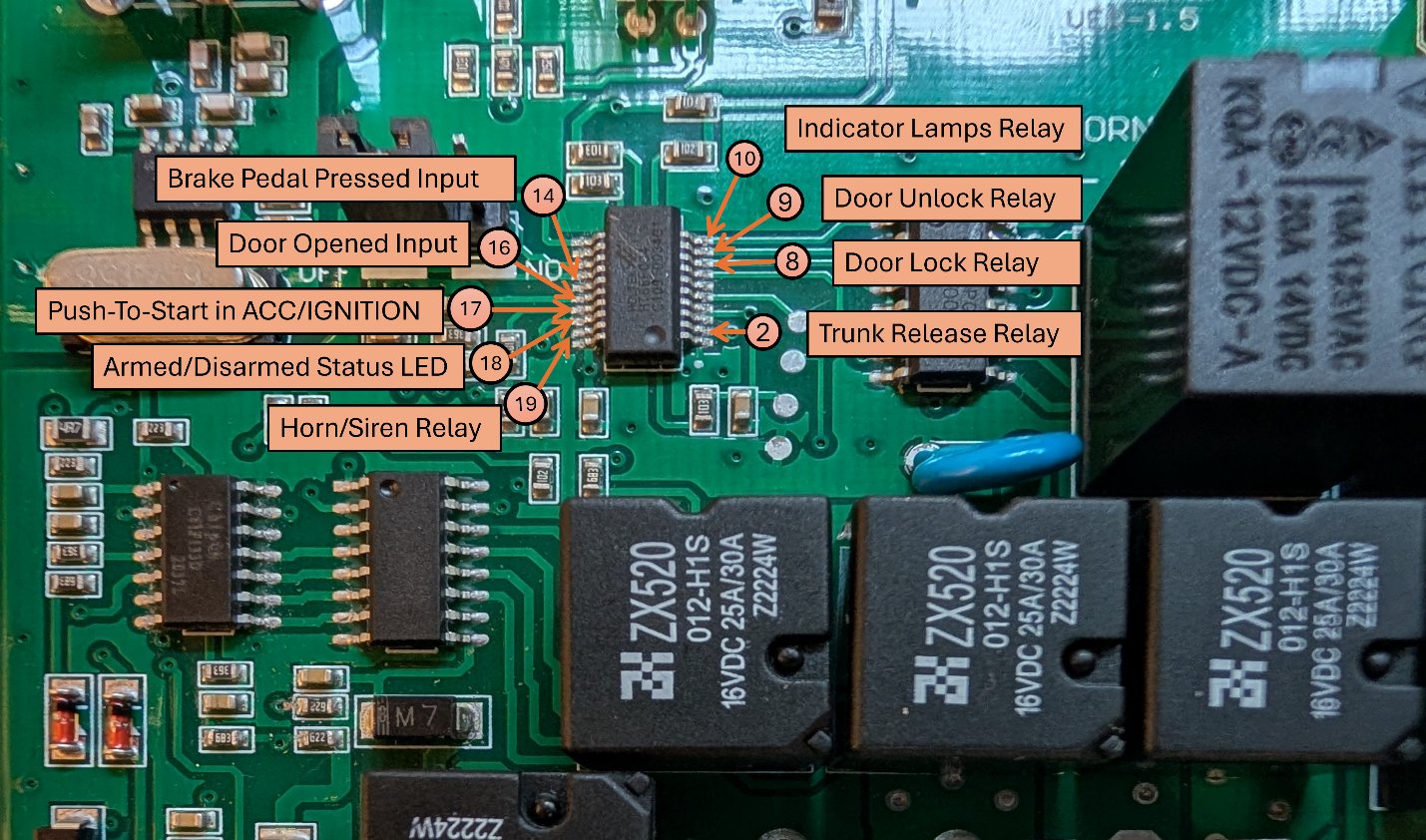
| Pin | Default State | Function |
|---|---|---|
| 2 | LOW | Activation signal for the trunk release relay |
| 8 | LOW | Activation signal for the door unlock relay |
| 9 | LOW | Activation signal for the door lock relay |
| 10 | LOW | Activation signal for the indicator lights relay |
| 14 | LOW | Goes HIGH when the brake pedal input line goes to 12 V (brake pressed signal) |
| 16 | HIGH | Goes LOW when the side door switch sensor goes to GND (door open signal) |
| 17 | LOW | Goes HIGH when the push-to-start button is pressed once (ACC) or twice (Ignition) |
| 18 | — | Alarm-armed signal — stays LOW while unlocked (disarmed); goes HIGH briefly, then square-waves, once locked (armed) |
| 19 | LOW | Activation signal for the horn/siren relay |
Step 3: Mapping the ChipOn Microcontroller (Engine Start/Stop)
The engine start/stop logic was hypothesized to live on the ChipOn C61F133D, gated by a security clearance from the Holtek chip — the push-to-start button setup gave the clearest window into how that sequencer actually behaves.
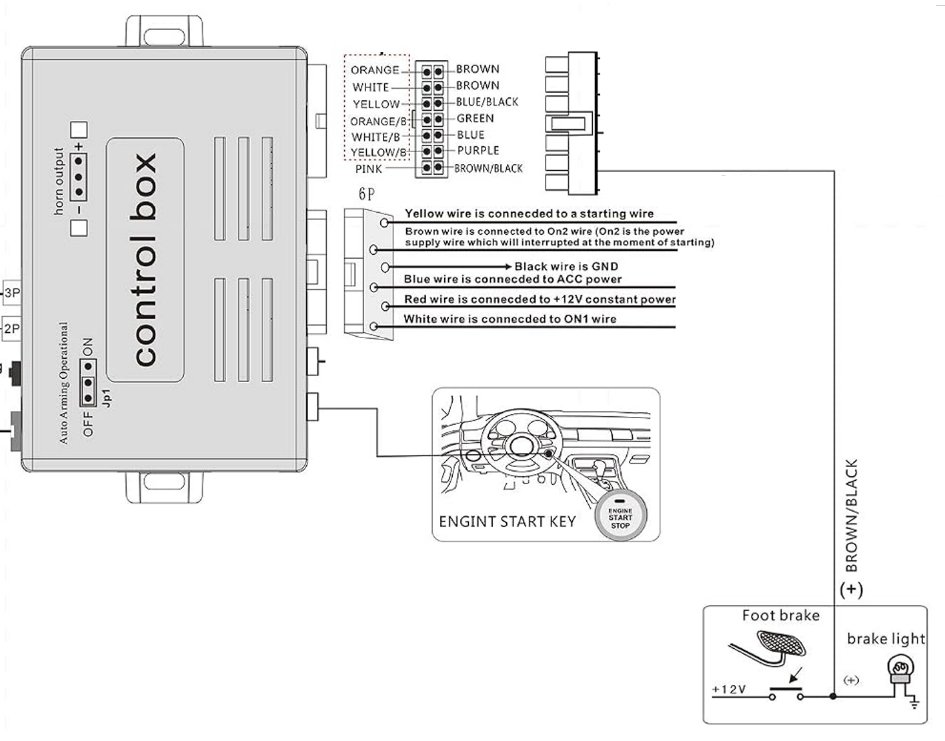
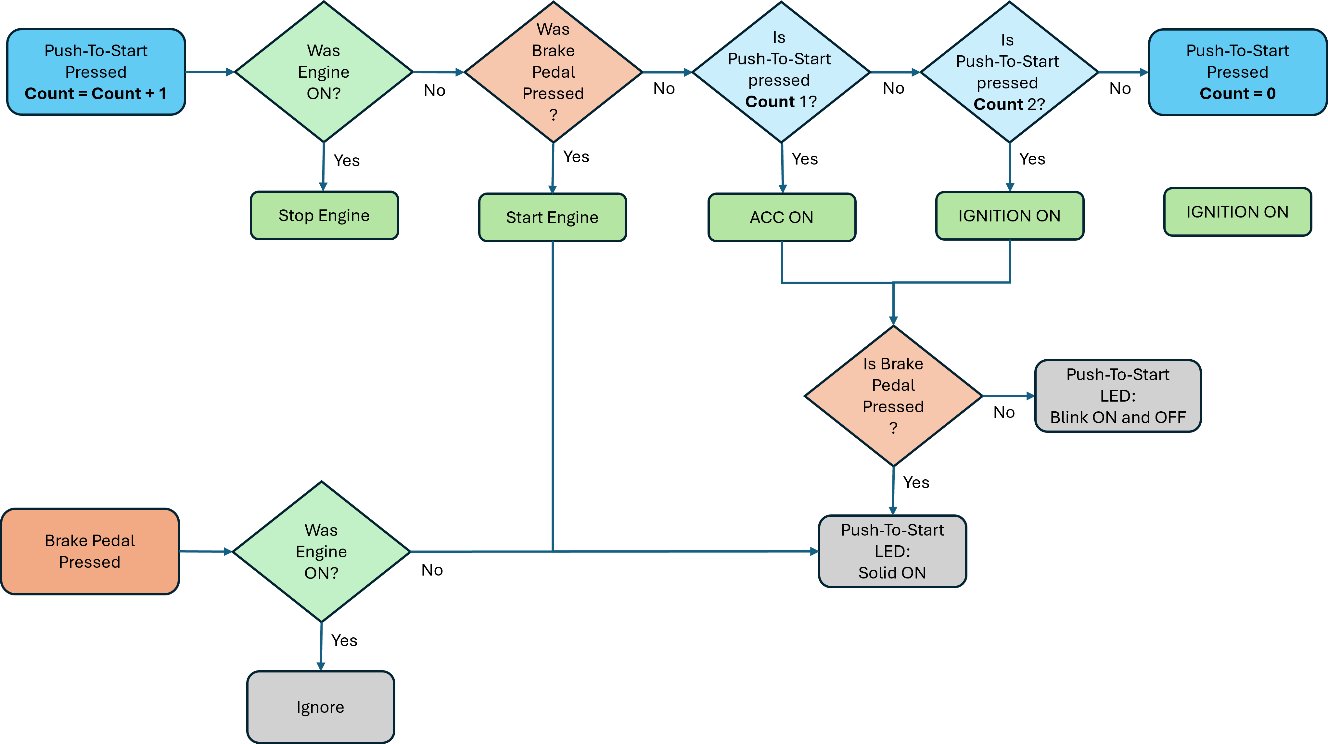
Working through the startup sequence step by step and probing for pin changes at each stage produced a set of concrete observations:
- Obs. 1: Every press of the push-to-start button momentarily pulses
pin 13HIGH — this is the button's raw press-detection input. - Obs. 2: Pressing once (no brake) enters ACC mode;
pin 10goes HIGH, identifying it as the ACC-line driver. - Obs. 3: During ACC, the push-button's LED blinks;
pin 7generates a matching square wave, identifying it as the LED driver (fed through an adjoining ULN2003G that inverts the signal, so the Darlington output is used as the LED's ground return). - Obs. 4 & 5: A second press enters Ignition mode;
pin 10stays HIGH whilepins 9and11also go HIGH — these drive theON1/ON2ignition lines. - Obs. 6: The LED continues its square-wave blink through Ignition mode as well.
- Obs. 7: Pressing the brake pedal before starting makes the LED go solid; correspondingly
pin 7stops square-waving and holds solid HIGH for as long as the brake stays pressed. - Obs. 8:
Pin 4goes and stays HIGH for the duration the brake is pressed — the brake-pedal-press registration pin. - Obs. 9: Pressing the button with the brake held runs the full startup sequence;
pin 8pulses HIGH momentarily, identifying the starter-motor trigger (routed through the adjoining ULN2003G's pin 7). - Obs. 10: After the engine starts,
pin 10(ACC) andpin 9stay HIGH, as expected for a running engine.
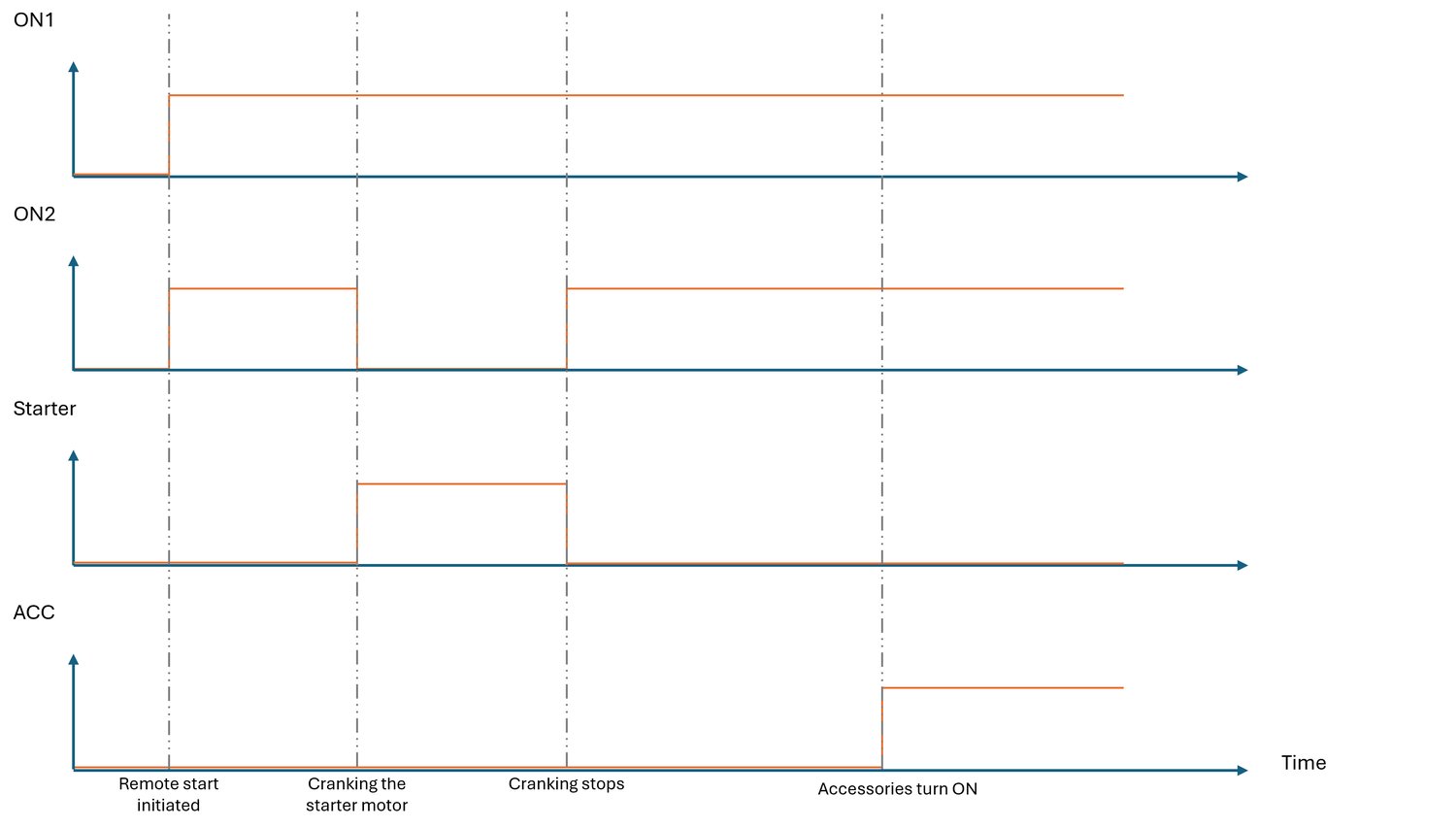
The Remote Engine Start Sequence
The remote-start path adds a handful of additional steps on top of the manual push-to-start logic:
- Power the
ON1andON2ignition lines. - Power the starter motor while simultaneously pulling
ON2to ground during cranking. - Check whether the engine actually started, by monitoring the oil pressure sensor.
- Power the ACC line for accessories (ground → stable 12 V).
- Retry cranking if the oil pressure sensor doesn't confirm a start.
Two more requirements had to be reverse-engineered before this path made sense: the handbrake must be engaged, and the unlock button must be pressed three times in quick succession.
- Obs. 11: Toggling the handbrake input between ground and 12 V found
pin 3on the ChipOn IC — normally HIGH — going LOW exactly when the handbrake engages. - Obs. 12: Toggling the oil pressure sensor line found
pin 12registering it, going HIGH once the engine is confirmed running. - Obs. 13: Every time the remote's unlock button is pressed,
pin 5— normally HIGH — briefly pulls down to ground. Three such consecutive negative pulses are what actually trigger the remote-start sequence, strongly suggesting the ChipOn microcontroller is simply counting these pulses; no direct line runs from the Holtek IC to this pin, so it's likely sampling the same output the door-unlock relay uses.
All of this consolidated into a complete pin map for the ChipOn microcontroller:
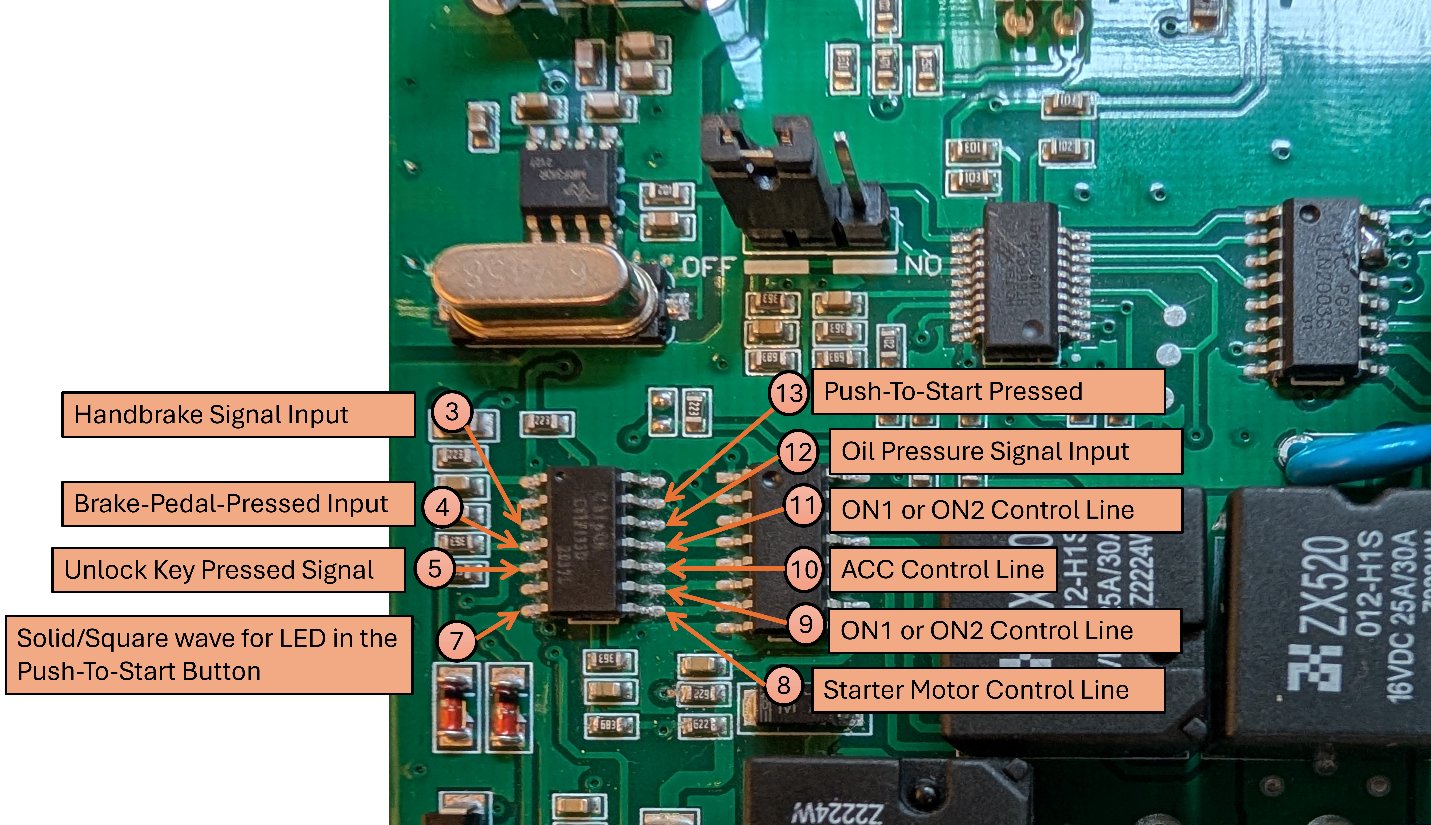
| Pin | Default State | Function & Behavior |
|---|---|---|
| 3 | HIGH | Goes LOW when the handbrake input goes to GND (handbrake engaged) |
| 4 | LOW | Goes HIGH when the brake pedal is pressed |
| 5 | HIGH | Momentarily pulses to GND when the remote's unlock button is pressed. Three consecutive pulses begin the remote-start sequence. |
| 7 | LOW | Drives the push-to-start button's LEDs. Solid HIGH when the brake is pressed outside ACC/Ignition; square-waves (blinks the LED) while ACC or Ignition is active. |
| 8 | LOW | Briefly HIGH when the starter motor is activated — the starter trigger output |
| 9 | LOW | Drives an ignition line (ON1/ON2); HIGH once Ignition is engaged; stays HIGH after the engine starts |
| 10 | LOW | Drives the ACC line; HIGH on ACC or Ignition; stays HIGH after the engine starts |
| 11 | LOW | Drives an ignition line (ON1/ON2); HIGH once Ignition is engaged |
| 12 | LOW | Goes HIGH when the oil pressure sensor input is HIGH (engine started) |
| 13 | LOW | Pulses HIGH on every physical press of the push-to-start button |
Hacking the Remote-Start Sequence
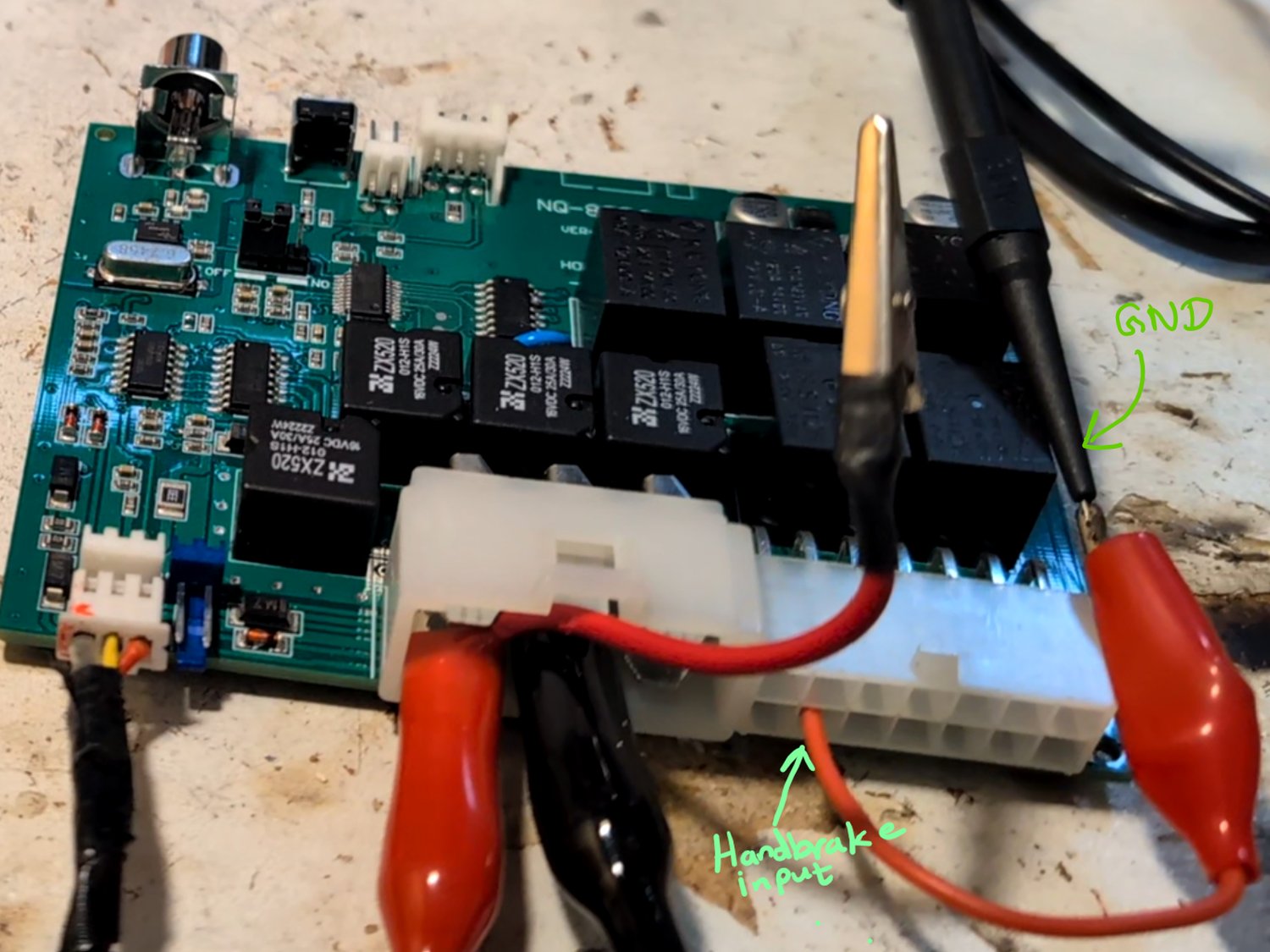
With the most important pins mapped, the next goal was to trigger the remote-start sequence electronically. To simulate the handbrake requirement, its input pin just needs to be manually grounded:
Attempt 1: Since three consecutive negative pulses on ChipOn's pin 5 are what starts the remote sequence, I tried pulsing that pin manually. It worked — the engine cranked and started — but immediately stopped again as the security system tripped.
Disarming the alarm first by pressing the real remote's unlock button once, then manually pulsing pin 5 twice more, made the remote start work perfectly. That told me the ChipOn IC must be relying on the Holtek security IC to have already cleared the car as unlocked — there had to be some communication path between the two chips tied to that disarm event.
Attempt 2: The obvious next move was to trick the Holtek IC into thinking the car had been unlocked, then manually pulse ChipOn's pin 5 with the security system genuinely disarmed. Probing the ChipOn IC's pins for any sign of serial communication with the Holtek IC turned up nothing — the only signal the ChipOn chip ever receives from the Holtek side is triggered by an actual unlock-key press. And the only way to generate that is the remote key itself.
So the real first step had to be disarming the security system exactly the way the car expects: by decoding and replaying the RF signal the remote key transmits when its unlock button is pressed.
Cracking the Key Fob's RF Protocol
Tracing the board, the Holtek IC turned out to be the only microcontroller connected to the RF decoding front-end, meaning it must receive a stream of modulated pulses directly. Since this is a digital system, the most likely scheme was some form of pulse-width modulation — the way to find out was to open up the remote key itself and probe what it actually transmits.
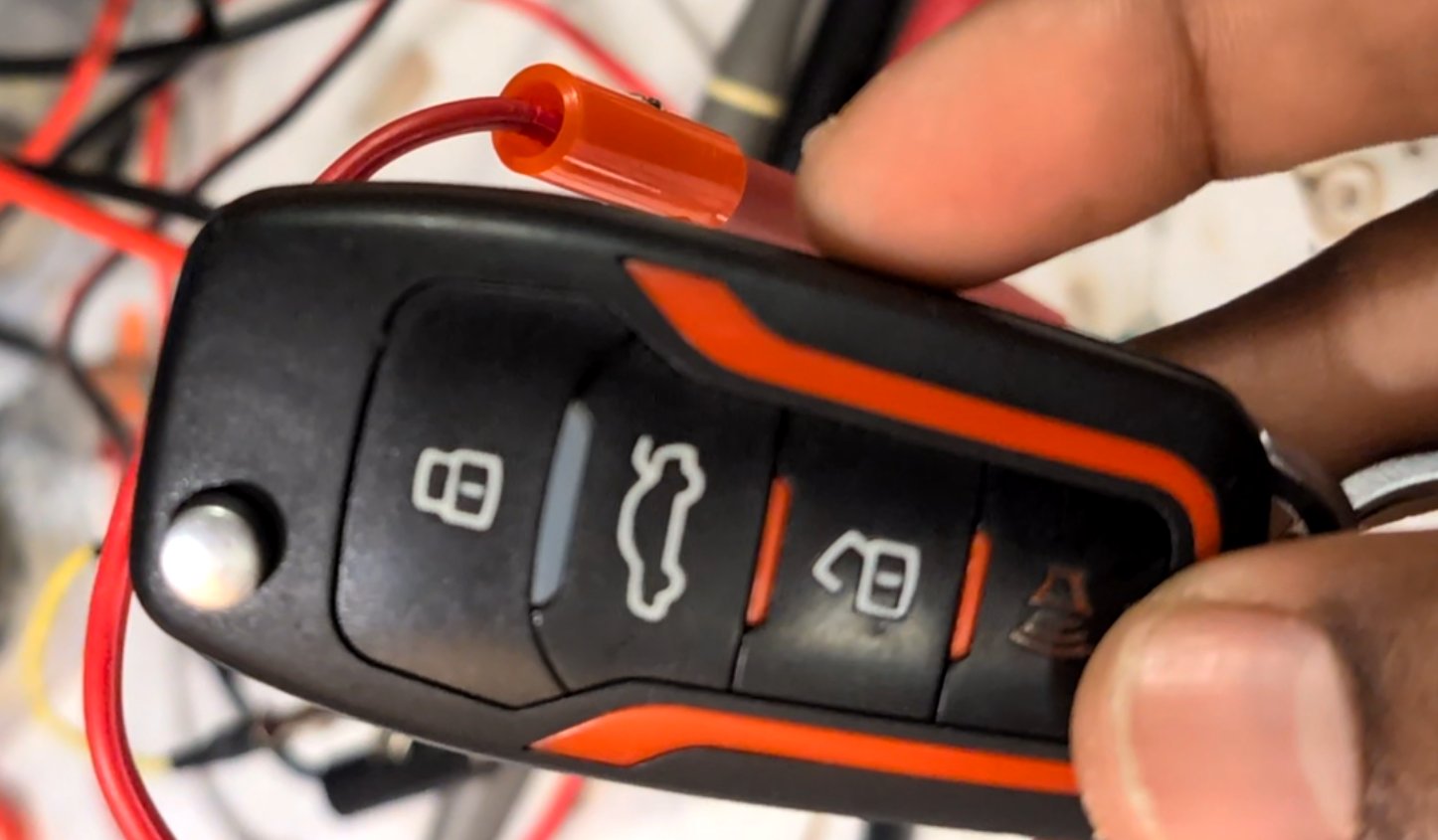
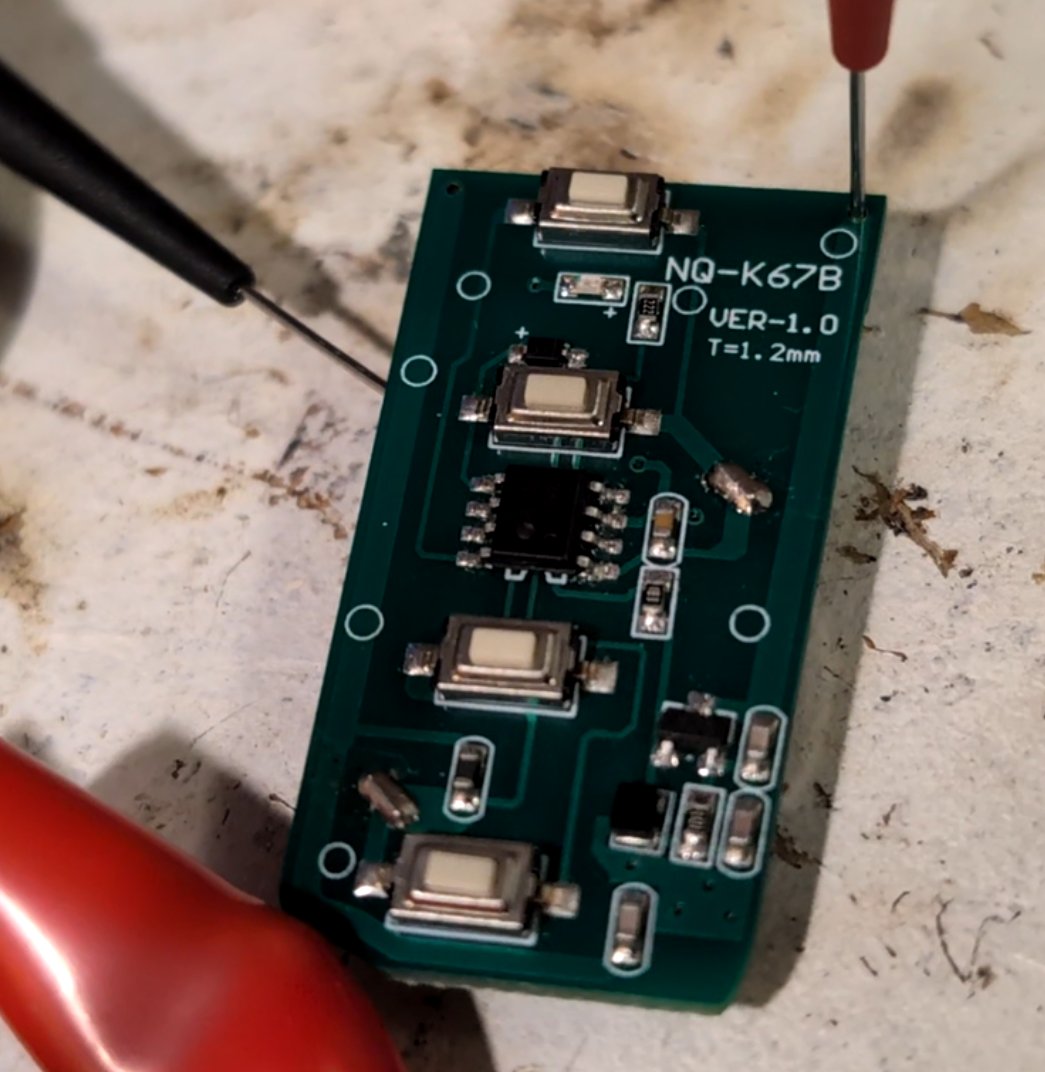
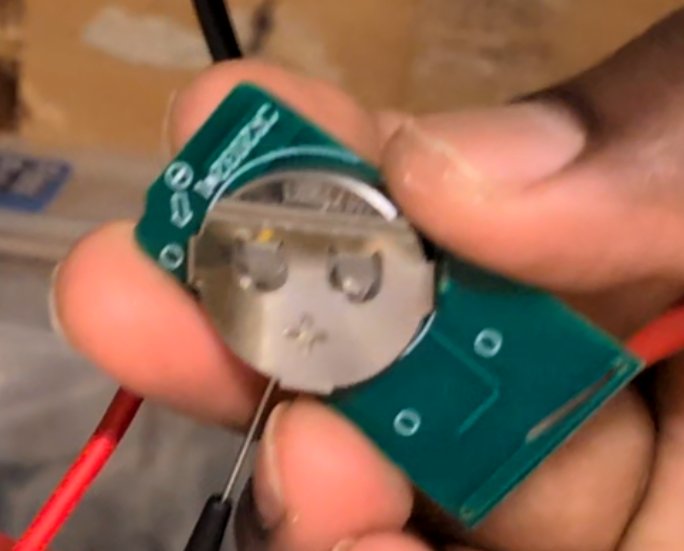
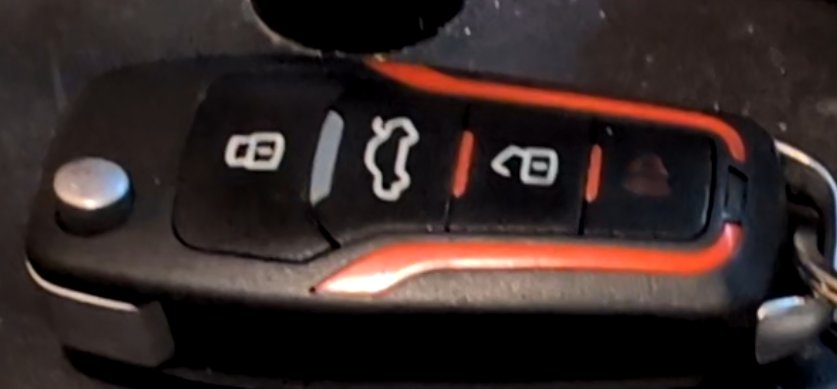
The remote has four push buttons, each wired to its own pin on the HS1530 encoder (with the buttons' other terminals common to the 3 V coin-cell supply). A single diode bridges pins 5 and 6, pin 1 is 3 V, pin 3 is ground, and a small RC network off pin 4 (through a component marked B22 and a three-terminal part marked R25) forms what is almost certainly the timing network for the internal oscillator that clocks the encoder.
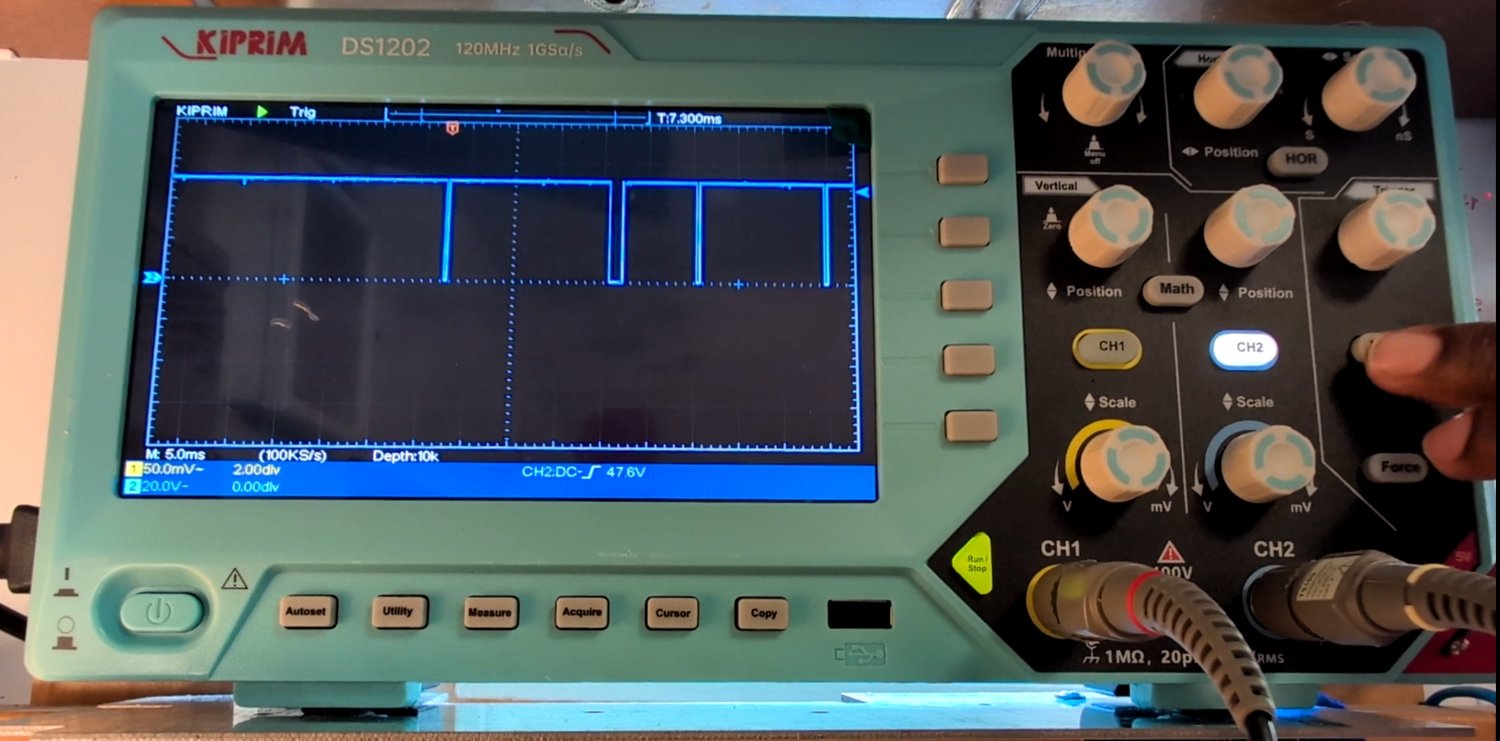
Probing the antenna trace directly with the oscilloscope showed the transmitted output: normally HIGH, pulled down in a distinct pattern whenever a button is pressed.
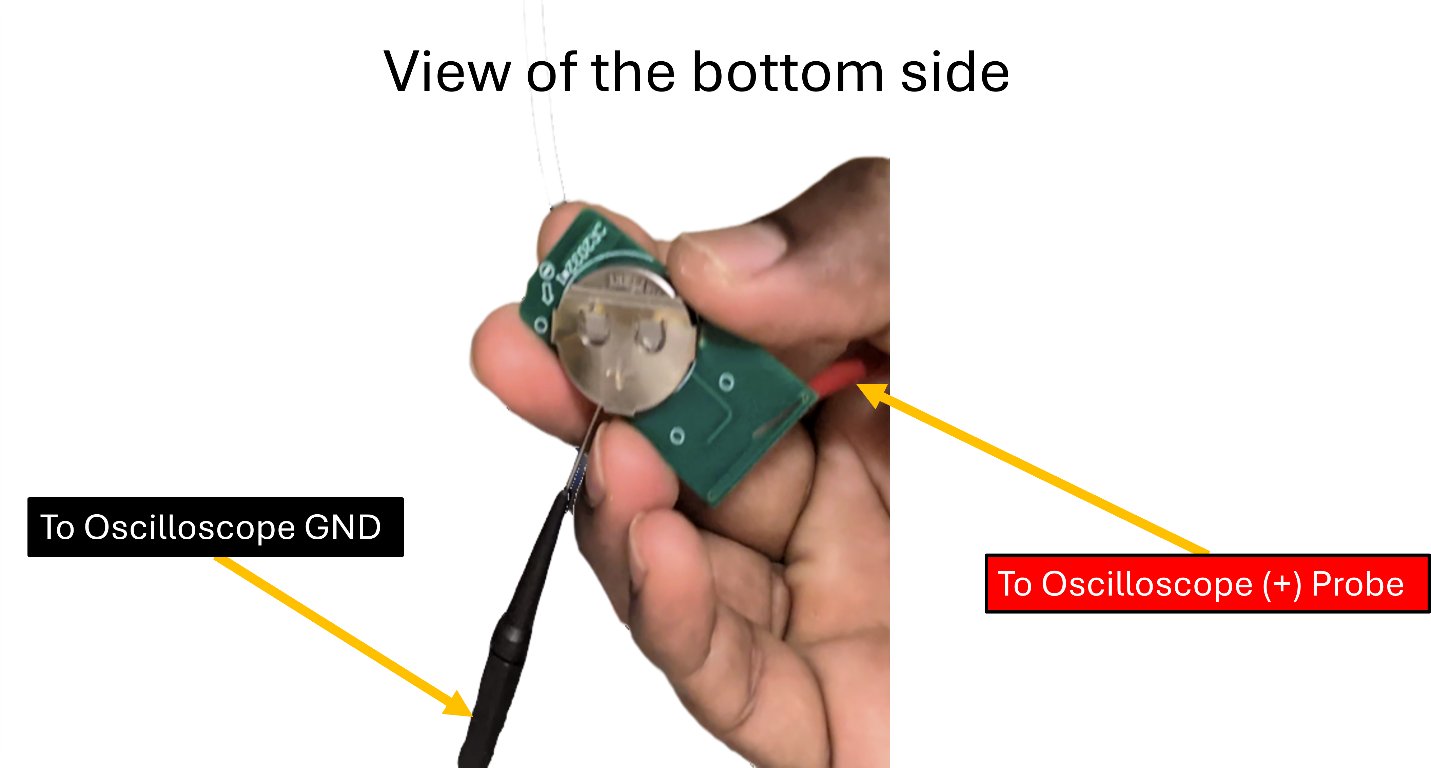
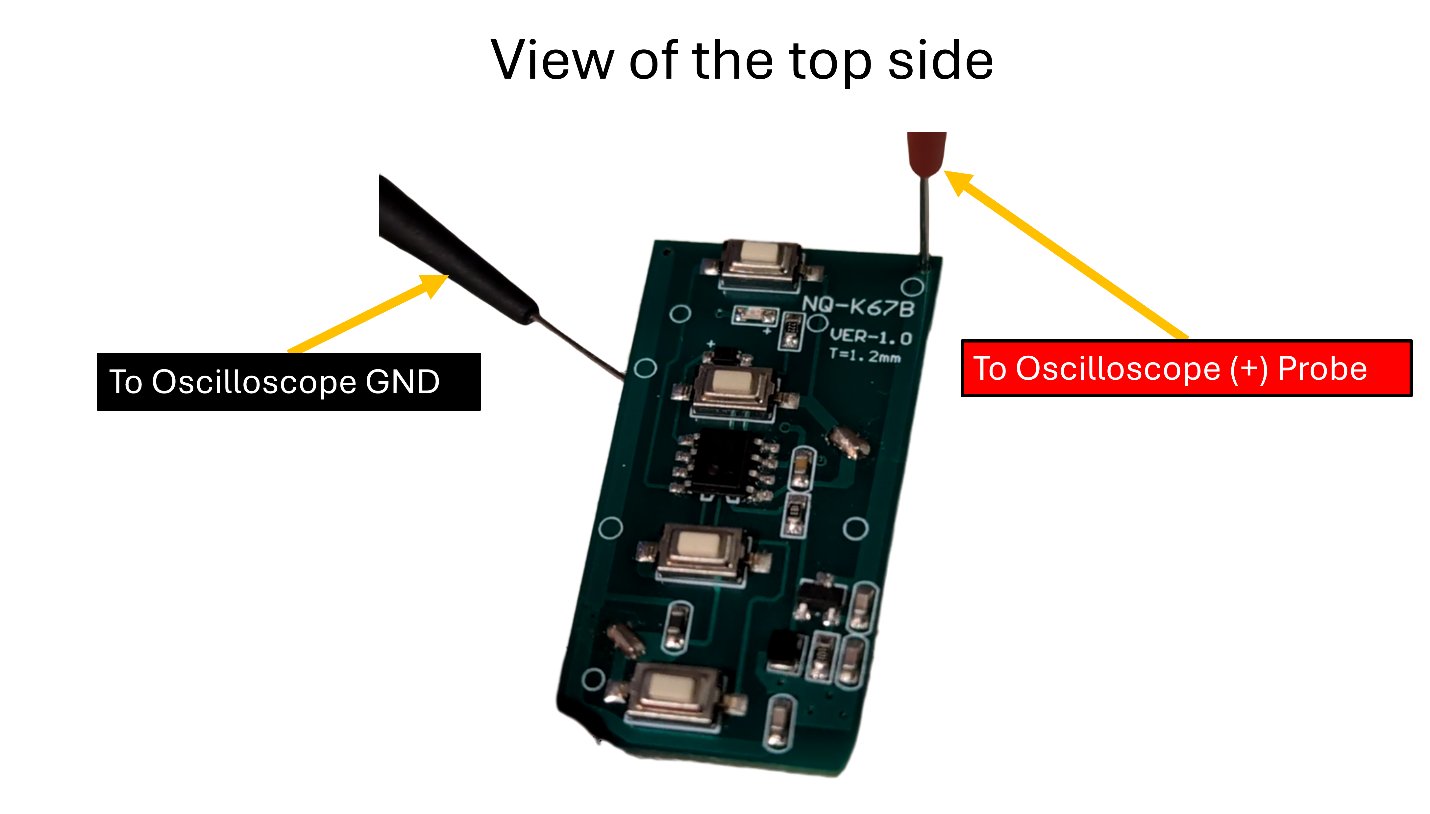
Holding a button down repeats the same pulse train over and over with a fixed gap between repeats — and the pattern looked identical from one repeat to the next, which was a good early sign that the codes were static rather than rolling (no encryption/hopping to fight).
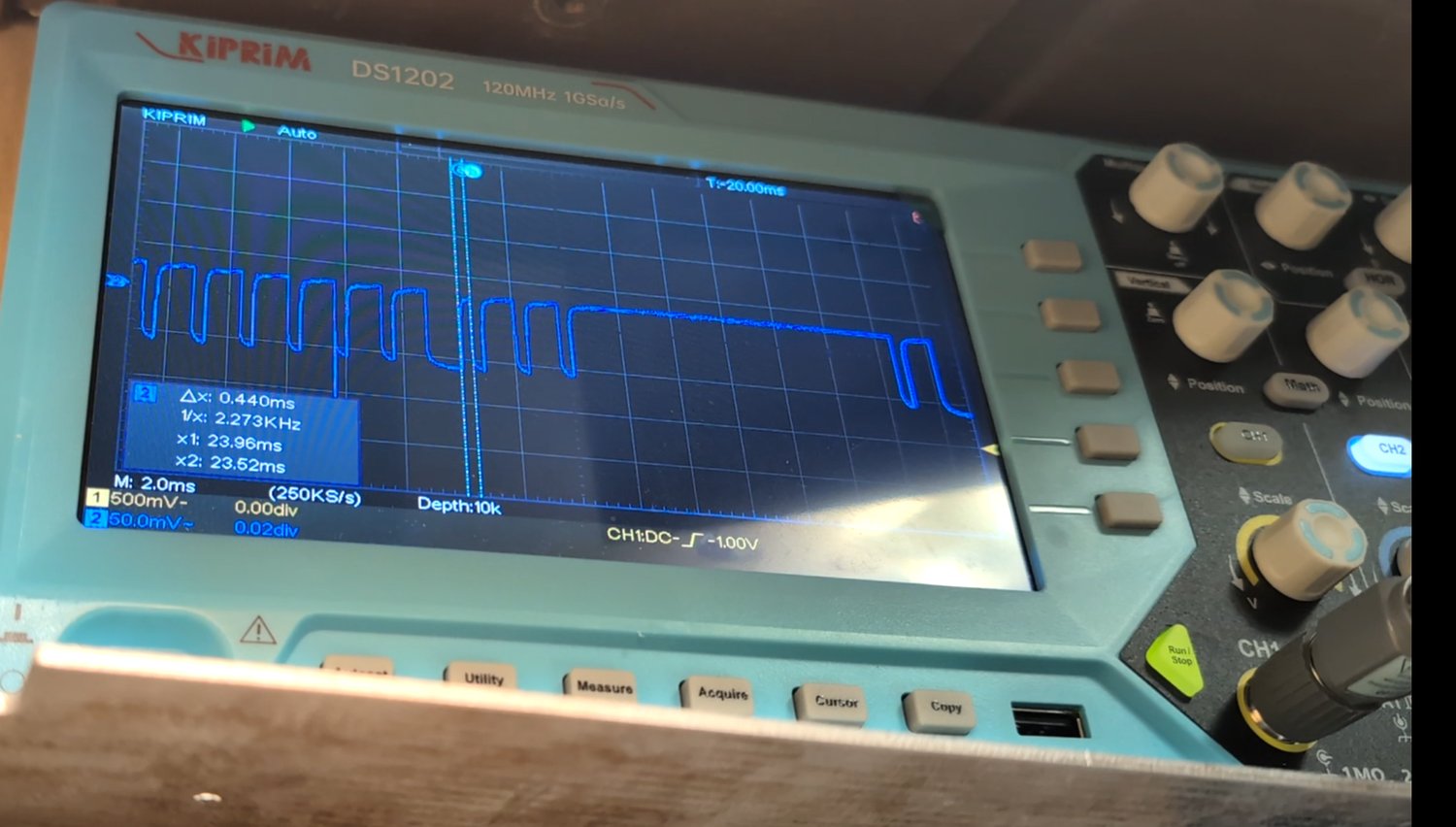
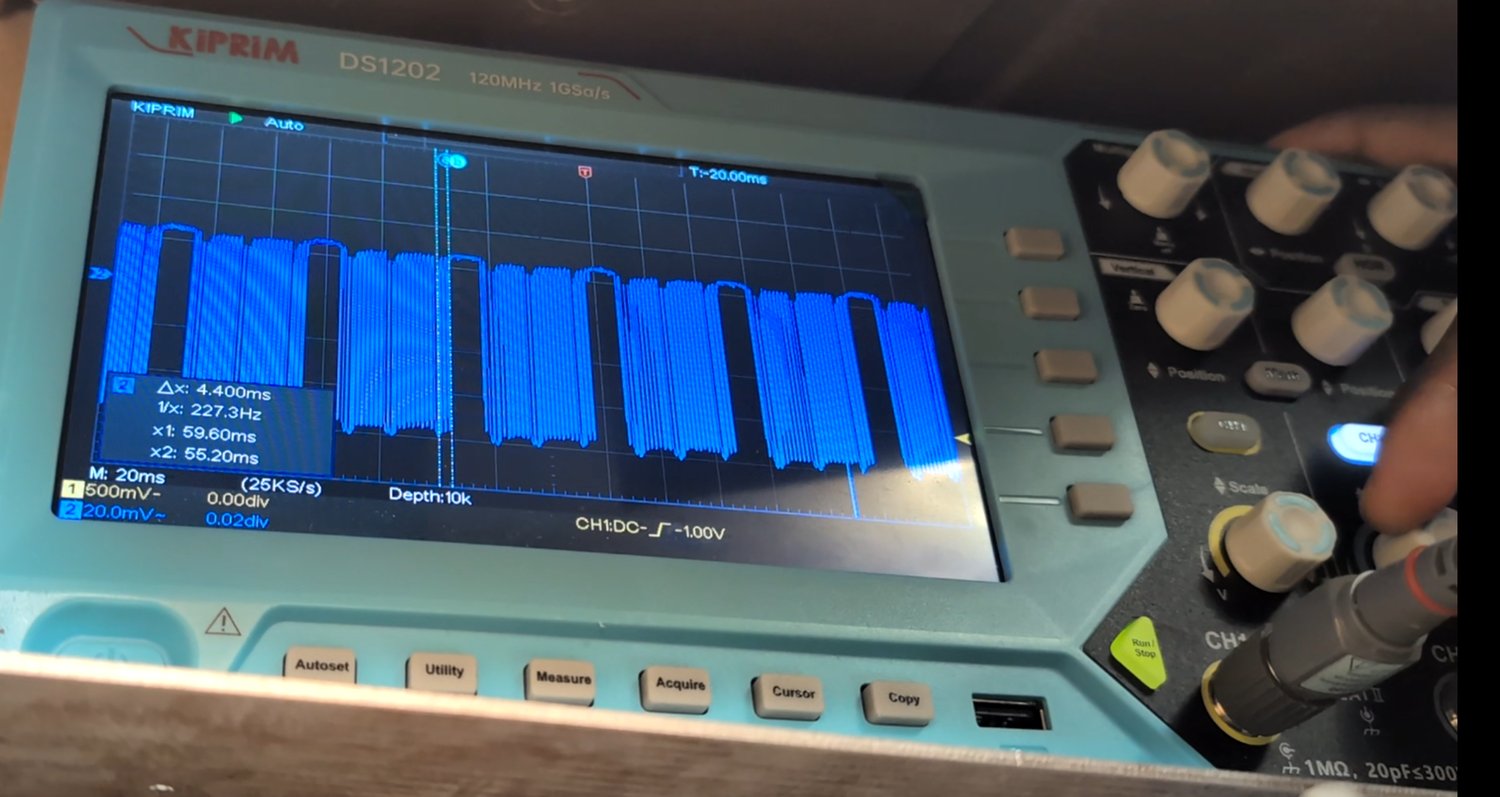
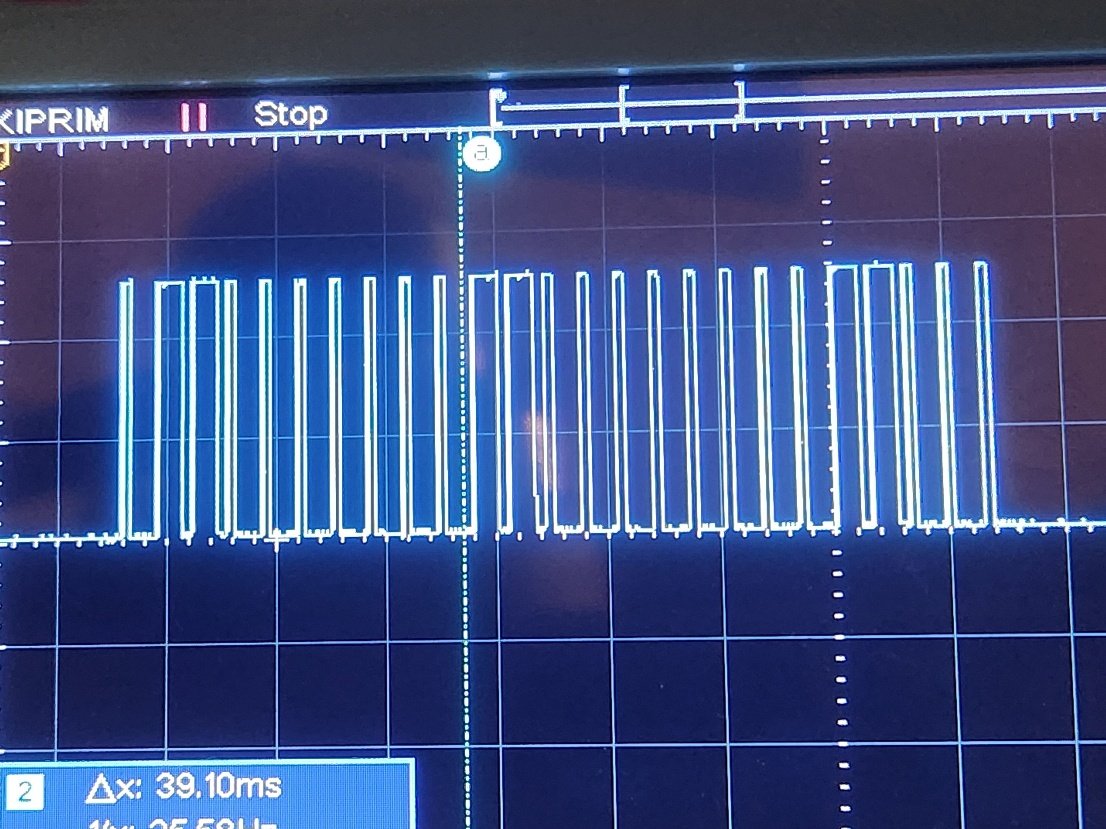
Zooming into a single pulse train to count pulses and measure their durations gave a first rough estimate: a minimum pulse width around 0.46 ms (≈2.17 kHz), and a total train length around 39.1 ms.
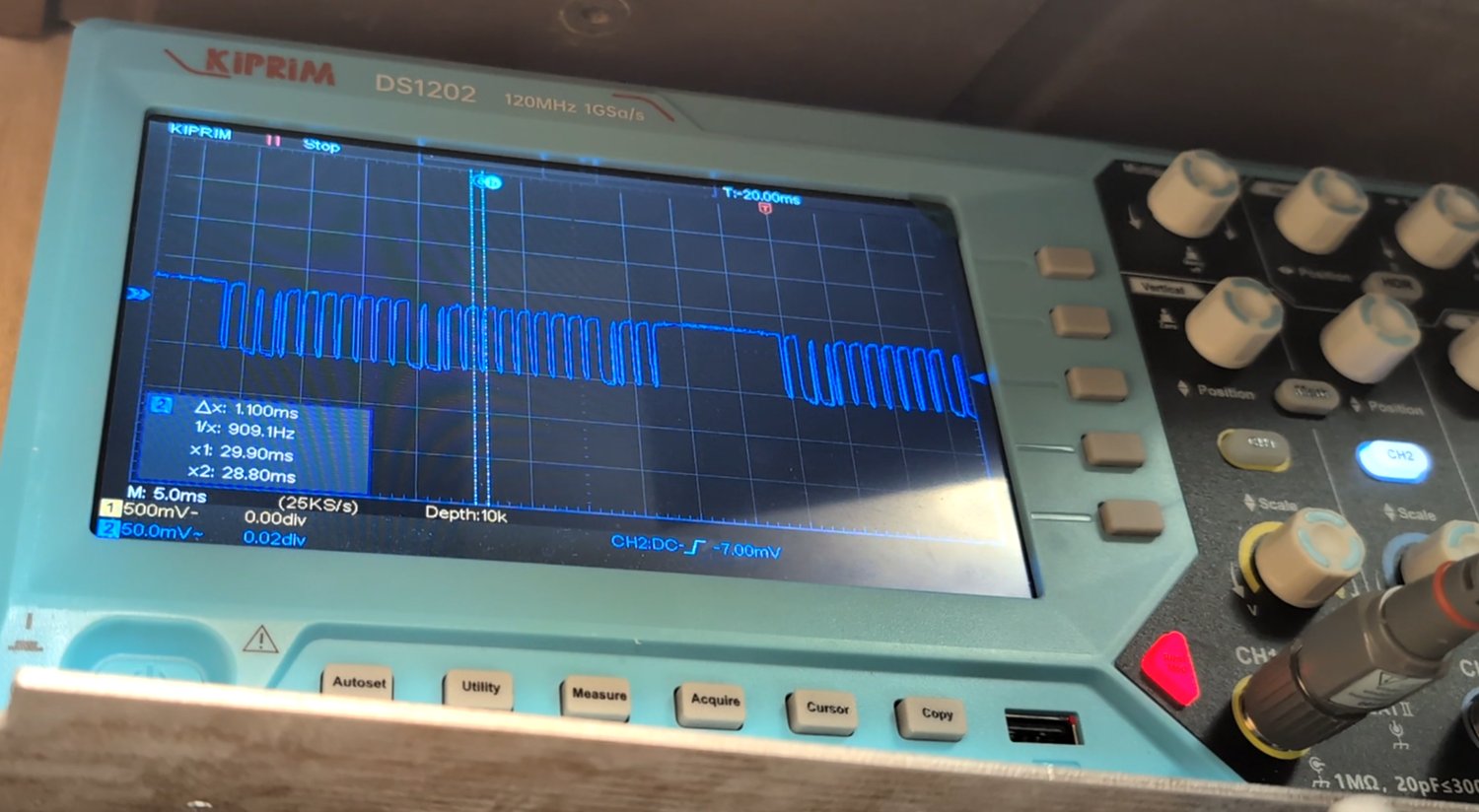
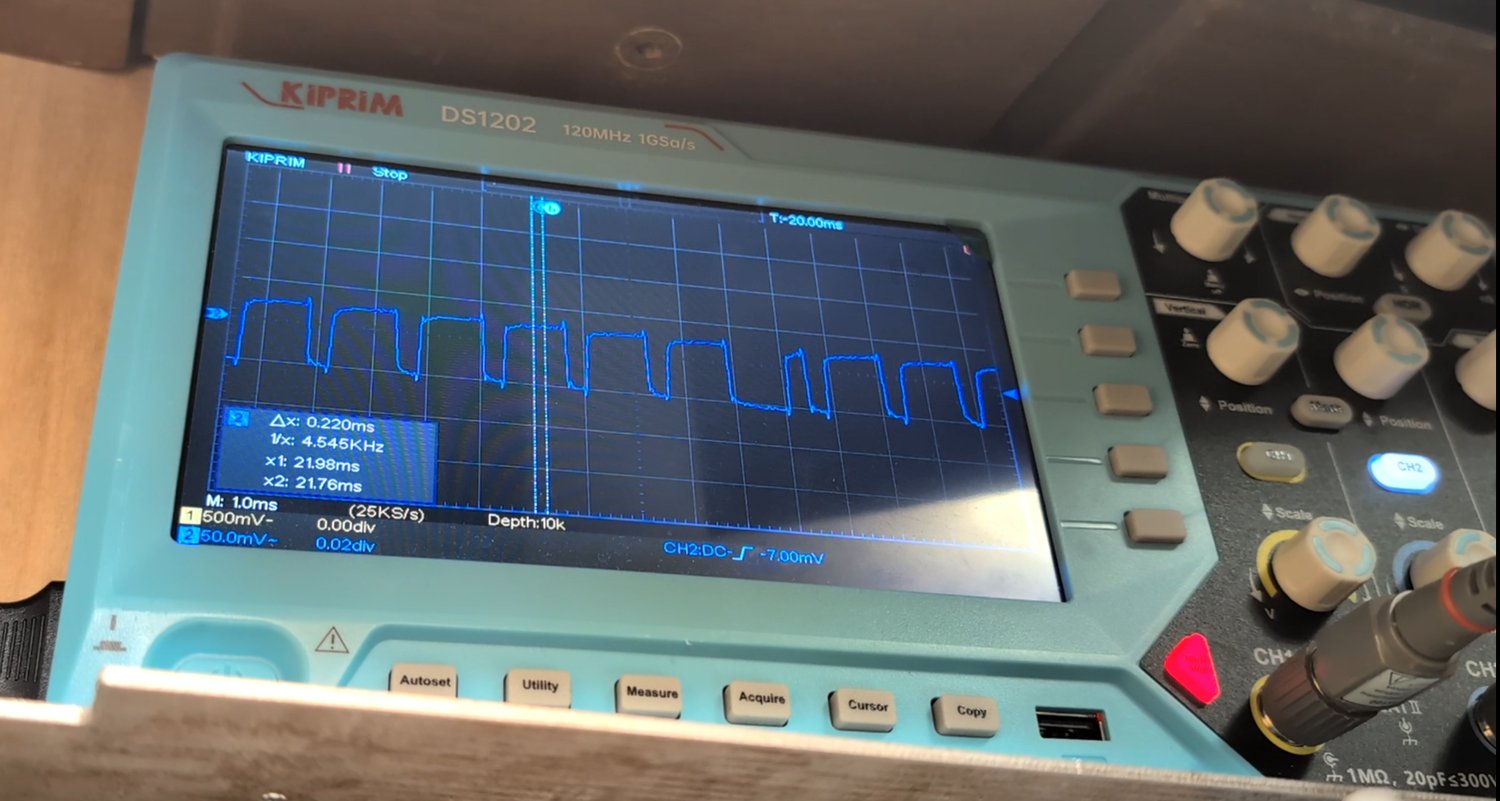
Eyeballing pulses directly off the scope's screen is error-prone, and it wasn't obvious yet whether a long pulse was one wide bit or several narrow bits arriving back to back. Rather than keep guessing visually, the next step was to capture the raw waveforms and analyze them properly in Python.
Tapping a Cleaner Signal at the Receiver
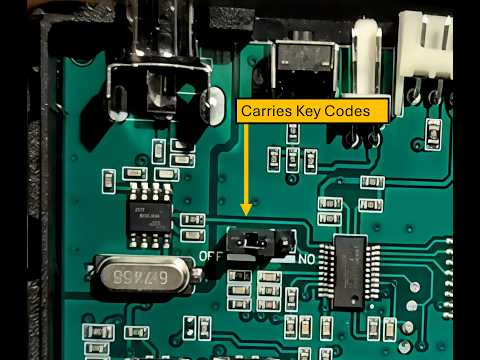
Probing the antenna directly captures the raw, noisy RF envelope. A much cleaner version of the same data should exist wherever the RF receiver IC hands its decoded output to a microcontroller — in this case, that trace runs to pin 1 of the Holtek IC.
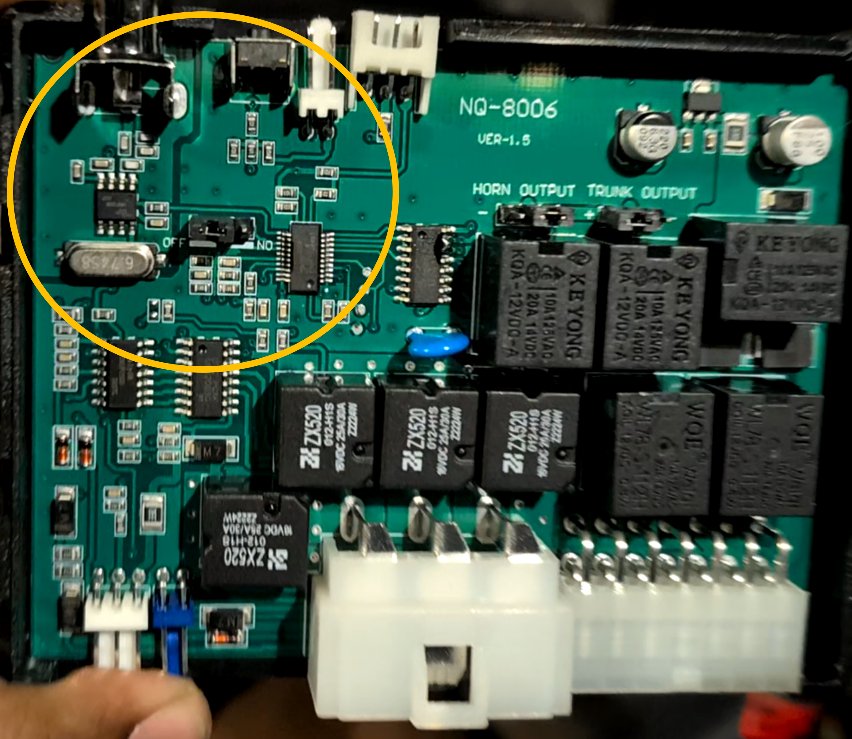
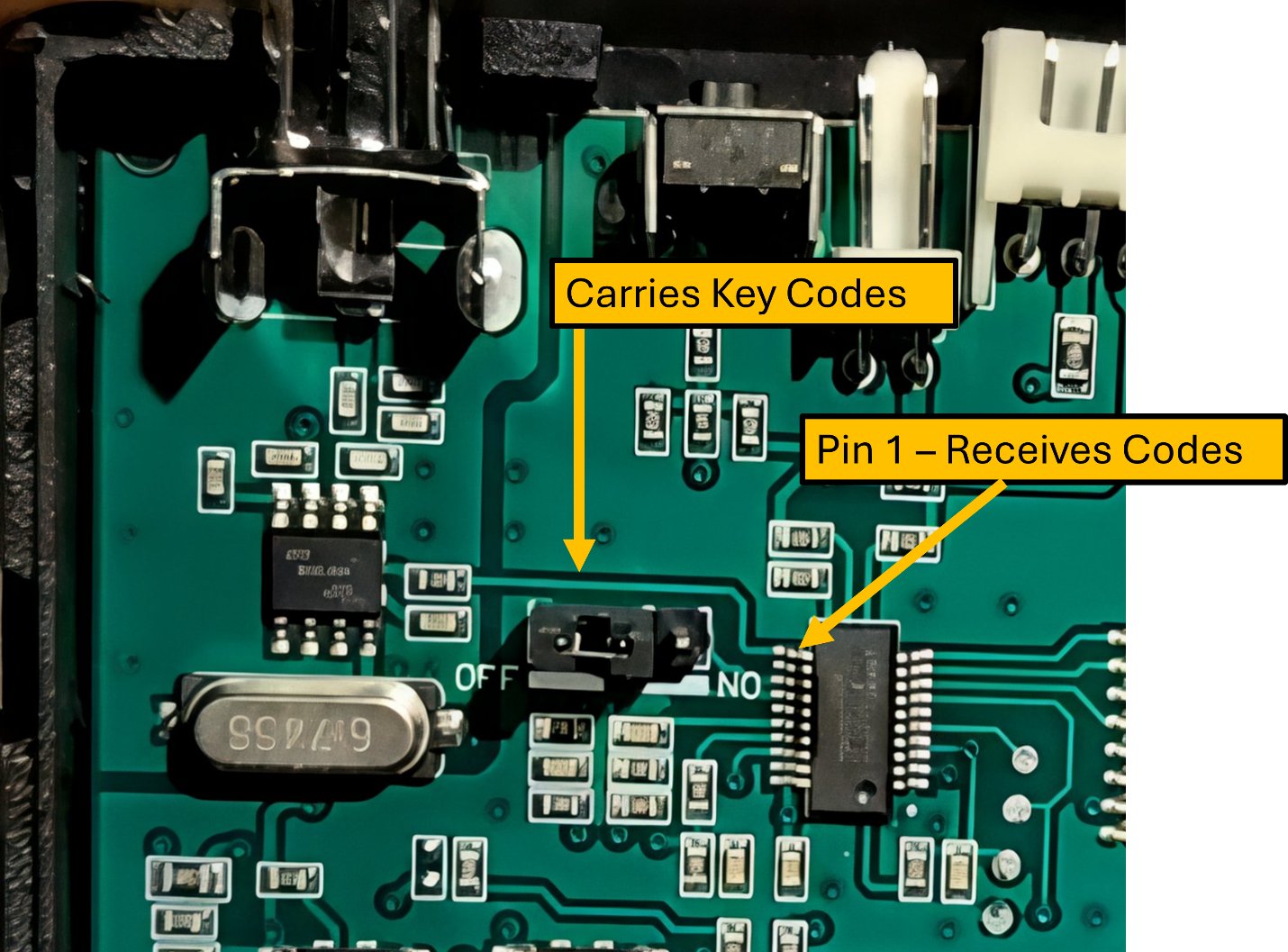
Rather than risk soldering directly onto the tiny microcontroller pin, I tapped a wire onto the resistor at the start of that trace instead — safer, with more room to work, and electrically identical.
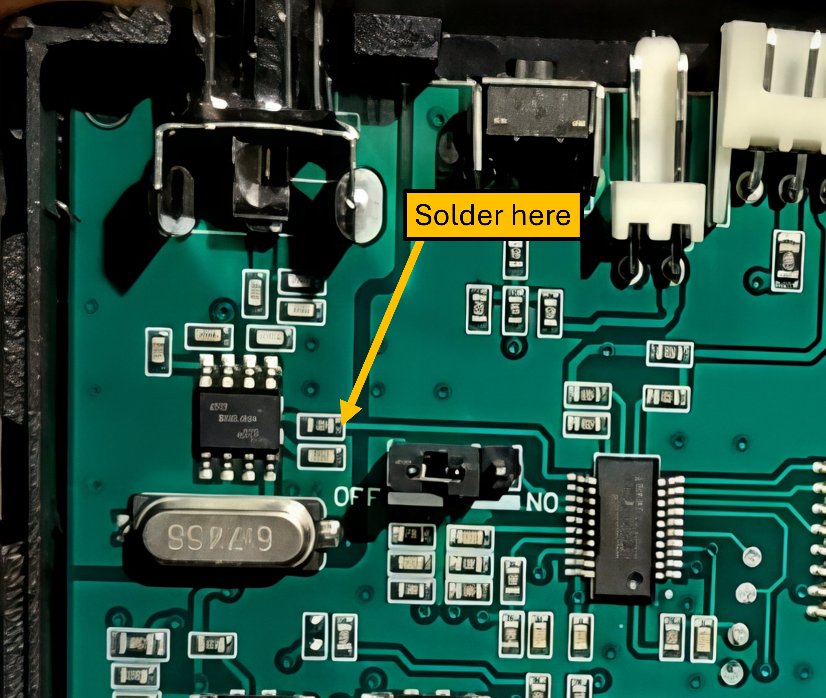
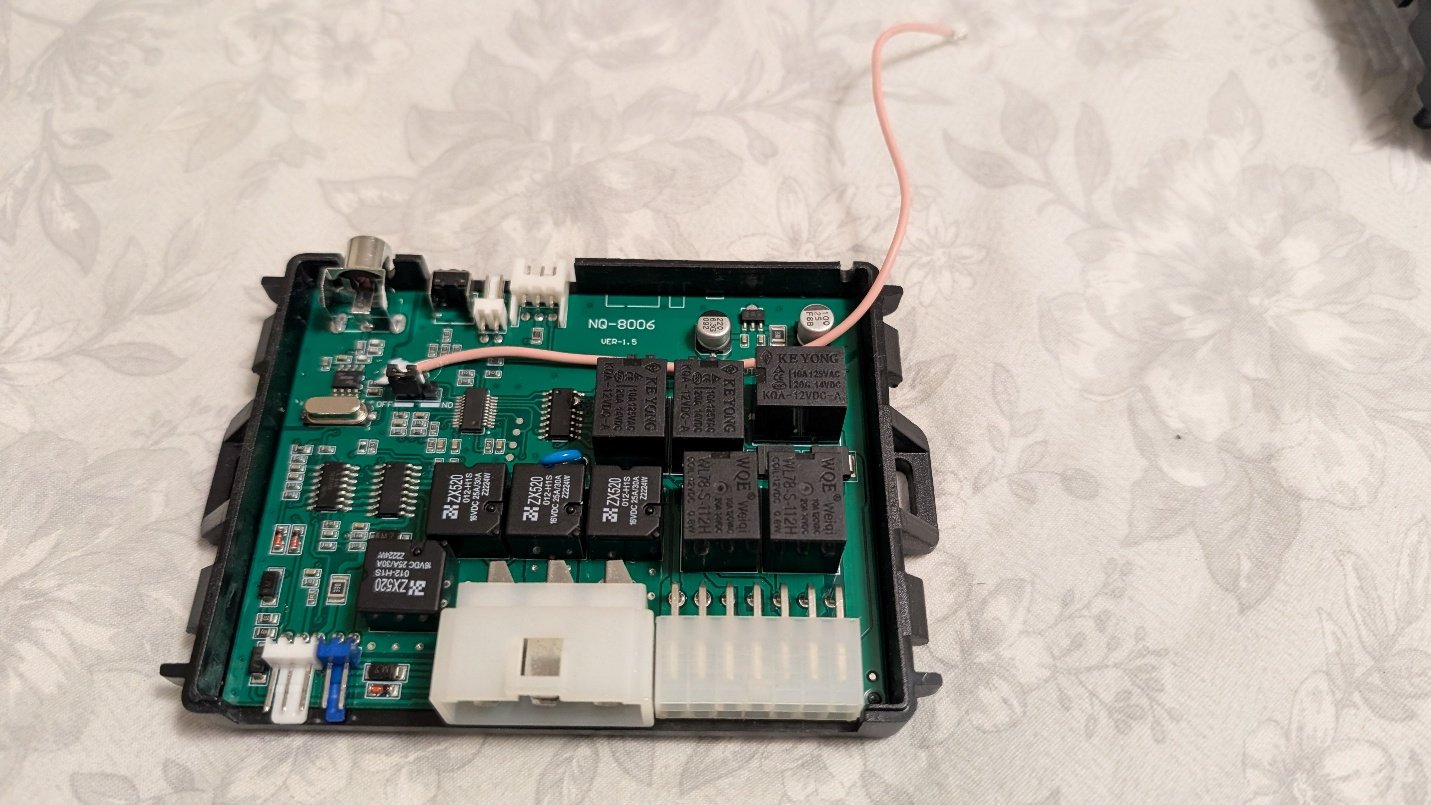
With the tap wire routed to the outside of the enclosure, the case could be closed back up while still leaving the injection point accessible:
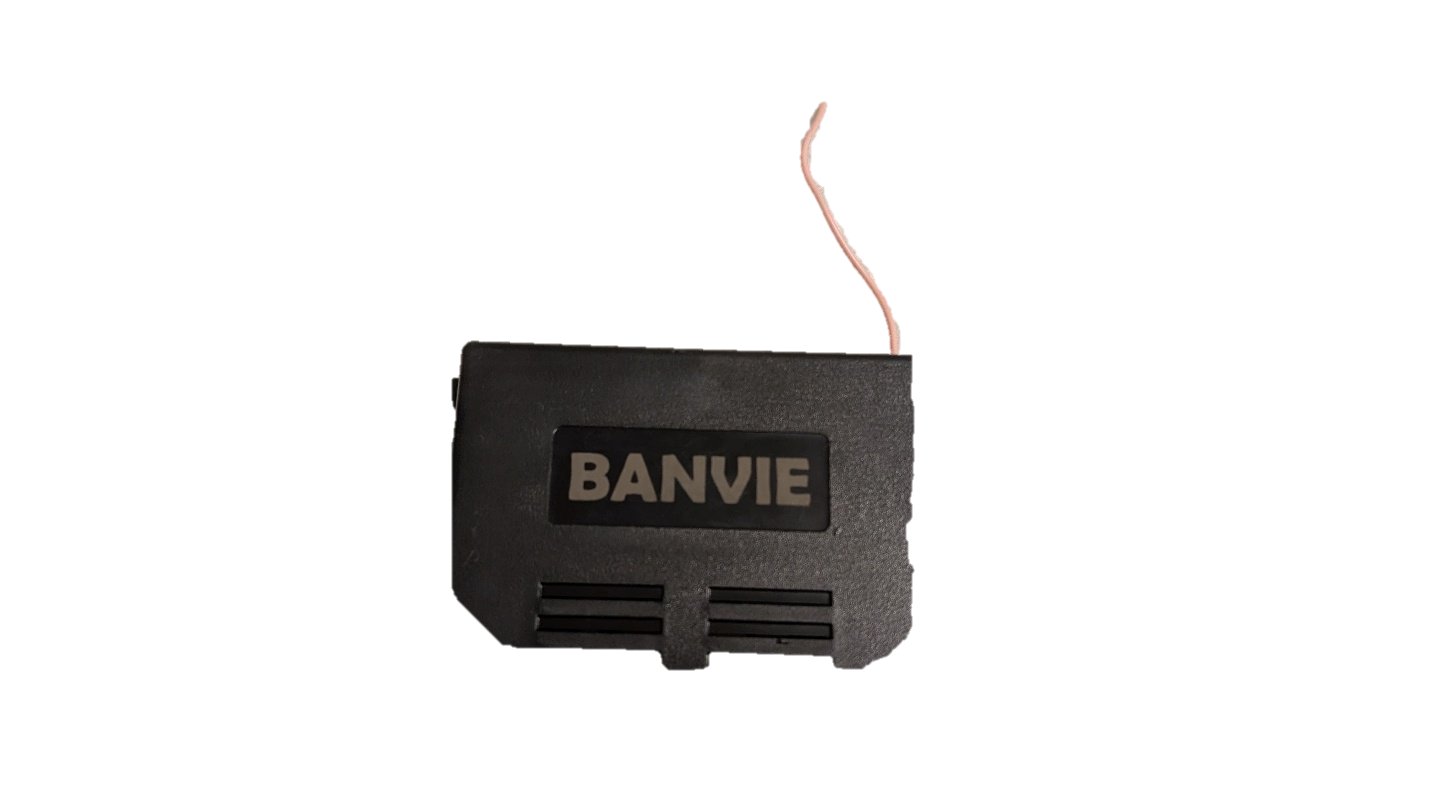
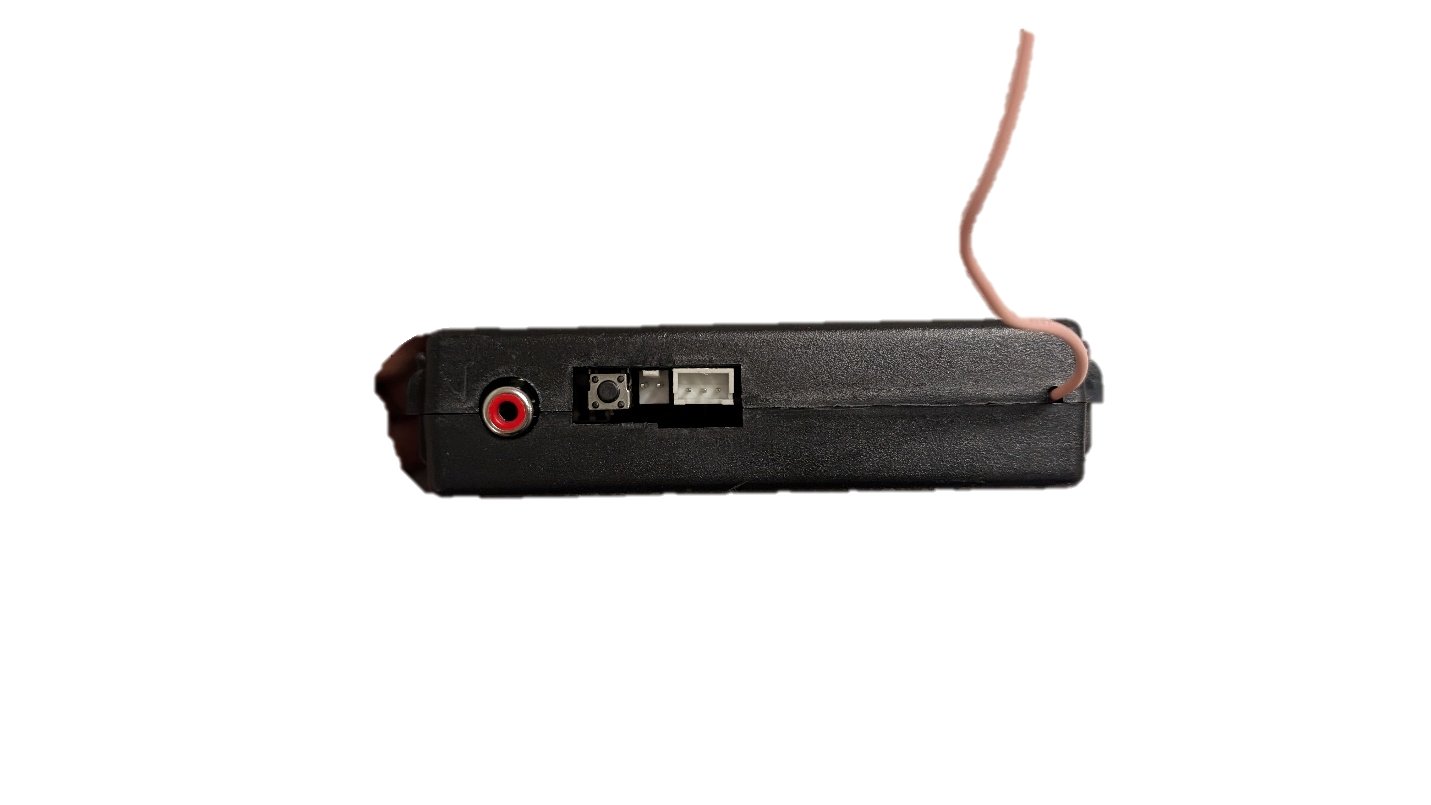
Probing this new tap point confirmed a much cleaner capture of the same codes — normally HIGH, pulled to ground exactly when a real code arrives, though still with occasional brief noise glitches unrelated to any button press.
Decoding the Protocol in Python
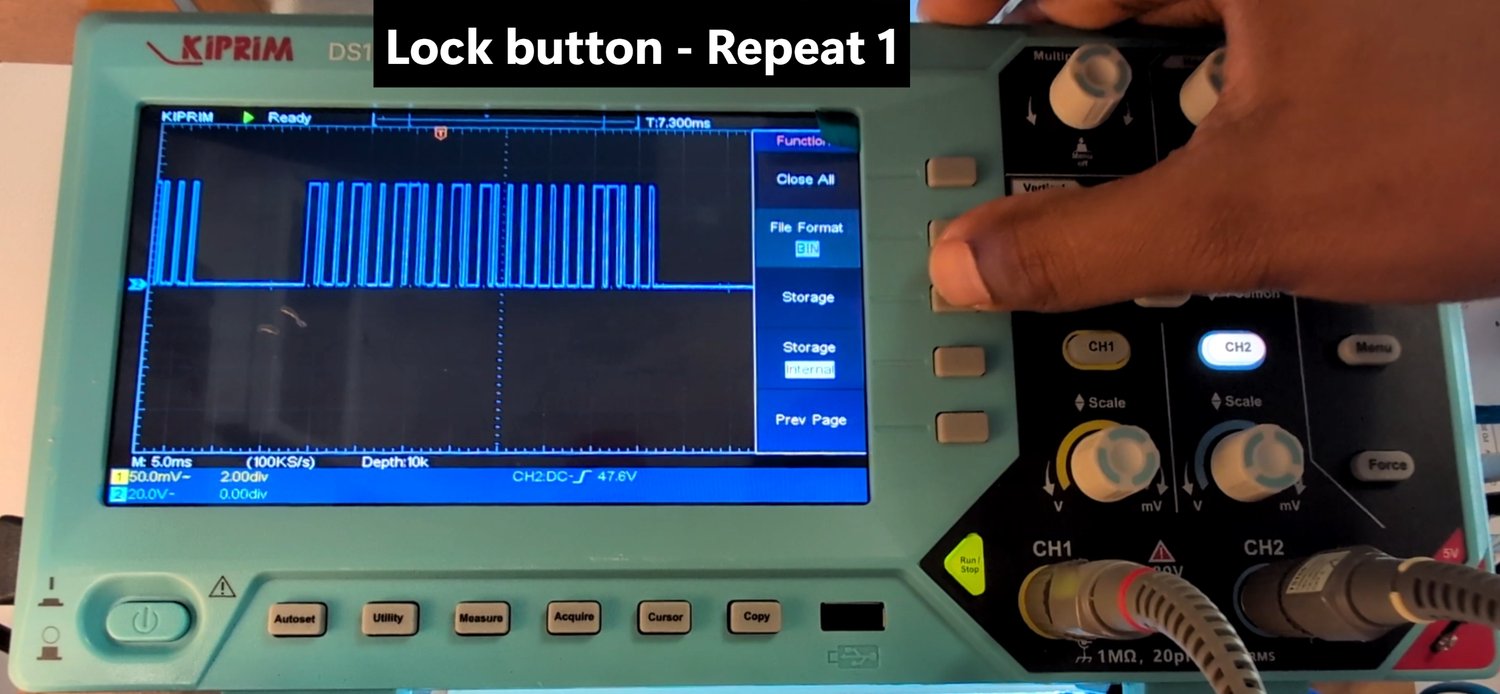
To answer four questions — are the codes rolling or fixed, what does the modulation scheme actually look like, how many bits per code, and what are the bit/train durations — I set the scope's trigger to Normal mode (updates only on a real trigger crossing, rather than free-running) so I could freeze and save a waveform the instant I released a button. Each of the four functions (Lock, Unlock, Muted Lock, Trunk Release) was captured three times, exported to Excel, and pulled into a pandas/NumPy/Matplotlib pipeline for analysis.
The analysis pipeline, in outline:
- Load the raw scope capture (20 kHz sample rate, i.e. 50 µs per sample) into a NumPy array, one column per captured trace.
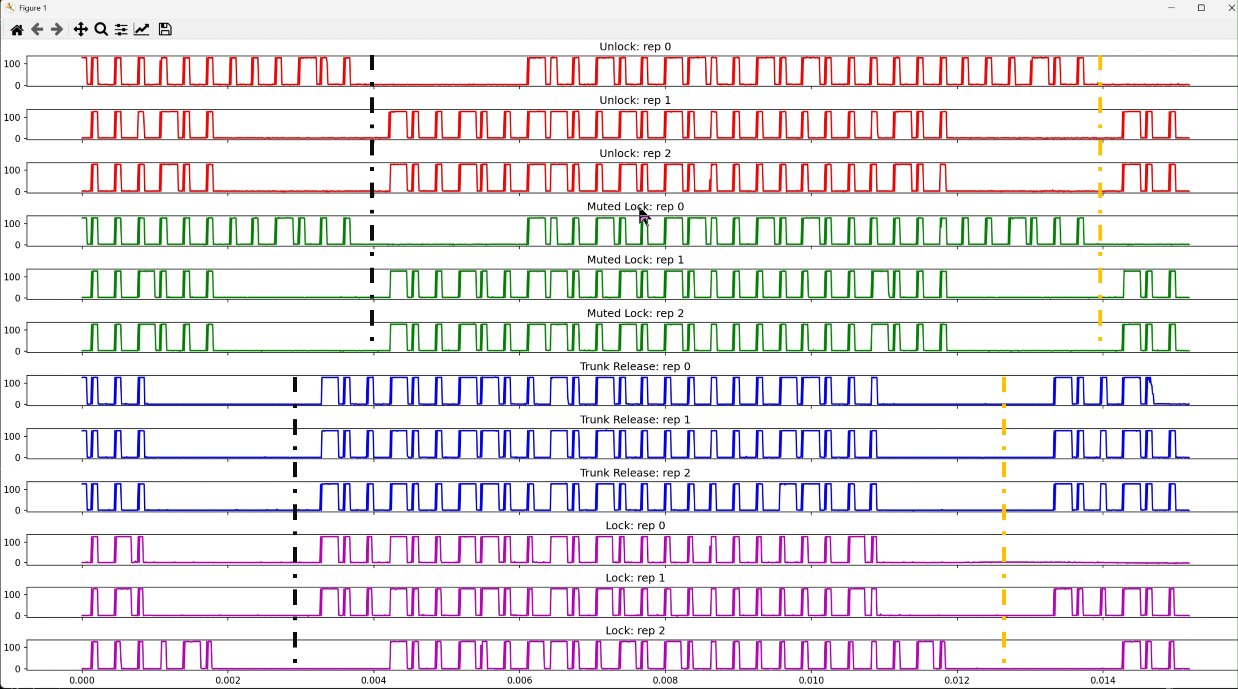
- Truncate each trace's leading partial pulse train — an artifact of pressing and holding the button before the scope actually triggered.
- Detect edges via
np.diff()against an amplitude threshold, discard anything narrower than 3 samples as noise, then align every trace to its first genuine pulse so all repetitions share a common time origin. - Overlay the three repeats of each function to check repeatability, then overlay all twelve traces together to compare timing across different buttons.
- Re-run edge detection on the aligned traces to measure every pulse's width and the cycle period between consecutive pulses — the raw bit-timing of the protocol.
- Histogram all pulse widths and cycle periods across every trace to reveal the small number of fixed durations the protocol is actually built from.
The complete analysis script, exactly as run (pandas/NumPy/Matplotlib, ~160 lines):
import numpy as np
import pandas as pd
import matplotlib.pyplot as plt


# Load Excel file and convert tp numpy
df = pd.read_excel("key_fob_codes_no_headers.xls")

data = df.to_numpy()

# region Parameters and initial setup
sampling_interval = 50e-6  # 50 microseconds
min_true_pulse_width_n_samples = 3
half_pulse_height = 60
sync_start_index = [400, 400, 400] + [400, 400, 400] + [300, 300, 300] + [300, 300, 300]
max_aligned_len = 1000
n_reps_per_trace = 3
n_trace_types = 4

n_samples = data.shape[0]
n_traces = data.shape[1]

time_vec = np.arange(n_samples) * sampling_interval * 1e3  # In milliseconds

# Assign names and colors to traces
trace_names = ([f'Unlock: rep {i}' for i in range(n_reps_per_trace)] +
               [f'Muted Lock: rep {i}' for i in range(n_reps_per_trace)] +
               [f'Trunk Release: rep {i}' for i in range(n_reps_per_trace)] +
               [f'Lock: rep {i}' for i in range(n_reps_per_trace)])
trace_colors = ['r'] * n_reps_per_trace + ['g'] * n_reps_per_trace + ['b'] * n_reps_per_trace + ['m'] * n_reps_per_trace
# endregion

# region Plot raw data to see what they look like
fig_raws, axs_raws = plt.subplots(n_traces, 1, sharex=True, constrained_layout=True, figsize=(20, 10))
axs_raws[-1].set_xlabel('Time (ms)')
for i, (trace, trace_name, trace_color, ax_aligned) in enumerate(zip(data.T, trace_names, trace_colors, axs_raws)):
    ax_aligned.plot(time_vec, trace, color=trace_color)
    ax_aligned.set_title(trace_name)
# endregion

# region Truncate off partial pulse train that precedes the main, complete pulse train)
fig_truncated, axs_truncated = plt.subplots(n_traces, 1, sharex=True, constrained_layout=True, figsize=(20, 10))
axs_truncated[-1].set_xlabel('Time (ms)')
truncated_data = []
for i, (trace, trace_name, trace_color, ax_truncated,  start_ind) in enumerate(zip(data.T, trace_names, trace_colors, axs_truncated, sync_start_index)):

    truncated_trace = trace[start_ind:]
    truncated_data.append(truncated_trace)
    truncated_time_vec = np.arange(len(truncated_trace)) * sampling_interval * 1e3  # In ms

    ax_truncated.plot(truncated_time_vec, truncated_trace, color=trace_color)
    ax_truncated.set_title(trace_name)
# endregion

# region Find the start index of the first positive edge (that is not noise) of the truncated traces and align all
#   traces at this sample.
fig_aligned, axs_aligned = plt.subplots(n_traces, 1, sharex=True, constrained_layout=True, figsize=(20, 10))
axs_aligned[-1].set_xlabel('Time (ms)')
aligned_traces = []
for i, (trace_name, trace_color, ax_aligned, truncated_trace) in enumerate(zip(trace_names, trace_colors, axs_aligned, truncated_data)):

    positive_pulse_start_inds = np.argwhere(np.diff(truncated_trace) >= half_pulse_height).squeeze()
    positive_pulse_end_inds = np.argwhere(np.diff(truncated_trace) <= -1 * half_pulse_height).squeeze()

    # Handles situations where there are pulses that do not have two edges
    if positive_pulse_end_inds[0] < positive_pulse_start_inds[0]:
        positive_pulse_end_inds = positive_pulse_end_inds[1:]
    if positive_pulse_start_inds[-1] > positive_pulse_end_inds[-1]:
        positive_pulse_start_inds = positive_pulse_start_inds[:-1]

    positive_pulse_widths = positive_pulse_end_inds - positive_pulse_start_inds
    true_first_pulse_start_ind = positive_pulse_start_inds[np.argwhere(positive_pulse_widths > min_true_pulse_width_n_samples).squeeze()][0]

    time_aligned_trace = truncated_trace[true_first_pulse_start_ind:max_aligned_len]
    aligned_traces.append(time_aligned_trace)
    time_aligned_time_vec = np.arange(len(time_aligned_trace)) * sampling_interval * 1e3  # In milliseconds

    ax_aligned.plot(time_aligned_time_vec, time_aligned_trace, color=trace_color)
    ax_aligned.set_title(trace_name)

# endregion

# region Overlay all repeats for a given function on top of each other to see if they are similar
fig_overlay, axs_overlay = plt.subplots(n_trace_types + 1, 1, sharex=True, constrained_layout=True, figsize=(20, 10))
axs_overlay[-1].set_xlabel('Time (ms)')
for i, (time_aligned_trace, trace_name, trace_color) in enumerate(zip(aligned_traces, trace_names, trace_colors)):

    time_aligned_time_vec = np.arange(len(time_aligned_trace)) * sampling_interval * 1e3  # In milliseconds

    axs_overlay[int(i / 3)].plot(time_aligned_time_vec, time_aligned_trace, color=trace_color)
    axs_overlay[int(i / 3)].set_title(trace_name.split(':')[0])

    axs_overlay[-1].plot(time_aligned_time_vec, time_aligned_trace, color=trace_color)
    axs_overlay[-1].set_title('All traces overlain')

# endregion

# region Get all pulse widths per key fob function repeat as a sequence.
all_pulse_widths_store = []
cycle_periods_store = []
positive_pulse_width_sequences = [[] for _ in range(n_trace_types)]
for i, (trace_name, aligned_trace) in enumerate(zip(trace_names, aligned_traces)):

    positive_pulse_start_inds = np.argwhere(np.diff(aligned_trace) >= half_pulse_height).squeeze()
    positive_pulse_end_inds = np.argwhere(np.diff(aligned_trace) <= -1 * half_pulse_height).squeeze()

    # Handles situations where there are pulses that do not have two edges
    if positive_pulse_end_inds[0] < positive_pulse_start_inds[0]:
        positive_pulse_end_inds = positive_pulse_end_inds[1:]
    if positive_pulse_start_inds[-1] > positive_pulse_end_inds[-1]:
        positive_pulse_start_inds = positive_pulse_start_inds[:-1]

    positive_pulse_widths = positive_pulse_end_inds - positive_pulse_start_inds
    indices_of_true_positive_pulses_in_positive_pulse_inds = np.argwhere(positive_pulse_widths > min_true_pulse_width_n_samples).squeeze()
    true_positive_pulse_widths = positive_pulse_widths[indices_of_true_positive_pulses_in_positive_pulse_inds] * sampling_interval * 1e6    # In microseconds
    start_indices_of_true_positive_pulses = positive_pulse_start_inds[indices_of_true_positive_pulses_in_positive_pulse_inds]
    cycle_period_sample_counts = np.diff(start_indices_of_true_positive_pulses)
    cycle_periods = cycle_period_sample_counts  * sampling_interval * 1e6  # In microseconds

    num_pulses_per_sequence = len(true_positive_pulse_widths)
    print(f"\n\n{trace_name}: \n Number of pulses (bits) per sequence: {num_pulses_per_sequence}; "
          f"\nPulse widths sequence: {true_positive_pulse_widths};"
          f"\nPulse cycle periods: {cycle_periods}.")

    all_pulse_widths_store = all_pulse_widths_store + true_positive_pulse_widths.tolist()
    cycle_periods_store = cycle_periods_store + cycle_periods.tolist()
    positive_pulse_width_sequences[int(i/n_reps_per_trace)].append(true_positive_pulse_widths.tolist())


# endregion


# region Print the average pulse train per key fob function
print(f"\n======================Average Pulse Widths Sequences Per Fob Function=======================\n")
average_positive_pulse_width_sequence_per_fob_function = np.mean(np.array(positive_pulse_width_sequences), axis=1)
for trace_name, pulse_sequence in zip(trace_names, average_positive_pulse_width_sequence_per_fob_function):
    pulse_sequence_str = str(pulse_sequence.astype(int)).replace('\n', '')
    print(f"{trace_name.split(':')[0]}: {pulse_sequence_str}\n")

print(f"\n=============================================\n")

# endregion


# region Plot the distribution of pulse widths and cycle periods
fig_pulse_widths, axs_pulse_widths = plt.subplots(2, 1, constrained_layout=True, figsize=(20, 10), sharex=True)
axs_pulse_widths[-1].set_xlabel('Time (uS)')

axs_pulse_widths[0].hist(all_pulse_widths_store, bins=50)
axs_pulse_widths[0].set_title('Pulse widths histogram')

axs_pulse_widths[1].hist(cycle_periods_store, bins=50)
axs_pulse_widths[1].set_title('Cycle periods histograms')
# endregion


plt.show()
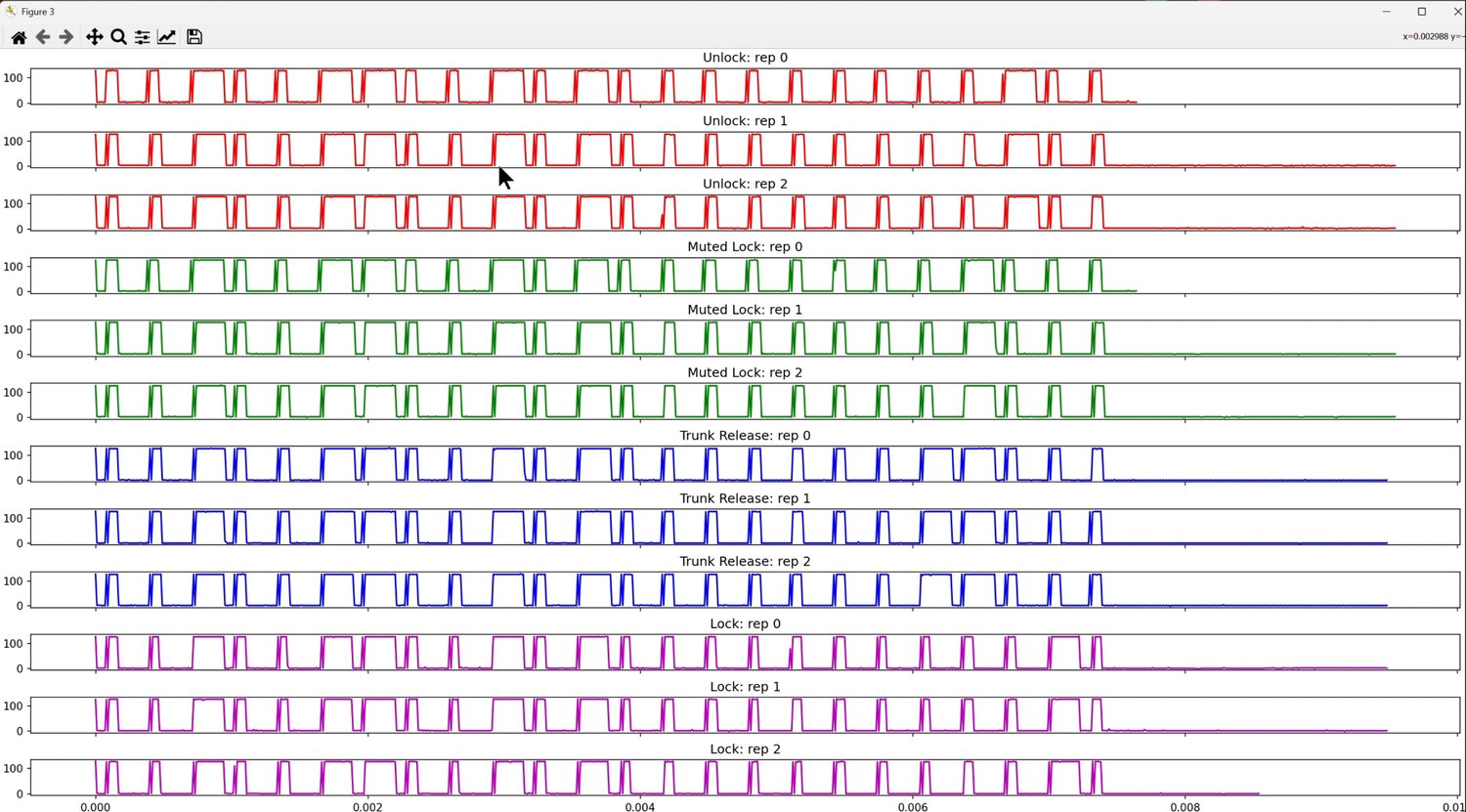
Plotting every raw trace stacked vertically makes the leading partial pulse train (an artifact of pressing-and-holding before the trigger point) obvious at the start of each one:
After truncating that leading section and cutting the traces off at a fixed 1000-sample window (the max_aligned_len parameter), each waveform is aligned to its first true negative-going pulse:
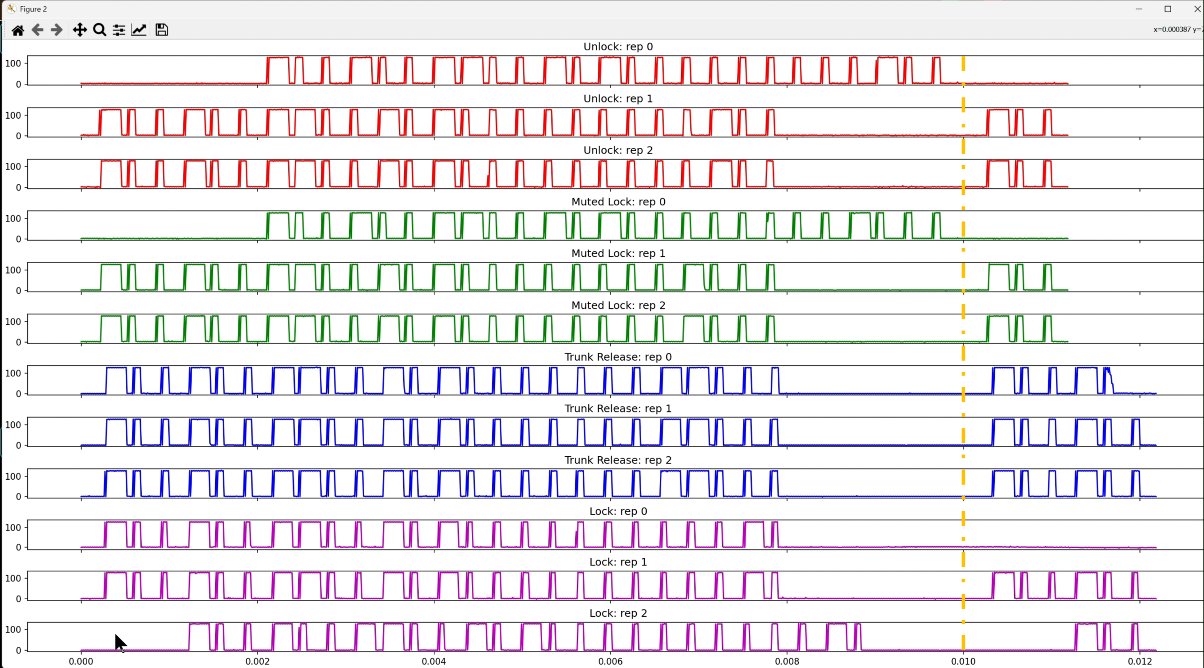
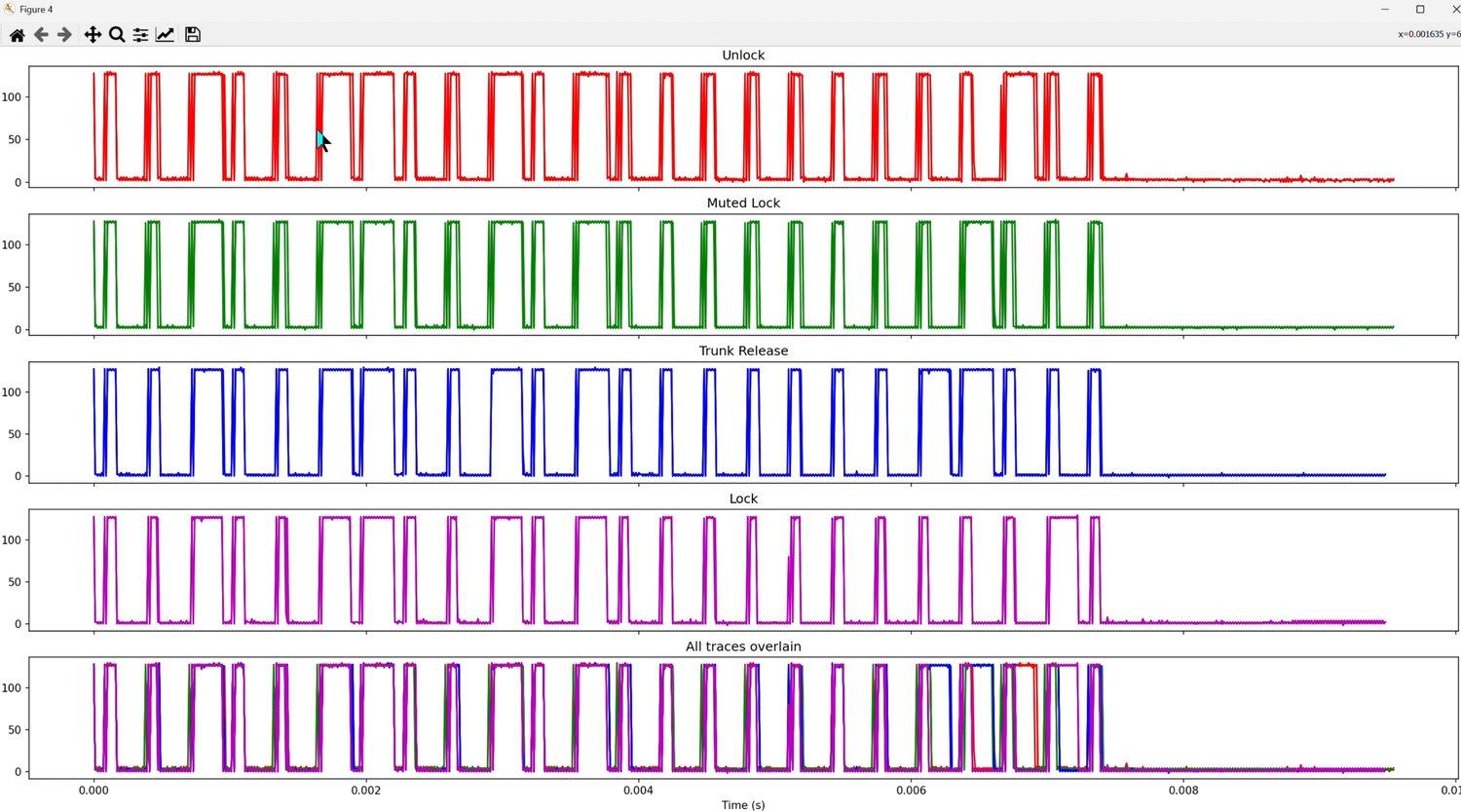
Every pulse train came out to exactly 24 bits. Overlaying the three repeats of each function on top of one another confirmed the codes are essentially identical from press to press — aside from noise, the bit patterns overlap almost perfectly, which is the direct proof the remote uses a static, non-rolling code.
Zooming into a region with noise makes the rare disagreement visible — but everywhere else, the true pulses line up exactly:
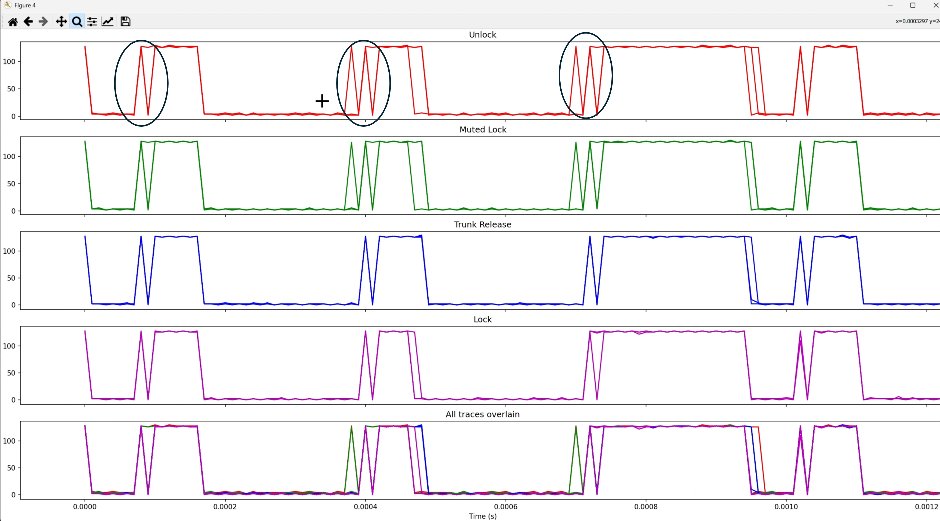
Overlaying every trace from all four functions together showed the pulses agreeing up through roughly the first 20 bits, then diverging — meaning only the last few bits actually distinguish which button was pressed, with the rest acting as a shared preamble/device ID.

The pulse-width histogram made the modulation scheme obvious: two widely-separated clusters, one around 2.3 ms and one around 0.2 ms (a third, smaller peak was noise) — a textbook signature of two fixed pulse widths encoding binary 1 and 0.
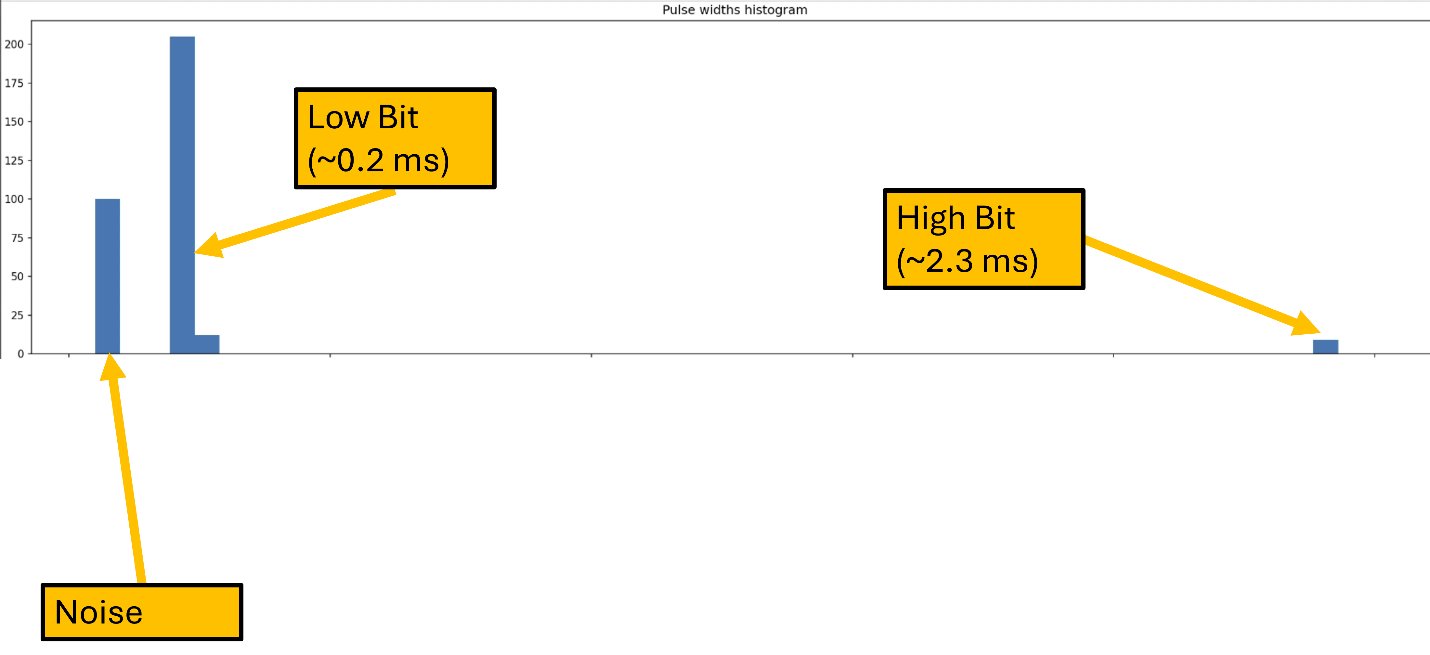
Since pin 1 on the Holtek IC idles HIGH and gets pulled down by the incoming code, the negative (GND) pulses are the actual data of interest — long low-going pulses (≈2300 µs) represent one bit value, short ones (≈200 µs) the other, though which is logically "1" versus "0" is ultimately an arbitrary labeling choice.
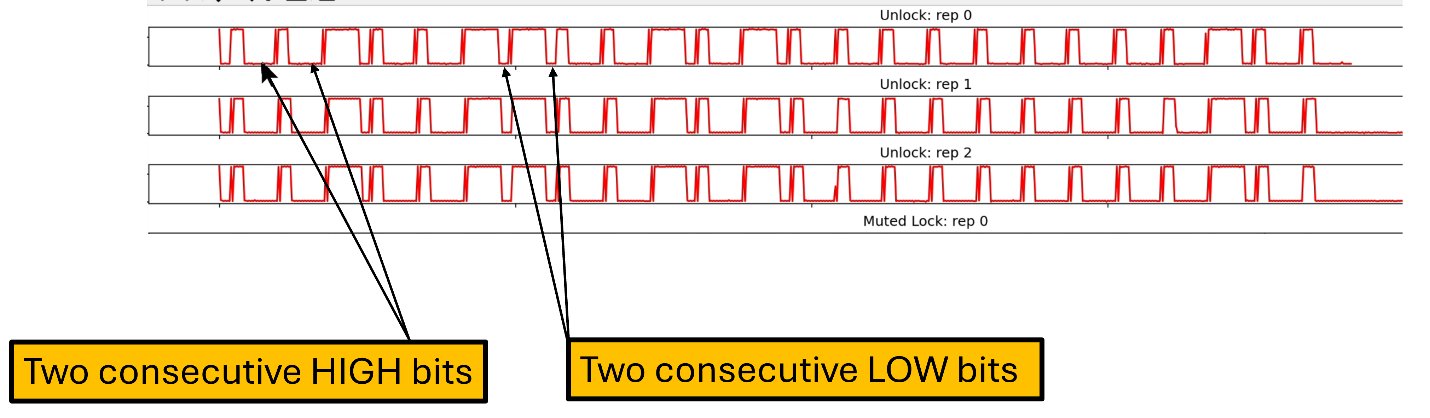
Finally, averaging each function's three repeats produced a clean per-function pulse-width sequence, ready to feed directly into a microcontroller for injection:

Protocol Summary
- On-off keyed, fixed (non-rolling) code — the same 24–25-pulse train every time a given button is pressed.
- Two pulse durations encode the bits: a long pulse (≈1150–2300 µs captured, tuned to ≈1200 µs for injection) and a short pulse (≈200–450 µs captured, ≈300–400 µs for injection), within a roughly fixed cycle period.
- Only the last several bits differ between the four button functions — the rest form a shared preamble/device-ID prefix.
Injecting the Codes with a NodeMCU
With a clean bit sequence for each function in hand, the final step was reproducing it in hardware. A NodeMCU (ESP8266) toggles a single digital pin between LOW and HIGH according to each pulse-width sequence, injecting the signal directly onto the same wire tapped earlier at Holtek pin 1 — and its onboard Wi-Fi is what eventually lets Alexa trigger these functions remotely.
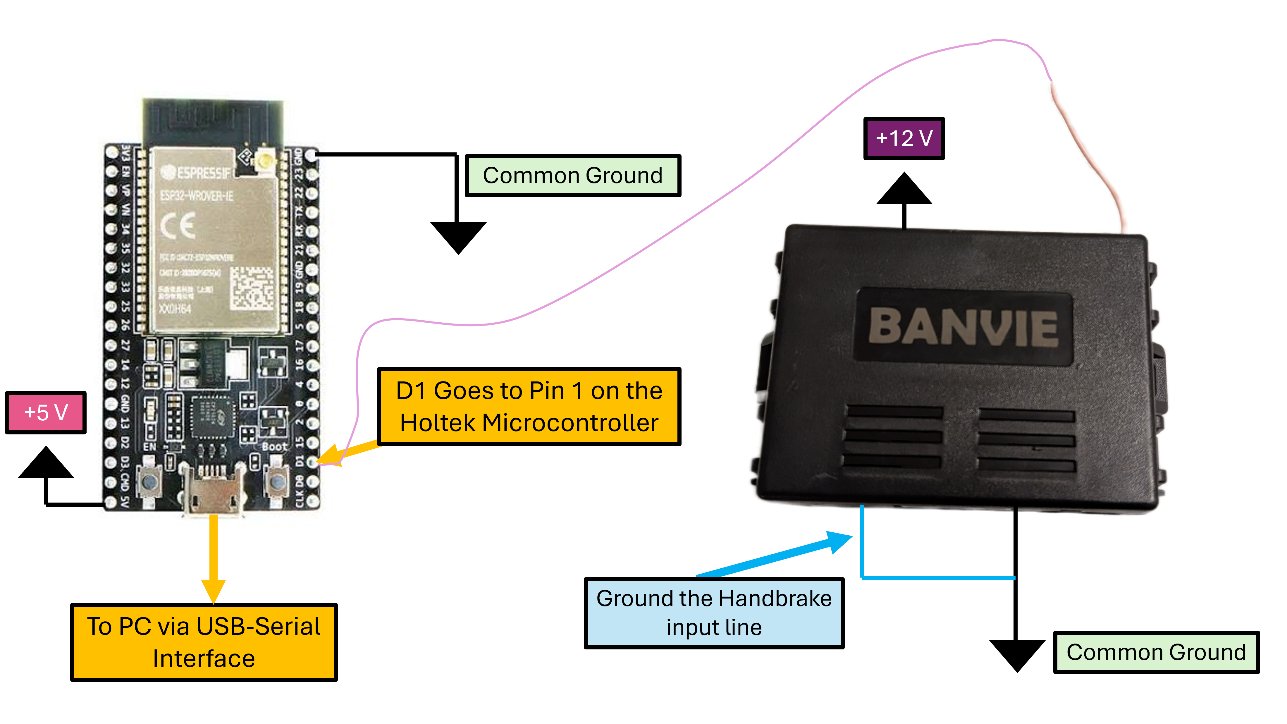
The injector defines a 25-element boolean array per function (24 real bits plus a leading edge), bit-bangs each one with precise microsecond timing, and listens on the serial port for a single character (L/T/U/M) to decide which sequence to fire — the complete NodeMCU sketch, as flashed and demonstrated on camera:
#include <Arduino.h>
#include <ESP8266WiFi.h>


////////////////////////////////////////////////////////////////////////////
// BANVIE SYSTEM CONTROL VARIABLES
#define banvie_pin D1  // The digital pin that interfaces with the Banvie System

volatile long startTime = 0;  // A timing variable
const int num_positive_pulses = 25; // 25 positive pulse edges because we want 24 pull downs.
const int num_repeats_per_train = 10;  // In case you want to re-issue the same pulse train multiple times (mimicks press and hold)
const int trunk_release_key_press_hold_time_s = 4;  // Mimicks Press and hold this long for trunk release.

const uint16_t period_us = 1500;  // The cycle period per pulse
const uint16_t long_pulse_length_us = 1200;  // Duration of a HIGH bit
const uint16_t short_pulse_length_us = period_us - long_pulse_length_us;  // Duration of a LOW bit

////////////////////////////////////////////////////////////////////////////
// PULSE TRAINS PER FOB FUNCTION
bool lockPulseWidths[num_positive_pulses] = {1,0,0,1,0,0,1,1,0,0,1,0,1,0,0,0,0,0,0,0,0,0,0,1,0};  // Lock sequence
bool mutedLockPulseWidths[num_positive_pulses] = {1,0,0,1,0,0,1,1,0,0,1,0,1,0,0,0,0,0,0,0,0,1,0,0,0};  // Muted Lock sequence
bool unlockPulseWidths[num_positive_pulses] = {1,0,0,1,0,0,1,1,0,0,1,0,1,0,0,0,0,0,0,0,0,0,1,0,0};  // Unlock sequence
bool trunkReleasePulseWidths[num_positive_pulses] = {1,0,0,1,0,0,1,1,0,0,1,0,1,0,0,0,0,0,0,0,1,1,0,0,0};  // Trunk release sequence


////////////////////////////////////////////////////////////////////////////
// BANVIE SYSTEM CONTROL FUNCTIONS

void issuePulses(bool pulseWidths[], int pulse_count){

  pinMode(banvie_pin, OUTPUT);  // Set the communication pin as an output because we are forcefully driving the line.
  digitalWrite(banvie_pin, LOW);  // Initiate communication by pulling the line LOW

  for (int r = 0; r < num_repeats_per_train; r++){  // Outer loop for repeating pulse trains (mimicks press and hold of a fob key)
    for (int i = 0; i < pulse_count; i++) {  // Inner loop handles a single pulse sequence

      // If a bit must be HIGH, assign the long pulse length to the highTime, and if the bit is low, the highTime must be set to low.
      uint16_t highTime = pulseWidths[i] == 1? long_pulse_length_us: short_pulse_length_us;

      // The lowTime is simply the remainder of the time period on the cycle after allocating time for the high portion.
      uint16_t lowTime = pulseWidths[i] == 1? short_pulse_length_us: long_pulse_length_us;

      // HIGH portion
      digitalWrite(banvie_pin, HIGH);
      startTime = micros();
      while ((micros() - startTime) < highTime){};


      // LOW portion
      digitalWrite(banvie_pin, LOW);
      startTime = micros();
      while ((micros() - startTime) < lowTime){};
    }

    delay(12);  // gap between trains
  }

  // Important: We should set the pin back to a floating state so that an external remote too can shift the logic levels to communicate with the Banvie.
  pinMode(banvie_pin, INPUT);

}

////////////////////////////////////////////////////////////////////////////
// METHODS THAT SEND THE APPROPRIATE SEQUENCE PER KEY FOB FUNCTION
void lockCar(){
  Serial.println("Locking car");
  issuePulses(lockPulseWidths, num_positive_pulses);
}

void mutedLockCar(){
  Serial.println("Muted Lock Activated");
  issuePulses(mutedLockPulseWidths, num_positive_pulses);
}

void unlockCar(){
  Serial.println("Unlocking Car");
  issuePulses(unlockPulseWidths, num_positive_pulses);
}

void releaseTrunk(){
  Serial.println("Releasing Trunk Door");
  long trunk_start_time = millis();
  while ((millis() - trunk_start_time) < (trunk_release_key_press_hold_time_s * 1000)){
    issuePulses(trunkReleasePulseWidths, num_positive_pulses);
  }
}

////////////////////////////////////////////////////////////////////////////
// COMPARE THE CHARACTERS RECEIVED VIA SERIAL INPUT TO CALL APPROPRIATE FOB FUNCTION
void handleSerialInputForBanvieSystem(char c){

    if (c == 'L') {
      lockCar();
    }
    else if (c == 'T') {
      releaseTrunk();
    }
    else if (c == 'U') {
      unlockCar();
    }
    else if (c == 'M') {
      mutedLockCar();
    }
}


////////////////////////////////////////////////////////////////////////////
// SETUP THE SYSTEM
void setupBanviewSystem(){
    pinMode(banvie_pin, INPUT); // This should be set to floating whenever we do NOT issue any command so that the normal remote can also work.
    Serial.println("Banvie system initialized.");
    Serial.println("Press 'L', 'T', 'U', 'M' for 'Lock', 'Trunk release', 'Unlock', and 'Muted Lock' respectively.");
}

void setup() {
  Serial.begin(74880);
  setupBanviewSystem();
}


void loop() {
  // Repeatedly poll for characters received via the serial input and call the appropriate fob function
  if (Serial.available() > 0) {
    char c = Serial.read();
    Serial.println("Received Serial Code " + String(c));
    handleSerialInputForBanvieSystem(c);
  }

  delay(100);

}
Two details mattered for reliability. First, the pin is deliberately released back to a floating INPUT after every transmission, so the genuine remote key can still drive the same line whenever the NodeMCU isn't actively injecting. Second, the injected pulses only need to be close enough to the real timing — not exact.
Sweeping the short-pulse duration while watching the relays actually click found it stays reliable anywhere from 250 µs to 650 µs; go outside that range and the BANVIE receiver stops recognizing the bit. Doing the same sweep for the long pulse (while keeping the short pulse inside its valid range) found a working window of roughly 800 µs to 1400 µs. That's a wide, forgiving margin for a protocol with no error correction — a good sign for reliability once this moves from a bench test into a real car's electrically noisy environment.
With the injector proven on lock, unlock, muted lock, and trunk release, the last test was the original goal: firing three consecutive unlock pulses to trigger a full remote engine start. The push-to-start button's LED lighting up on cue confirmed it — the BANVIE system's own microcontrollers ran through arming clearance, ignition, and cranking exactly as if the real key fob had done it, without a single line of the OEM firmware ever being touched.
What's Next
This NodeMCU-based injector is the foundation for the rest of the build: wiring the same code into a 2003 Mitsubishi Lancer's OEM electrical system, adding DC–DC conversion to keep the module's quiescent draw low while the car sits armed, and finally exposing lock/unlock/remote-start/trunk-release to Amazon Alexa so the whole system can be triggered by voice. That build is written up separately: see Voice-Activated Mechatronic Car Control via Amazon Alexa.