Motorizing a Lancer's HVAC Blend Door: Fixing a Failure No Replacement Part Could Fix
🎥 Watch the Build — 2-Part Video Series

Quick Facts
- The failure: the factory temperature knob on older Lancers relies on a cable-and-lever mechanism to pull the blend door. The internal linkage stiffens with age until the mechanical advantage from its gears and levers is no longer enough — and the knob itself snaps before the door does. Replacement knobs break the same way, because the root cause is the linkage, not the knob.
- The fix: bypass the cable entirely. A 20 kg‑cm digital servo drives the blend-door gear directly, positioned by a potentiometer that digitizes the dashboard knob — installed without drilling a single hole in the factory actuator.
- Actuator: Miuzei 20 kg‑cm digital servo, chosen over a stepper (open-loop, needs a driver, bulkier for equal torque) or a DC gear motor (needs an external PID loop for positioning).
- Position sensing: a 10 kΩ potentiometer read through an RC low-pass filter, mapped through a manually-calibrated, non-linear lookup table instead of a naive analog
map(). - Control boards: an Arduino Nano for the servo/potentiometer loop; a second board pairing an ESP8266 NodeMCU with a DRV8833 dual H-bridge for the motorized-knob upgrade.
- Power: tapped from the cigarette lighter's 12 V, stepped down through a Tobsun EA50-5V 50 W (10 A) buck converter sized for the servo's ~3 A stall current plus headroom for the knob motor and a Wi-Fi‑enabled board.
- Fabrication: every mounting bracket, potentiometer housing, gear coupler, and enclosure is 3D printed, reverse-engineered from caliper and modeling-clay measurements of the factory actuator's mounting holes — no CAD model or service manual existed for this part.
The Problem: A Knob That Breaks No Matter How Many Times You Replace It
The temperature control knob on older Mitsubishi Lancers is known for becoming stiff enough that turning it can snap the knob itself. Mine did exactly that.
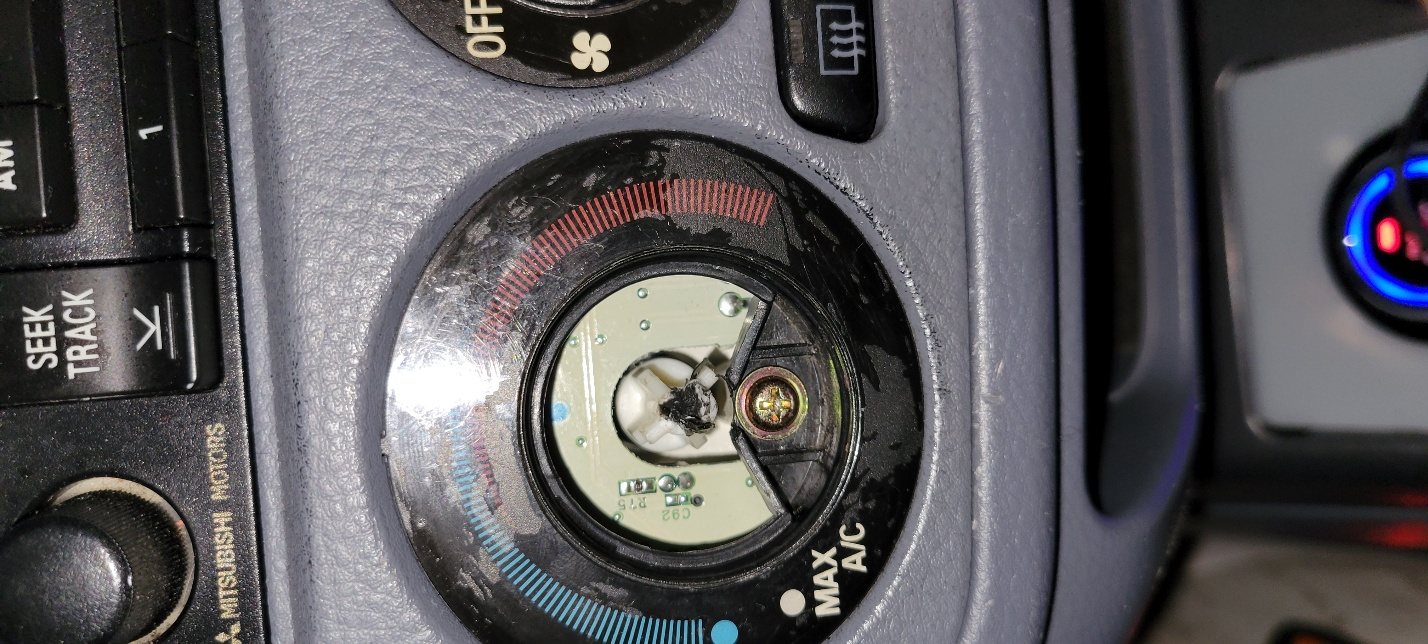
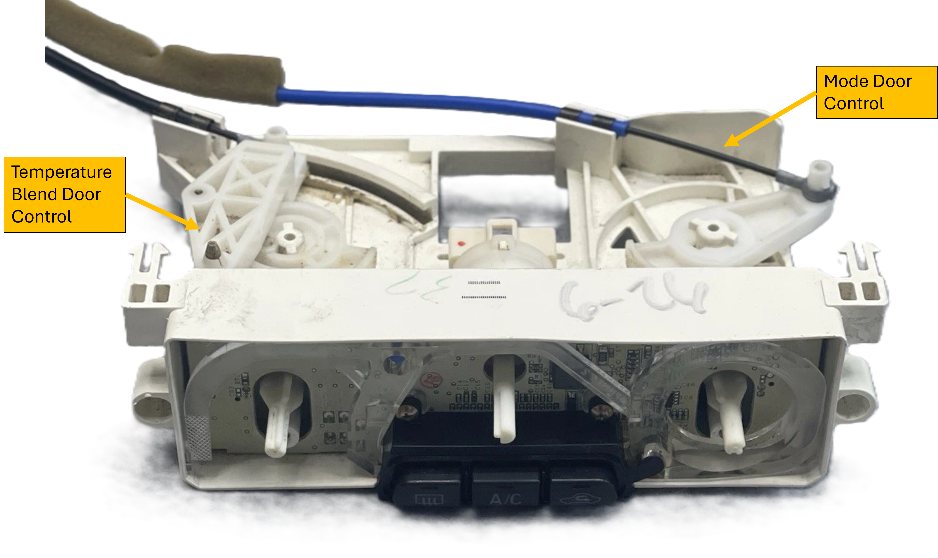
I replaced it. It broke again, because the knob was never the real problem. Behind the dashboard, a cable-pull mechanism uses a set of gears and levers to amplify the knob's motion and pull the blend door across its range. As that mechanism stiffens with age, the mechanical advantage those gears and levers provide is no longer enough to overcome the resistance — so the force meant for the blend door goes into snapping the knob instead. A replacement knob doesn't fix a worn-out linkage; it just breaks again.
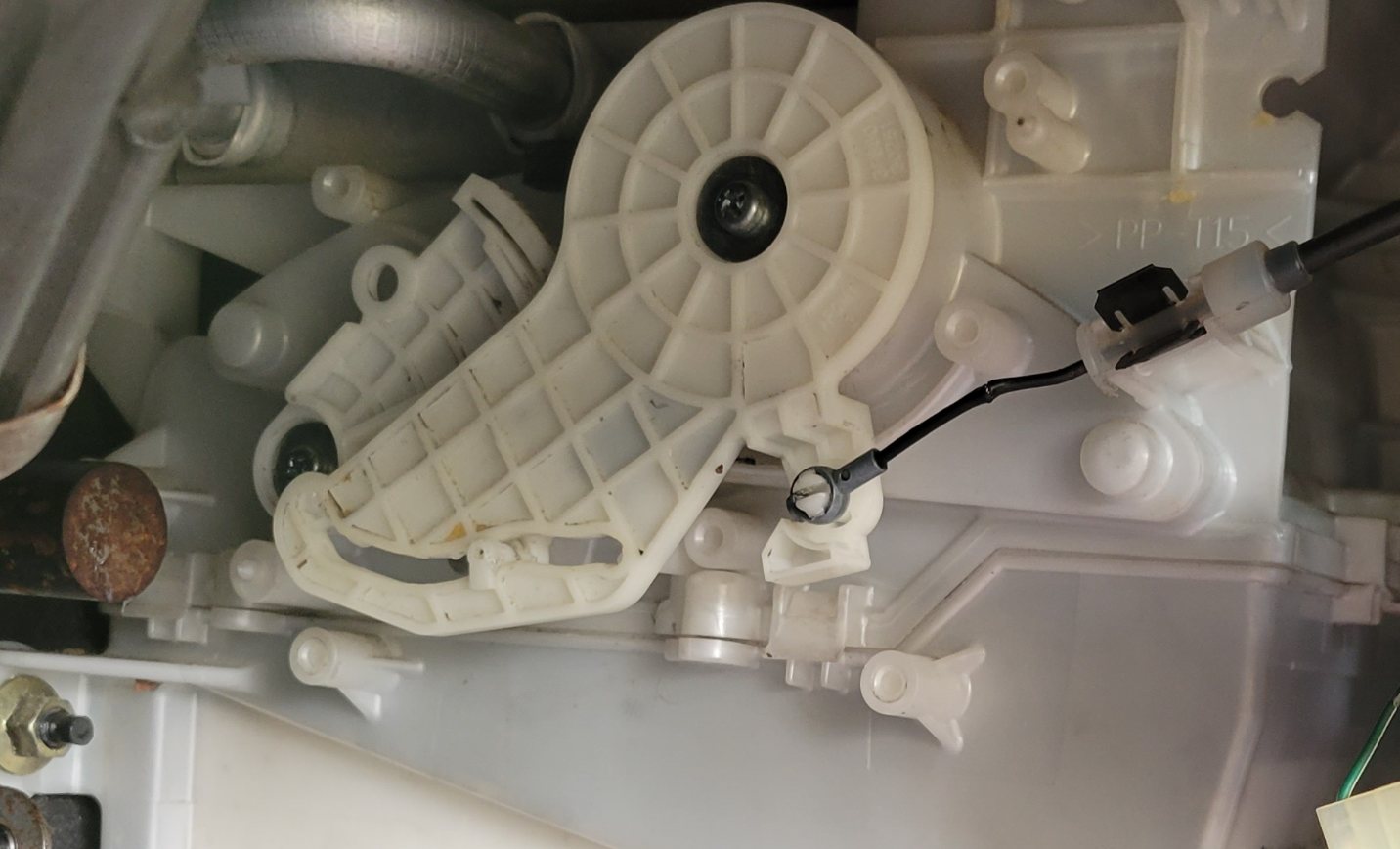
Quick Mechanical-Advantage Check
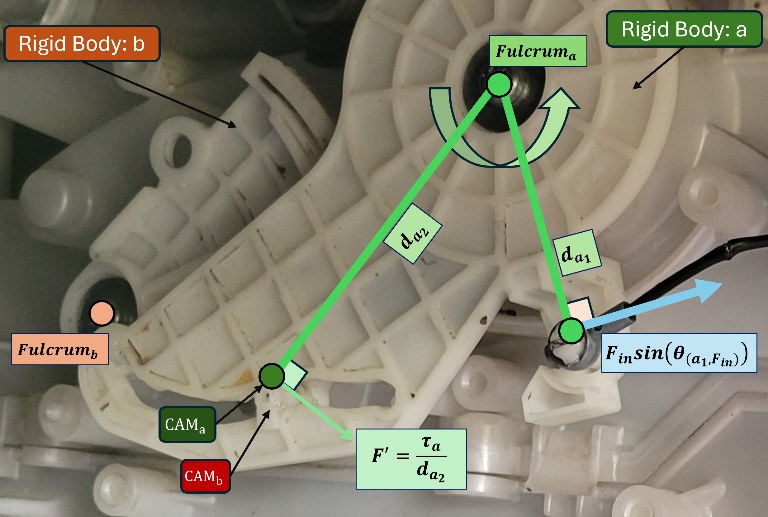
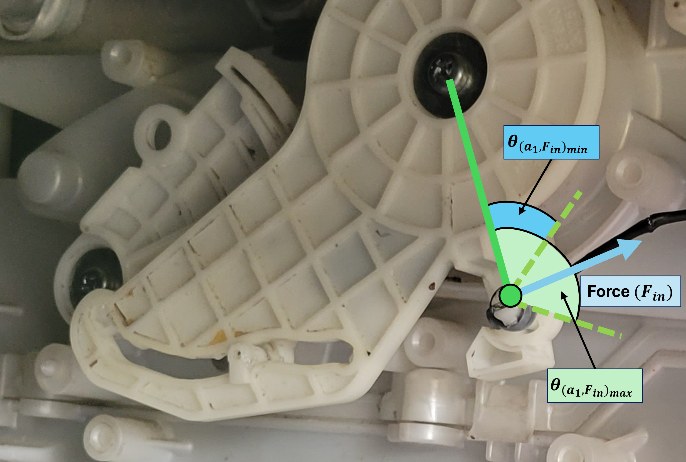
Before rebuilding anything, it's worth putting a number on why that factory linkage was failing. The mechanism reduces to two rigid bodies meeting at a CAM contact: body a, which receives the pulling force from the knob's cable, and body b, which delivers the output force into the blend-door's bevel gear. A cylindrical boss on body b rides in a track on body a, so the two only ever interact through that single contact point.
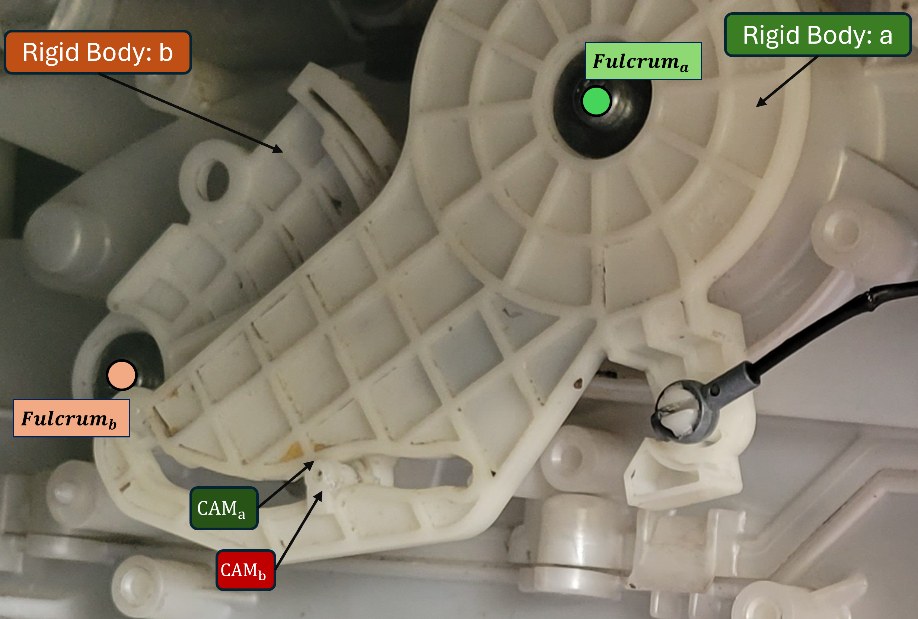
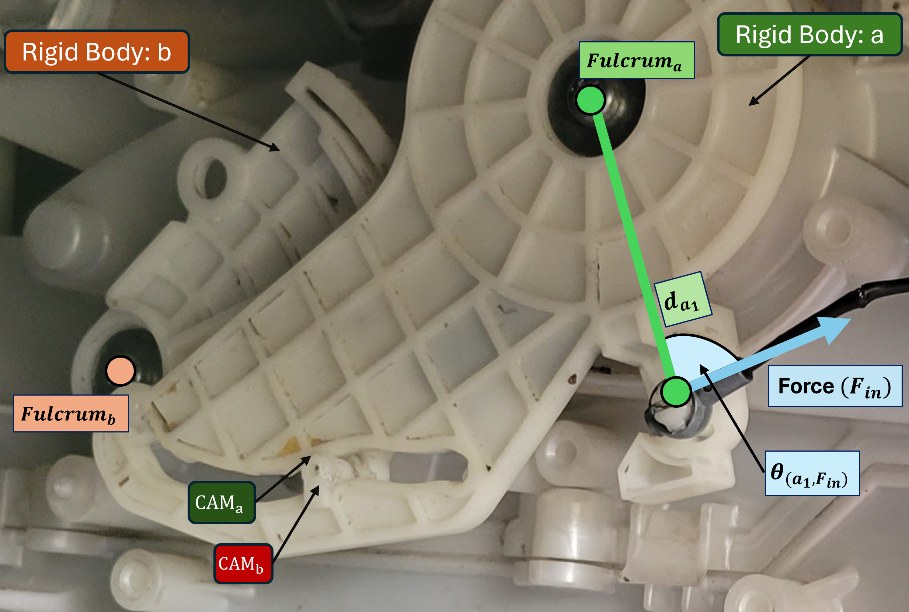
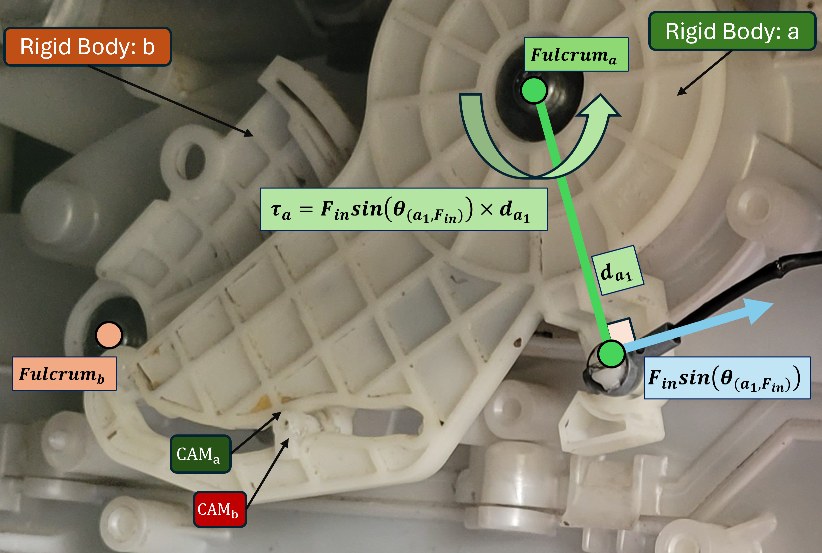
Balancing torque about Fulcruma gives the torque body a carries into the CAM contact:
τa = Fin sin(θ(a1,Fin)) × da1
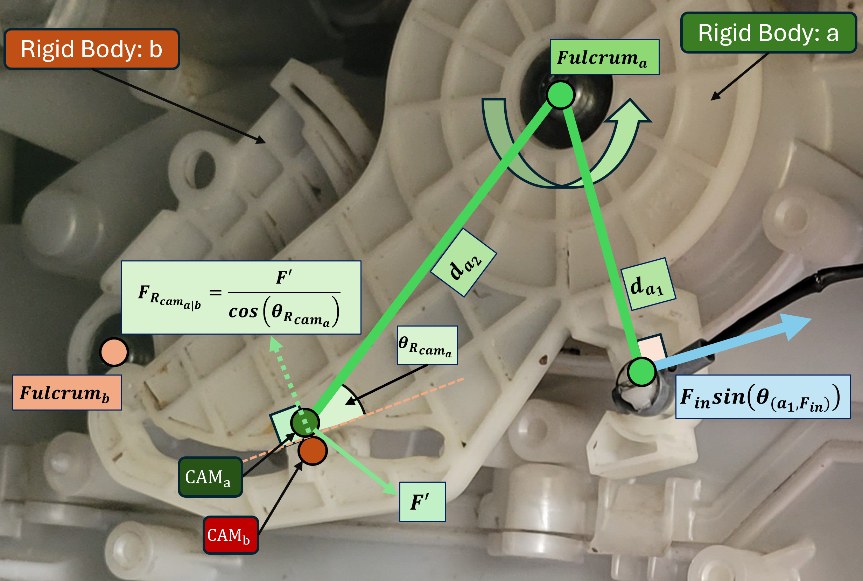
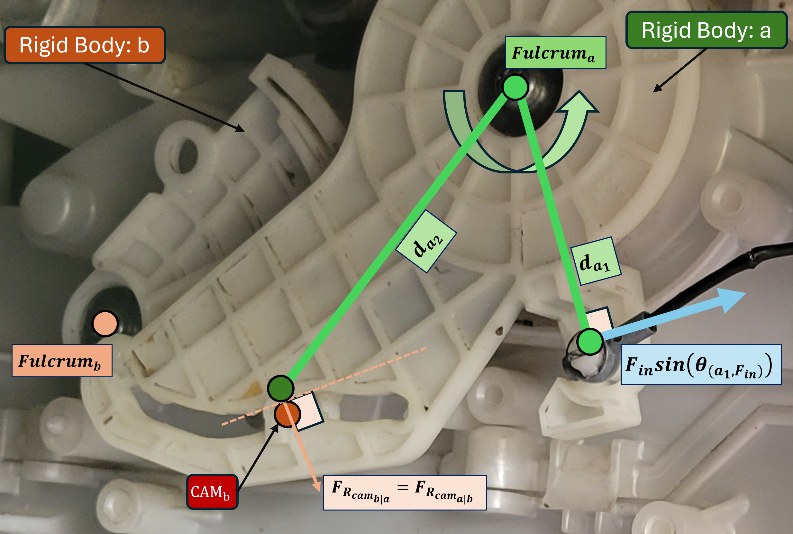
The tangential force at the contact is F′ = τa / da2, and resolving that along the actual contact normal gives the CAM reaction force. Since the contact is assumed frictionless, that same magnitude pushes back on body b (Newton's third law):
FR,cam(b|a) = FR,cam(a|b) = (Fin sin(θ(a1,Fin)) × da1) / (cos(θR,cama) × da2)
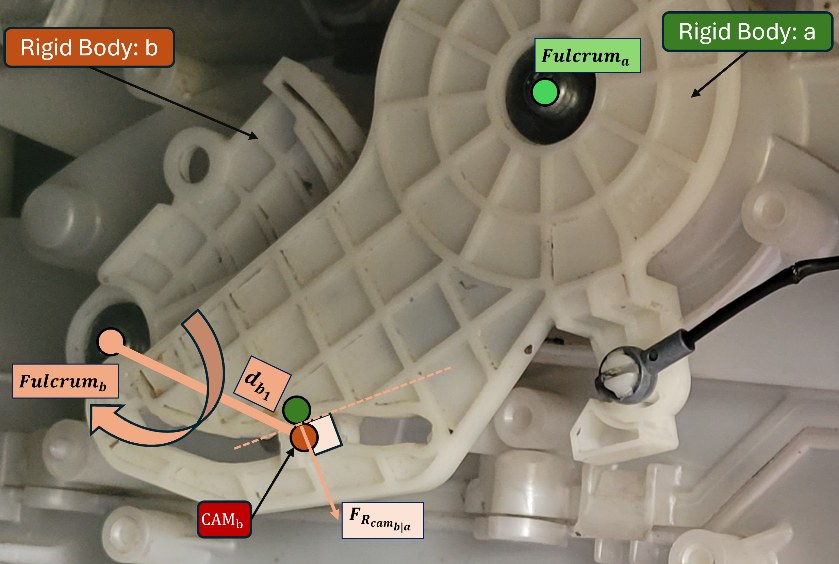
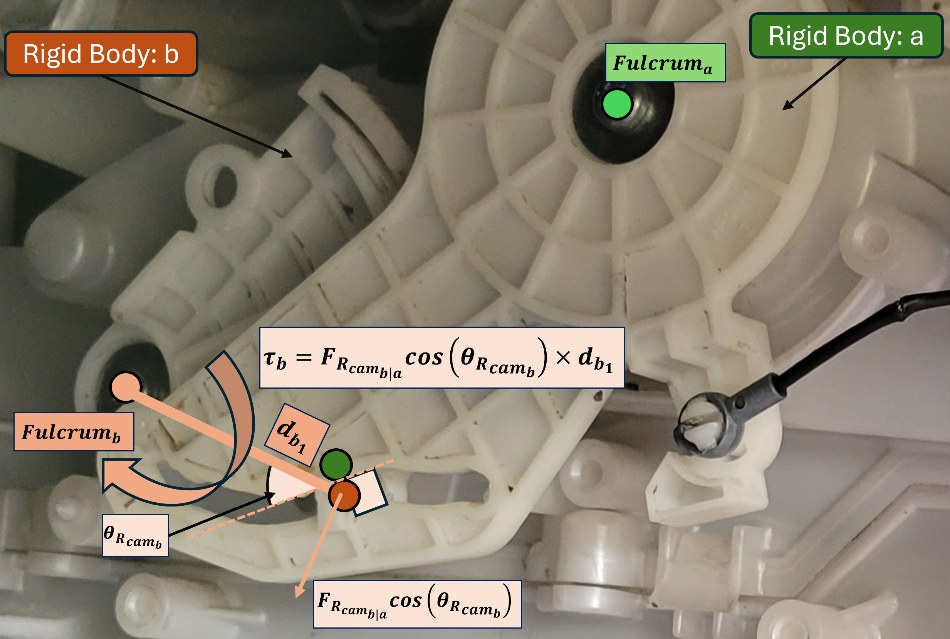
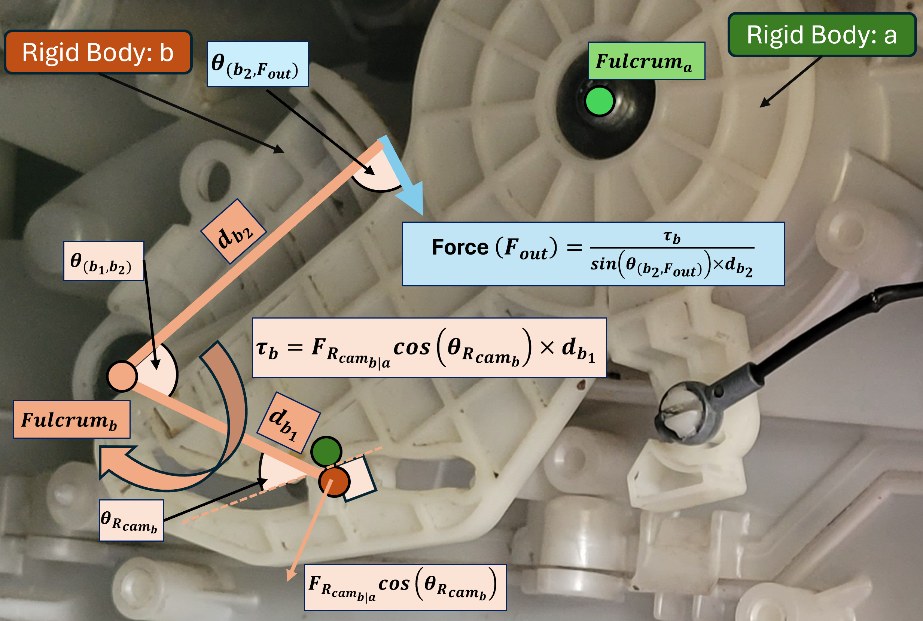
On body b, that reaction creates a torque about Fulcrumb, which must balance the torque the output force applies at arm db2:
FR,cam(b|a) cos(θR,camb) × db1 = Fout sin(θ(b2,Fout)) × db2
Substituting the reaction force from the first half of the derivation and solving for the ratio the linkage actually delivers:
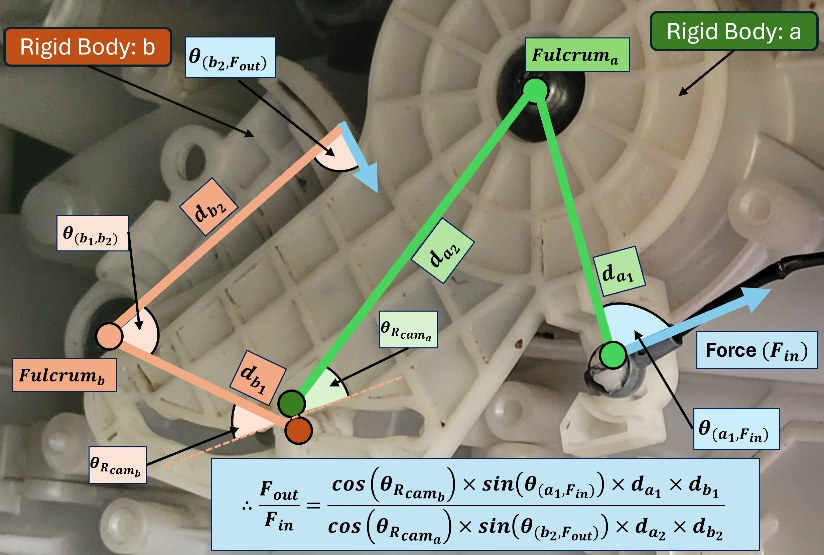
Fout / Fin = [cos(θR,camb) × sin(θ(a1,Fin)) × da1 × db1] / [cos(θR,cama) × sin(θ(b2,Fout)) × da2 × db2]
None of these arms and angles are fixed, though — as the knob turns, the CAM boss slides along body a's track, so da2 and every angle in the formula changes continuously over the knob's travel:
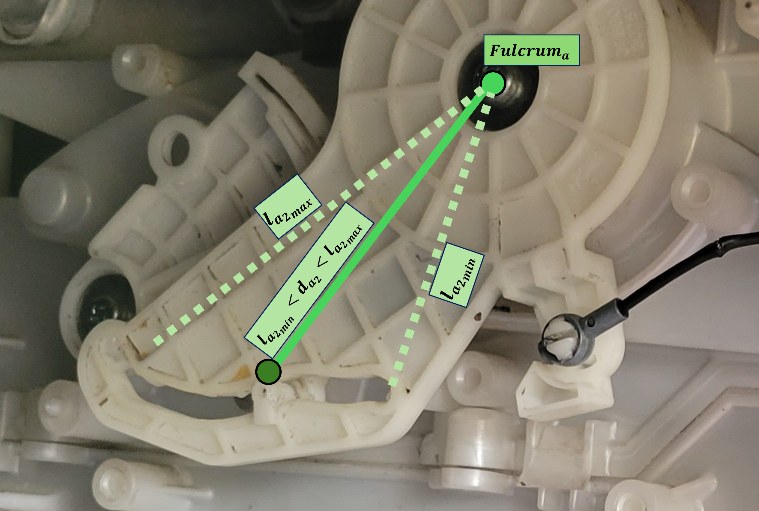
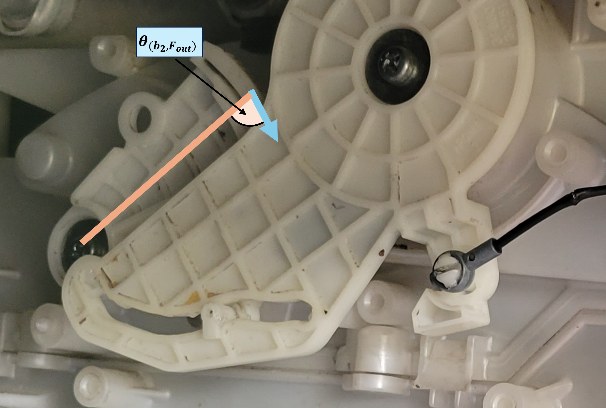
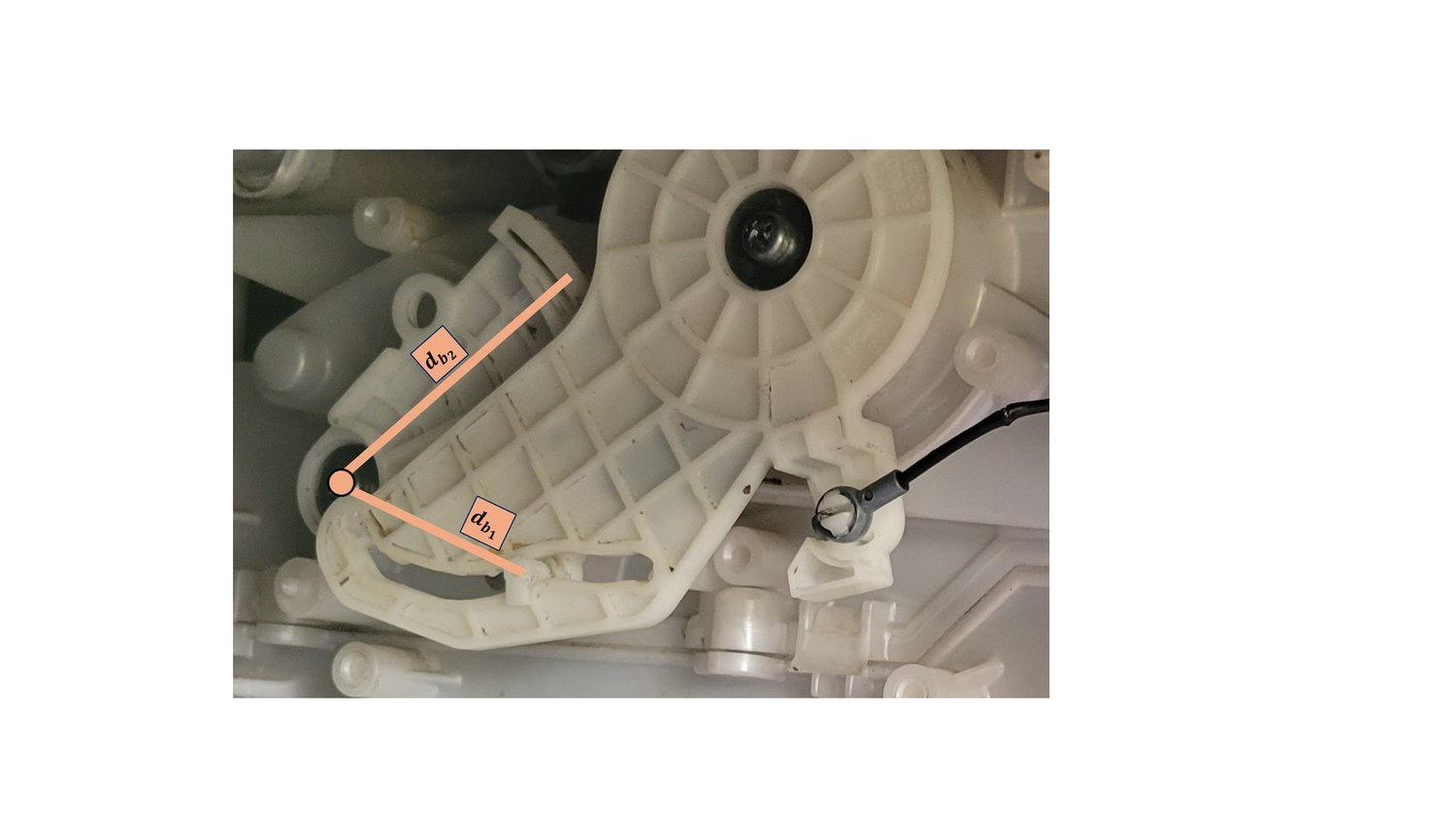
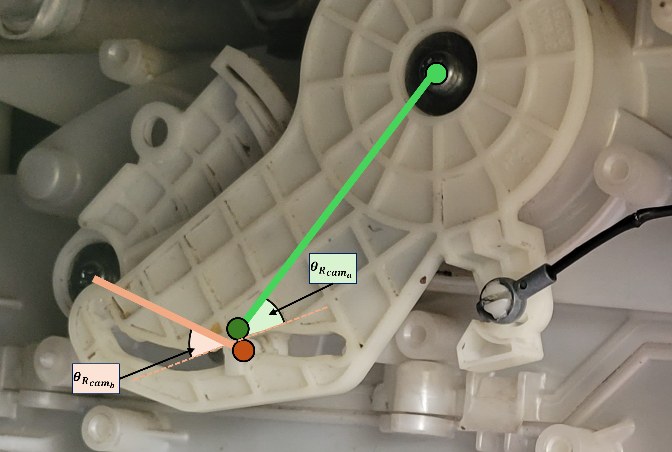
Estimating the worst case — where mechanical advantage is lowest — from rough measurements of the real linkage: both arm ratios da1/da2 and db1/db2 bottom out around 1/1.5 at the CAM's far travel limit; the cable keeps θ(a1,Fin) close enough to 90° through its small sweep that sin(θ(a1,Fin)) ≈ 1; the output angle θ(b2,Fout) swings between 60° and 120°, bottoming out at sin = sin(60°) = √3/2 ≈ 0.87 at either extreme; and giving the geometry the benefit of the doubt, cos(θR,camb)/cos(θR,cama) ≈ 1.5. Plugging all of that in:
Fout / Fin ≈ 1.5 × (2/√3) × (1/1.5) × (1/1.5) ≈ 0.77
So the linkage was never actually amplifying force in the first place — it was attenuating it by about 23%, trading force for a longer knob travel. That lines up with what happens at the knob: once the mechanism stiffens even slightly, there's no mechanical advantage in reserve to push the blend door, and the extra force needed goes straight into snapping the knob instead.
Since replacing parts wasn't going to solve a linkage problem, I decided to motorize the temperature control instead — which also opened the door (so to speak) to eventually automating it, so the cabin temperature could be adjusted on its own as conditions inside the car change. The one constraint I set for myself: whatever I built had to mount without drilling any holes or cutting into anything on the factory actuator.
Choosing How to Actuate the Blend Door
Three options were on the table: a DC gear motor with an encoder, a stepper motor, or a servo. I went with the servo — a Miuzei 20 kg‑cm digital unit — for its high torque, reliable and repeatable positioning, and small package size relative to that torque.
A smaller stepper wasn't strong enough to move the gear at all:
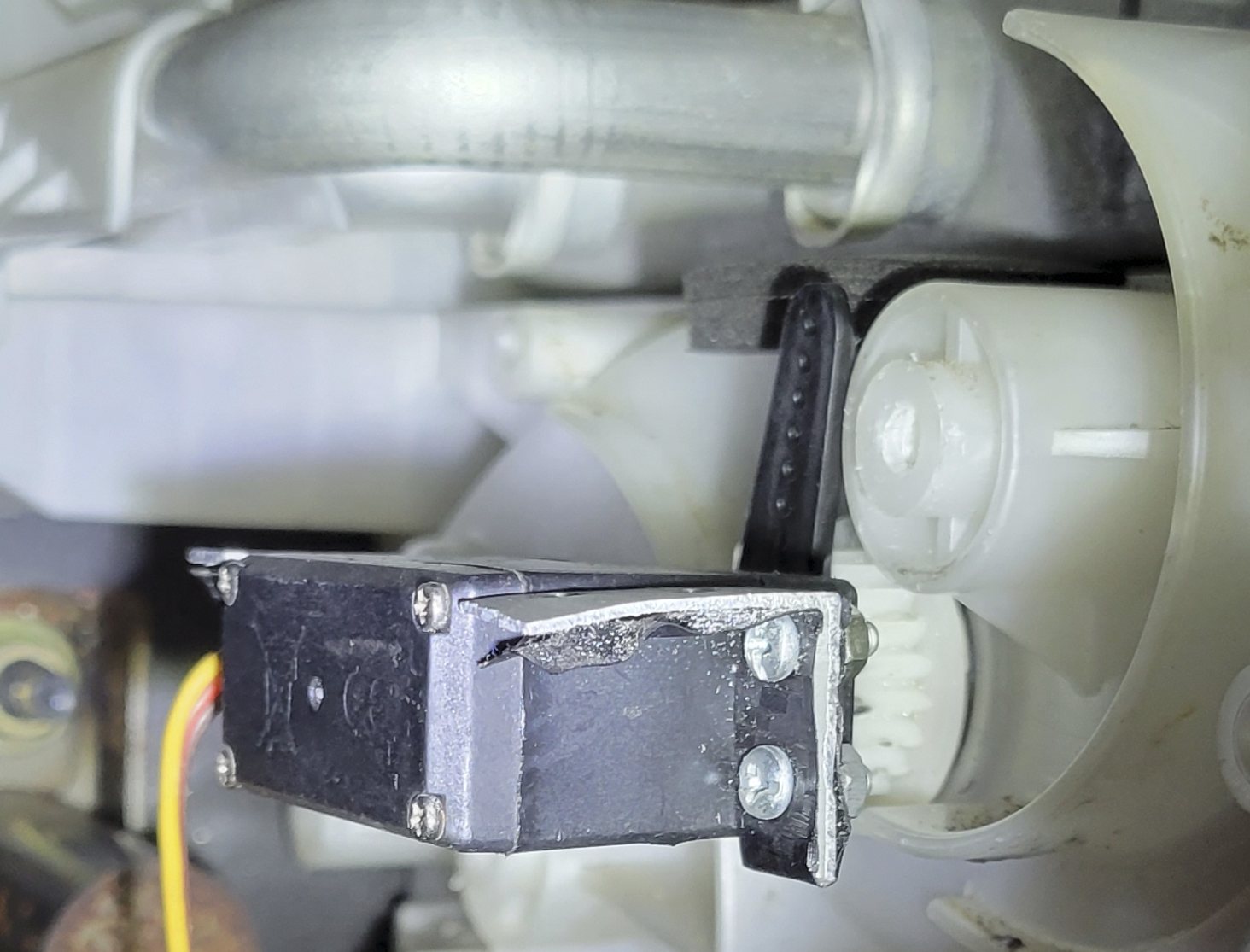
A stepper with equivalent torque to the servo would have been bulkier, needed a separate driver IC, and would have run open loop — risky given how stiff the blend-door gear had become, since an open-loop system has no way of confirming the movement actually happened. A DC gear motor would likewise have been bulkier, lacked precise positioning on its own, and would have needed an externally implemented PID loop just to hold a position. The servo's built-in closed-loop positioning made it the straightforward choice.
Reverse-Engineering the Mounting Points
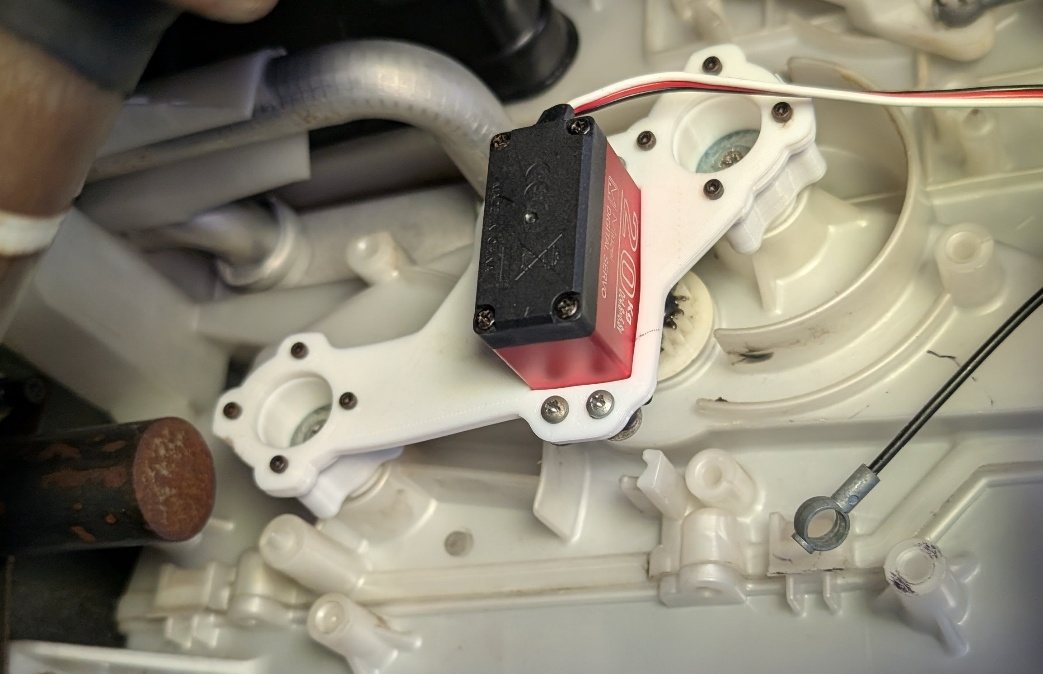
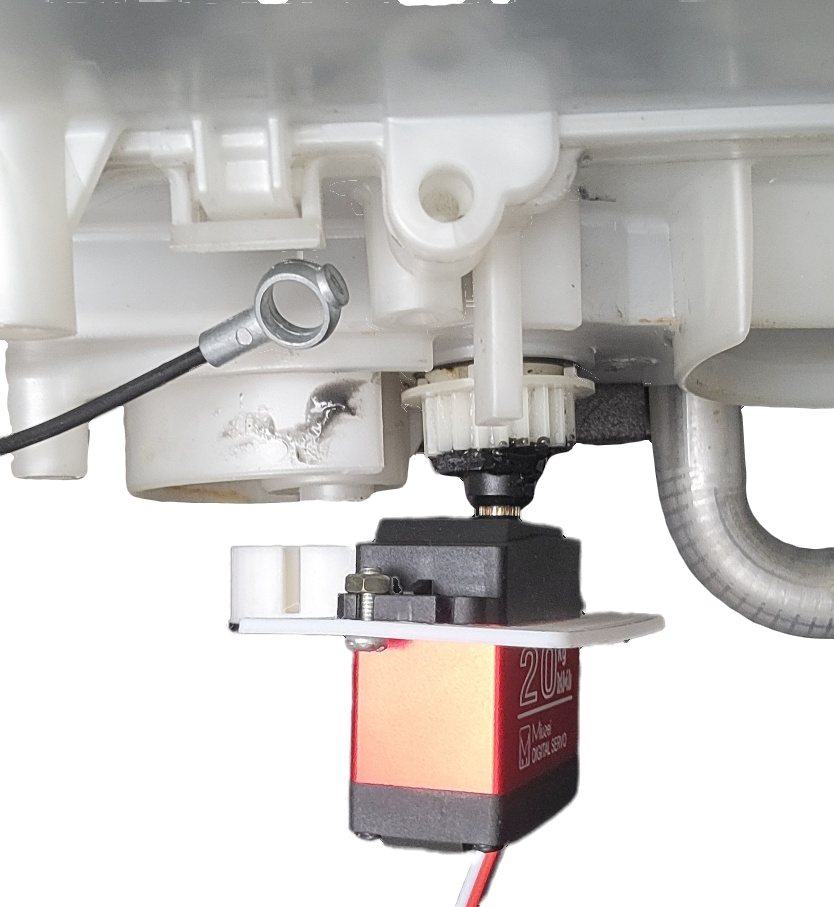
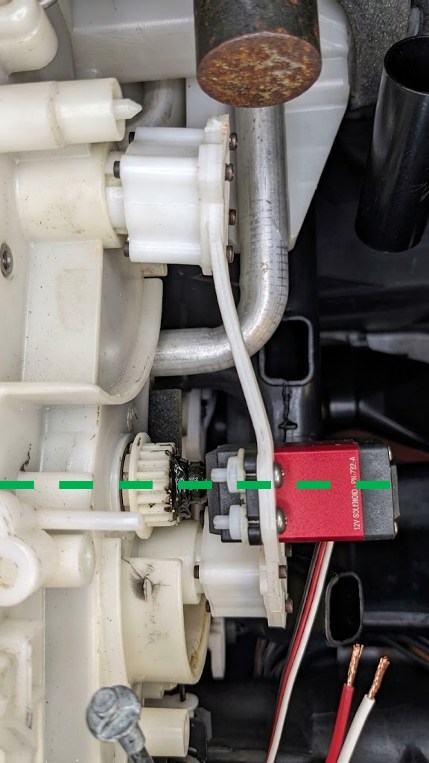
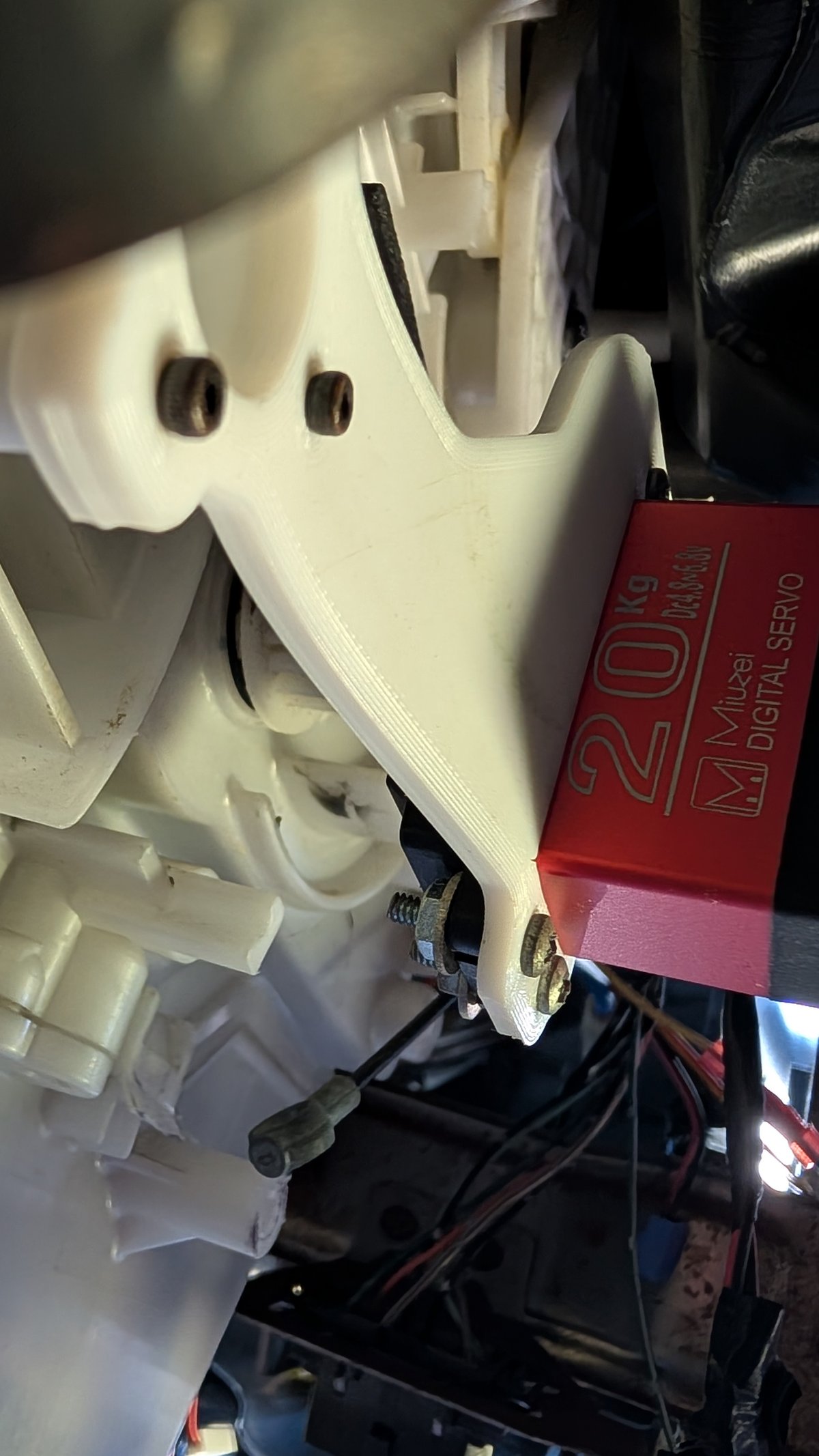
After removing the lever mechanism under the dashboard, several mounting holes were exposed on the AC blend door actuator itself — holes the factory linkage had used, and the only realistic anchor points for a replacement bracket.
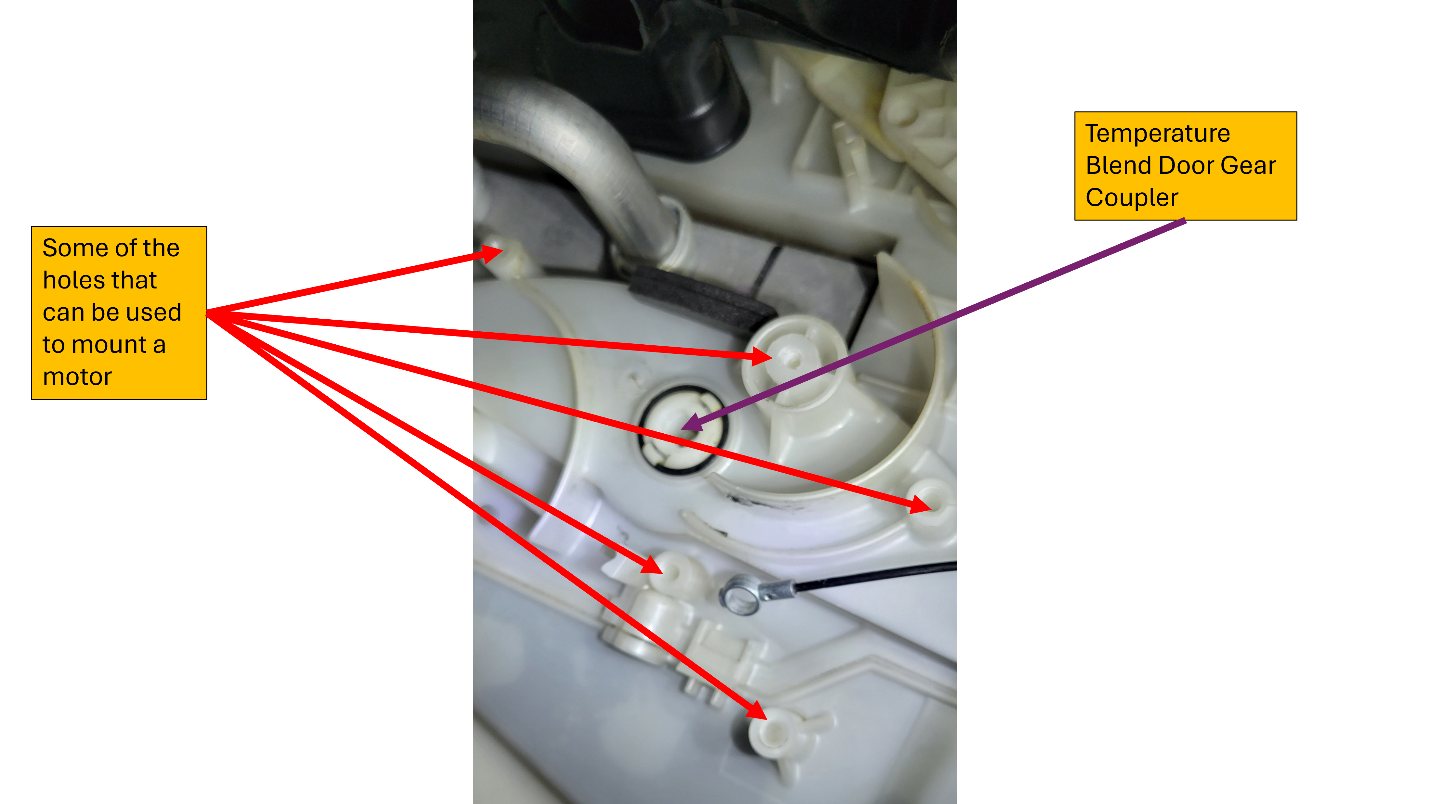
The plan was to design a bracket that picked up those same holes, with the servo's output shaft mating to the temperature blend door's gear coupler. That meant measuring exact hole diameters, spacings, and depths with a vernier caliper — straightforward for diameters, but the relative positions were another story. The holes protrude at different, awkward depths in a tight, hard-to-reach space, which made getting the caliper in at a consistent angle nearly impossible.
The workaround: pack modeling clay thickly onto a hard substrate and stamp it against the holes to take a negative imprint of their layout. With the imprint sitting out in the open, the caliper had all the space it needed to measure accurately.
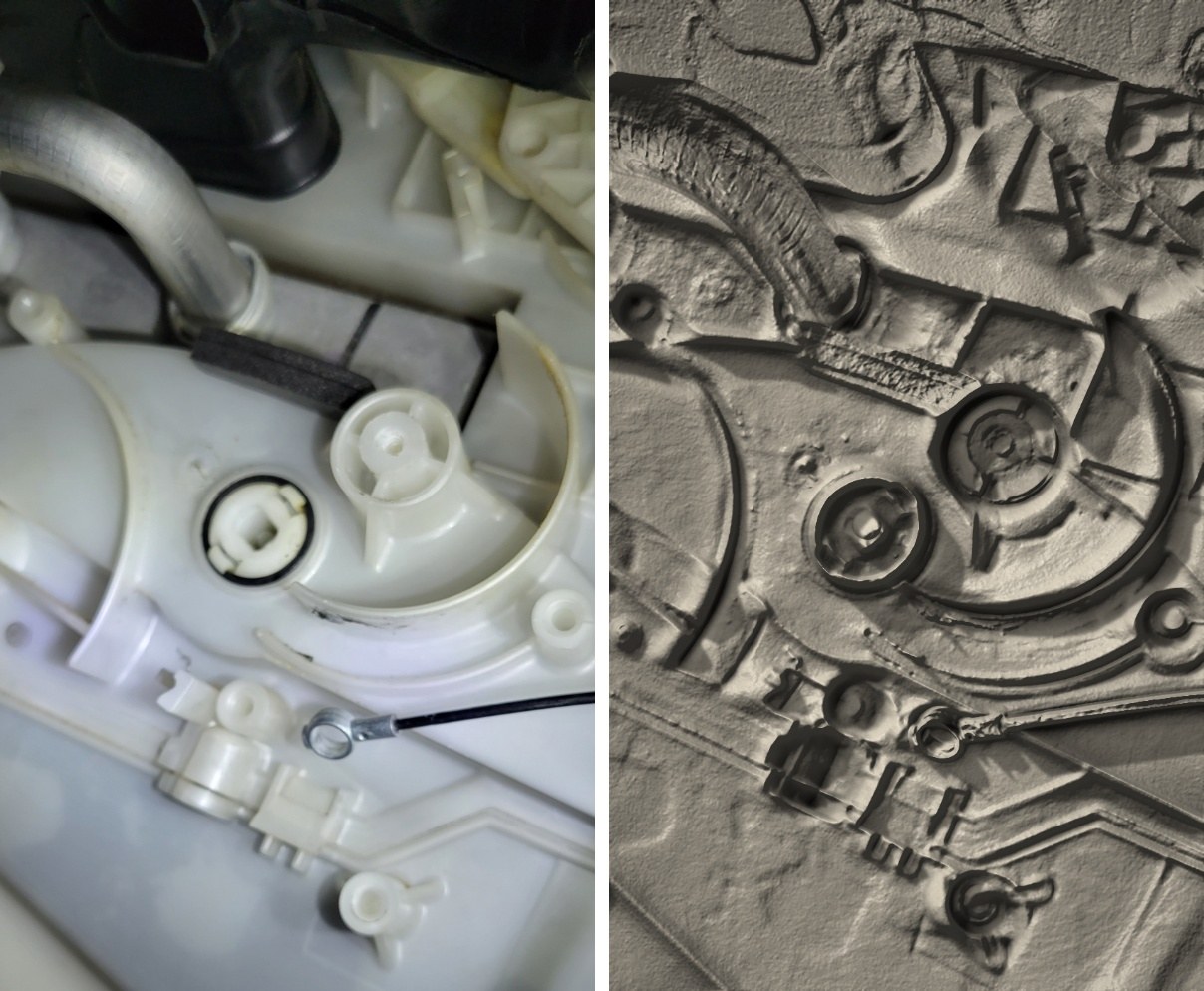
Even with good measurements, I didn't risk a full-size print on the first try — a bad bracket wastes filament and time. Instead I printed a minimal skeleton with a small protrusion at each expected hole location, which doubled as a fast way to validate (and visualize just how uneven) the hole depths really were:
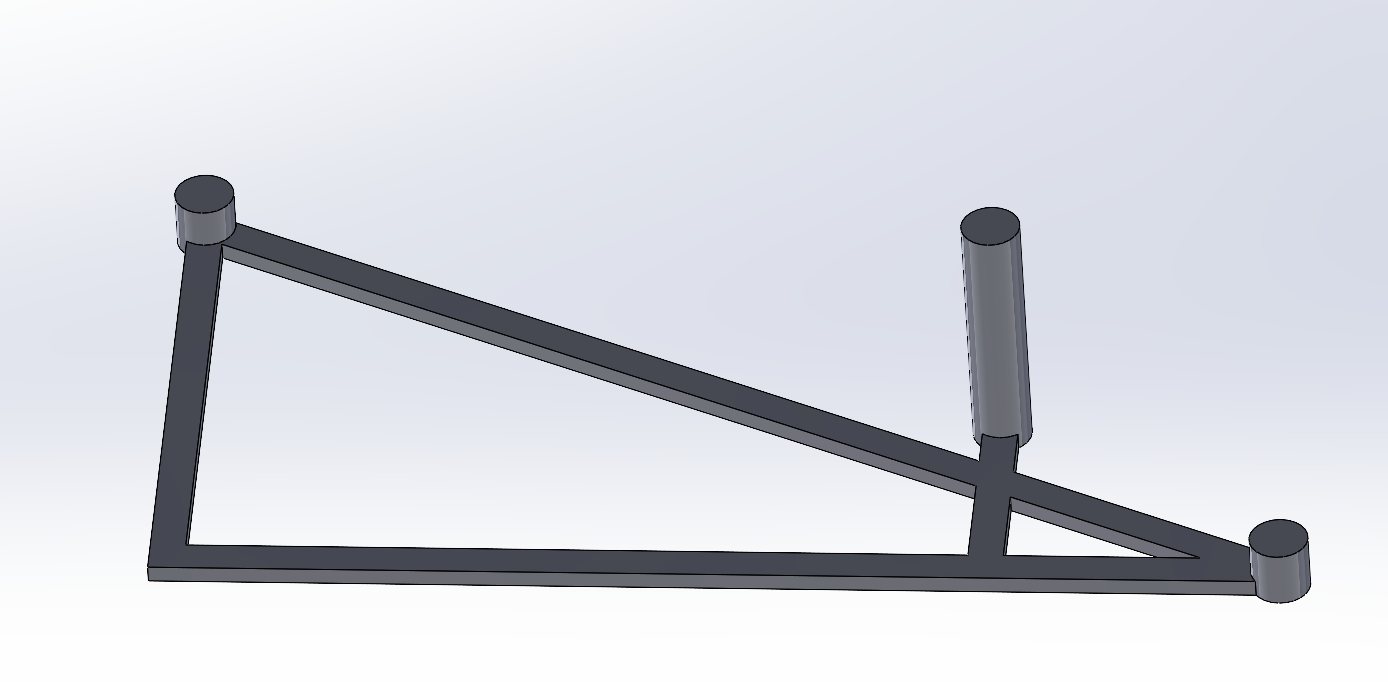
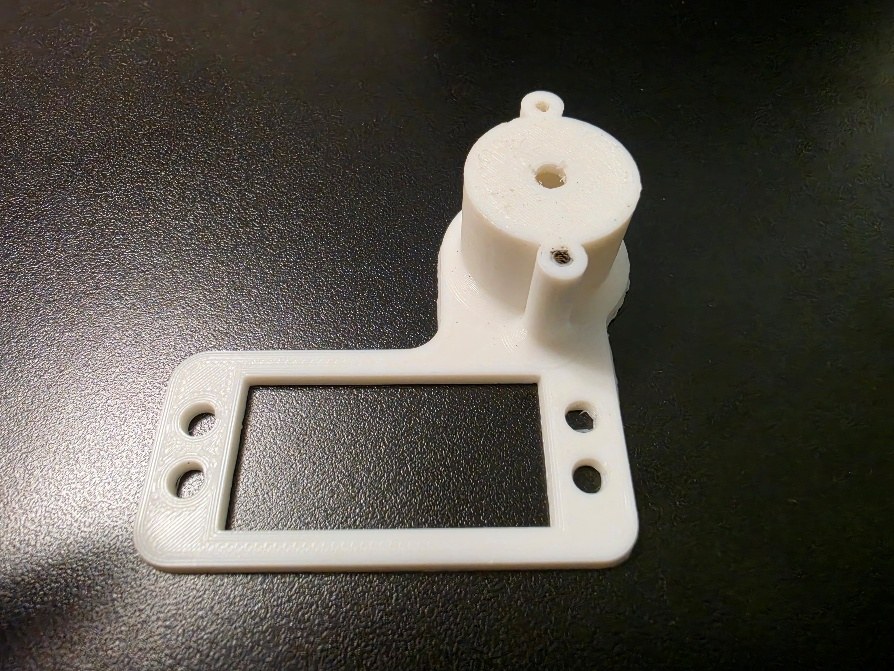
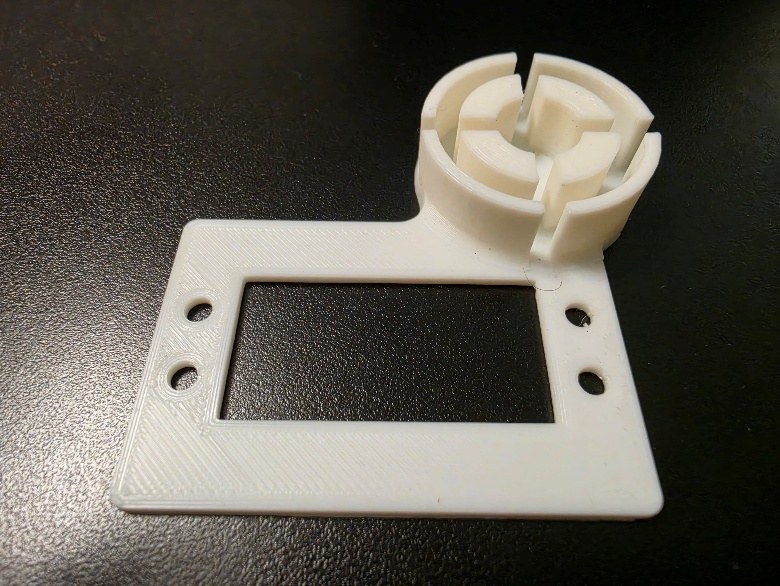
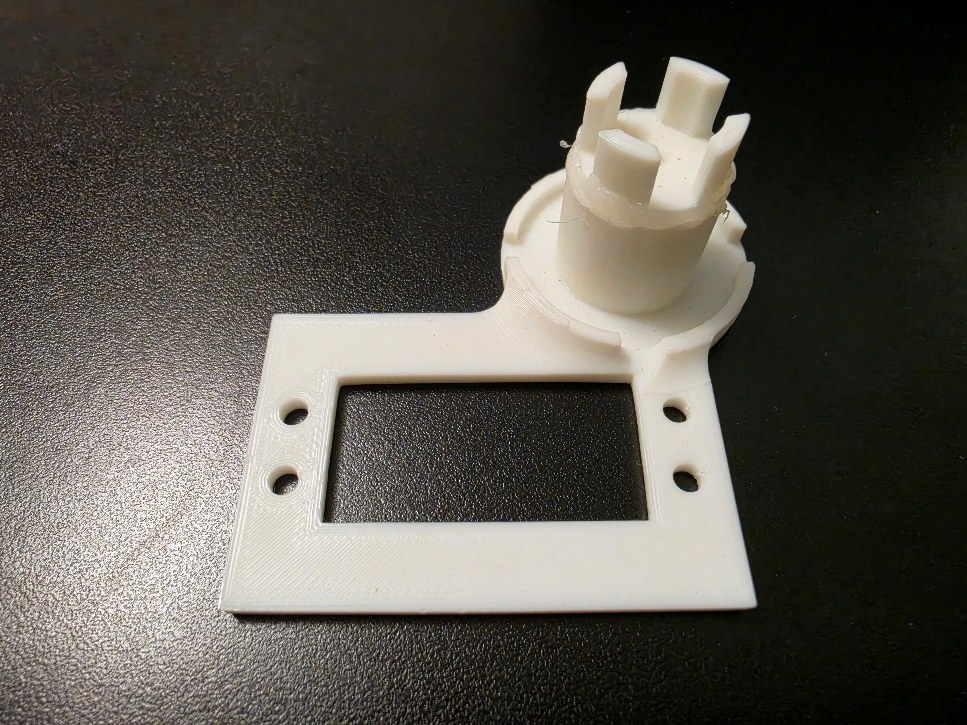
A few iterations of this got the hole positions and depths dialed in before committing to the real bracket.
Designing and Printing the Servo Bracket
The first real attempt used a large rectangular piece to hold the servo, with a separate circular piece keying into a subset of the available actuator holes:
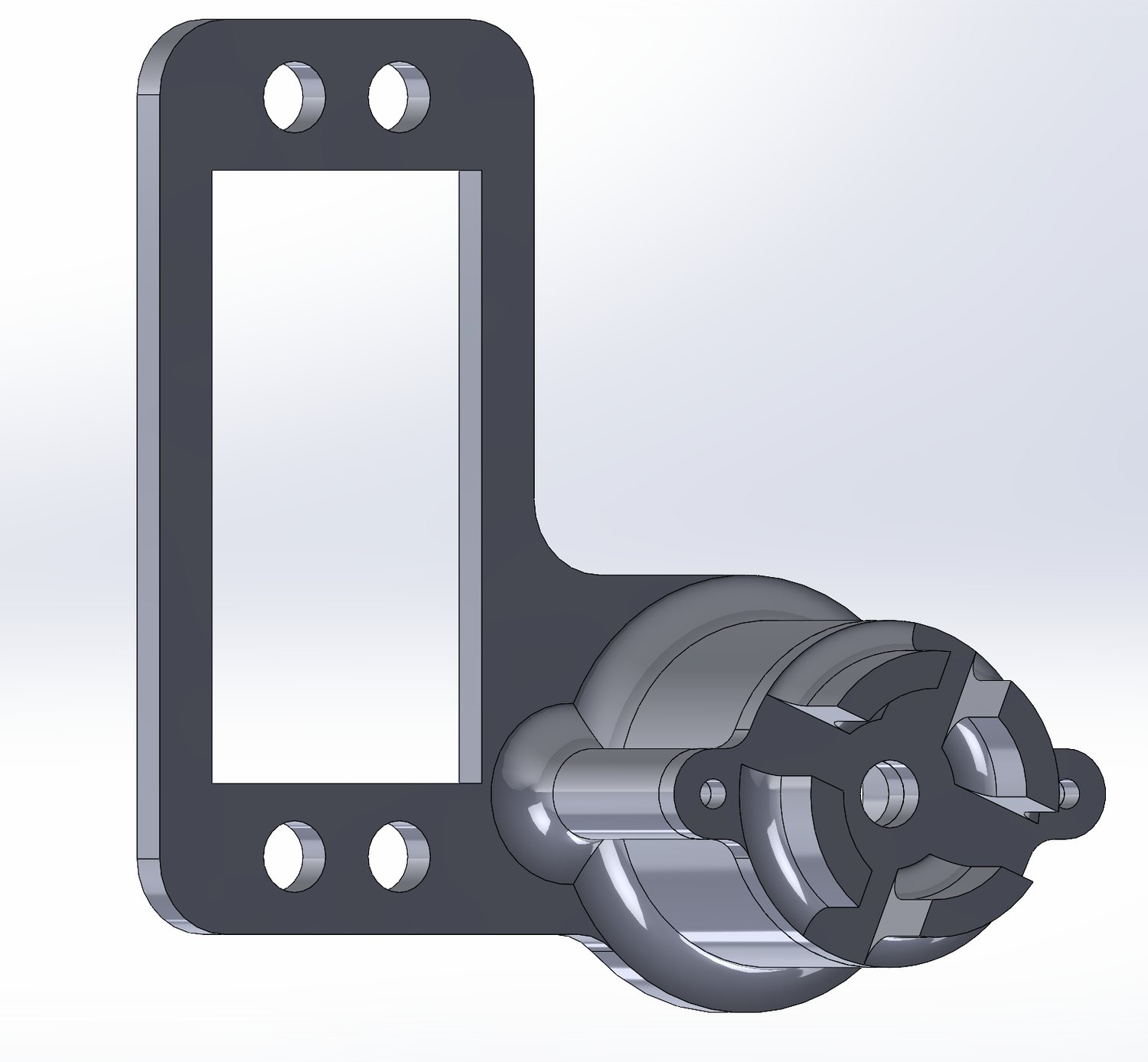
ac_servo_housing_failed_attempts/failed_assembly.SLDASM) — one anchor point wasn't enough.It didn't hold: the blend-door gear was stiff enough that the servo lacked adequate mechanical support from a single anchor point, and the bracket bent as the servo turned. The fix was a stronger, two-point design with anchors on both sides of the servo, resistant to the torsion that broke the first version — you can rotate and inspect the actual CAD model of this design in the interactive 3D viewer below.
Both versions were designed to print in manageable chunks, each with a flat surface flush against the build plate — better adhesion, fewer overhangs, and no support structures needed. It's also cheaper on material in the long run: if one part fails or needs revising, only that chunk gets reprinted, not the whole assembly. The chunks are joined with screws and nuts, which adds rigidity of its own:
| Qty | Hardware |
|---|---|
| 8 | Screws — ISO 14580 #2.5 × 25 × 24.1-4.8-N |
| 8 | Nuts — ISO 4036 M2.5-N |
| 4 | Screws — ISO 4762 M4 × 16-16N |
| 4 | Nuts — ISO 4036 M4-N |
Coupling the Servo to the Original Gear
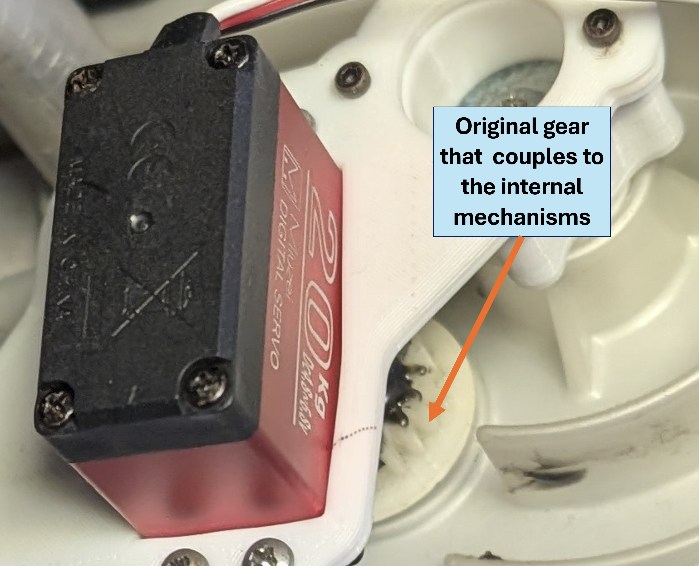
The servo's output had to attach to the original gear that couples directly into the car's internal AC temperature control mechanism:
The coupling was carried out in the following steps:
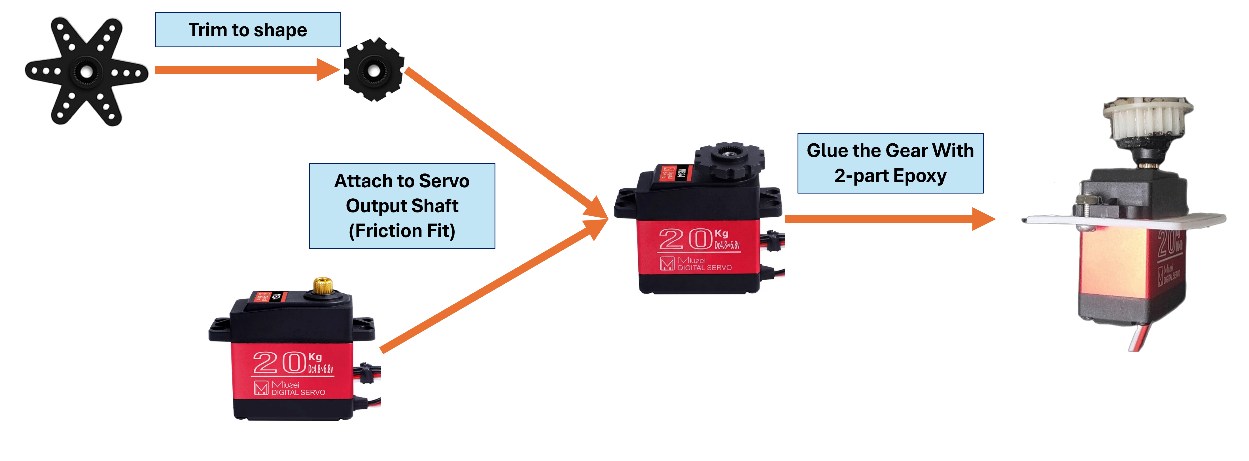
Servos come with plastic and metal output horns that mate tightly with the splines on the output shaft. One of these was trimmed to shape and friction-fit onto the shaft, then the original gear was glued onto the trimmed horn with JB-Weld two-part epoxy — strong enough that it hasn't failed under the torsion of driving a stiff gear. Getting the servo's output shaft perfectly aligned with the gear's axis was critical to the coupling holding up:
Closing the Loop: Sensing the Knob Position
Measuring the Knob Position
Driving the servo is only half the problem; it also needs to know where the dashboard knob is set. The first attempt tapped the cable that already ran under the dashboard, feeding it into a custom potentiometer.
That attempt 3D printed a housing for an angular potentiometer built from copper pads at each detent position:
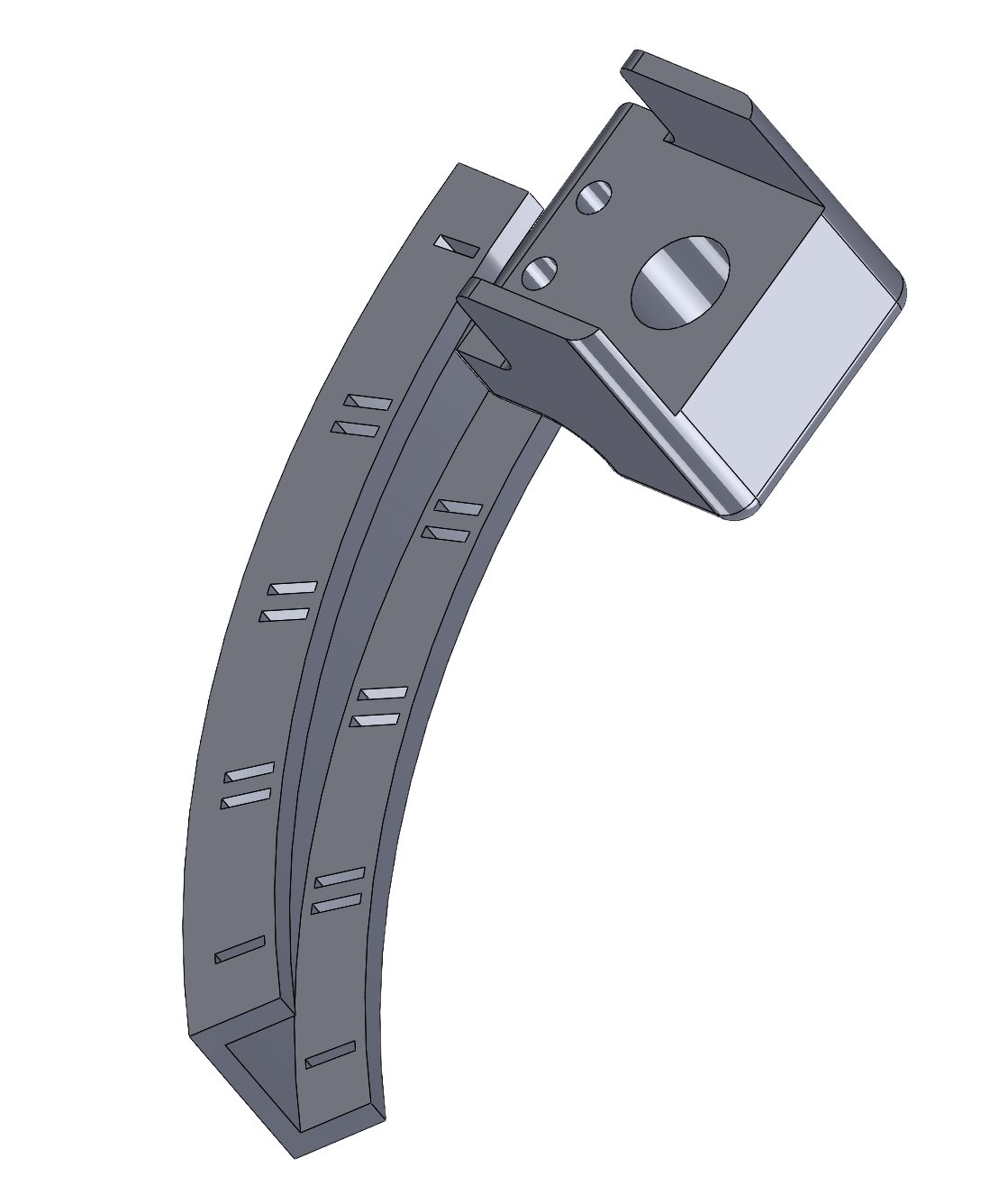
angular_potentiometer_assembly.SLDASM) — copper pads at each temperature step.It didn't produce stable enough readings, so the next attempt used a commercial linear potentiometer, again with a printed housing:
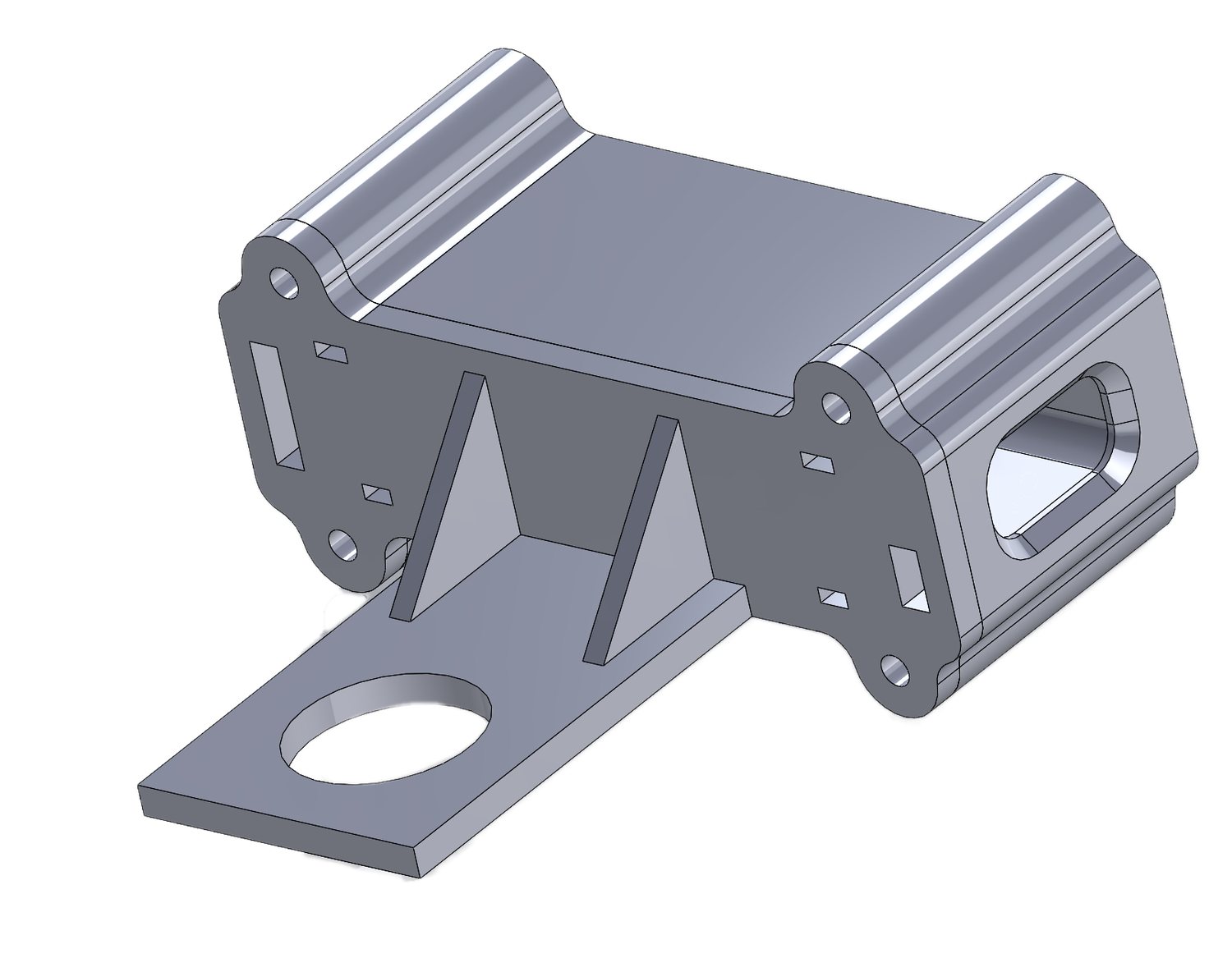
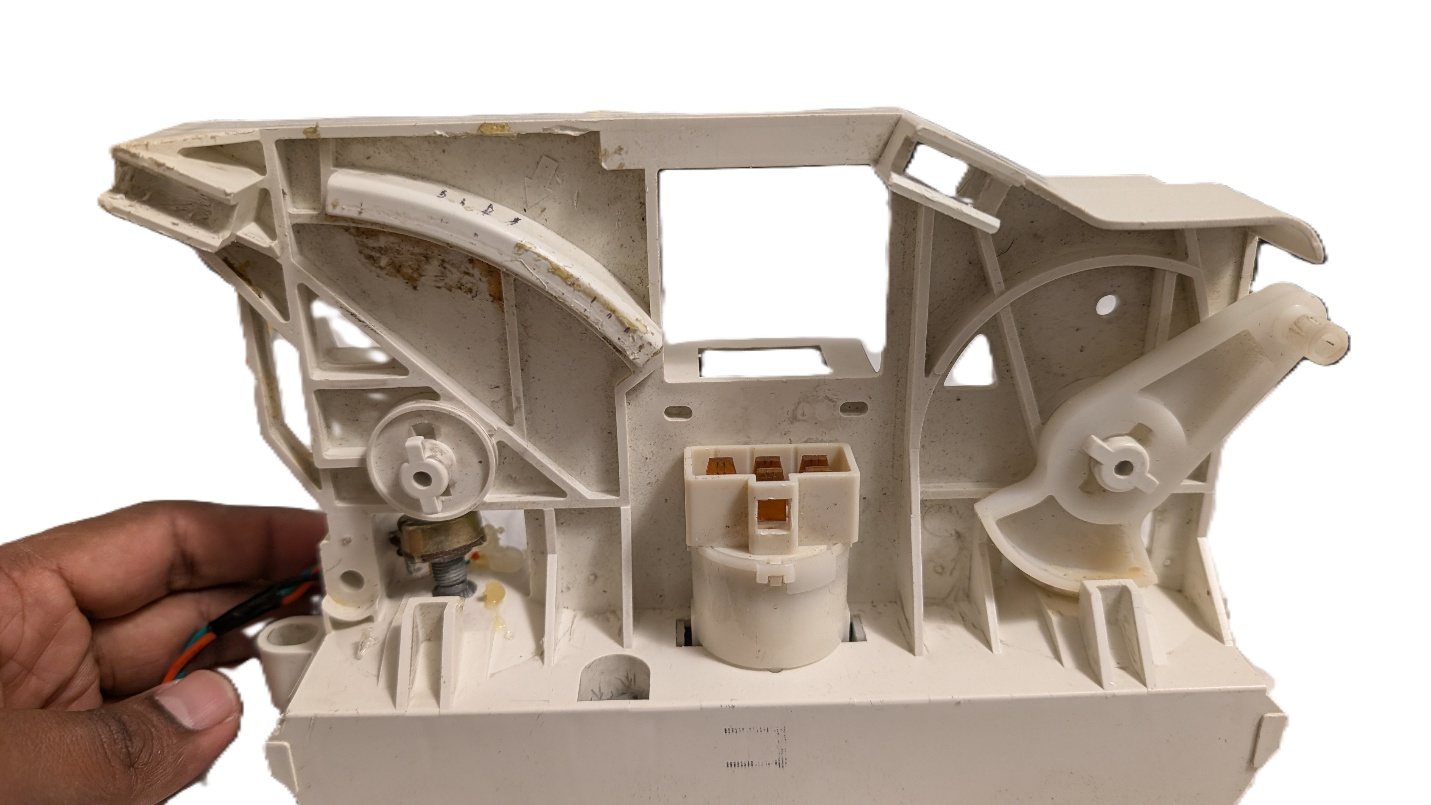
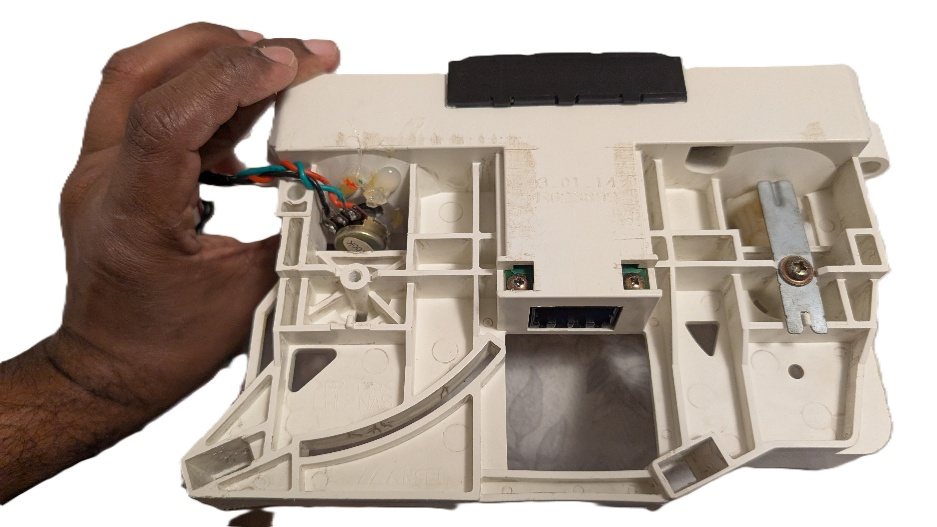
linear_potentiometer_assembly.SLDASM) — also didn't work out.That didn't work well either, so the cable-pull mechanism was removed from the dashboard entirely and replaced with a simple rotary potentiometer mounted directly at the controller, held in place with a nut and hot glue — hot glue specifically because it's easy to back out again if the design needs adjusting; a stronger, permanent adhesive makes more sense once everything is finalized:
Coupling the Knob to the Potentiometer
With the cable-pull mechanism gone, the dashboard knob itself needed to couple directly to the potentiometer's shaft. The original knob shaft was measured and modeled in SolidWorks, but its shape wasn't compatible with the potentiometer, so a coupler was designed and 3D printed instead — rotate both the original shaft and the coupler yourself in the interactive 3D viewer below.
The coupler's print orientation turned out to matter more than expected: printed axially (shaft-axis vertical), the part comes out precise, but the bond between print layers is weak against the torque trying to shear them apart. Printed longitudinally instead, it would be far more resistant to that torque, but less precise, since it no longer has a flat face to sit flush against the build plate. Precision won out, so the coupler was printed axially.
That trade-off came back to bite it: in PLA, the coupler deformed under the intense summer heat inside the car, and the printer couldn't reliably handle ABS as a heat-resistant alternative. Rather than change material or print orientation, the fix was a small redesign: a hole through the coupler's center accepts a metal dowel pin, reinforcing the weak layer junctions directly.
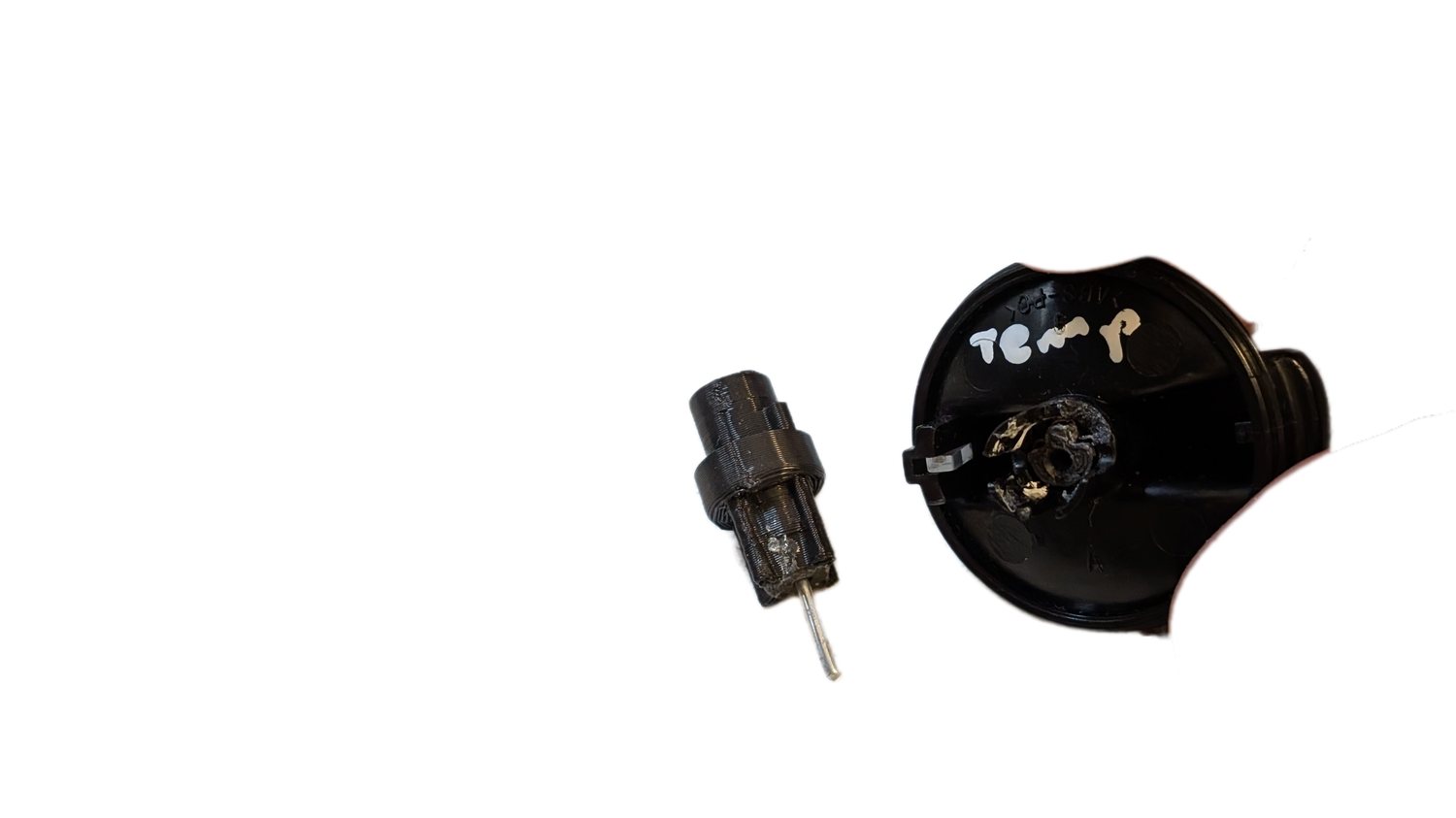
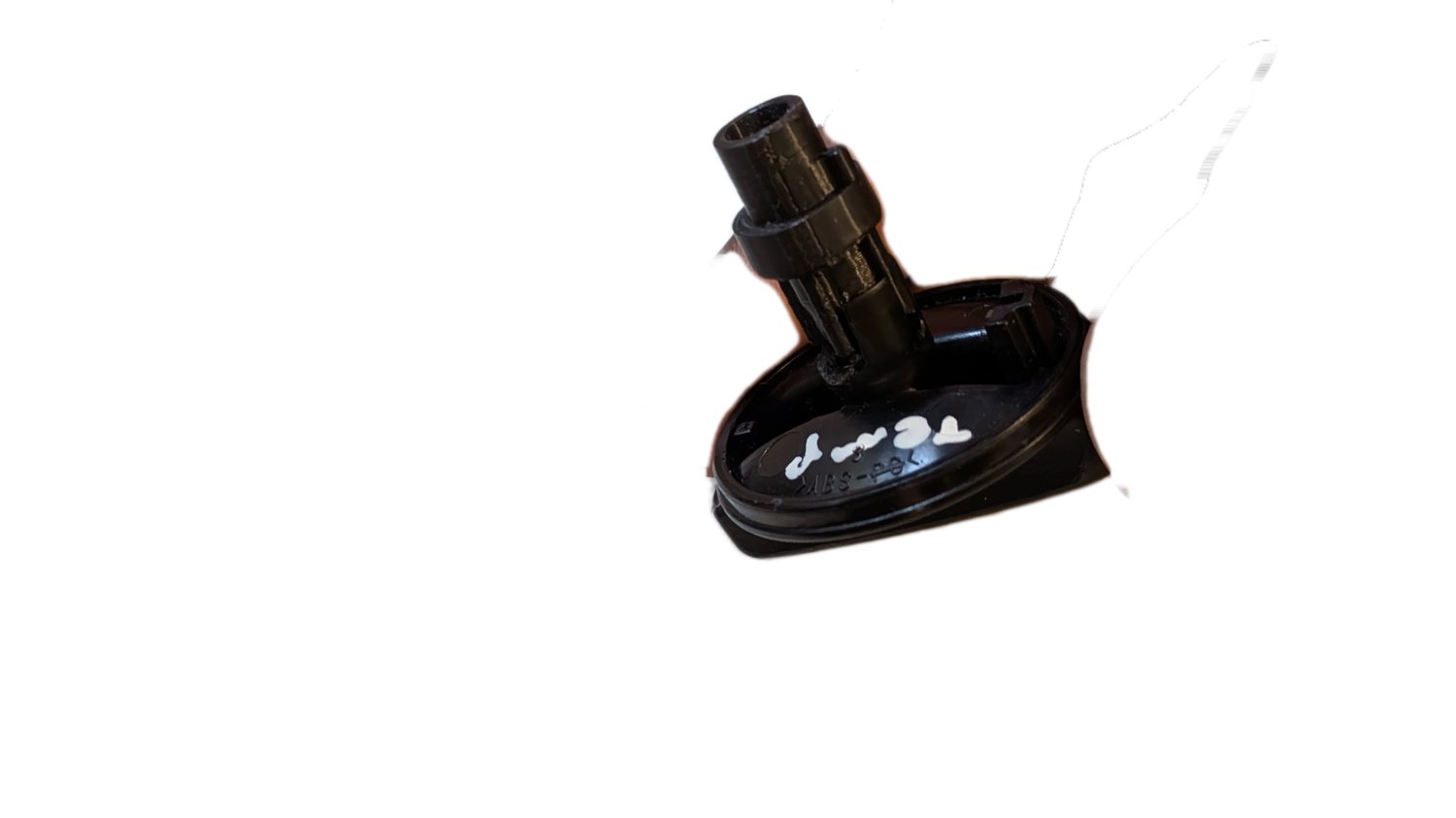
A metal dowel pin isn't a special-order part, either — a nail with its head trimmed off works just as well, or in a pinch, a thick safety pin bent back and forth until it snaps to length.
Interactive 3D Models
The final servo bracket, its two printed screw-boss standoffs, the original (pre-reinforcement) knob shaft, and the knob–potentiometer coupler — all straight from the actual SolidWorks files. Drag to rotate, scroll to zoom, or grab the native SolidWorks file for any piece below the viewer.
The Control Board
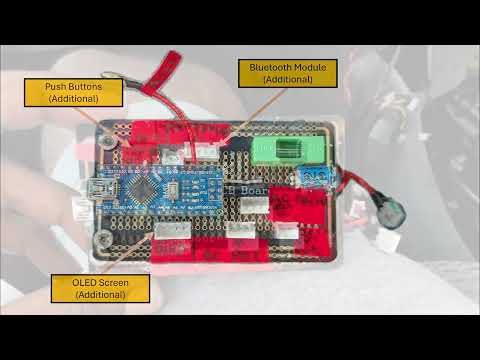
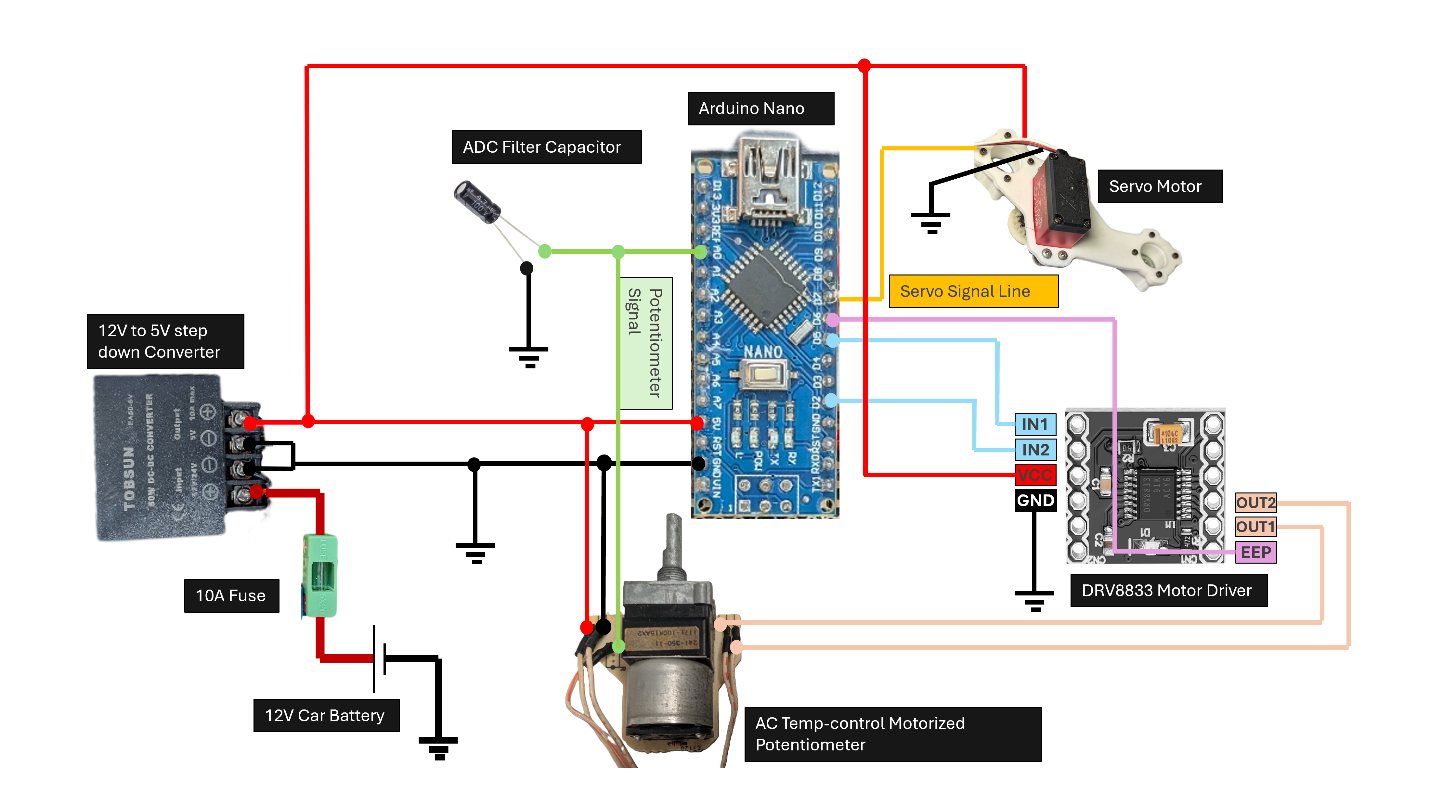
A custom PCB interfaces the Arduino Nano with the potentiometer and servo — the Nano was chosen for its small footprint and low power draw. Unused headers on the board bring out connections for a Bluetooth module, push-button inputs, and an OLED screen, none of which were populated for this build (out of scope here, but built in for later).
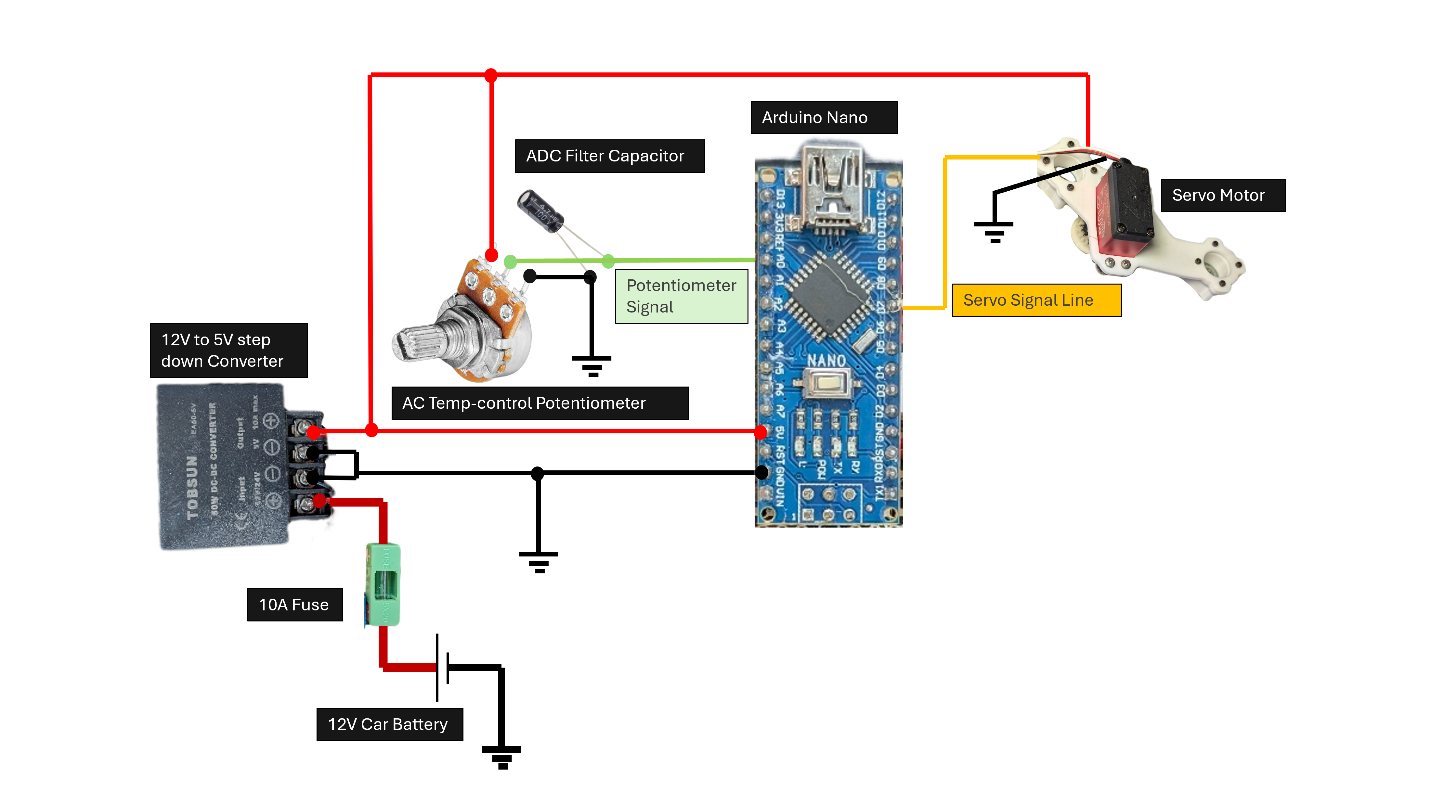
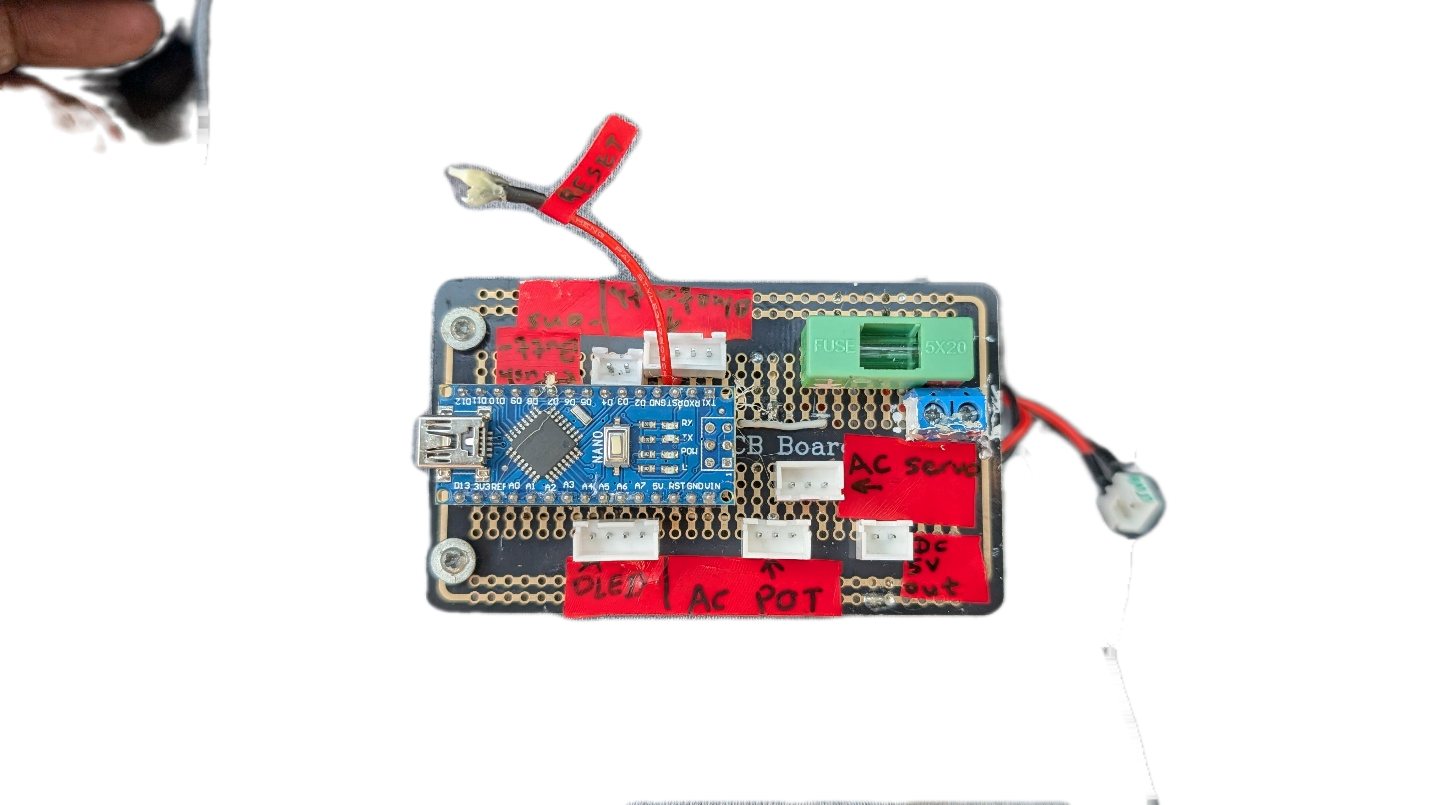
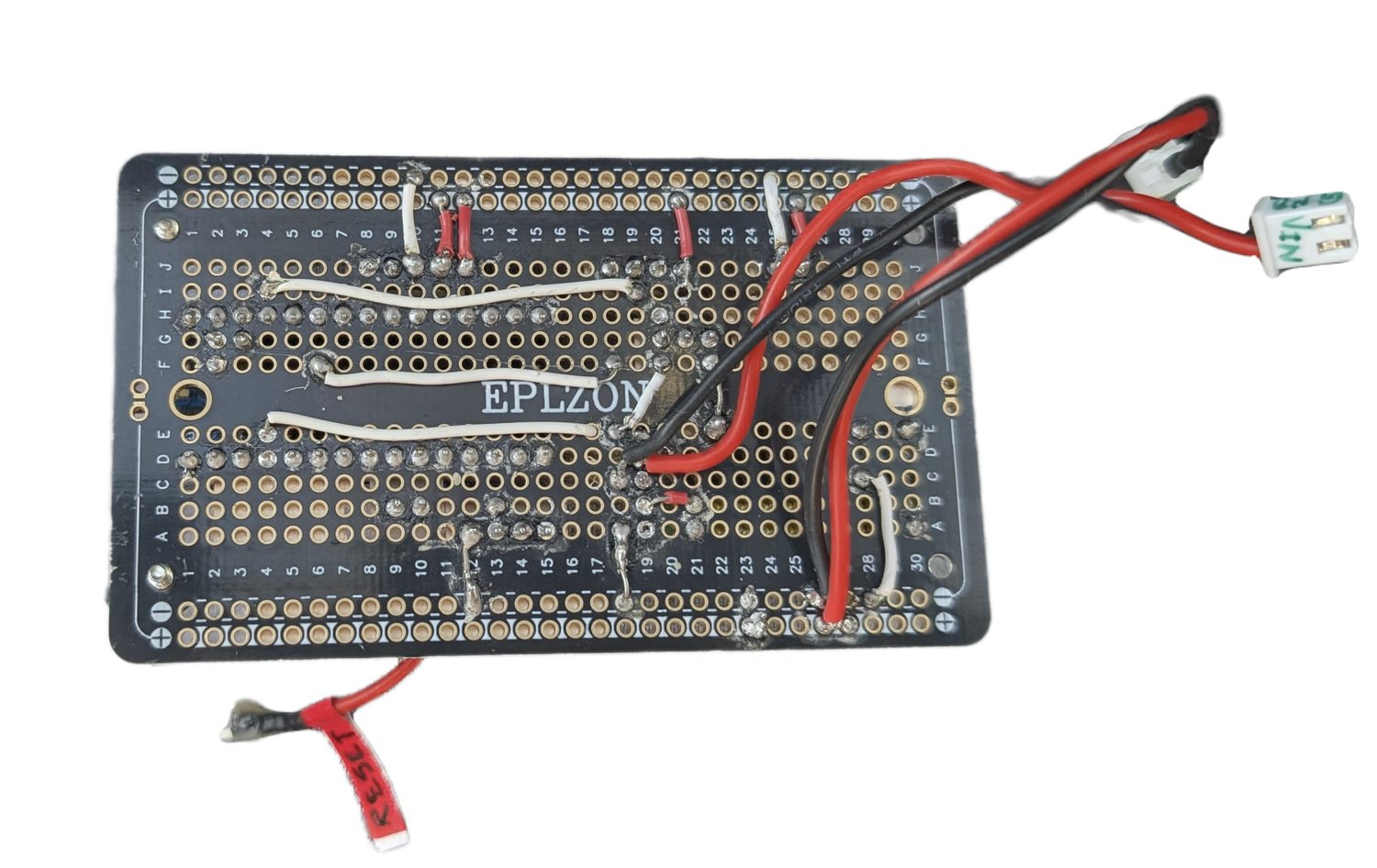
Power comes from the cigarette lighter's 12 V rail — a deliberate choice so a failure here can't take down anything else in the car — stepped down through a Tobsun EA50-5V 50 W buck converter:
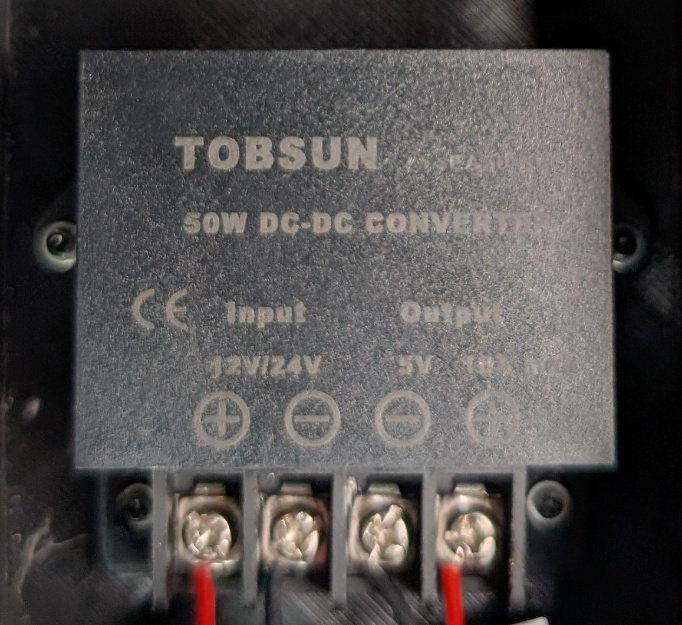
It's rated well above what this build alone draws: the servo's stall current is about 3 A, the motorized-knob motor (below) draws about 1 A at stall, and a Wi-Fi‑enabled board can briefly pull ~2 A while associating — roughly 6 A worst case, comfortably inside the converter's 10 A rating with margin for future additions.
Installing It in the Car
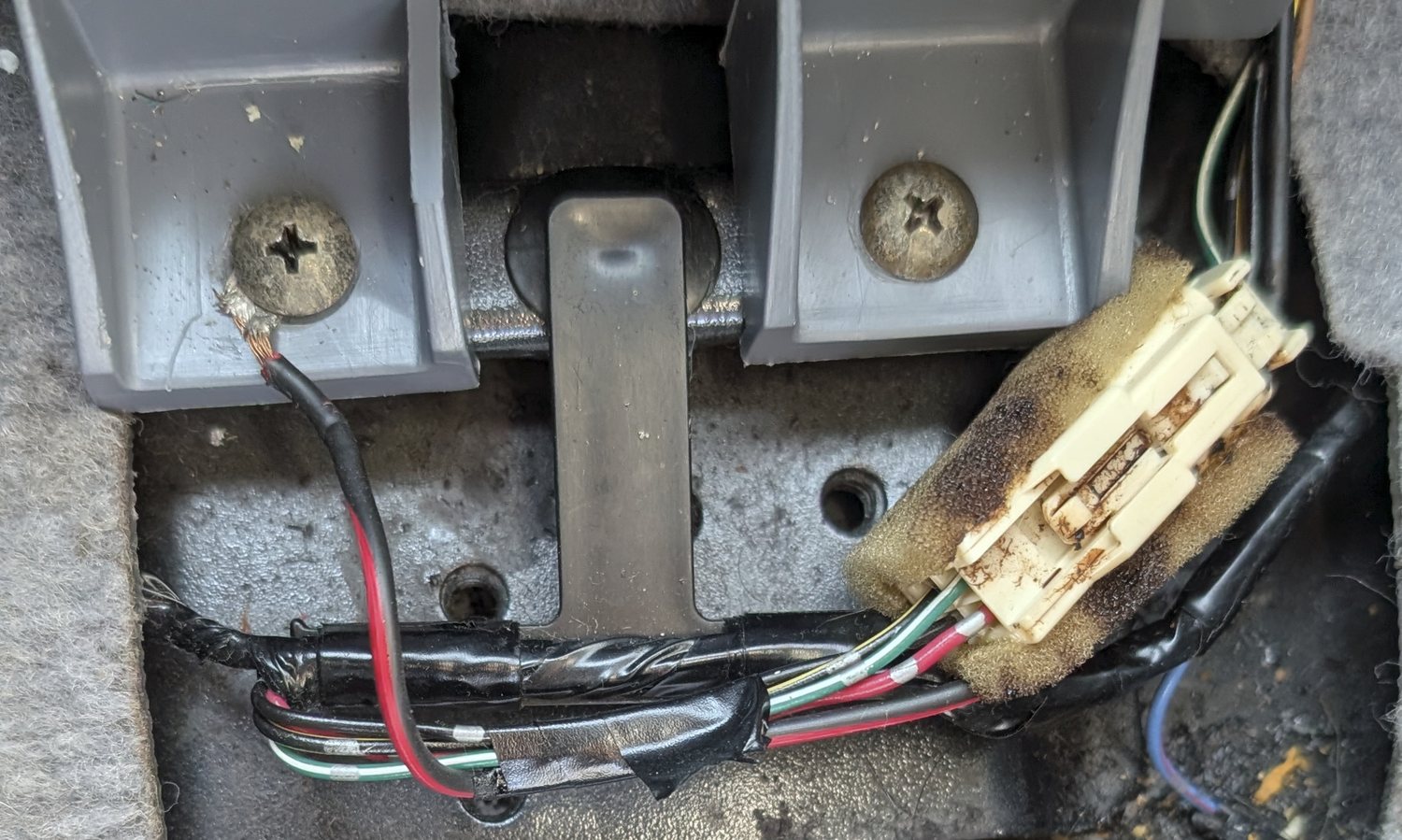
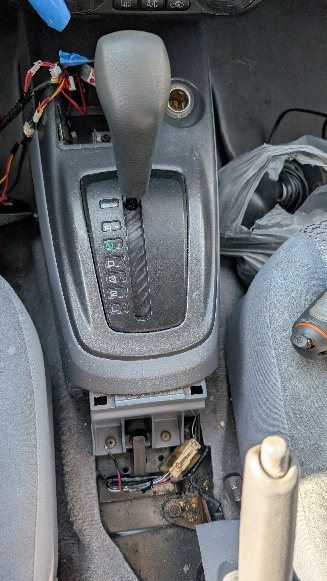
The board and its wiring live inside a 3D-printed enclosure, tucked away safely in the cabin. One opening accepts a micro/mini-USB cable so the Arduino can be reprogrammed without disassembling anything; a second opening lets the wiring harness pass through.
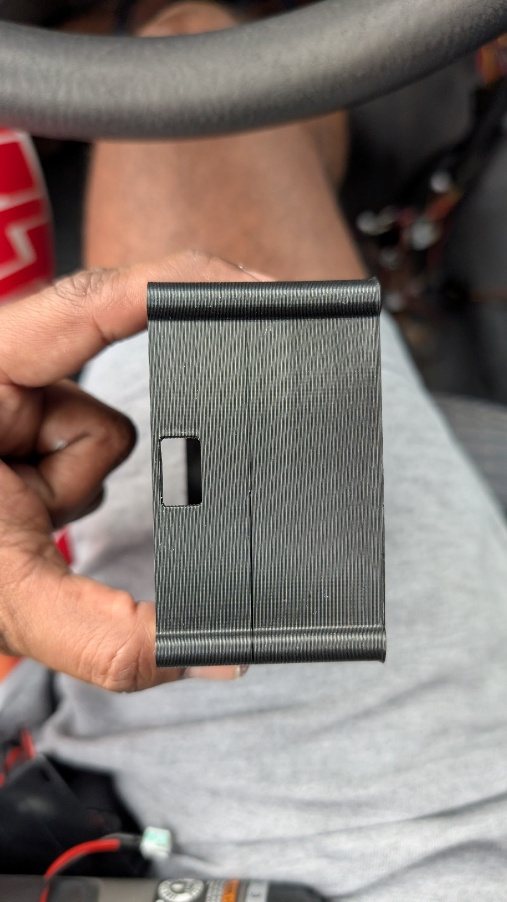
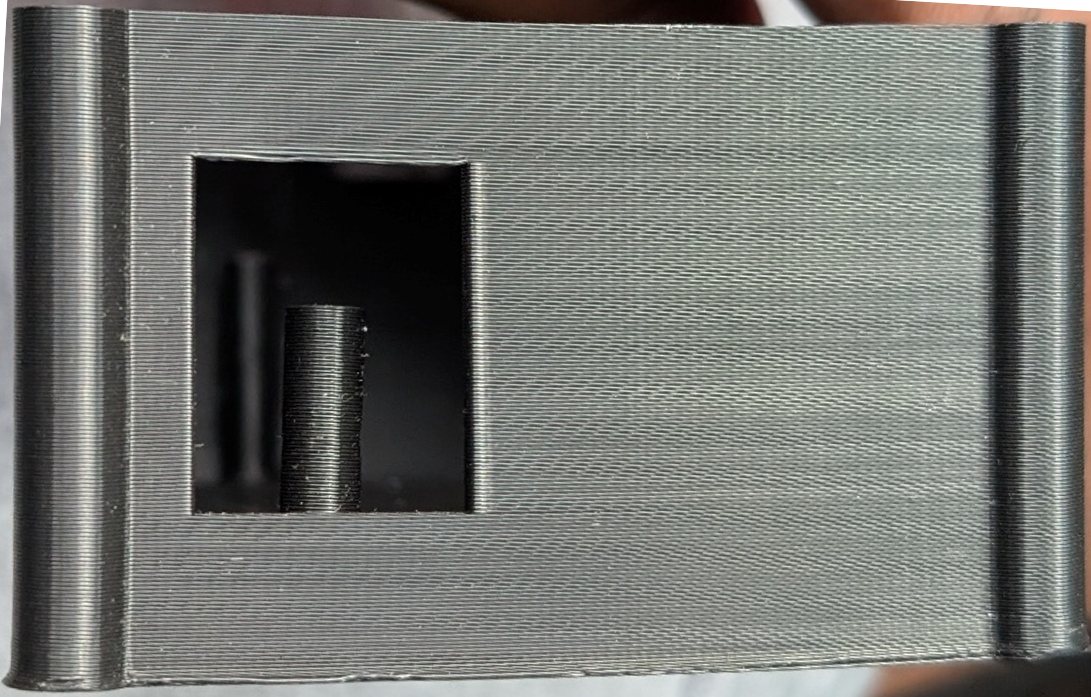
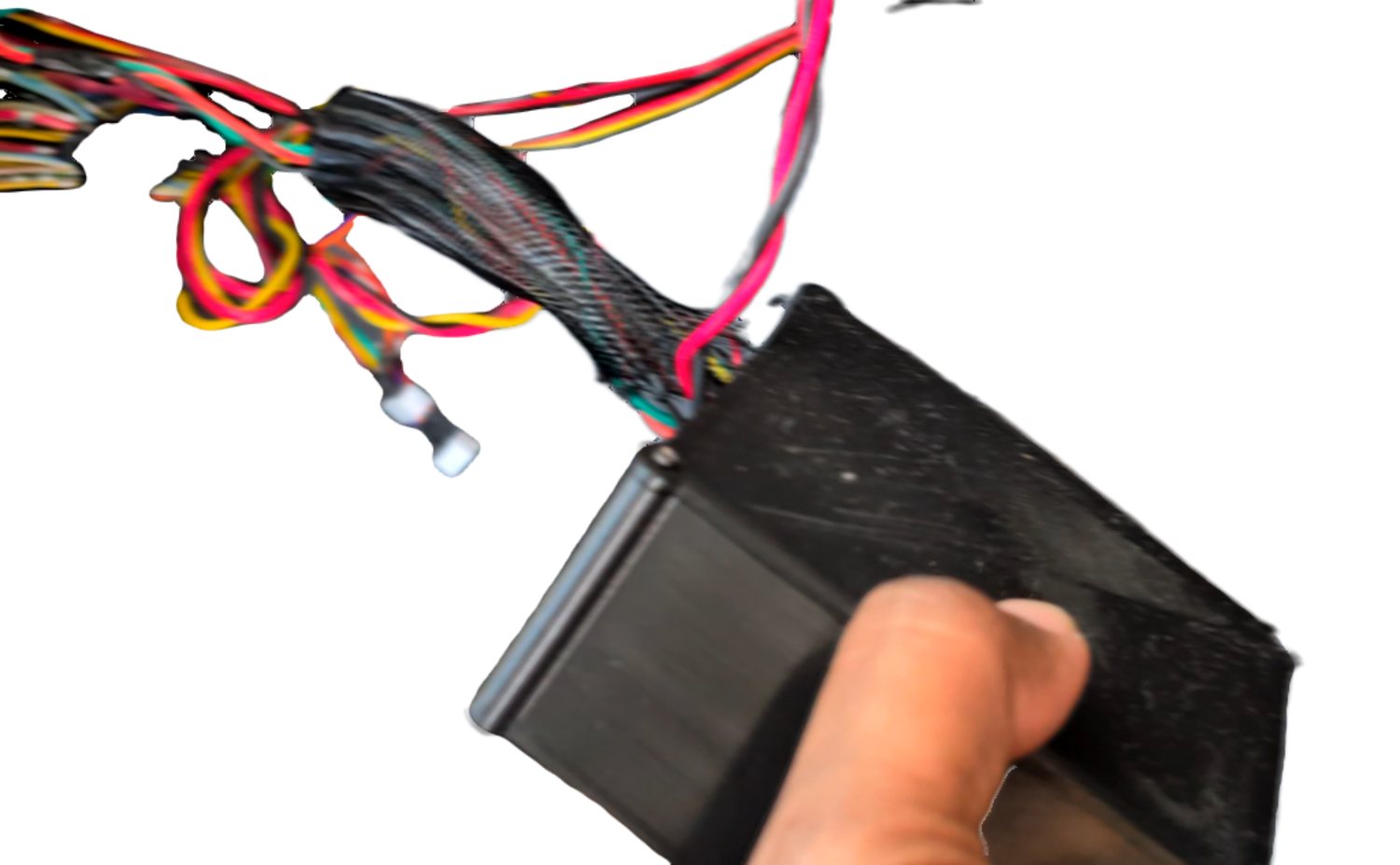
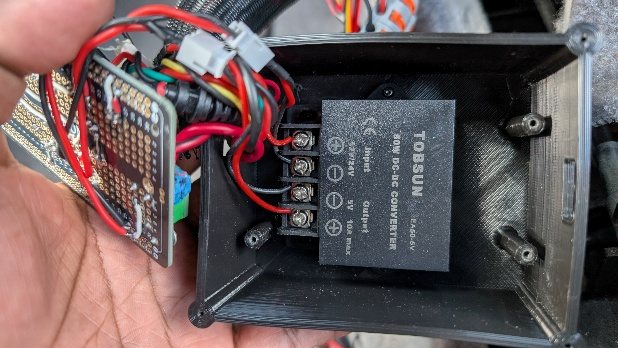
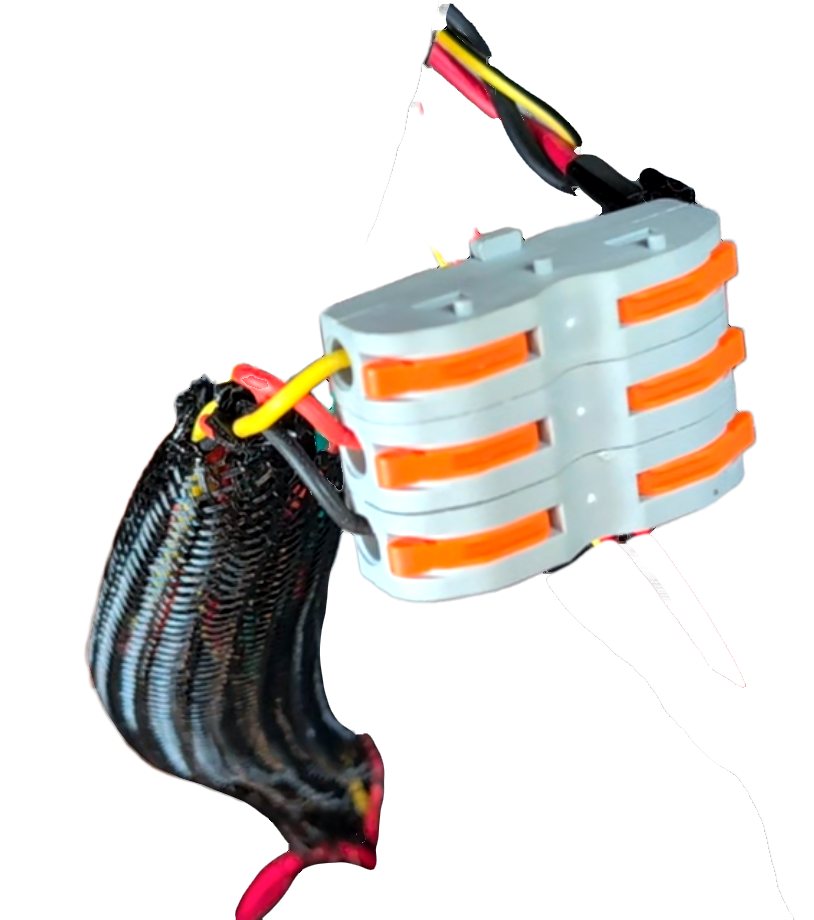
Wiring runs under the dashboard wrapped in harness covering. Lever-nut connectors handle joints that need higher current capacity and might need to be serviced later; JST connectors carry signal lines; crimp connectors are used anywhere the joint is meant to be permanent.
Signal Conditioning and a Non-Obvious Bit of Firmware
Rather than use Arduino's built-in map() function on the raw potentiometer reading, the firmware uses a lookup table for three reasons. First, the knob only has meaningful discrete positions — a continuous mapping isn't actually necessary. Second, the potentiometer on hand was noisy: its resistance (and therefore voltage) drifted enough between reads to cause annoying servo jitter, which quantizing into fixed bins avoids (the alternative would be a filtering capacitor or software hysteresis that only updates the servo once the reading deviates by some minimum amount — quantization is simpler, at the cost of some imprecision right at bin boundaries). Third, the potentiometer itself was non-linear, changing resistance slowly at the low end and quickly at the high end. A calibration table — built by manually sweeping the potentiometer through equal angular increments and recording the resulting ADC values — maps those uneven raw values onto evenly spaced servo angles.
A hardware RC low-pass filter between the potentiometer output and the ADC input further cut noise from resistance variation. The design target was to keep the filter's settling delay under 100 ms; since a filter needs roughly 5 time constants (5×R×C) to fully settle, and the maximum Thevenin-equivalent resistance the filter capacitor ever sees is about 2.5 kΩ (5 kΩ in parallel with 5 kΩ, at the midpoint of the 10 kΩ potentiometer — the true worst case for a non-linear pot may not fall exactly at the midpoint, but this bounds it), that puts an upper limit on the capacitor of about 8 µF:
5 × 2.5kΩ × C < 100 ms ⇒ C < 8 µF
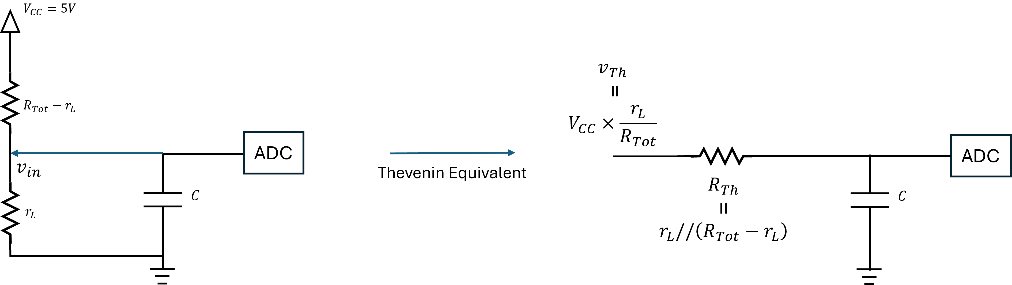
A 4.7 µF capacitor was chosen, giving a lowpass cutoff of roughly 1/(2πRmaxC) ≈ 13.5 Hz.
Here's the calibrated lookup-table firmware for the basic servo-only version — averaging ten ADC samples per reading, then mapping through the calibration bins:
#include <Arduino.h>
#include <Servo.h>

#define servo_signal_pin D7  // The pin that sends the PWM signals to the servo.
#define pot_input_pin A0     // The pin that reads the potentiometer output voltage - Must be an ADC linkable pin.

int current_pot_val;  // Stores the last received potentiometer value

// Below we implement a lookup-table type logic to 1) reduce effects of noise causing servo jitter, 2) workaround the non-linearity in my potentiometer.
// Note: If your potentiometer is a linear one, the following manual mapping would become equal spaced.
const int num_ac_steps = 11;  // The number of virtual detents/levels of temperatures
int ac_pot_trig_vals[num_ac_steps + 1] = {1024, 930, 910, 890, 870, 850, 760, 670, 580, 490, 450, 0};  // AC detent bin edges for the potentiometer values.
int ac_servo_angle_vals[num_ac_steps] = {0, 18, 36, 54, 72, 90, 108, 126, 144, 162, 180};  // Corresponding servo angles
int ac_servo_step_delay_ms = 50;  // Low delay = quick response but louder servo noise.
int ac_servo_angle = 0;
Servo acServoObj;

// Poll, average, and extract the potentiometer reading.
int getACKnobPotValue(){
  int num_reps = 10;
  current_pot_val = 0;
  for (int i=0; i= ac_pot_trig_vals[i+1])){
      ac_servo_angle = ac_servo_angle_vals[i];
      break;
    }
  }
  return ac_servo_angle;
}

// Poll the potentiometer, get the target angle, and step the servo to it.
void updateServoPosition() {
  int current_ac_servo_angle = ac_servo_angle;
  int target_ac_servo_angle = getServoAngleBasedOnPotVal();

  if (current_ac_servo_angle < target_ac_servo_angle) {
    for (int pos = current_ac_servo_angle; pos <= target_ac_servo_angle; pos++) {
      acServoObj.write(pos);
      delay(ac_servo_step_delay_ms);
    }
  } else {
    for (int pos = current_ac_servo_angle; pos >= target_ac_servo_angle; pos--) {
      acServoObj.write(pos);
      delay(ac_servo_step_delay_ms);
    }
  }
  Serial.print("Current pot val: ");
  Serial.print(current_pot_val);
  Serial.print(", Current ac servo angle: ");
  Serial.println(ac_servo_angle);
}

void setup() {
  Serial.begin(74880);
  acServoObj.attach(servo_signal_pin);
  pinMode(pot_input_pin, INPUT);
}

void loop() {
  updateServoPosition();
  delay(100);
}
Automating the Knob Itself
Once the servo and blend door could be positioned automatically — the eventual goal being a temperature sensor closing a PID loop around the cabin's actual temperature — a cosmetic problem appeared: if a microcontroller is quietly re-adjusting the blend door, the dashboard knob no longer reflects the setting the system has actually chosen. Only a human turning the knob would move it, and in an automatic system, the human doesn't.
The fix was to make the knob move itself. I salvaged a motorized rotary potentiometer from a broken Sony radio.
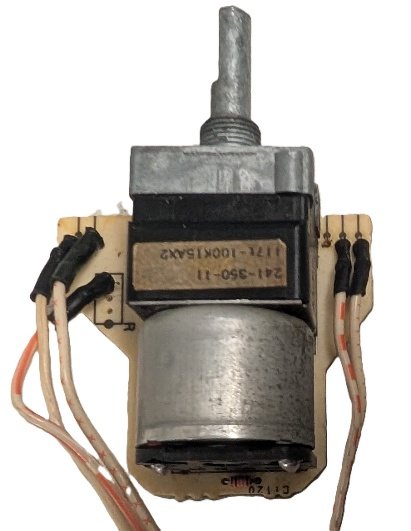
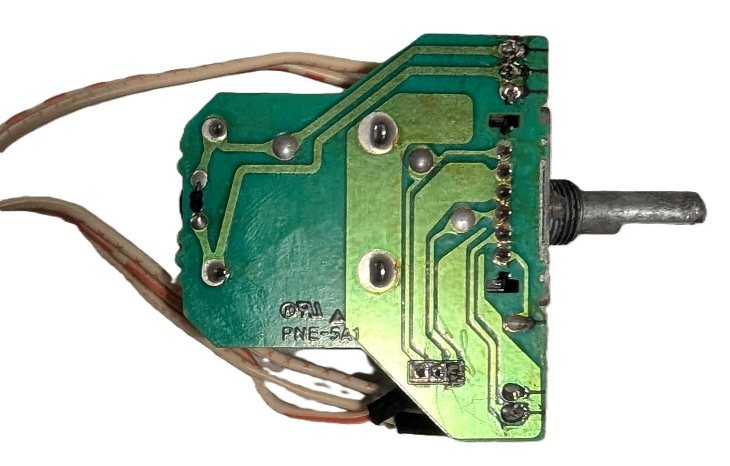
Fitting it required cutting and drilling into the original actuator body — the one part of this build that wasn't fully non-destructive.
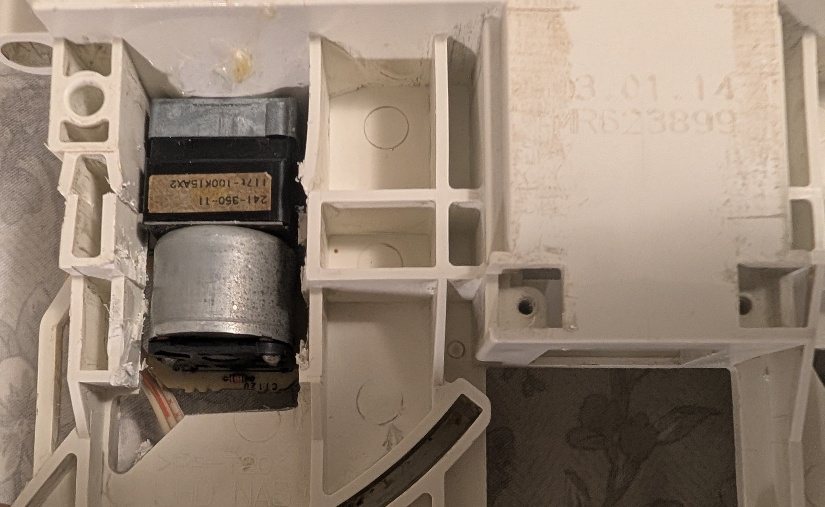
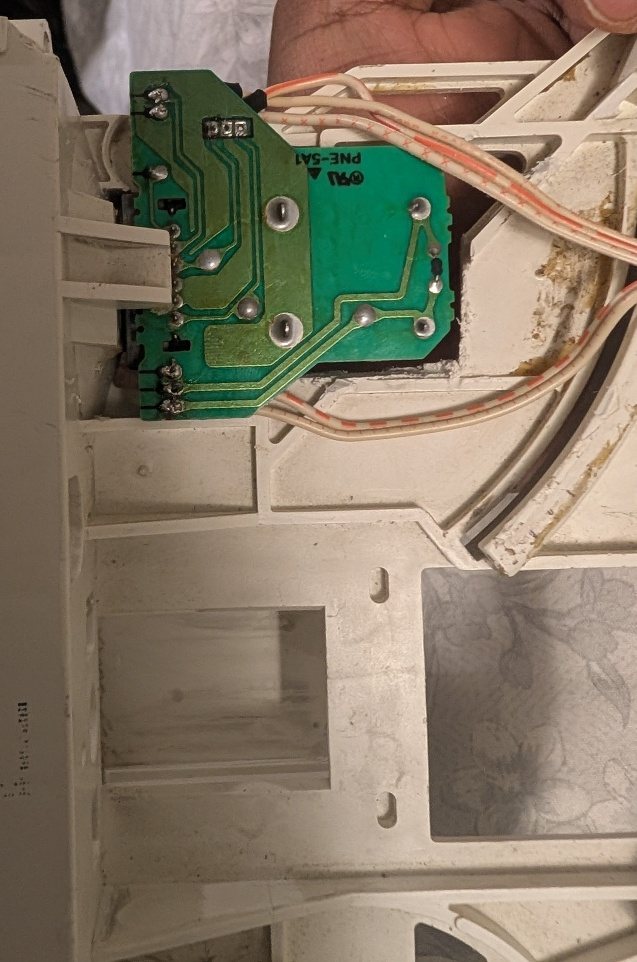
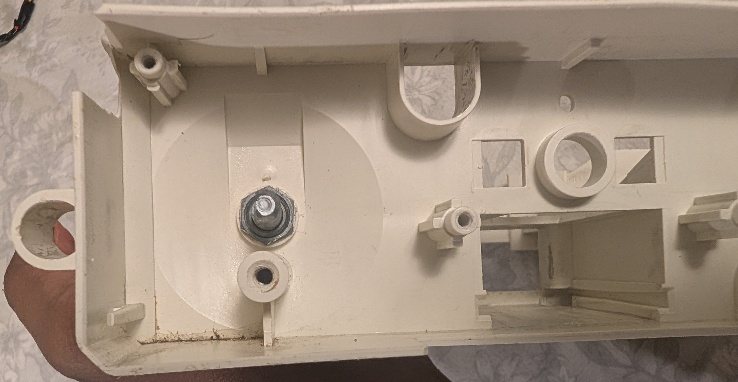
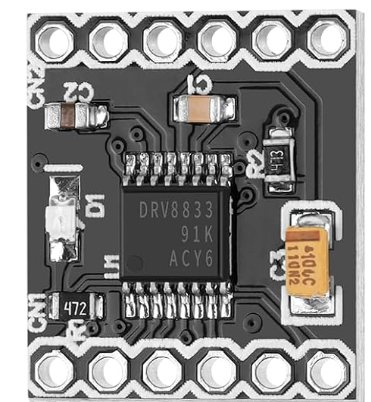
With the motorized potentiometer in place, the knob can now be driven to any position on command. The firmware accepts single-character serial commands and dispatches them to the matching function — sending H, for instance, calls heatCar(). Driving the knob motor takes a DRV8833CPWR, a dual-channel 3–10 V, 1.5 A H-bridge driver with plenty of headroom for the motor's current draw. A second custom PCB houses the driver alongside an ESP8266 NodeMCU:
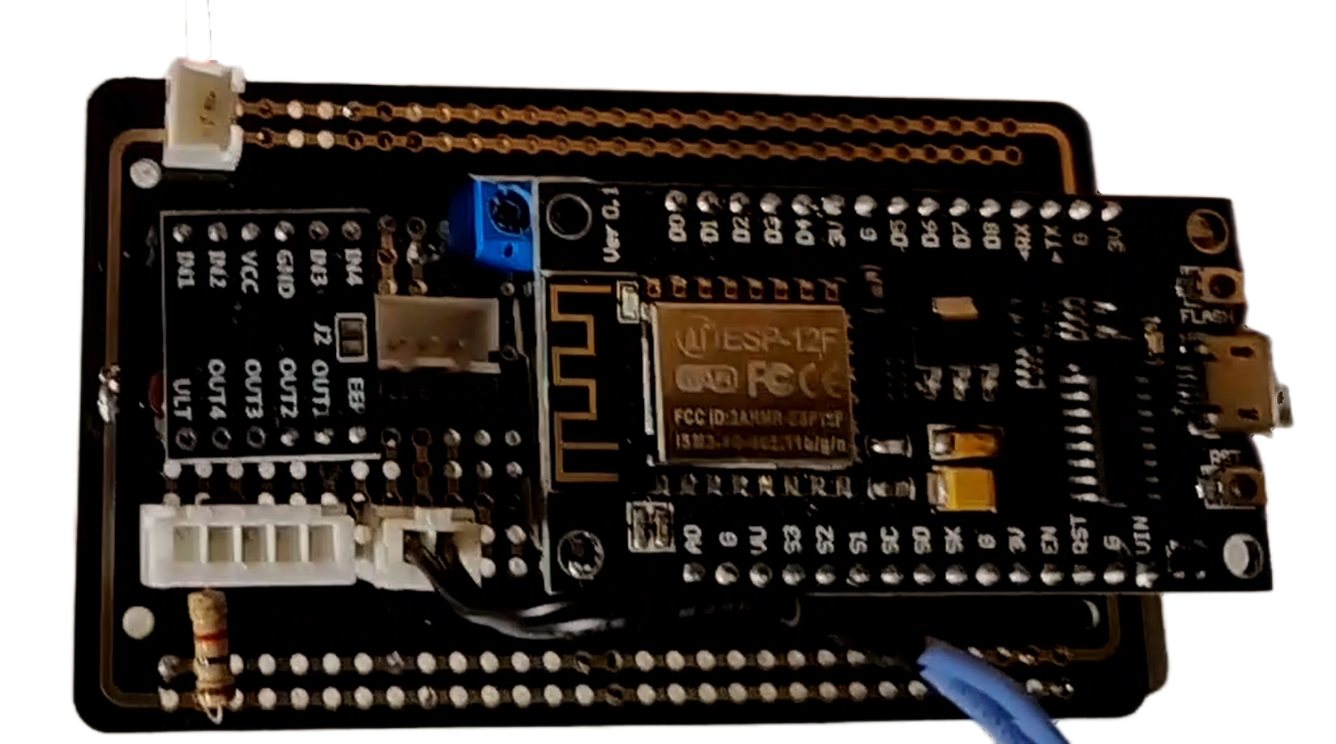
The firmware for this version keeps the same calibrated lookup-table servo control as before, and adds open-loop motor control for the knob itself — driving it toward a target extreme while polling the potentiometer to know when to stop, with a timeout in case the motor stalls against something:
// The following three pins control the direction/activation of the motor driver for the motorized knob
#define control_knob_motor_driver_in_1_pin D5
#define control_knob_motor_driver_in_2_pin D2
#define control_knob_motor_driver_enable_pin D6

long ac_control_knob_turn_timeout_ms = 15000;  // In case the motor can't reach the target (blockage, etc.)
int ac_pot_max_heat_val = 350;
int ac_pot_max_cold_val = 950;

// Compares a character received via serial against presets to trigger heating or cooling.
void handleSerialInputForACKnobControlSystem(char c){
    if (c == 'H') { Serial.println("Heating Car"); heatCar(); }
    else if (c == 'C') { Serial.println("Cooling Car"); coolCar(); }
}

// Turns the motorized knob toward max heat, open loop, until the potentiometer confirms arrival (or timeout).
void heatCar(){
  enableACKnobMotorDriver();
  turnACKnobMotorClockwise();
  long start_time = millis();
  while ((current_pot_val > ac_pot_max_heat_val) && ((millis() - start_time) < ac_control_knob_turn_timeout_ms)){
    current_pot_val = getACKnobPotValue();
    delay(1);
  }
  stopACKnobMotor();
  disableACKnobMotorDriver();
  if (current_pot_val > ac_pot_max_heat_val) {
    Serial.println("WARNING: heatCar() timed out before reaching target position.");
  }
}

// Mirror of heatCar() toward max cool.
void coolCar(){
  enableACKnobMotorDriver();
  turnACKnobMotorCounterClockwise();
  long start_time = millis();
  while ((current_pot_val < ac_pot_max_cold_val) && ((millis() - start_time) < ac_control_knob_turn_timeout_ms)){
    current_pot_val = getACKnobPotValue();
    delay(1);
  }
  stopACKnobMotor();
  disableACKnobMotorDriver();
  if (current_pot_val < ac_pot_max_cold_val) {
    Serial.println("WARNING: coolCar() timed out before reaching target position.");
  }
}

void turnACKnobMotorClockwise() {
  digitalWrite(control_knob_motor_driver_in_1_pin, LOW);
  digitalWrite(control_knob_motor_driver_in_2_pin, HIGH);
}
void turnACKnobMotorCounterClockwise() {
  digitalWrite(control_knob_motor_driver_in_1_pin, HIGH);
  digitalWrite(control_knob_motor_driver_in_2_pin, LOW);
}
void stopACKnobMotor(){
  digitalWrite(control_knob_motor_driver_in_1_pin, HIGH);
  digitalWrite(control_knob_motor_driver_in_2_pin, HIGH);
}
void disableACKnobMotorDriver(){ digitalWrite(control_knob_motor_driver_enable_pin, LOW); }
void enableACKnobMotorDriver(){ digitalWrite(control_knob_motor_driver_enable_pin, HIGH); }

void loop() {
  if (Serial.available() > 0) {
    char c = Serial.read();
    Serial.print("Received Serial Code ");
    Serial.println(c);
    handleSerialInputForACKnobControlSystem(c);
    handleSerialInputForACServo(c);
  }
  updateServoPosition();  // Poll the (now motorized) potentiometer and keep the servo in sync with it.
  delay(100);
}
The full sketch (linked below) also exposes a manual S serial command that forces an immediate servo re-sync, on top of the automatic polling in loop().
Firmware Downloads
Firmware
The two Arduino sketches embedded above, ready to flash. (CAD downloads for each printed part are in the interactive 3D viewer.)
⇩ Calibrated Servo-Only Firmware (.ino) ⇩ Full Firmware incl. Motorized Knob (.ino)What's Next
The servo and potentiometer loop, the reinforced shaft, and the motorized-knob feedback are all built, installed, and running in the car. The remaining piece is closing the outer loop: wiring in a cabin temperature sensor and a PID controller so the whole system holds a set temperature on its own, with the ESP8266 already in place to eventually expose that setpoint over Wi-Fi.
That same control board has since been put to a second use: its ESP8266 now also drives the car's remote start, locks and trunk by voice. See “Alexa, Start My Car” — Voice-Controlled Remote Start on a 2003 Lancer.